
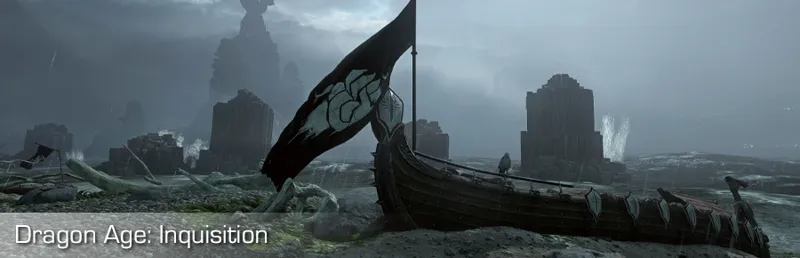
Dragon Age: Inquisition photomode tools v1.0.0
Camera version: v1.0.0
Released on: 05-jul-2024
Compatible with: Dragon Age: Inquisition Steam, EA app
Documentation: https://opm.fransbouma.com/Cameras/dai.htm
Thanks to: Hatti & IDK31
NOTE: Although this camera is free, you're not allowed to host it anywhere else. If you want to share it with others, please point them to this post.
Features:
Camera control: (Also in cut scenes)
FoV control
Free unlimited camera movement and rotation
Timestop / game pause control
Camera paths support ('dolly cam') for defining moving camera trajectories for movies.
Game speed control (slow-motion, speed up)
Frameskip
HUD toggle
Hotsampling (resize the game window to any resolution)
Pillarbox/letterbox removal in custom aspect ratios (UW support)
Vignette removal
Resolution scaling
Configurable input interpolation for smooth camera movement/rotation/fov zoom in/out
Higher LODs
Higher shadow resolution
Toggle to disable DOF
Toggle to disable Vignette
Configurable keybindings
Configurable gamepad buttonbindings
Changelog:
v1.0.0:
- General: First release
Comments (34)
I know you probably have tones of new games on your schedule, but I was wondering if there is a chance you will ever make a camera for Dragon Age 2? if it's even possible to make one for that game as it's older... :)
DA2 is very old, so I'm afraid that's not going to happen... sorry!
Hello! I was wondering if I could commission something from you for this game to add to the camera you already have created? I really have become spoiled with the lights you added on your newer cameras <3
Heh, no I'm not going to add anything to this camera. Adding lights to a frostbite game is also a cumbersome affair as they have to be passed to the engine in a complicated way (as the engine itself doesn't support dynamically created lights at runtime). So that's sadly not in the cards.
Hey, i adore your cameras, but ive found that whenever I try to launch the DAI one, it makes the game unselectable (unable to tab back in) and when I use the fullscreen mode in hot sampling, it causes the game to freeze. I've not had this issue with the bg3 or veilguard camera before and I'm unable to figure out what might cause it!
Be sure to disable the EA overlay in the EA app. It re-enables it from time to time so you have to periodically check that
Completely understand if not, but is there any chance of a camera for mass effect andromeda? I think it’s in the same engine as DAI, but again completely get it if not! Thank you so much for all the work you do :)
https://framedsc.com/GameGuides/mass_effect_andromeda.htm
Hello ! When I launch flycam my game is minimized (normal) but it's then impossible to open the game back up to full size. Both the Otis programme & inquisition stop responding from what task manager says (although the game still moves etc I just can't click on it). The screen size that is picked up in the Otis programme isn't the right one and when I try to change it it crashes. If I close the programme then I can open DAI back up to normal size. Frosty, DAI and flycam are launched as admin. Any idea what is causing this ? I use your flycam in DA Veilguard and everything works perfectly
Why is it minimized? Run the game windowed (from the game settings), then click on 'Fake fullscreen' on the hotsample tab in the igcsclient to get a fullscreen window. That way the game won't minimize
Thanks for this. Boost Higher LODs causes strange black triangles to appear on the screen. Is there any way to fix it? I'm playing with every settings max out + RT.
I think you replied to the wrong dragon age thread, but the answer is likely that sadly there's no fix: the high lod is a forced lod setting in the engine. In rare cases it bugs, which is something I can't fix: the LOD enforced on some model results in a model being rendered that's incomplete or not valid, so you get these triangles. I have seen it in 1 location so far
Hello, thank you so much for sharing this! I've been using your BG3 camera and I love it. However, I'm a bit at a loss on how to get this one to work -- my EA overlay is disabled, I'm running the camera tools as administrator (since I run the game through Frosty), but when I press insert nothing happens. Initializing... Dxgi Present hooked successfully (DX11) Camera system:: All interception offsets found. Hud system:: All interception offsets found. Pause system:: All interception offsets found. Image Quality system:: All interception offsets found. Initialization completed. Waiting for camera struct interception... Camera found. HUD hidden HUD visible I'm able to toggle the HUD, but unable to actually enable the camera. Any help would be appreciated, I'd so love to use this <3
Be sure to press the Insert key next to the backspace. Also, double check if the EA app hasn't re-enabled the overlay again (it does that randomly :( )
Thanks
Hi Otis, thanks a lot for your camera mods. I'm using quite a few of them without any problems so far. But now I have a problem which I can't solve: usually the camera is connected to the mouse which is great and much faster to make the set up for a screenshot but with the DAI camera mod I can't move the camera with the mouse. Camera movement via the keyboard works as it should and described in your readme. Only cosmetic mods installed/using Frosty modmanager and DAI modmanager/ everything is updated/ no game overlays active. Do you have a tip for me?
hm, same for me now that you mention it (and now that i fixed my pebcak error i hope.) tried with gamepad turned on in game and without. gamepad and keyboard work, mouse doesn't, regardless of what the input device is set to in the camera tools or the game. i'll still gladly use it keyboard only so my game doesn't CTD every 30 seconds like with DAI CT though 😅
sooo unfortunately i tried setting it all up today and i can't get it to work. :/ what i've tried: -setting all graphics settings as low as possible -updating video drivers -removing all other mods -using reshade 5.9.2 instead of the latest version as another commenter suggested -running camera tools as admin no matter what I do, as soon as I inject the DLL, the in-game shadows get lighter and more distinct for a few moments and then the game hangs indefinitely (this program is not responding). no error messages in the dll log (i can pastebin the whole thing if you'd like)
you have the latest game version from the EA store? You have disabled the in-game overlay in the EA app? (you have to do this, otherwise it'll crash/hang, and it will regularly reset to 'ON', sadly, so you have to check this)
thank you!! been doing a replay just now and struggling to hell with DAI CT, wish i'd waited a week bc then these would have existed when i looked for them T_T
Thanks alot for this one. It's nice to see something like this even for an older title. Love to have toggles for DOF and Vignette, plus the shadow and LOD increase options in addition to the other stuff. I really appreciate it. One thing I have no clue if it's possible to integrate as well but if so it would be great, is a toggle for 60 fps cutscenes (instead of the 30 capped ones). If not possible or to difficult no worries as there is an other workaround. It's just an idea and it would be super nice to have all the options in one tool :)
I think there's a mod for that on nexus. :)
Tested it out and camera itself works great.. unfortunately I have tones of crashes when trying to use IGCS. Usually while I am setting up the session and blur.. it crashes almost every time while setting up blur focus... I did manage to render out few shots before it crashed so it's not like it doesn't work at all.. but it crashes to often to use :( I tried with both 2.5.1 and 2.5.2 same thing :( dunno what could the problem be. I usually never had crash problems with DAI and it doesn't happen with camera only either so I'm pretty sure DOF is the issue... --------------------------- EDIT: this is new info written after my further replies underneath, but after even more testing for a week it turns out it wasn't even a reshade version, it was my AMD Radeon chill that was on limiting my frames to 60fps. I didn't realize at first because I turned it off at the same time I reinstalled older reshade version. but when I tried to turn it back on the crashing started again instantly. so yeah if any of you use Radeon Chill that could be reason for your crashing :)
after further testing I think it might be the reshade. seams all versions over 6+ crash much more, I reverted to 5.9.2 and it seams to cress much less almost not at all...
I feel like I've done everything right, but when I press insert, even though it indicates camera has been enabled, I can't move the camera at all. if press the Numpad decimal, I still can't move the camera when loading from the EA app directly, but when loading to the EA app through Steam, the camera does start moving but it's just like playing the game; The camera is targeted on the player character and moves along with the character. I have the EA overlay disabled. I don't know if the game is being launched in Administrator mode but I've tried launching your tool both ways and just get the same behavior. Any ideas of what I'm doing wrong?
Press insert to enable the camera, otherwise you move the camera as if it's in game. When you press insert, you should be able to move the camera freely
omg so happy you made this, was planing a replay before Veilguard drops!! Another camera tool for DAI exists so I didn't want to bother you in the past asking about this but I was hoping you will release it one day lol! :) and nice of you to make it free for everyone too! Thanx!!! :) question about DOF... do we install your IGCS Depth of Field in same way as for other games??
Yes
This is the sign I was wating for to star a new game XD
So happy, genuinely. Was lamenting last week about how the old, existing tools were extremely limiting and hard to use to the point I couldn't. REALLY happy for this and hopefully it avoids the issues they gave me. Thank you!!
You absolute god, bless you
OH! That's amazing! Thank you very much!
Thank you thank you thank you. You're amazing!
This couldn't have come at a better time ❤️❤️ just started replaying this!