







The best quality printer for fantasy miniatures? - Phrozen Sonic Mini 8K
Hi guys!
We've been wanting to try the Phrozen Sonic Mini 8K resin printer for a while now and our friends from Phrozen have made it possible.
They sent us the printer for review and we decided to do a Youtube video about the machine and the incredible results it provides.
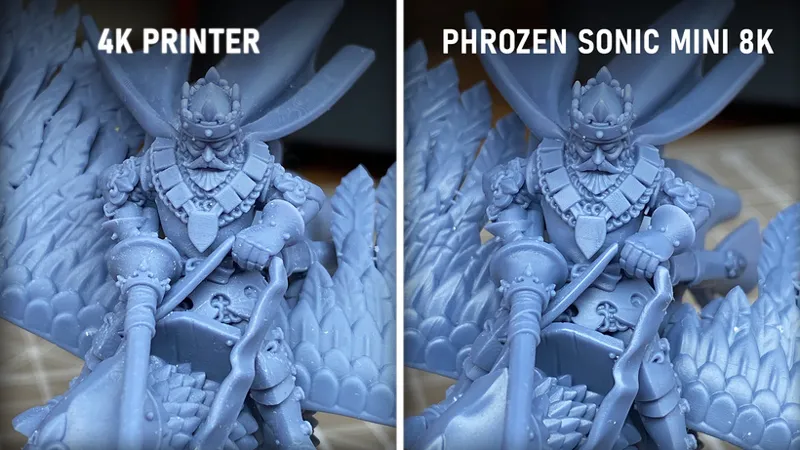
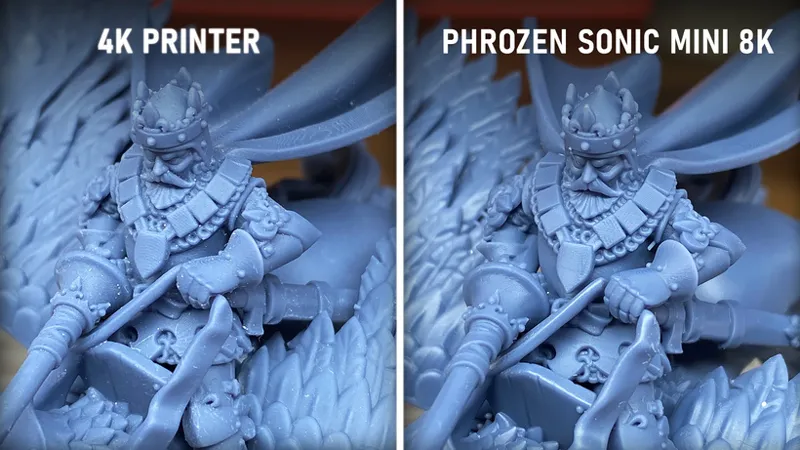
We also compared the results with a 4K printer, using the same resin, same camera and same light conditions.
You can check the new Youtube video HERE.
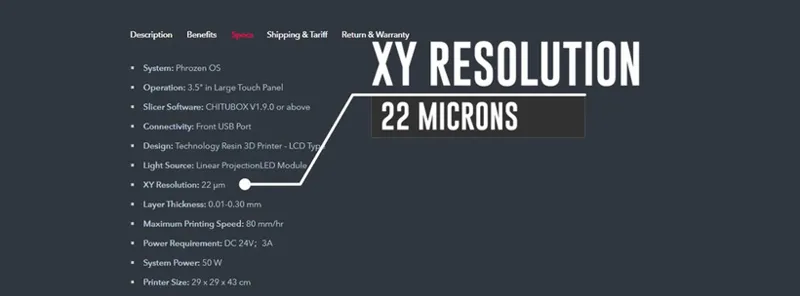
The Phrozen Sonic Mini 8K gives you one of the best printing resolution in the 3D printing consumer market right now: 22 microns.
It goes at a maximum printing speed of 80mm per hour and has a relatively small printing volume. That’s why it is called mini!
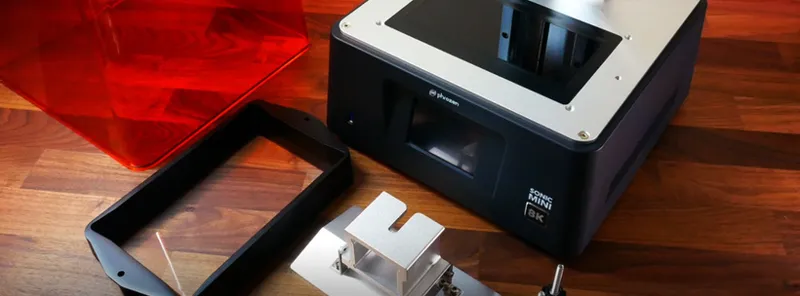
We were quite surprised with the overall quality of the machine. It looks sturdy and it’s not heavy at all.
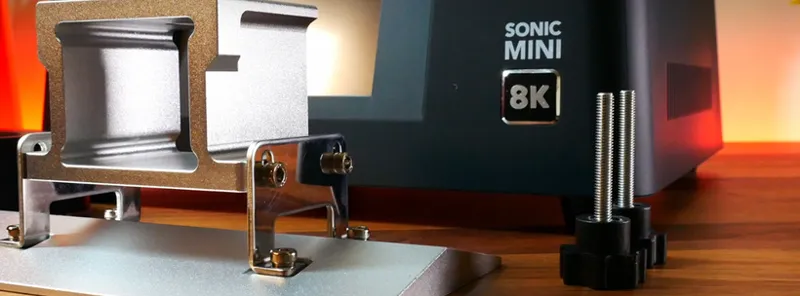
It comes very well packaged and secured inside the box and it will only cost you a couple of minutes to assemble.
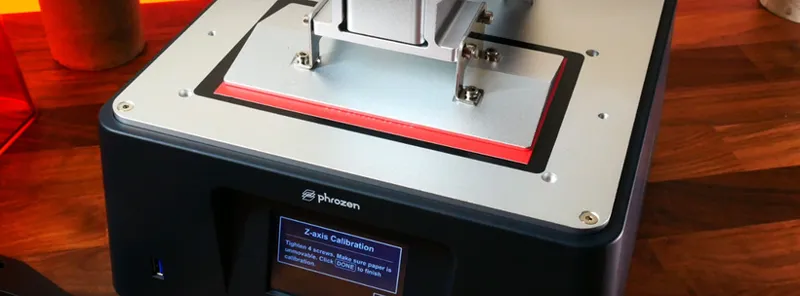
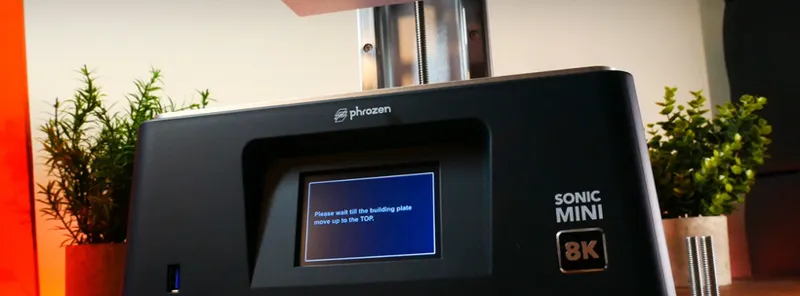
To level the printer we used the thin red cardboard paper that comes with the printer. You just need to place it right in the center of the screen, like you would do with any other printer and unscrew the plate. Then click on “Z CALIBRATION” and wait for the plate to reach the screen.
Hold it tight and screw the plate again. When the four screws are securely tighten, make click on “DONE” and the calibration will be finished.
You can also run a quick LCD test to check that your screen is working just fine.
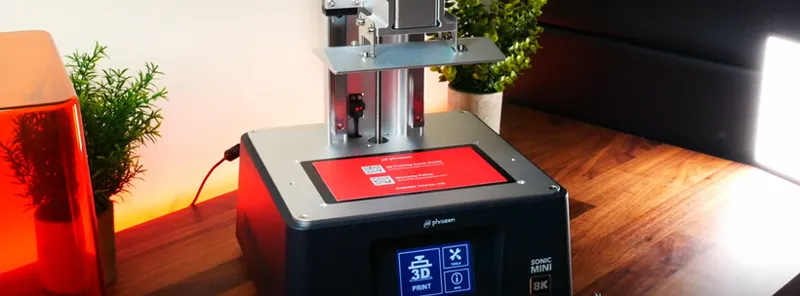
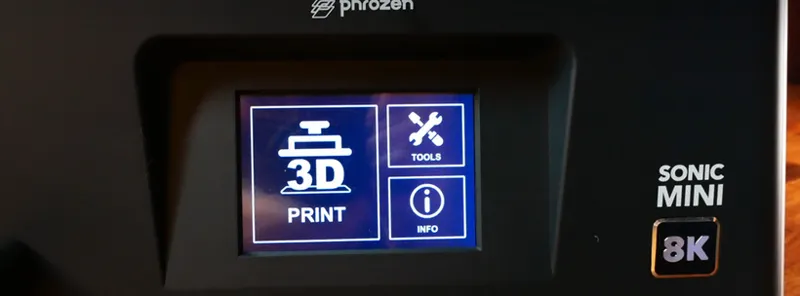
Printing in the Phrozen Sonic Mini 8K is very intuitive: insert the USB, make click on '3D Print', select the file and you are ready to go!
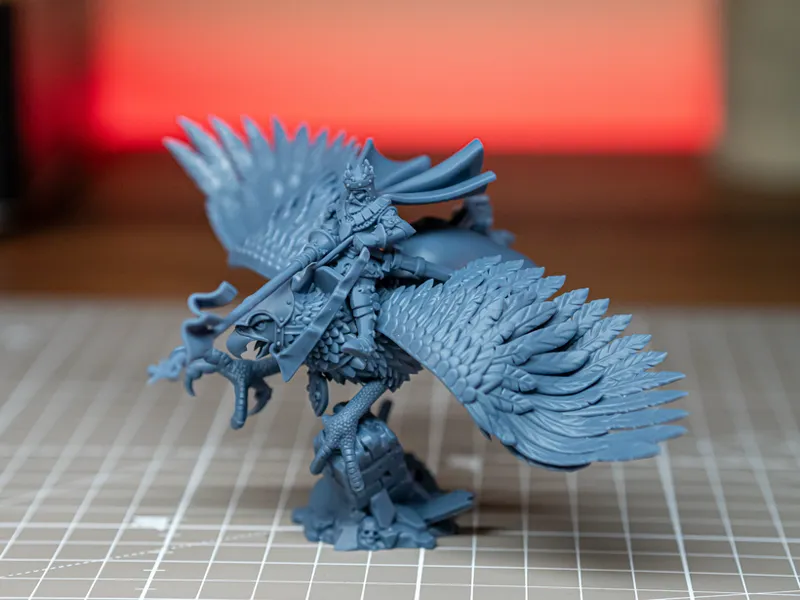
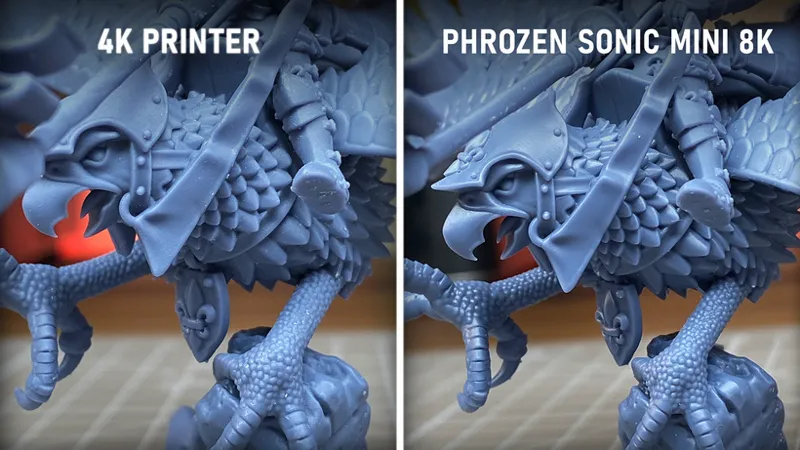
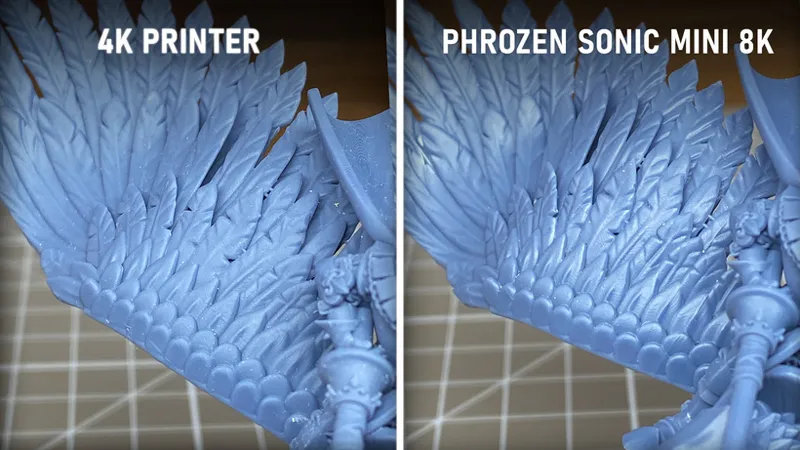
As you can see in the previous images, the main difference between 4K and 8K printers is the sharpness of the details.
If you look at the chainmail, for example, or the skin of the Hippogriff legs, you will notice that the 8K printer provides a more define shape of the miniature details.
The layer lines are also less noticeable in the 8K printed miniature compared with the 4K printed miniature.
But...
If you look at the prints with your bare eyes, you really won’t find much difference between 4K and 8K prints when they are properly printed, cleaned and cured.
Choosing one or another will depend basically on what you want the miniatures for. The quality of the prints are pretty much the same, but if you’re just a regular wargame player and you plan to print huge sets of units to just print and play, then you’ll be happy enough with a 4K printer.
If you’re planning on buying a 3D printer because you want the best quality possible, you collect fantasy miniatures for display or for the joy of painting, you’re a professional painter or you sell printed miniatures, then we see that the 8K printer prints in a deeper quality, highlighting the detail of the miniature, making the painting process more comfortable.
Hope you guys find this review useful and let us know if you would like to see more 3D printing content like this one in the future!
Join our Discord: HERE.
Comments (13)
nice! I have been looking into one of these for a smaller footprint compared to elegoo 8k printers i use. Especially for lower volume orders. its about the same difference i see with the mars 3 vs the Saturn 2 8k. I have always heard good things with the phrozen mini 8k
I missed this post originally, but I too can confirm Phrozen has been excellent to work with, started with an old school mini (2k) and have upgraded as the tech has gotten better. Very few issues over the course of thousands and thousands of prints.
I confirme, the Best !
Excellent 4k - 8k comparison pictures.
Glad you find them useful! In our case, we will continue using our 4K printers to print the brute force of our fantasy armies, while we will keep the 8K printer for fantasy hero miniatures and characters.
Love your stuff there is something slightly odd about paying to be advertised to on patreon though.
100% agree - This does not sit well with me 😅
From my experience with printing the most visible results are always dependent on the layer height (not speaking about model positioning and supports now). Even 2k printers will give you perfect results barely visible with an eye. If the antialiasing option in slicer is properly applicable it can give you even better results with FHD displays. Print it on 0.02 or less layer height and you'll get really smooth results. So I'm not going to invest to 4k+ printers until it provides some real difference :)
Fair enough! We always say that a good resin and proper cleaning and curing make wonders. We have seen many awful prints from all the printers available in the market just because those basic printing topics are not properly done. Our main concern is that, with the arrival of 8K printers and now even 12K printers, more affordable printers like the 4K printers will stop being sold -as happened with the vast majority of 2K printers- and the quality is nearly as good as those new printers. We will see how the 3D printing market evolves in the future. Hopefully the focus will be on make the printers and resins easier to work with rather than pixels, pixels and pixels!
Do you have to use special resin for that? I use elegoo Standard resin. At the moment I have the anycubic M3, I pre-ordered the M5s but canceled it again. Was thinking about the elegoo Mars 4 Ultra but the Sonic Mini 8k would be also a nice upgrade
You do not need special resin for any consumer grade printers. Some resins are definitely better than others but the difference is visible regardless of the print resolution. My personal favourite is Siraya Tech fast navy gray mixed in with a 10%-15% Siyara Tech Tenacious for durability.
That's funny. I actually already own this printer. It's the one I've been using for the past year or so :)
For sure! It has been available for at least a year and we are very happy to finally give it a try! :)