


Update 56
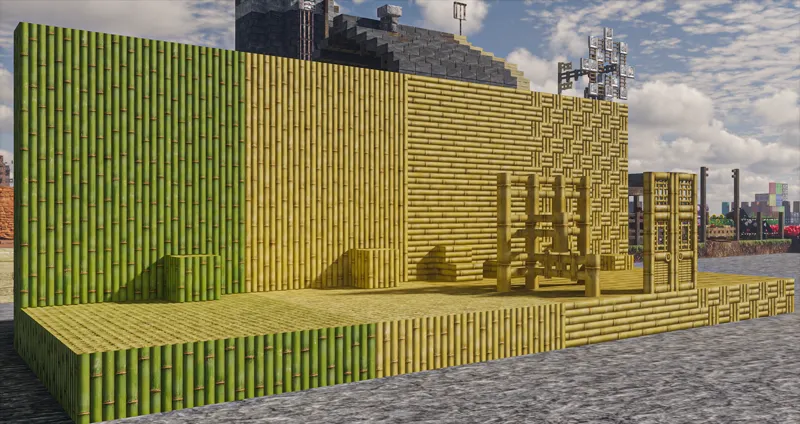
- added bamboo block (1)
- added stripped bamboo block (1)
- added bamboo planks (1)
- added bamboo mosaic (1)
- added bamboo fence (1)
- added bamboo fence gate (1)
- added bamboo door (1)
- added bamboo trapdoor (1)
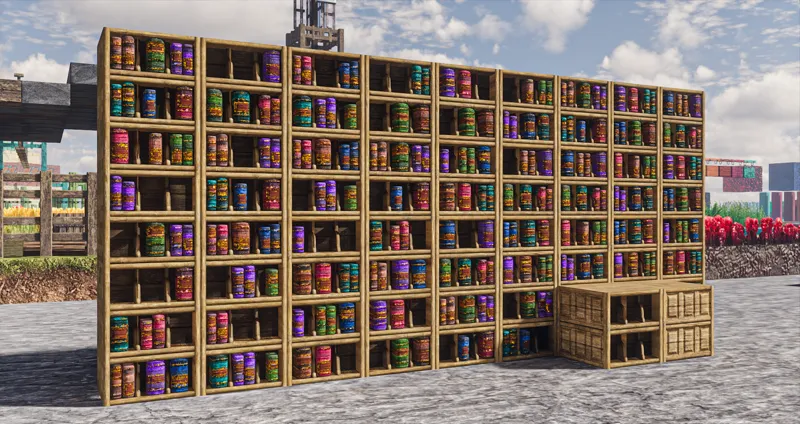
- added chiseled bookshelf (1)
- added bamboo sign (1)
- added all hanging signs (1)
- added bamboo raft (1)
- changed 3d armor item model to default 2d item icon (2)
- various changes & fixes (1,2,3,4)
*(1)=basic (2)=items (3)=addon (4)=models
Updated the pack to 1.19.3 format
Changed the 3d armor item model to default-style 2d item icons so it fixes the bug.
Updated the rp test map to 1.19.3 format and added a giant temple build.
Will be working on 1.19.3 items next, then resume work on mobs after that.
===============================
You can download the pack here (works with all 1.19 versions):
https://www.patreon.com/posts/update-59-83926419
Click on the files inside the folders individually to download them
Models: optional extra custom models, works with any res versions
Bonus: optional extra features that doesn't fit default gameplay
Addon: optional extra features that fits default gameplay
Mobs: mobs and animals
Items: items and armors
Basic: all essential block textures/models (required)
The "basic" pack need to be loaded at the bottom (just above default/mod resources), and the optional packs can be loaded on top in any order.
The pack works best with shaders that features LabPBR emission/SSS compatibilities.
Please check the included "features list" text file inside each optional pack to see detail descriptions of what they add/how to use them, or how to remove unwanted features in the "models" pack.
!! Don't bother trying the 256x versions !!
For Optifine users -
Make sure these settings are set correctly:
"Quality Settings > Connected Textures" to Fancy
"Quality Settings > Natural Textures" to Off
"Quality Settings > Custom Colors" to On
"Quality Settings > Custom Entity Models" to On
"Quality Settings > Random Entities" to On
"Quality Settings > Anisotropic Filtering" to Off
"Detail Settings > Alternate Blocks" to On
"Detail Settings > Trees" to Smart or Fancy
"Performance Settings > Smart Animations" to On
"Shaders > Shader Options" and enable any LabPBR format emissive/sub-surface-scattering options
For Fabric/Iris-based mods users -
Make sure to install these mods with correct settings:
Fabric
Fabric API
Iris 1.3 (and beyond)
Indium
Continuity 2.0.1 (and beyond)
Colormatic
An Iris-supported shaderpack and enable any LabPBR format emissive/sub-surface-scattering options
For my custom mobs please link your discord account to patreon and join my patron discord to check the up-to-date mod list and fix pinned in the #help channel
===============================
Since I've already made posts explaining various common problems with my pack and mediafire, any comments/questions on these subjects or things already explained in this post will likely be ignored or deleted.

