

GPU Snow - GPU Particle Volumes
Overview
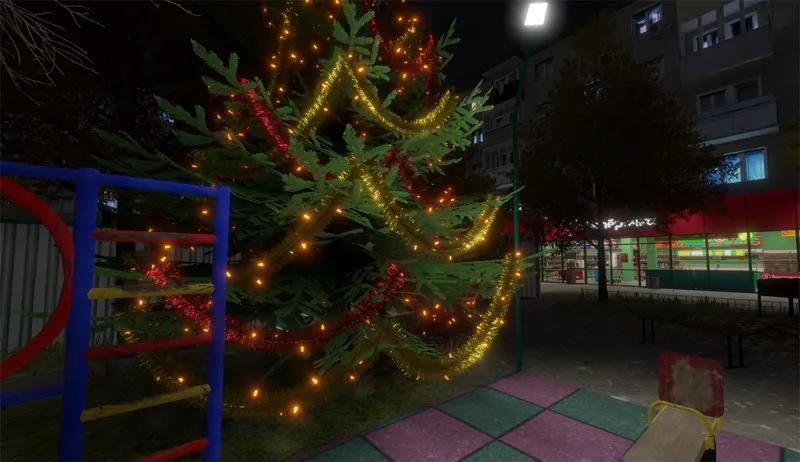
This is a GPU Snow Particles shader made for the new GPU Particle Volumes system.
Perfect for calm snowfall or heavy snowstorms.
Renders hundreds of thousands of particles with almost no performance loss.
Works on PC, Quest, Android and iOS.
Download asset
GPU Snow particle shader is available for my Tier IV supporters on Patreon and can be downloaded here: https://www.patreon.com/posts/144124457
Or can be bought separately on Booth: https://redsim.booth.pm/items/7733242
Also, GPU Particle Volumes is my free open source tool that has a few simple particle shaders out of the box and can be downloaded here on GitHub: https://github.com/REDSIM/GPUParticleVolumes
Features
Particle Volume placement (areas where particles are rendered)
Volume Excluder placement (areas that hide or mask particles)
Extremely fast GPU-driven particles, even on low-end devices
Highly optimized mesh format using minimal vertex attributes
Includes a ready-to-use particle dust shader
Can be used in VRChat worlds and avatars (avatar use not recommended but possible)
Supports VRC Light Volumes for more realistic lighting
Installation
1) First install the GPU Particle Volumes system.
Unity package (no auto-updates)
Drag GPUParticleVolumes.unitypackage into Unity
Press Import
VRC Creator Companion (recommended for VRChat creators)
Press "Add to VCC"
Confirm the popup
In VCC → Manage Project, add "GPU Particle Volumes"
Unity Package Manager (Git URL)
Window → Package Manager
Press [+]
Select "Add package from git URL..."
Paste: https://github.com/REDSIM/GPUParticleVolumes.git?path=/Packages/red.sim.particlevolumes
Press Add
2) Install GPUSnowParticles.unitypackage by dragging it into Unity.
3) All snow particle prefabs are located in: /Assets/RED_SIM/GPU Particle Volumes/Snow/Prefabs
How to Use
Drag a particle prefab into the scene.
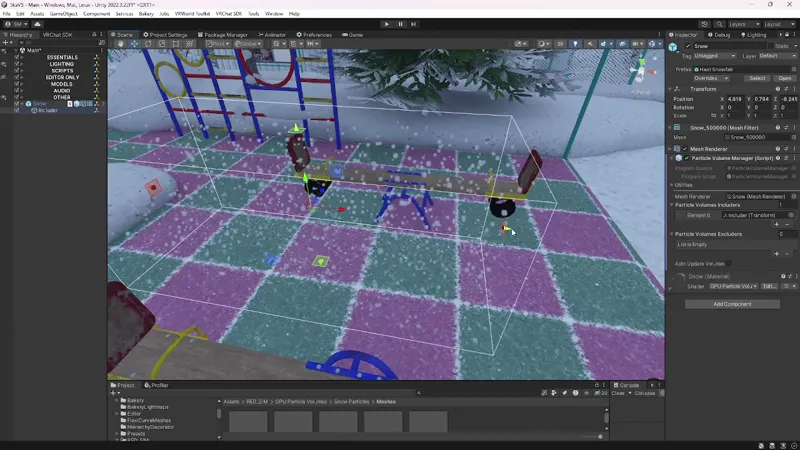
Select it and check the Particle Volume Manager component.
You will see two lists: Particle Volume Includers, Particle Volume Excluders
These lists contain empty GameObjects representing particle volumes.
When selected, special gizmos appear. Make sure Gizmos are enabled in Scene View.
Includers define where particles are rendered.
Excluders define where particles are hidden (useful indoors).
Auto Update Volumes updates volume transforms at runtime if needed.
You can toggle volumes on or off at runtime.
To fully disable particles, disable the Mesh Renderer.
You can use multiple Particle Volume Managers for different particle types.
Particle count depends on a special particle mesh. Generate it via Tools → GPU Particle Volumes → Simple Particle Mesh Generator, then assign it to the Mesh Filter of your Particle Volume Manager.
Configure visuals through the material.
Support the Project
If you like this tool, supporting me on Patreon would be greatly appreciated. You will get access to many extra assets, including additional GPU Particle Volumes shaders.
Right now, GPU Snow particle shader is available for my Tier IV supporters on Patreon, or can be bought separately on Booth: https://redsim.booth.pm/items/7733242
Contact
If you have any questions, feel free to DM me on Discord: RED_SIM
Additional information and documentation: https://github.com/REDSIM/GPUParticleVolumes/