






TUTORIAL - XML 2 (For The Sims 4)
HIERARCHY
Xml files follow a hierarchy.
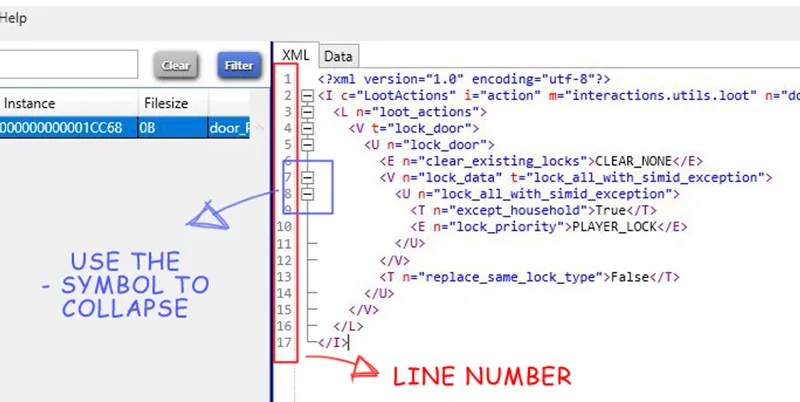
Let's look at a couple of things in S4S:
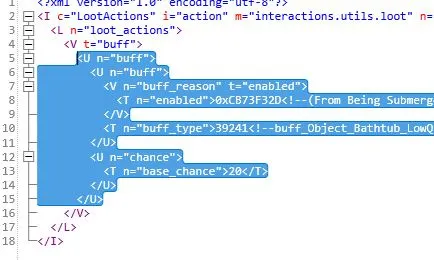
In the left window, S4S shows you the line number and a - symbol you can use to collapse everything inside an opening tag, and a closing tag.
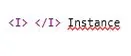
The tag above means Instance, and it's the root element, everything else always goes inside the instance.
This instance is empty:
It opens, closes, but has nothing inside.
This instance is empty, too:
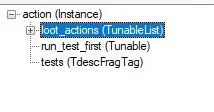
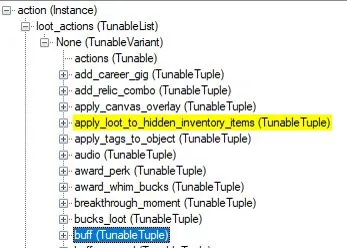
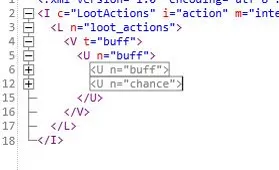
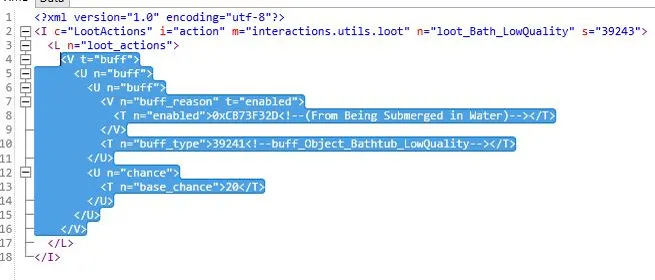
Now, inside the instance there is a loot_action (this is a TunableList, with name loot_action):
It is contained in the root element:
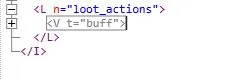
Inside the loot_action, there is another component:
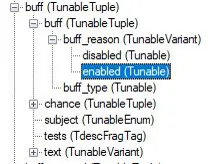
A tunable (TunableVariant) called "buff" (it's the None (TunableVariant) in the figure below):
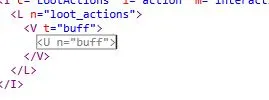
This tunable inside the TunableVariant is a TunableTuple, with name "buff":
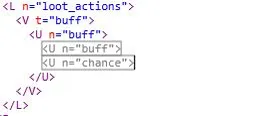
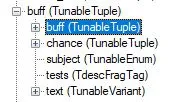
Inside there are other two TunableTuples:
One has name "buff"
One has name "chance"
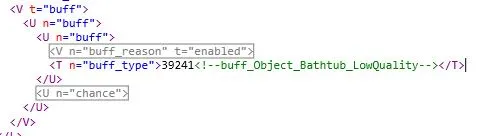
Inside this other TunableTuple named "buff" there are two more things:
A TunableVariant named "buff_reason" which is "enabled":
And a Tunable named "byff_type":
this last Tunable has a value inside, the buff we want to give to the sim, a comment, then it closes. The only thing it contains is a value.
The TunableVariant above, instead, has another Tunable inside:
Which contains another value, and then closes.
Line 6 and 12 are on the same level, contained inside line 5 and 15
Line 5 to 15 are contained inside line 4 - 16
Line 4 - 16 are contained inside line 3 - 17
Everything is contained inside line 2 - 18
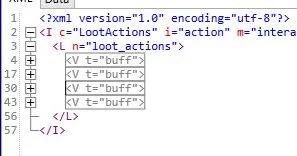
I can do this to add more buffs:
All these TunableVariants will have things inside.
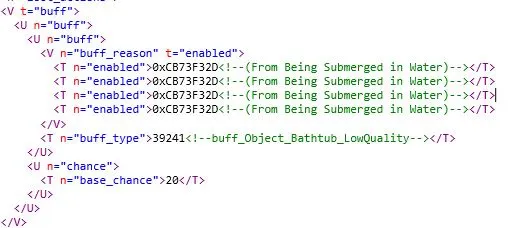
In this case, I cannot do this:
You can look at Maxis tuning or the TDESC to see what's supported and what's not. Usually, TunableLists and TunableTuples support multiple entries, but in a different way.
By the way, a very basic stuff:
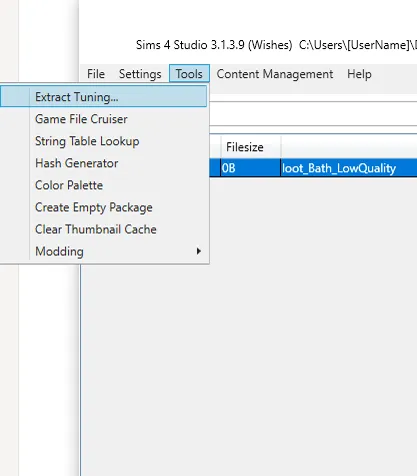
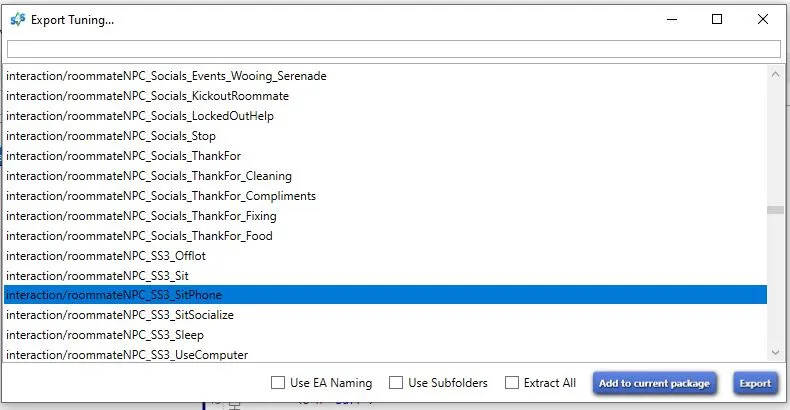
To add a tuning to your package, go under tools:
Select extract tuning
Pick the tuning from the list, and add to current package.