














Tutorial - Let's make a Buff!
Why? Because it's easy, it requires you to take confidence with both tunings and SimData files, it can help you understand the basic of how things work, and this is going to be the step one of a more complex tutorial.
So, let's make an happy buff!
And when I say "make it" I mean clonate it, change the stuff that needs changing and make a new thing out of an existing thing!
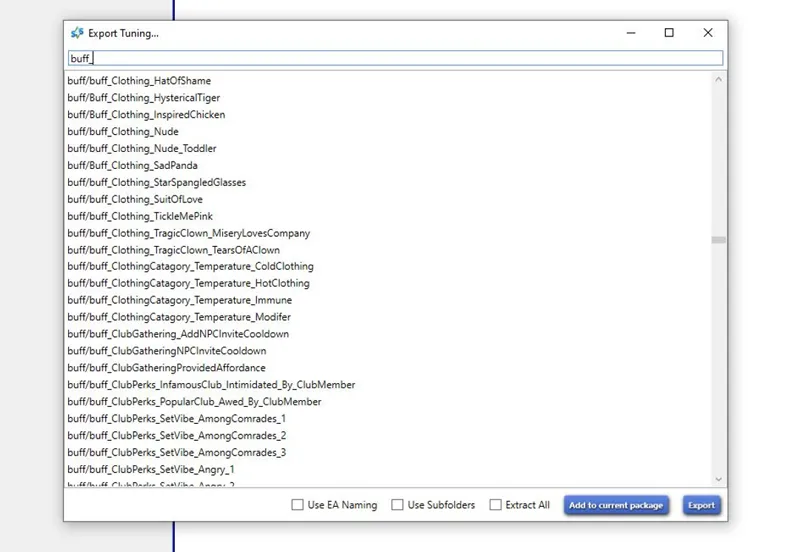
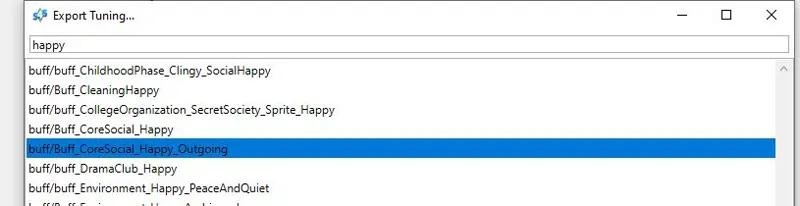
So we're going to search the buff that is more close to the buff we want to make.... let's create an empty package the usual way in Sims 4 Studio ( tools - create empty package ) and search for buff or happy:
So I choosed this one:
The closer it is to the one you want to make, the better. Let's import it into our file and give it a look... and it has a Tuning and a SimData!
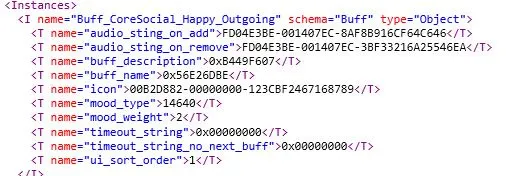
By giving a look at the tuning you can get an idea of what the various stuff are going to do:
They're pretty self explanatory, so we have the buff description with the key for it, the buff name, the icon the buff has in game, the mood type, and the mood weight. I don't think any of this needs an explanation... let's then move onto the SimData file, that is a bit more complex:
But you can spot right away that there are the same components.... so...
To make this buff a new buff, it needs it's own name, and this is the first change we're going to make. The buff is called Buff_CoreSocial_Happy_Outgoing right now, "n=...." is the name, "s=...." is the Tuning Id...
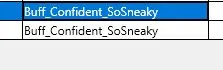
Let's choose a descriptive name that includes our name to avoid conflicts...
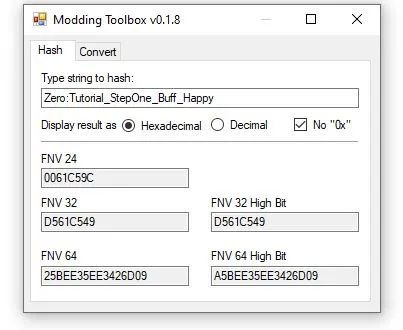
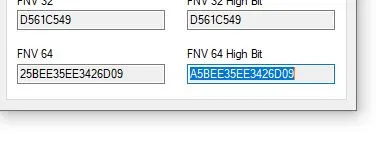
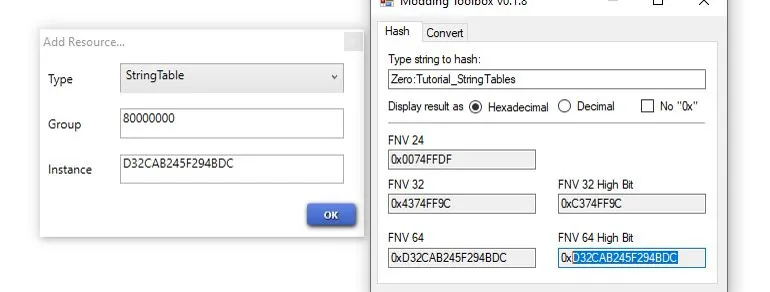
And with an Hash generator, let's hash it to a FNV 64 key:
Now we need to take the resulting Hex number and give it to our buff, so let's copy it...
and move into the DATA tab in Sims 4 Studio (we are working on the tuning file)
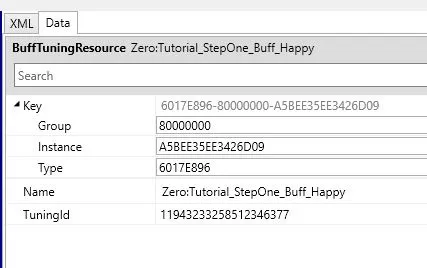
Put the number in the Instance field, and change also the group to 80000000 (someone suggest 00000000)
Now if you move on the SimData file and go back to the tuning, S4S will convert the Hex number into a decimal number (or, you can convert it in the generator) and that's in the TuningId field... Let's copy it an paste it in the "s=..." in the XML:
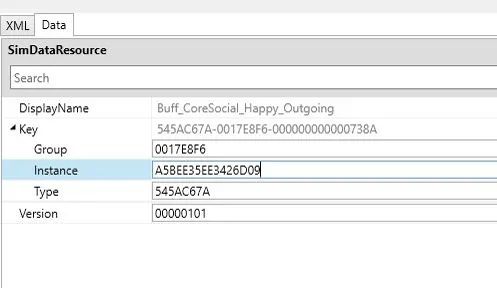
There we go, our buff now has it's own identity, we need now to take the Hex number from before, and paste it also in the Instance field of the SimData file (always in the DATA tab of S4S)
We don't need to change the group in here. We can move back to the XML Tab and copy/past the name from the tuning to the corresponding field in the SimData file:
We're done with the SimData file for now, so we can go back to the tuning...
Our buff has it's own identity but... it's still a clone... we can change the name and the description of it though... so let's change both in the comment:
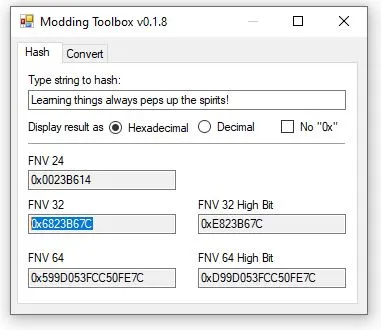
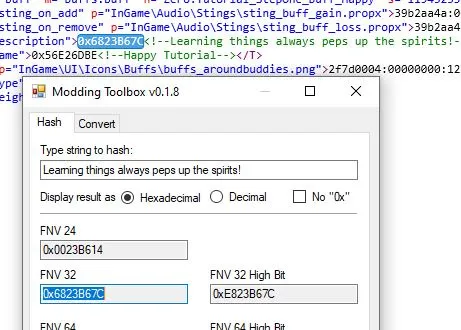
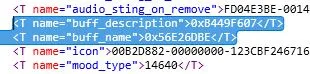
I only changed the comment and not the key... the comments are ignored by the game, I need to give those strings two keys, otherwise it's going to show the name Maxis gave it and not mine... to do it, let's copy the strings from the comments we changed, and put them in the Hash generator again:
We now need the FNV 32 number, and also... a StringTable. To add it, let's click on add in the bottom left of the program, and scroll the list until we find "StringTable", now we need to give it an Hex Instance FNV 64 exactly like we did with the Buff, chose a name, grab the number, paste it into the instance field and click OK
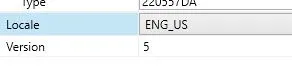
Let's now set the locale of the STBL to EN_US (or whatever language you want to use)
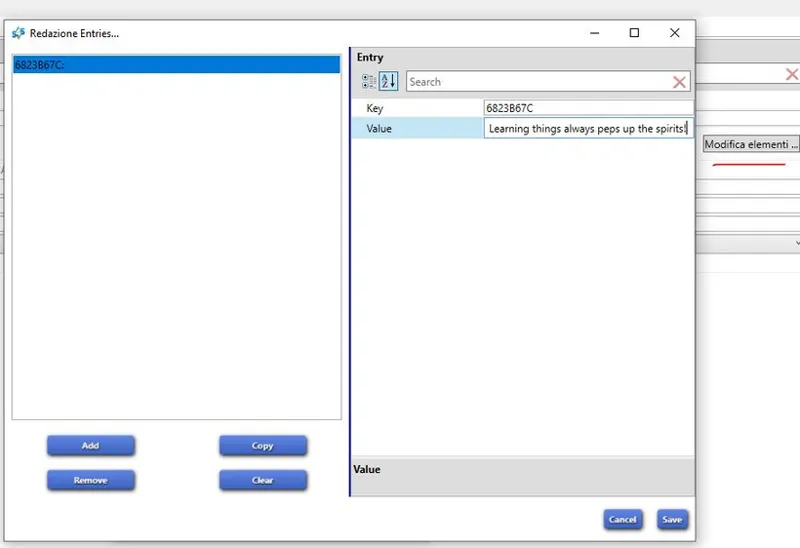
Now let's go on Modify and Add
Pretty easy, we need to put the number we get by hashing our comment into the key field (withou the 0x), and the comment into the value field. Click save and go back to the tuning, we need to put that number, now with the 0x, in the place of the Maxis one...
Do the same thing for the name, by adding a new key in the string table.
So now what? Well now we can move on the SimData again because the two strings key you changed in the tuning, needs to be changed in there too...
Here are the changes in both the files:
and we... are done... this buff could already work if you don't want to make more changes... what else could you want to change? The mood, for example:
This is an happy +2 buff, but you can make it a confident one, by getting the number for the confident mood from another buff...
and changing it in yours... now if you do this, the same value needs to be changed also in the SimData file
Another thing you can change and get from another buff is the icon
and again, the same must be done (by getting the string for it from the SimData file of the other buff you took the icon from) in the SimData too:
But I don't need to do it, so I can click save and store this package somewhere in my PC, because it's not functional yet, but it will be, 'cause next time, I'm going to teach you how to get this buff into a loot, and then that loot into something that will give the buff to your sim, like an interaction!
Comments (16)
Sure! Here's the google drive link for it. Btw it's under the fridge have a quick meal menu and you also need andrews craft enabler in your mods folder for it to show up! https://drive.google.com/file/d/19NS63qu96kWftIPR0_-DyZZifVD76wXz/view?usp=share_link
Hello! I wanted to know if all the steps for this are the same if i'm just trying to add a buff to a recipe. I followed the whole tutorial, buff, loot, interaction, but it wasn't really the same as what you were doing the more i kept going. Is there something else i should do or shouldn't do?
Nope. Making the buff and the loot that gives the buff are the same for everything, but then if you're trying to add a buff after the Sims have consumed a dish, the buff has to be given by the object tuning of the dish in the consume affordance portion (look into the angry spaghetti object tuning) if you're trying to add the buff once the Sims have completed the crafting of the recipe, then the buff goes in the recipe tuning itself (the perfectionist trait has a loot in every recipe tuning, your best bet is studying that)
Thank you for doing these tutorials! I just found them. You're really good at breaking this down and explaining it. This is completely new to me but I've been interested for a while.
I have an idea for a future tutorial :) Maybe you could do one on how to make certain sim interactions or object interactions remove a buff. Like, if someone makes a custom "bad breath" buff and they want the "brush teeth" interaction on the sinks to remove it.
that's easy, instead of a loot with a buff add you make a loot with a buff remove.
Any way to make a mod that lets your roommate (on a residential lot, not campus housing) have a baby. Right now your roommate will move out in their 3rd trimester. But i think it would be a fun challenge to not be able to control a roommate adult sim and their kids. :))
There are checks all over the place to kick out pregnant or not enrolled sims.
Thank you so much for these tutorials. They’re amazing and have taught me so much. Do you know how to add CAS items (like skin details) to a buff.
we'll arrive at the point to look how the buff works and how powerful they can be ;)
I saw you mention somewhere that traits are not your forte, but I'm gonna throw the request out there... could you figure out and explain to me how to make a custom trait "stick" in the UI of a sim who learns it? Kuttoes do it, but most other modder's traits do not. I've tried asking the creators of the traits that work this way, but I have not gotten any information from them on how to make other traits do the same.
you mean be visible on the panel like, let's say, the personality ones?
Thank you so much for giving tutorials!
Thank you
You are such a beautiful person to teach others how to make mods 🙌
it's not only about making mod, it's also about knowing how mods work... only by knowing, you can know what you're putting in your game exactly, what could cause problems, what kind of problems, when and so on.