

TUTORIAL - HOW TO....
USE THE XML INJECTOR TO ADD A SOCIAL INTERACTION TO THE GAME
This will be a very simple, very basic tutorial.
What you need:
Scumbumbo's XML Injector this is a FANTASTIC tool that lets you add into the game, without having to add on top of it another script. It's ONE script multiple mods can share.
Snaitf's FNV Generator another incredibly useful tool
An online Hex to Decimal converter like THIS
So... let's say we have a fantastic idea for a new friendly interaction to add into the game... we want our Sims to be able to complain about Maxis...
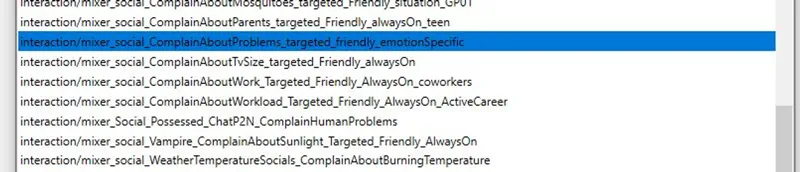
Let's open Sims 4 Studio, and for the purpose of this tutorial, let's search for the "Complain about Problems" interaction in the tuning extractor
We are just going to copy this, change the name, make some adjustment and be done for this round... so let's add it into our package, an change the name in the first line (include your name to avoid conflicts)
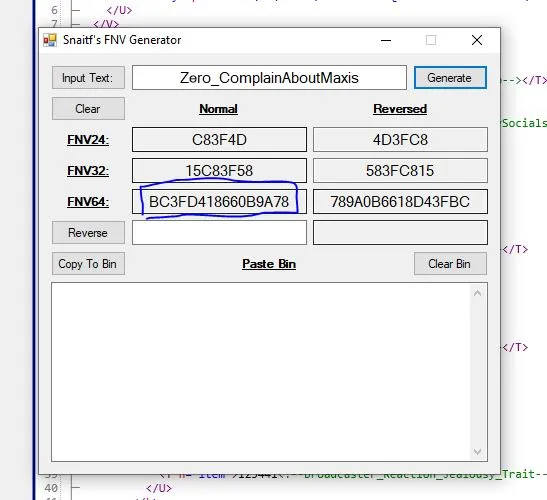
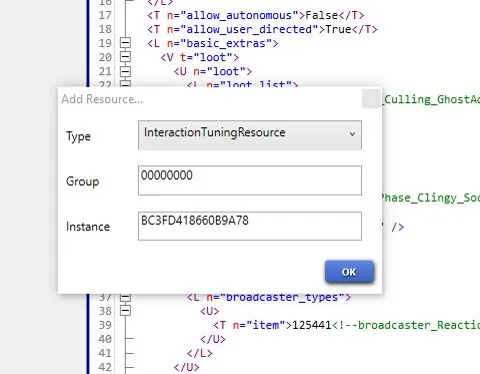
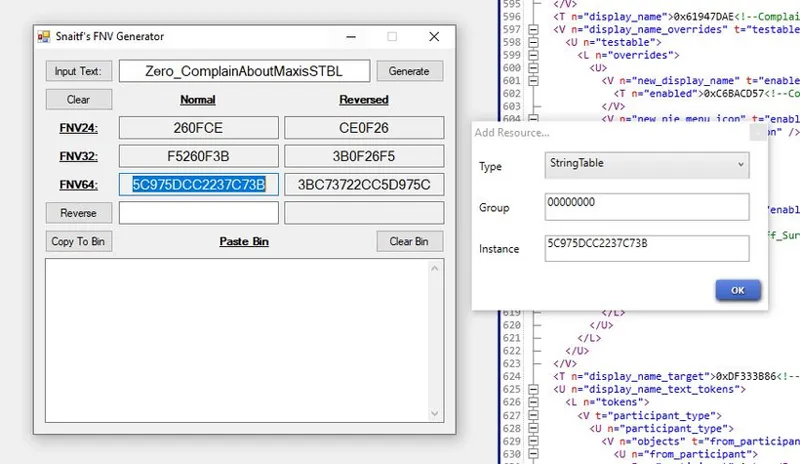
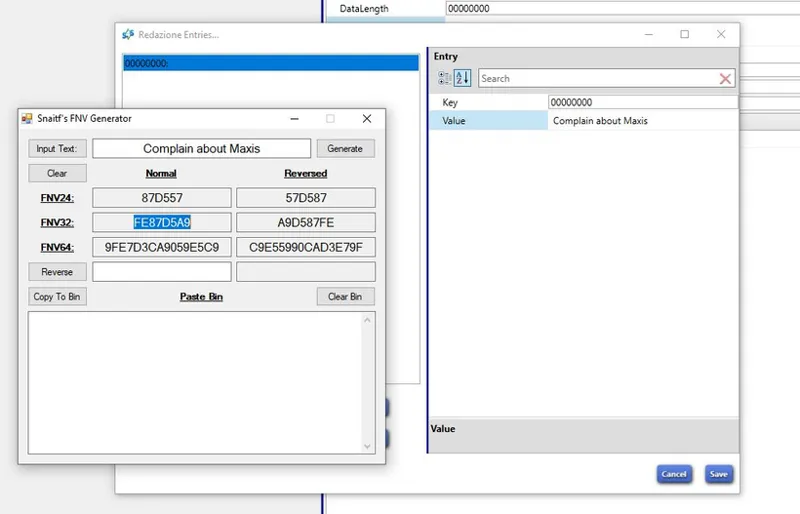
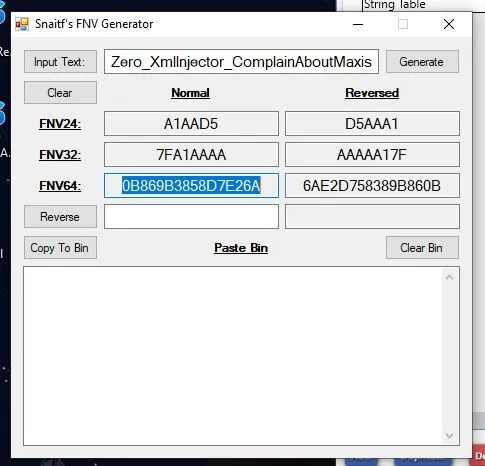
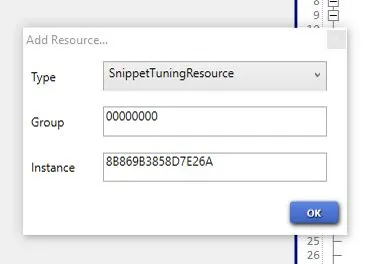
at this point, we can go on and duplicate it, a pop-up will appear, asking for a group and an Instance. You can leave the group as it is, but we need a new unique instance for our interaction... let's then run the FNV generator and past the name of our new interaction into it
We want the FNV-64 hex number, so let's copy it and paste it into our interaction instance
You can delete the original imported interaction at this point
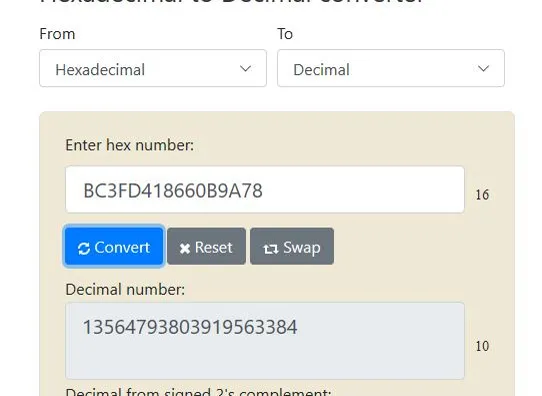
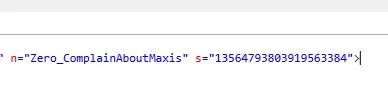
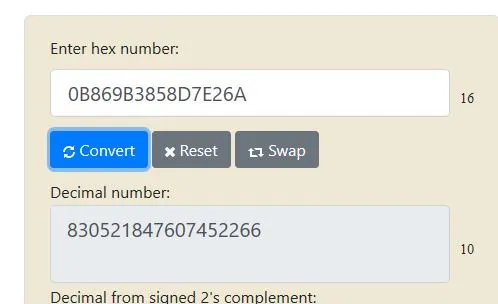
Now we need to change the number in the s= value, and this number is the Decimal equivalent of the instance number you gave to the new interaction, so let's go to our converter, paste our new instance, and get the decimal equivalent for it:
replace it in the interaction
and we can look at what we need to change in the tuning, like the display name:
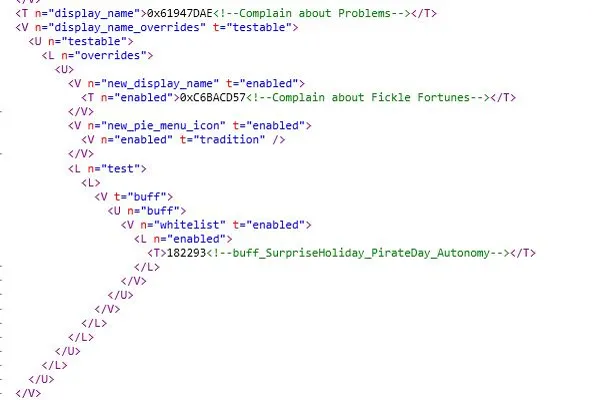
Now this interaction has 2 display names... one is the usual, one is the override during a surprise holiday. We will put the same name into both in this tutorial, we could actually remove all the name override part, but that's not the purpose of this tutorial... to change the display name we need a new STBL (StringTable) so let's click on Add, scroll down to String Table... and we need another instance, so let's get it the same way we did before...
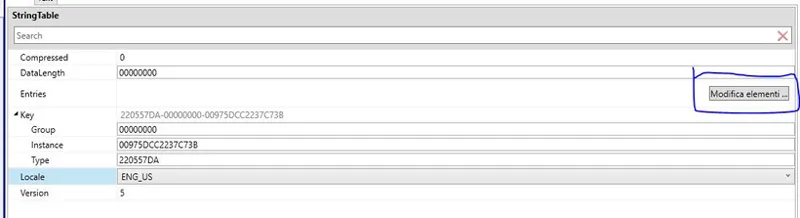
that done, we need to add an entry in our STBL for the new interaction
Let's open this up, choose a display name (this is what the game will show) paste our name into the FNV generator, and get the FNV32 key for our display name
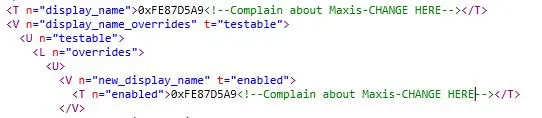
this done, we can go back to the xml, and replace the key for the display name with our key (after the 0x )
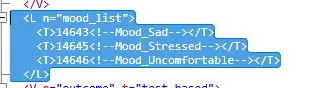
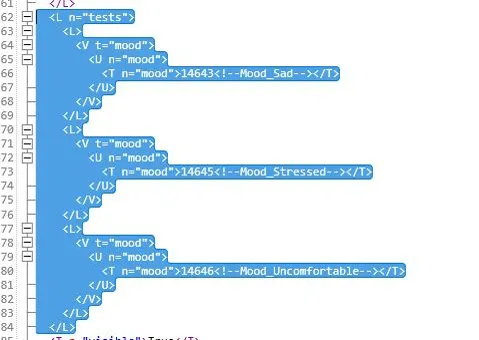
Now we can look more at the tuning, because this interaction is emotion based, but we want it to always show, so we need to remove a couple of things:
Especially the test.
Now we have the interaction... how do we get it into the game?!
You need to go and read Scumbumbo documentation, it's really easy to follow... I will help you with the first part. We need to add a snippet, so the same way we added a STBL, let's click on add and scroll down to snippet, it will ask you for a new instance, so let's choose a name for the snippet, and go again to the FNV generator
Aaaand.... we have a problem. Scumbumbo says in the first part of the documentation that:
You should choose an "n" (name) for the snippet and use an FNV-64 hash with the high-bit set for the "s" (instance ID) value
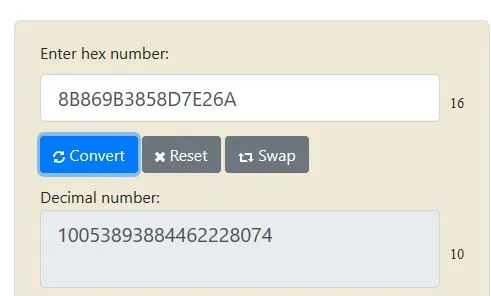
Now if you know nothing about this stuff, is not so hard how it seems. It means that the first number of the decimal value in the "s" needs to be one. If I paste the Hex I got in the converter, you will see that it's not:
How do we get it?! Well.... if the first value in the Hex is less or equal to 7, you need to add to it 8 (be ware that this is an Hexadecimal value, so when you go past 9, you don't get 10 but A
So, in my case I got 0, addig 8 will result in 8
The new hex number is the one I will use as instance
the decimal one is the one I will use in the snippet
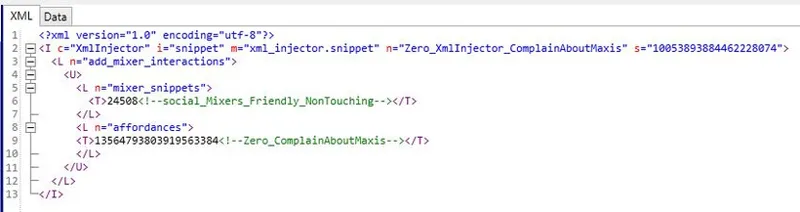
To code the snippet, you can easily follow Scumbumbo instruction from here, and look at my file for reference. For this tutorial in particular, you need to follow the ones to add a mixer interaction... but once done this tutorial and following Scumbumbo PDF you will be able to add to everything supported by the injector.
When you're done, we can place the package in our folder and see if it works...
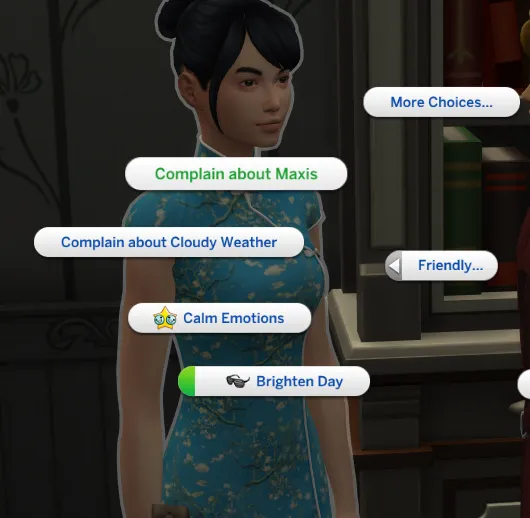
Our Sims can now Complain about Maxis!
Yup, totally putting this file for download
Comments (17)
Hello! I hope I could get some answer since I am trying to find this a for one year... I want to create a self interaction for my sim... a bow interaction. I have made the animation and it looks good in game.. but I do not know how to create a self interaction (like belck or fart)...... I am really confused.. All the tutorials I have seen are for 2 sims interactions.. I hope it makes sense... Sorry to bother you and thank you for your time!
so im late to the party and this is my first time creating any form of social interaction, mod, etc... I'm a little confused on how we went from open sims4studio to click on solve problems. I need help i really want to do this but no one anywhere is giving step by step
Oh... sorry... under tools - import xml
Thanks so much! This is going to help out a ton with my Fire Department mod! <3 Now I have my "Talk About Fire" Interaction showing up!
Awesome! I'm glad it helped! There are a ton of things you can do with the injector alone without the need to make scripts.
I love the sense of humor of this. I'm putting into my game for fun! LOL
you need the xml injector for it to work.
You say this is easy, but honestly, I think it depends on the person. this is way to complex even looking at it, at least for me. Not everyone can do this stuff....and this is too much for my brain to comprehend. It doesn't mean I'm not smart, just that I can't comprehend this stuff. Its too complex for me
That's true for everything. I can't begin to cook even if someone follow me step by step while I'm doing it. But it's easy if you compare it to other stuff.
This is great! I'll keep this in mind for interactions that cannot be injected via MC4
Took me 3 tries, but I finally got it to work. Thank for the tutorial. I used Modding Toolbox to get the FNV 64 High Bit.
You're welcome! I don't know about that... I'll give it a look!
If not, then there is no problem. I'm gonna look for the sea trash remove .
I'm not sure I understand the question, but this just a tutorial to add a simple interaction.
I ask, does it work to remove your sea trash? setting can?
Thank you so much for this! I don't know much about modding but I have some interest so I'm always eager to learn! Unfortunately most tutorials I find look so complicated that I give up halfway or just after a few bad tries. lol I had such bad experiences with the Mod Construtor.. aha However this was really clear and easy to understand. Thank you for real! I hope you'll do more! 😊
I know how you feel. I gave up on tutorials and just... Messed around trying to figure out things on my own. What I learn is what I'll share.