
Vintage WIPs #1
As it's been quite some time since I published my last piece of CC, I thought I could give you a little update on what I'm working on behind the scenes - both so that you could have a glimpse of the process and so that I could share my excitement 😉
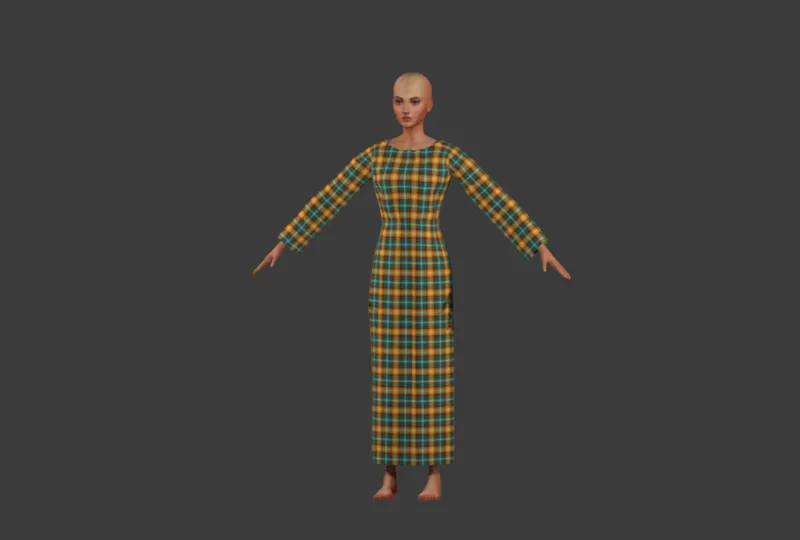
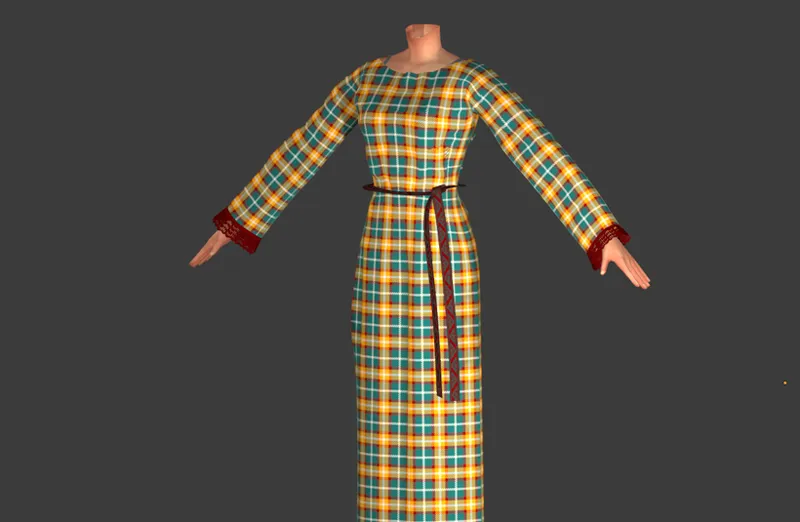
Those of you who follow me on Tumblr might've seen THIS and THIS post, but for those of you who haven't I'll try to briefly wrap it up again. It's all about a thing which looks simple but with all the versions and add-ons I've planned for it takes ages - namely, this dress:
The dress
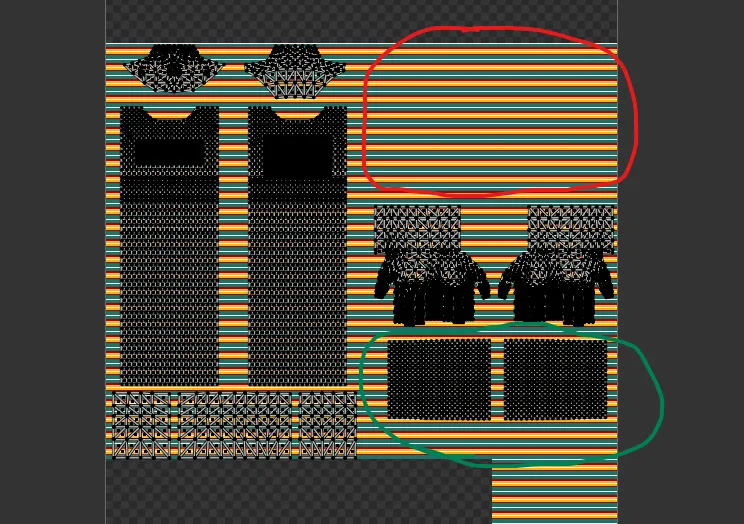
The basic idea was to create a dress which could be easily remade into a number of shorter-sleeved versions (originally I planned four: long sleeve, 3/4, half and sleeveless, but I think I'll skip the 3/4 one after all - doesn't feel like it fits the era). 'Easily' meaning also that all those versions would share the same texture files. That means it has to come with a rather unusual uv map, as even the long-sleeved version (which will be the basis for the others) can't cover the arms area. (For those of you who don't know, it's the area circled in red in the screenshot below. The uvs of the sleeves have been moved lower, to the green area. What you see in the background is just a testing swatch, that's why it's covering the entire 'body' part of the map; won't stay this way in the final product ofc).
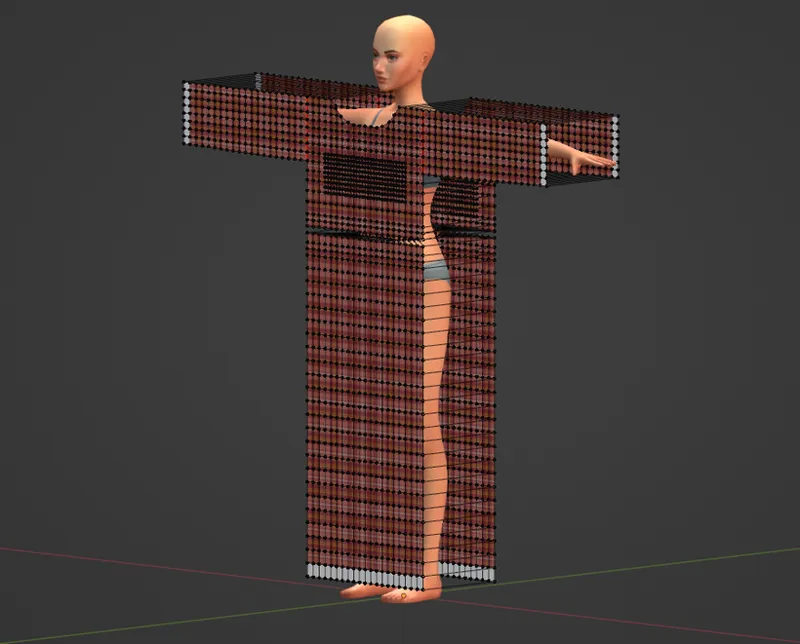
The dress was made using Blender in-built physics system, a.k.a. Blender sewing, which I'm deeply in love with. I'm still exploring its possibilities, but such a simple T-shaped dress seemed like a perfect project for a beginner.
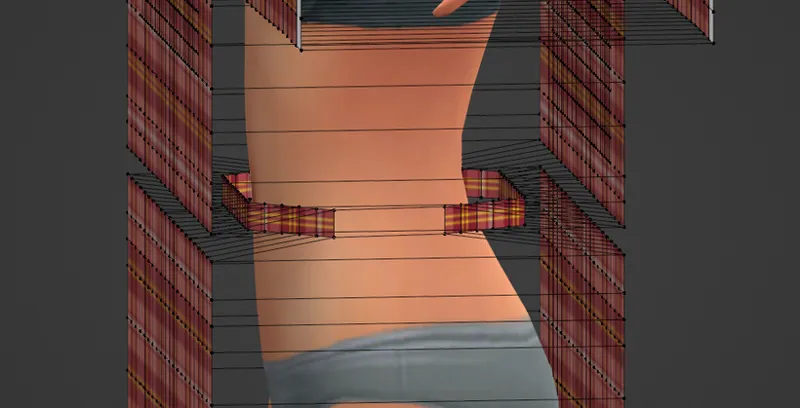
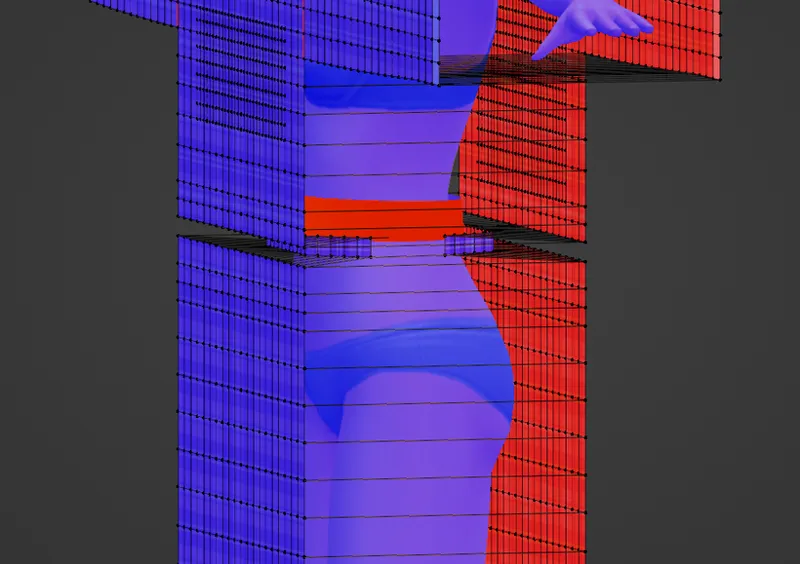
One added difficulty was that I knew from the start I wanted the dress to be cinched at the waist. Ideally in such a way that it'd look good on its own, but also with any added belt accessories. It was a bit of a fight, as I couldn't force Blender to cinch it quite as much as I wanted without making the whole dress shrink to some ridiculously small size, but in the end I found a way to do it:
I also created a wider, cylindrical mesh going around the waist which in some distant future is supposed to become a leather belt. That was another tricky part, as I wanted the particles of the dress to first go right through it, as if it wasn't there, but then to be... kind of trapped inside by it. I didn't know if that's even possible, but it turned out flipping the faces of the belt, so that they'd be facing inside, towards the sim model, did the trick!
Of course, many mistakes were made on the way, but eventually I got the main dress ready. Now was the time for the real challenge of this project, namely... Add-ons.
The fringes
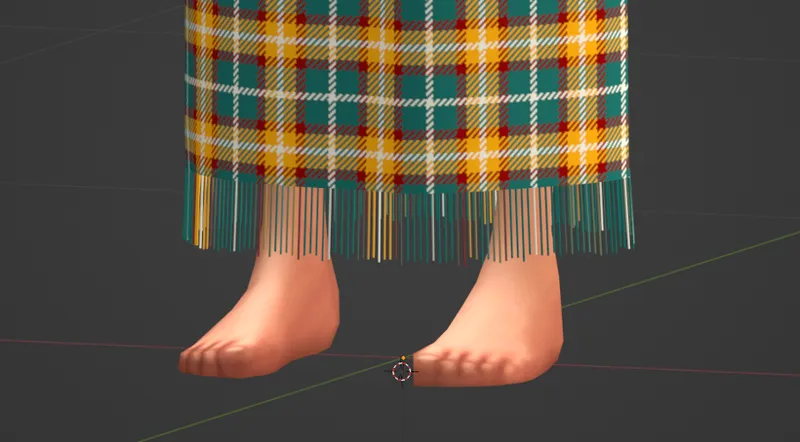
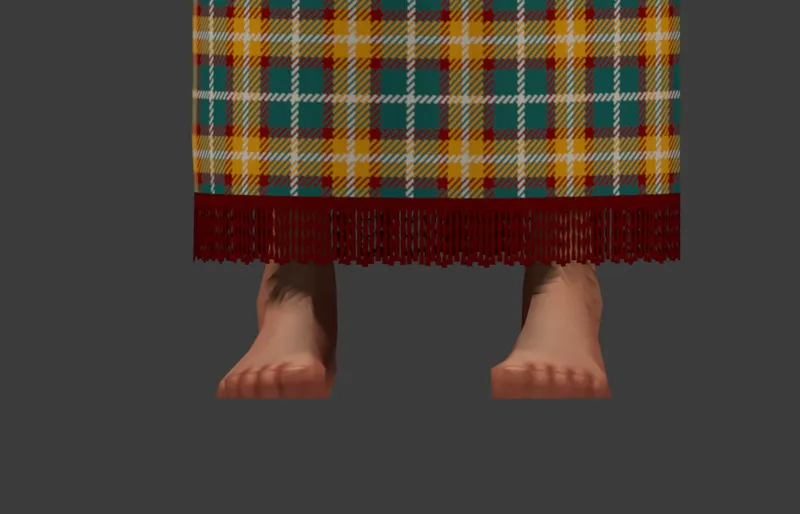
During my research on Celtic dress (mostly a hopeless endeavour, especially for the time and place I'm going for), one thing I kept coming across were mentions of fringes. Alright then, fringes it should be! I started off with an idea of a very unkempt fringe - more of a loose hem, really, but I could swear I've read about it being done too... Cutting the warp threads lower than necessary, so that they'd form a simple fringe. I wrapped it up quite quickly - iirc by making sure the future-fringe part consists only of vertical lines, converting that mesh part to a curve, adding geometry to it and converting it back to a mesh. That gave me a bunch of tiny cylinders, which - and that was the main reason for going about it this way - are just dots on the uv map. Thanks to it they won't need any texturing at all, but will just take their texture from the corresponding points on the hem of the dress:
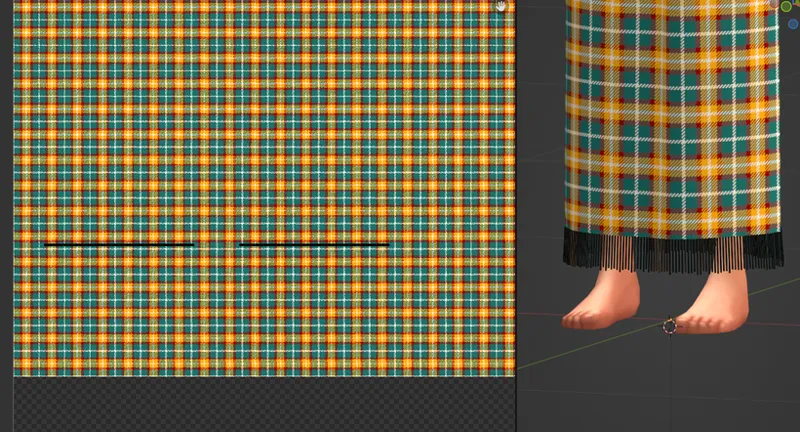
There's one downside to this approach, however: the polycount isn't all that ideal. 2400 vertices, to be precise. Therefore, I knew the other fringe I was going to make would have to use transparency/glass shader and stay very low-poly. Using a combination of array and screw modifiers (with which I've become very well-acquainted ever since...) I created a pretty, detailed 3D fringe, which was then baked to a simple plane I placed behind it. The lowest line of faces of the dress - the same which became that loose hem in the previous version - was simply moved to the area of the uv map onto which I'd baked the new fringe. And voila!
It sounds much easier than it was 😅 I can't count how many times I asked myself 'why exactly are you doing it this way instead of simply using one of the 2D fringe textures you've got saved on your disc???'. The answer is two- or even threefold: one, I wanted to use this whole project as an opportunity to grow and learn new things; two, I was (and still am) hoping to give the final product a more uniform look, which can be hard to achieve when mixing a sims' mesh with rl textures; and three, only this way I could ensure the fringe will come precisely in the colours from my palette(s). Which is also why when it came to belts, I again decided to make them myself instead of using any of the textures I could've easily copied from the Internet.
The belts
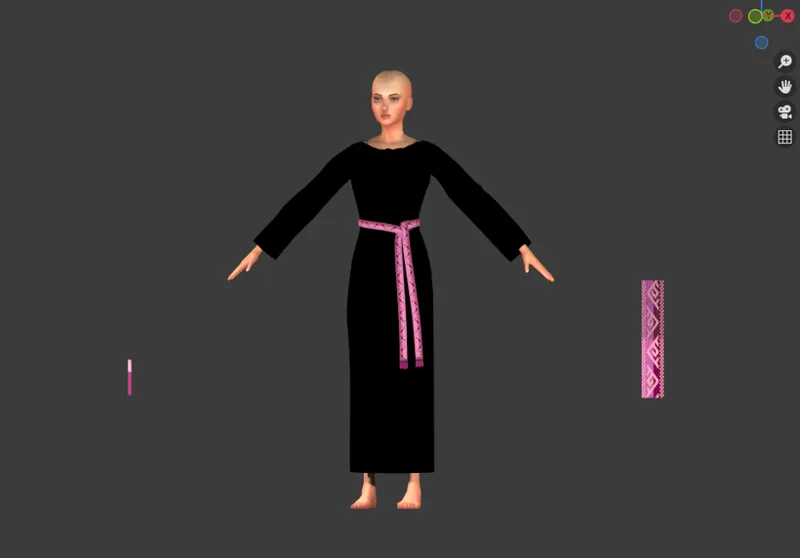
I've decided long ago that I was going to make three sets of belt accessories: basic, tablet woven and leather. By the time I was done with the fringes I'd read and watched quite a lot about tablet weaving (yup, people are still doing that and even posting videos on YouTube!), so that was the set I was most excited to try. I had an idea what I could do to make it work... And lo and behold, it did! I was shocked myself how simple (ok, relatively 😉) it was. Still takes ages though 😅.
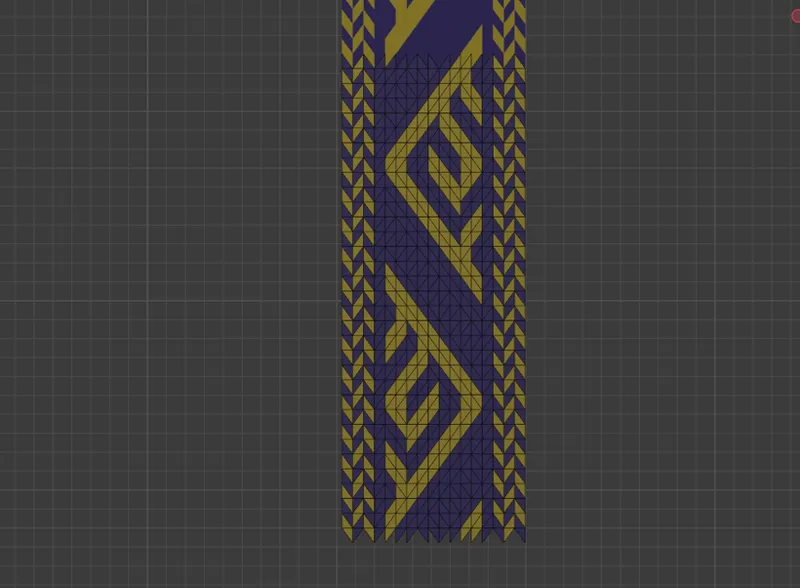
During the preparation phase I found five historical patterns I'd like to replicate for the set, mostly based on the archaeological finds from Hallstatt. The original idea was to create a simple grid and paint faces in different colours, according to the patterns. A closer look at said patterns revealed, however, that the 'faces' (or rather visible strands of yarn) don't come in squares or rectangles, but diamonds or triangles. That complicated things. I set off to do the only thing which made sense: cut my rectangles into the same combination of diamonds and triangles.
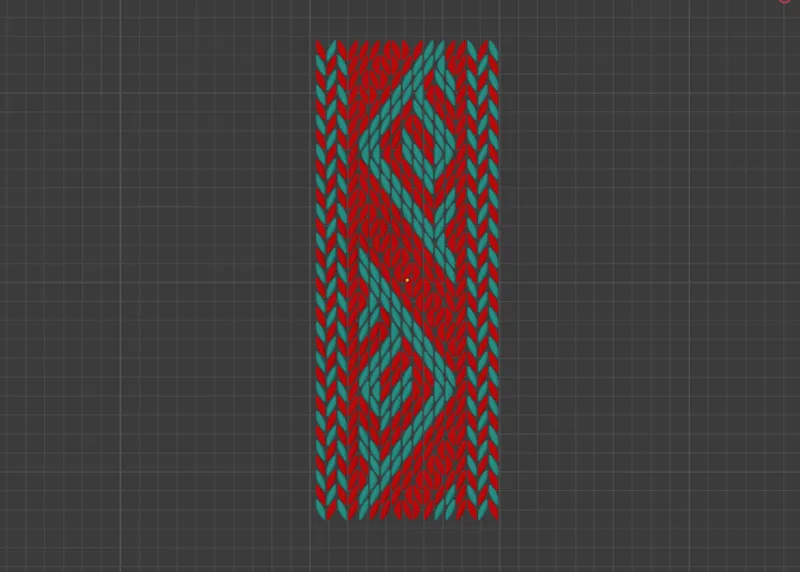
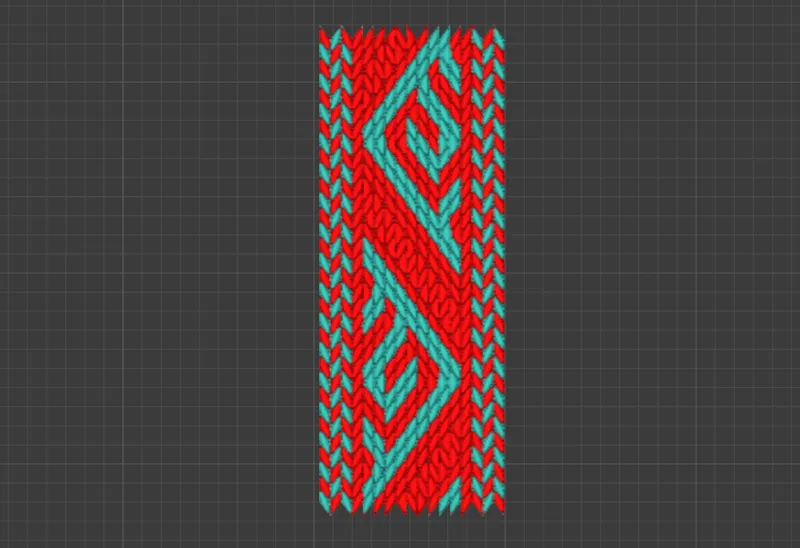
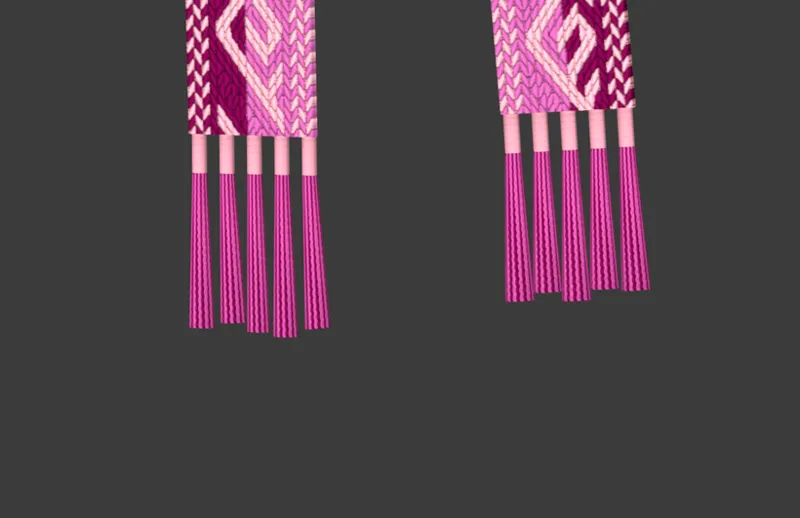
It wasn't bad, but I wanted it to look more 3D - as close to a real tablet woven belt as it goes. And so I used the help of a bunch of modifiers. I deleted all the horizontal edges, leaving really only diamonds and triangles. Then I selected them and marked them all as sharp. I added the edge split modifier (ticking only 'sharp edges'), then solidify, and then - the most important - the subdivision modifier. Then I copied the whole mesh part, deleted the modifiers from the copy and - just like with the pretty fringe - I baked the prettier mesh to the simpler one. The effect was just what I was going for!
The simpler version was copied again and, using array and curve modifiers, set to follow a nurbs path I'd placed around the model's waist. Yet again it sounds simple, but in reality learning to how to use curves properly was a big step for me. Suffice to say I waisted a good hour trying to rotate the damn thing - and, of course, found the solution by accident, while looking for something completely different (in case you wonder, it's called 'tilt', not 'rotate', and the shortcut is ctrl+t). Tying the knot with the belt also turned out to be rather difficult and I most definitely needed to visualise it with the help of a ball of yarn, which was luckily lying next to me on my desk 😅
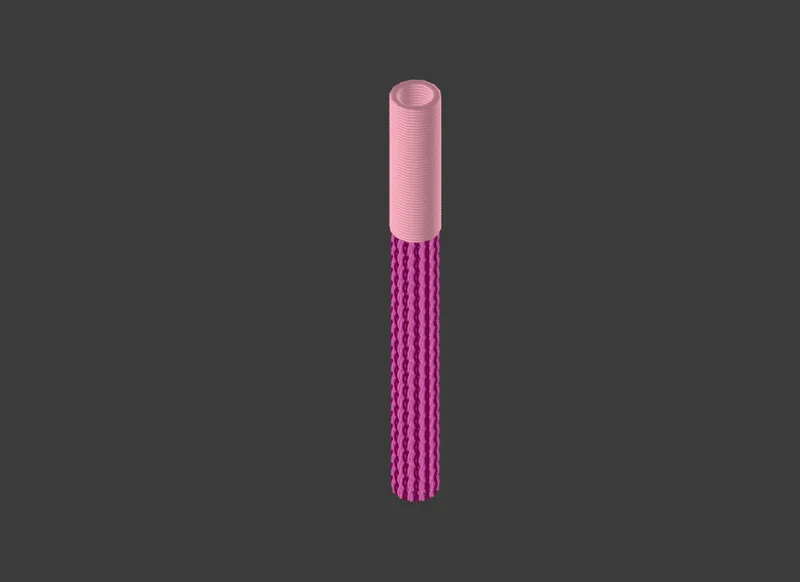
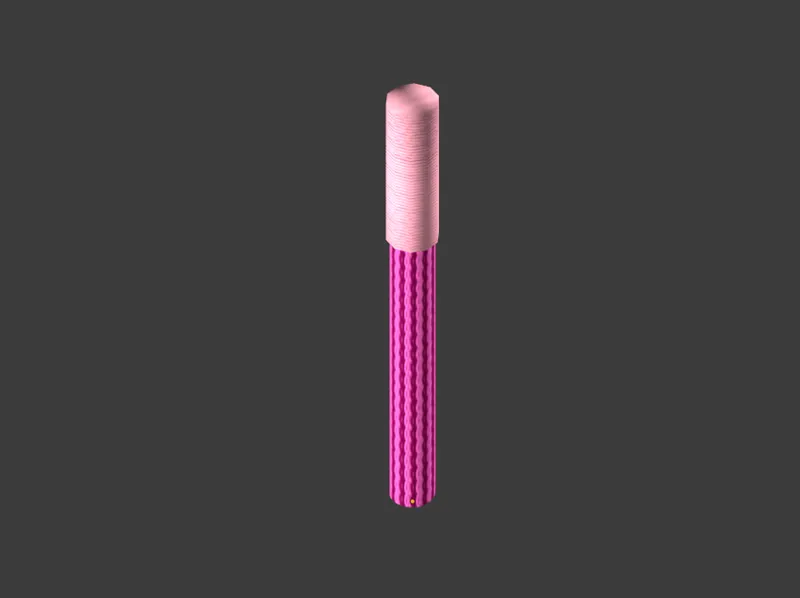
The final thing which was needed for the belt were tassels. Drawing on my experiences with the pretty fringe, I made a bunch of threads, packed them close together in a cylindrical shape and then - you guessed it - baked them to a simple cylinder. And I did almost the same for a piece connecting them to the belt - just that there the threads run horizontally, so I imitated them with a bunch of closely packed rings.
The tassels were then placed in the appropriate places at the ends of the belt and moved a bit manually, to give them a more natural look.
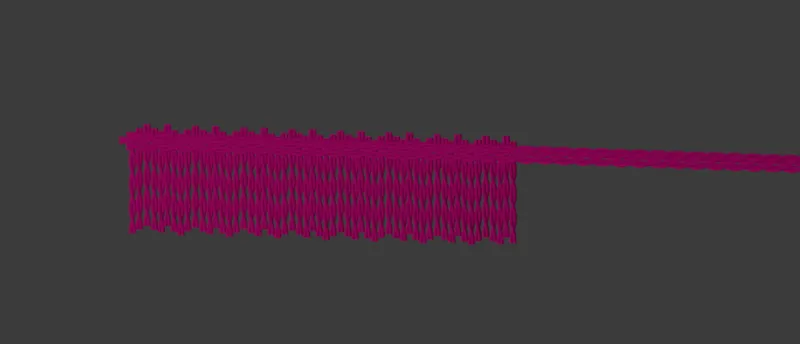
And then, at last, it was time to bake the swatches. Again, it took some time and consideration, but eventually I came up with 20 combinations, all based on my colour palettes. And as I saved a png file with those combinations, using them for the remaining four belts should be easy-peasy. That neon pink you've been seeing in the last couple screenshots is the final swatch - meaning, we've made it to the end, mesh 82/90!
Because yes, I've started the new pattern already and it came with its own challenges, hence 8 files still remaining till we catch up... But that's a story for the next week. Let's hope it won't be all I'll have to report 😅
Until then!
Comments (1)
Love seeing this behind-the-scenes!