
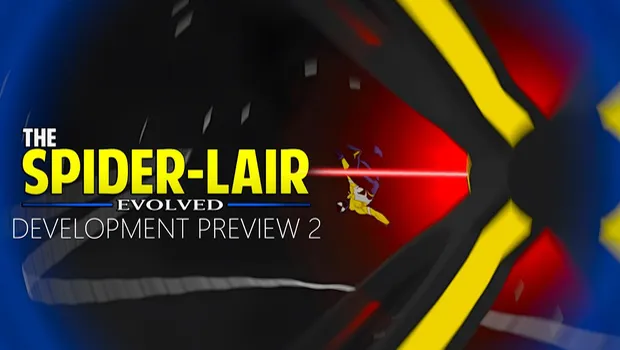
The Spider-Lair: Evolved - Update 2 is now available for patrons!
This update focuses heavily on movement reliability, combat depth, NPC systems, and new experimental features. A lot of underlying systems were rewritten to improve stability and future scalability.
Below is the full changelog!
PORTALS
Fixes
Fixed flipping through portals
Fixed crosshairs locking on when portals are primed to fire
Webs now cancel if a webbed NPC travels through a portal
MOVEMENT
(Climb / Wallrun / Flip)
Improvements
Flipping now automatically rotates you to follow your web trajectory
Flipping is now based on head rotation
Controls remain consistent regardless of body orientation
Rewired flipping code so movement abilities cooperate better
Fixes
Fixed respawning while flipping breaking flipping
Fixed climbing jitter for some users
Fixed wall-running sinking bug
Fixed major wall-run speed boost bug
New
Omni-Directional Wallrun v2
Optional auto-snapping to walls
Can walk around corners
Can transition between surfaces
Pressing Jump while climbing now enters omni-wallrunning
Experimental
Sprinting
Desktop: Hold Shift
VR: Hand movement increases base movement speed
TRACKING / PvP (Experimental)
Feet tracking should now be working
Networked player tracking added
New Capabilities
Web onto other players
Climb on other players
Player markers similar to NPC markers
Early-stage PvP functionality
WEATHER / TRAFFIC / AUDIO
New
Added new wind particles
Readded bird spawner
Optimizations
Weather motion compensation limited to Medium/High presets
Frame caps implemented:
30 FPS
60 FPS
Quest locked to 30 FPS
Fixes
Fixed minor thunderstorm issues
Traffic behaves more consistently during slow motion
Fixed car ambience playing when ambience is disabled
FOOTSTEPS
New Dynamic Footstep System
Footstep pitch now scales with:
Avatar height
Player movement speed
Footstep Options
Default (Shoes)
Bare Feet
Gear (Bookbag)
Boots (Heavy)
Heels
Robot
AVATAR SIZE ADJUSTMENT
Avatar size now dynamically affects multiple systems.
New Scaling Systems
Web thickness scales with avatar size
Bigger avatar = thicker webs
Fully network synchronized
Menu activation distance now scales automatically
Slider removed
Menu size and distance now scale with avatar size
Flipping collider scales with avatar size
Movement input speed scales with avatar size
WEBS
New
Asymmetrical crosshairs
Improved visibility at distance
Chain Web sound effects
Improvements
Adjusted and fixed zipping math
Short delay added after retracting
Prevents accidental bullet toggles
Web Bridge Updates
Bridges now droop and vibrate when walked on
Snap assist occurs once instead of continuously
New cylindrical collider for easier standing
MENU / UI
Improvements
Menu now follows player height
Menu snaps to 90° when rotating
Fixes
Movement effects button fixed
New Gadget Menu
Controls
Hold Right Thumbstick → Open gadget menu on left hand
Hover over option
Release thumbstick to select
Quick Swap
Tap Right Thumbstick
Switch between:
Primary (Webs)
Secondary (Gadget)
New Gadgets
Web Shield
Protects from damage
Degrades when hit
Requires both hands fully charged
Throw Behavior
Instant web enemies
Can ricochet into up to 3 enemies
Ties enemies together to walls
Sonic Blaster
Fires a blast from either hand
Pushes enemies back
Can be used for locomotion
Enables triple jumping
Web Bullets
Classic web bullets
Now feature light target-seeking
Quick Access
Hold gadget menu open
Release without selecting
Portal Gadget
Portals moved into gadget system
Requires both hands to fire
OBJECTS / THROWABLES
New Dynamic Spawn System
Objects now spawn near NPCs, including:
Ammunition boxes
Explosive barrels
Fire hydrants
Electrical boxes
Manhole covers
News stands
Off-Hand Throwing
You can now throw objects while tethered.
How it works
Aim with your free hand
Release tethered web
Object launches toward crosshair
Applies to
Objects
NPCs
Drones
Rockets
NPC / COMBAT / KARMA
This is one of the largest system updates in this release.
NPC Awareness
New
3D audio spider-sense awareness
Directional detection feedback
UI Changes
NPC types now shown by shirt color
Awareness indicator replaced with gradient fill
NPC indicators now scale with distance
Health displayed through:
Gadget lights
Visible body damage
Removed
NPC outlines while aware
Combat Improvements
Punch and kick detection improved
Ballistics trajectory crosshair added
Explosion mechanics added for new explosive weapons
NPC grenades can be:
Webbed
Picked up
Thrown back
New NPC Equipment
Grenades
Thrown by two-handed weapon NPCs
Tripwires
Placed automatically on spawn
Explode on contact
Grapple Hooks
Automatically deployed
Attach to:
Walls
Objects
Drones
Player
If grappled
Enemy tazes you
Damage is applied
Parachutes
Automatically deployed by supported NPC types
Behavior
Can fire weapons while parachuting
You can swing from parachuting enemies
Using both hands allows you to pull them
New NPC Variants
SMG Variant
Rocket Variant
Drone Operator Variant
Drone System
Behavior
Drones scan area when unaware
Act as secondary detection system
Operators deploy new drones continuously
Interactions
Can be destroyed via:
Throwing
Webbing
Pellets
Cannot be punched
Can be picked up and thrown
Stop functioning when operator is incapacitated
New Mechanic
Operators now flee from the player
Advanced Combat Features
Rockets can be webbed and thrown back
NPCs can now be tied together
Objects can be tethered together
Improved pickup detection while webs are active
Chance to spawn shielded enemies
Shield Enemy Behavior
Recharge shields
Cannot be webbed from the front unless ragdolled
Can be damaged from behind or feet
Stealth & Interaction
Instant knockout hits from behind while undetected
Ground pound now alerts NPCs
NPCs now play taunts when held
NPCs hang from whichever limb you connect
Retethering unsticks stuck NPCs
Picking up unsticks stuck NPCs
Difficulty System Rework
New Scaling System
Difficulty now increases based on:
Player defeats (kills or knockouts)
Maximum tracked value: 1000 defeats
Scaling Effects
Higher difficulty increases:
NPC accuracy
NPC damage
NPC perception
Reset Condition
Player death resets difficulty to 0
Other Changes
Spawn rates adjusted for better distribution
Karma system reinforced to prevent stat miscounts
AUTO-CAM
Note
Auto-Cam is not available on Quest.
VRChat does not support cameras on Quest.
New Smart Camera System
Auto-Cam automatically captures cinematic gameplay footage.
Features
Collision checks
Object detection
NPC detection
Dynamic camera positioning
Use Cases
Live spectators
Recording gameplay
Cinematic shots
Manual Options
Over two dozen selectable camera types
Can't wait to hear what you've got to say!
Comments (4)
Can you please help me?
yes! check out the pinned message on the home page!
i cant open the gadget menu
Hold down on your right thumbstick when your webs are enabled