


SimCity SA-1 - Beta 2 is now available
Happy to share that the new SimCity SA-1 version is available for download.
Just like the first beta, beta 2 is currently available exclusively for patrons (consider supporting if you're not already!). Beta 1 remains available for everyone.
In summary: the SNES Mouse now works on all screens, additional optimizations were made and you have some gesture controls available ("drag to build").
How to install
You can download it under the 'Attachments' part of this post. Since it's a BPS patch, so you will need a clean, unheadered SimCity (USA) ROM and a BPS patcher like Floating IPS (Flips).
Base ROM: SimCity (USA), CRC32 8AEDD3A1
Patched ROM: CRC32 F25E000D
If you use bsnes, keep the included XML file next to the ROM and give it the same name as the ROM. This is required for 256 KB BW-RAM support and without it the game will not boot.
Relevant changes
The changes in this version are mostly focused on mouse support - but there are some speed and UI improvements as well.
Mouse support
Most of the screens were adapted to support mouse controls. Some screens never drew a cursor sprite at all, and now they do. I'll tell more details in each section.
What you need to know:
The mouse works in either port, and it is detected automatically.
You can use mouse + joypad at the same time. This is my recommendation -- it's the best experience possible. Most of my testing was done with the mouse on port #2 and a joypad on port #1; that's the easiest combination to set up as well in most emulators.
You can plug and unplug the mouse mid-game. The game adapts automatically, and unplugging falls back to the joypad on every screen.
Joypad controls stay the same. Plugging a mouse in does not disable anything, so you can use both.
With the mouse, you now get gesture controls for building.
Note that there's no speed settings for mouse yet. The driver pulls middle speed by default, so I'm not sure if can be any negative effect, specially on hardware. Let me know if you are able to test with a real mouse.
Mouse on other screens
The following screens had no cursor at all, and now draw one when a mouse is plugged in:
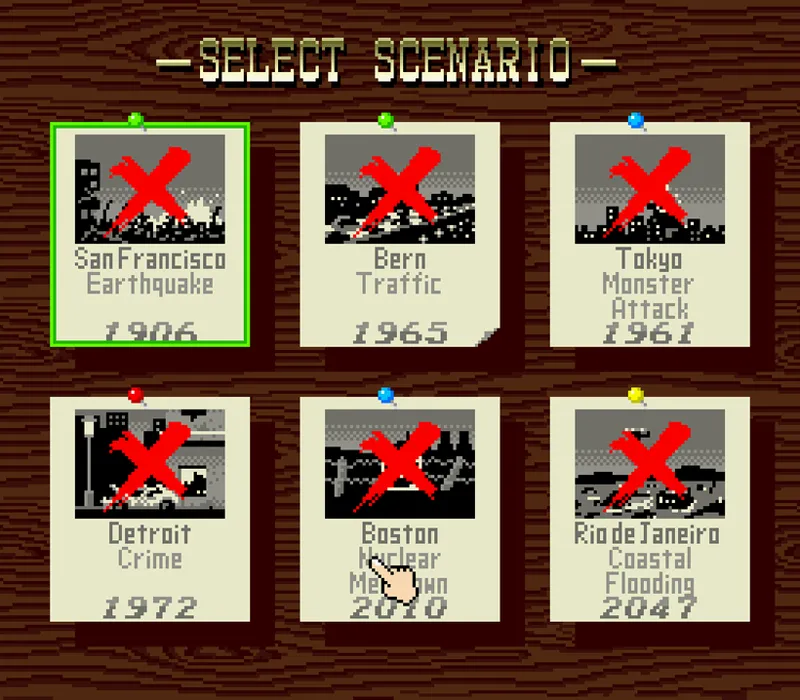
Game select screen: Resume saved city / Practice / Start new city / Select scenario
Resume saved city: now you can pick the city with the mouse.
Select scenario: now you can pick the scenario with the mouse, including the two bonus ones. Push the cursor against the left or right edge and hold it there.
On all screens the selection follows the cursor as you move it, and clicking chooses.
The following screens already had a cursor and now they accept mouse as well:
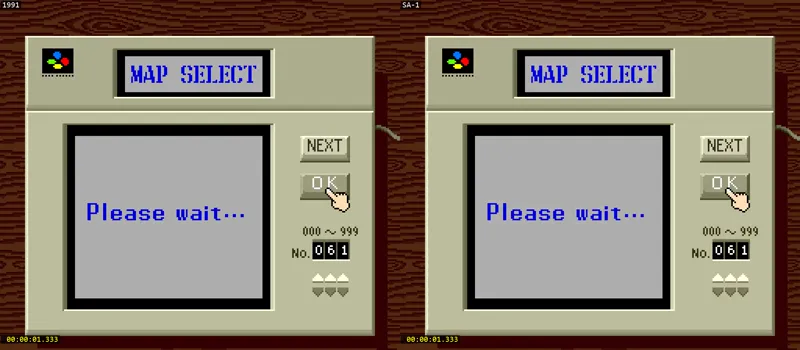
Start new city (Map select): the six digit arrows, NEXT and OK.
Start new city (Enter name of the city / Select game level / Is this OK): every key on the keyboard, including special keys. On the level and "Is this OK?" screens the highlight follows the cursor automatically.
The in-game system menu, as ewll the "Fiscal Budget" screen and the "Bank" screen.
Mouse on city mode
When the mouse is plugged, the cursor no longer teleports back onto the menu after the save screens. While that made sense for the d-pad, for a mouse you may have to keep re-centering it, which is not a good experience. But the behavior stays if no mouse is present.
Moving the cursor into the edge of the map scrolls it, at exactly the same rate the joypad scroll. Right and bottom always work; left and top need the menu hidden (X button), similar to joypad.
By holding the right button on the mouse (or Y on the joypad), the mouse becomes an analog-like stick: move it in the direction you want to go and the map scrolls that way, faster the further you push. The map keeps scrolling while you hold, without having to keep moving the mouse, and the cursor itself does not move, exactly as when you hold Y on the joypad so it never reaches into the menu and cause an accidental cancellation. For better results, make sure the mouse is centered on the screen.
Gestures on the city mode
If you pick an item on the left side of the menu and click on the city with the left button, you get the same behavior as you get with the joypad. Bulldoze, roads, rails, residential, etc.
But if you *hold* the left button and move the mouse, you can draw a line, either horizontally or vertically, and place multiple tiles at once. For example, with roads you can draw a line and once you release the left button the whole road is placed immediately. The game will merge with existing roads and puts on all eligible tiles (e.g. avoids obstacles). If you don't have enough money it will not place any of them.
For RCI (residential, commercial, industrial) blocks, police and fire departments, parks and bulldoze, you can draw a rectangle. Once you hold the left button and move the cursor, the rectangle expands and you can place several of them at once, by releasing the left button. The 3x3 items (RCI, police, fire) fill a rectangle of whole 3x3 blocks and correctly aligns all of them to stay side by side, without overlaps.
The bigger items like stadium, power plants, seaport, airport still place one at a time, as well gifts, since for gifts you can only grant one per time...
The bulldozer in particular is very destructive. Be careful as there is no warning pop-up for it yet.
For canceling a gesture, press the right button while you are still holding the left one.
Note that the line/rectangle mode doesn't scroll the city, so you can't grow past what is on screen. And placing a lot of tiles at once takes some frames -- the cost is proportional to the area. I believe the delay itself is a fun thing to watch, so I don't think that's an issue here :)
Faster simulation
Beta 1 was already about 4.7x faster than the original at simulation speed. Beta 2 is about 5.0x. Of course this depends on emulator, but with more optimizations coming I have hopes to reach to 10.0x before the final release.
One great example of how this affects the experience is the time it takes to generate a new terrain:
UI improvements
Together with the mouse support, there are some quality of life improvements.
The money indicator is now animated. Every time you earn or spend money you can see it counting to its new value instead of jumping. The animation is simple (Mario World-styled, but it halves the difference every frame), but it should be a fun thing to watch.
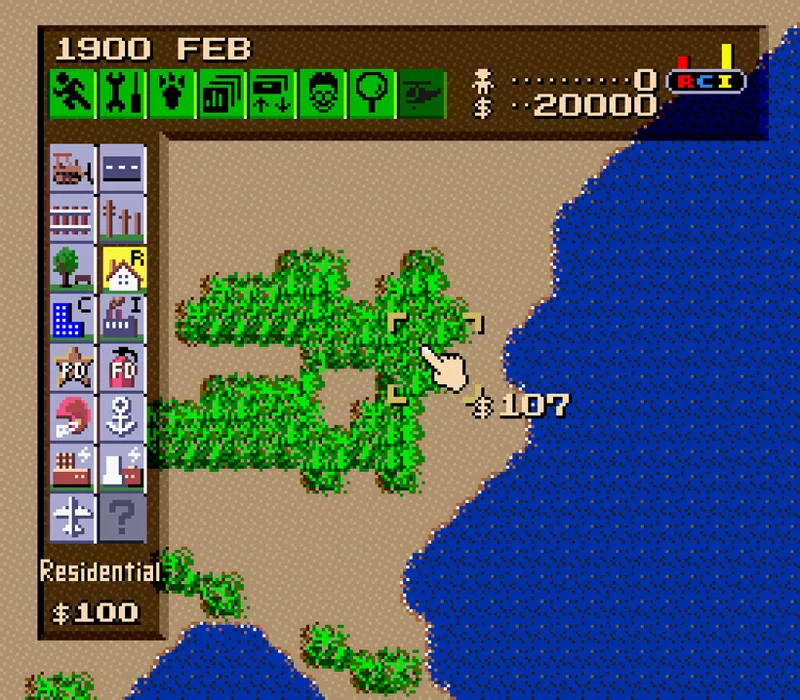
When placing any tile, you can now see its price on the screen, drawn next to the target in the game. It is the game's real cost, so it includes the bulldozing price, which you probably didn't know the game charges you for, but it does. If you can't afford it, the number is drawn in somewhat orange color. If the tile can't be placed at all, no number is displayed.
Faster menus and screens
Did you know that SimCity decompresses graphics in real time? Every time you open a menu or a submenu, or a Dr Wright message appears, the game reads compressed data from the ROM and decompresses it before showing it to you. While technically impressive, it's very slow.
The decompressor has been rewritten -- it's now about 1.5x faster and then moved to the SA-1 CPU. Together it made decompression about 6x faster, so you should see a difference when playing with the city now every time you interact with screens and menus.
Faster graphs and heatmaps
Together the decompression optimizations, the graphics building is now done on the SA-1 CPU as well. Opening the "map" went from about 3.5s to 0.6s and they produce exactly the same visuals as the original game, but now much faster.
But it doesn't use Character Conversion DMA yet. The way SimCity pulls the statistics is impressive, it draws into a real bitmap in WRAM, which you can export as a BMP file just by adding the right header, but that format can't be sent to the SNES VRAM efficiently. So for the next beta I'll work on that, to at least make it feel natural and free of freezing while you interact.
Known issues
The Bowser scenario seems to cause city corruption: I can see RCI tiles appearing on water after some minutes playing. It doesn't corrupt saves, but I'm investigating it to understand if it's caused by Bowser itself or something else.
Recommendation: Don't play the scenario. If you see that issue happening on your city - let me know and don't save any corrupt city as it can damage your city permanently.
The power-grid issue when loading new cities is not fixed. I found out that an additional fix is required -- every single powerplaint needs to be located in the game, put in an internal queue with its X/Y position and run SimCity's power flood algorithm, which basically powers all buildings around the powerplants. My initial fix only calculated how many powerplaints were present on the city and ran the flood algorithm - the flood algorithm did nothing in this way. But I didn't include on this beta version, because it can softlock the SA-1 CPU as soon as you switch to another city mid-gameplay and I couldn't figure out yet.
Recommendation: As soon as you reload the city, set simulation speed to slow. This will force the power-grid to build every other tick - reducing the consequences caused by this.
The bank loan screen text will appear above the cursor. This is only noticeable if you use the mouse and via joypad it doesn't happen because the cursor never moves to the text area.
Recommendation: It shouldn't cause relevant impact, but it makes the cursor more difficult to view when it's on the text. A fix is in progress.
256 kB of BW-RAM is still required. I'm still understanding better SimCity's RAM structure before proposing any layout change. To make it possible to reduce RAM requirement to 128 KB, I will have either to reduce SimCity's RAM usage to 96 KB or move 32 KB of RAM to SNES's WRAM, thus making the SA-1 CPU only able to access 96 KB. I'm sure I will find the best workaround for that in the next beta version.
Recommendation: Use emulators and systems that is compatible with 256 KB BW-RAM. If the game don't boot up, please let me know, by sharing a comment here with the system or emulator you used.
If mouse don't work
If you have issues getting mouse to work, try testing your setup with Mario Paint first. I had issues with bsnes not recognizing mouse and I thought it was an issue my code, but it ended up being a driver (DirectX) issue. Only found out by testing with Mario Paint, which is an official game that uses mouse.
Next steps
Beta 3 is now work in progress. This one will aggressively optimize the game's code to target the 10x simulation time. I also wanna make the graphs and maps smoother by letting you view them being built at real time. This will be interesting specially when creating new cities.
Features planned:
10x simulation speed. After all, targeting a Megalopolis (or "Megaropolis", as seen on the city evaluation screen) still requires running a city for 200-300 years. Right now SA-1 is able to deliver to 4-5x speed up, which is great but not bar raising yet.
10,000 map numbers. As explained on social media, we have 1,000 official maps + 1,000 extra maps that can be found via a glitch. By adjusting the seed generator (think that the numbers converts to a seed, just like Minecraft), it's possible to generate even more maps.
Real-time heatmap and terrain animations. The issue is that right now the bitmap -> SNES format is a very slow process. SA-1 has it natively, with zero cost (done at real time on hardware). So we can make the chip do the transformation while the terrain is still being made, for example. It should make a very fun thing to watch, even if it becomes fast.
Option for smart simulation control. Smaller cities won't run at skyrocket speed even on the slowest setting, by throttling the SA-1, while large cities will have no internal speed limit as they get more complex to simulate. This is similar to the delta-based correction in Race Drivin'.
Support for multiple languages, by creating a single version containing all other known ones (European variants + Japanese).
Ultimate version
As explained before, two versions of SimCity SA-1 are planned:
SimCity SA-1 (or SimCity SA-1 Deluxe)
SimCity SA-1 Ultimate
The former will contain all the features already in this beta, plus the ones listed in the next steps. The "Ultimate" version will be a fun one that I'll work on in parallel with the next SA-1 project (which will be Super Metroid, hopefully). The idea is to explore the SA-1 chip as much as possible, with features like:
Bigger terrains (up to 2x)
Additional structures (let me know in the comments!)
Additional scenarios
Custom music
Additional saves (at least 8 saves)
A custom tool for importing and exporting your cities, so you can share them with anyone.
Closing
As always, I'm open to ideas, suggestions and feedback. Beta versions can be affected by bugs, so please use save states and save your city often so you don't lose progress.
Thank you for reading this far, and have a great week!
Comments (5)
Hi Vitor, I've been trying this on my MiSTer. The mouse input works perfectly and things definitely seem faster (map gen, for example). That is, except, for the passage of time. My cities seem to be stuck in January, regardless of the game speed I set, the RCI meter also doesn't move. Simulation seems to not be running at all FWIW I have also gone back to beta 1 to check - simulation is running great in that version, so this issue appears to be exclusive to beta 2. Let me know if there's anything I can do from my end to help test this further for you
I've never played this game before, but I'm amazed by what you've been doing. If a mouse can work in a game, keyboard input should also be possible in the future, right?
I took a look on some SNES docs and I found out that there's a rare X-Band Keyboard that I could add support to SimCity, but no emulator seems to support it and I don't know if anyone has a real one to test with, but it can be a fun thing to take a look :) https://problemkaputt.de/fullsnes.htm#snescontrollersxbandkeyboard
This is mega impressive. The UI features for the mouse are really nice, I never thought I would want to play with the mouse, but now I want to give it a try! I don't know if I still have my SNES mouse, but I'll take a look. :)
im definitely going to test this out asap. really apreciate your work Victor!