
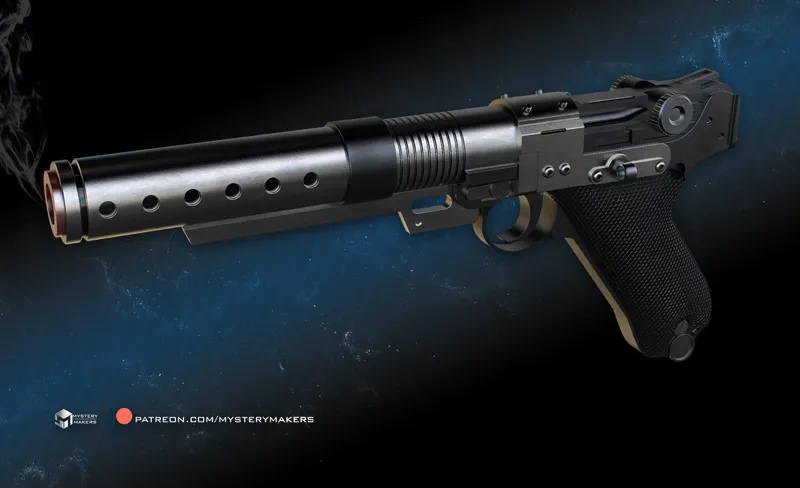
A-180 blaster with working trigger :)
So, this is something that quite a lot of members asked me to make :)
Soooo, here it is, but at this point I'm sure you are already expecting a trick up my sleeve ;)
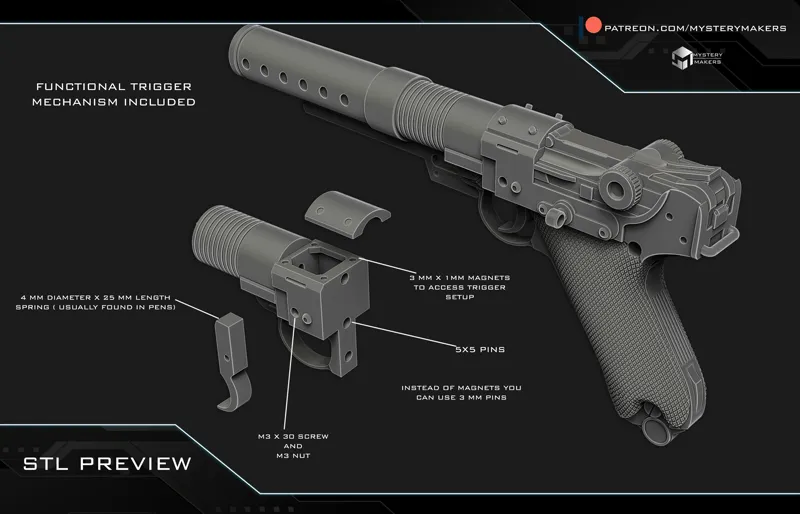
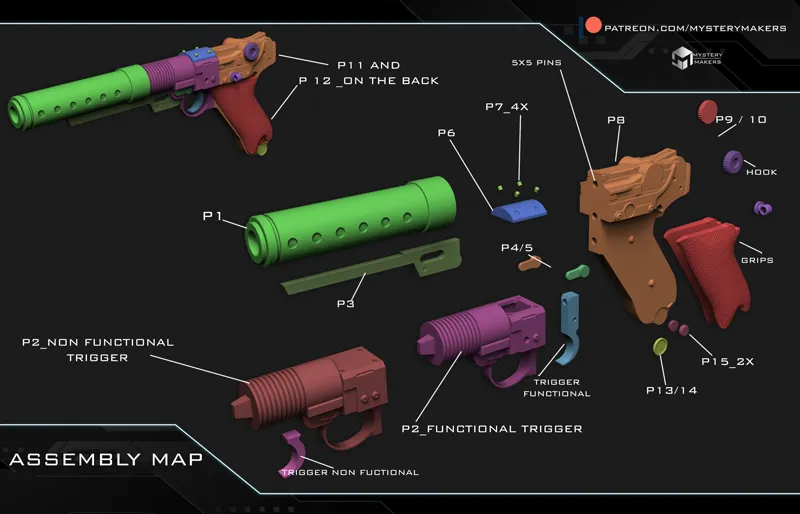
The blaster comes both with FUNCTIONAL TRIGGER and NON FUNCTIONAL TRIGGER, so you can choose which one works best for you :)
The functional trigger version also has an easy access compartment for the trigger assembly if you need to change the spring or trigger, and it uses the standard m3 screws and nuts to secure it in place :)
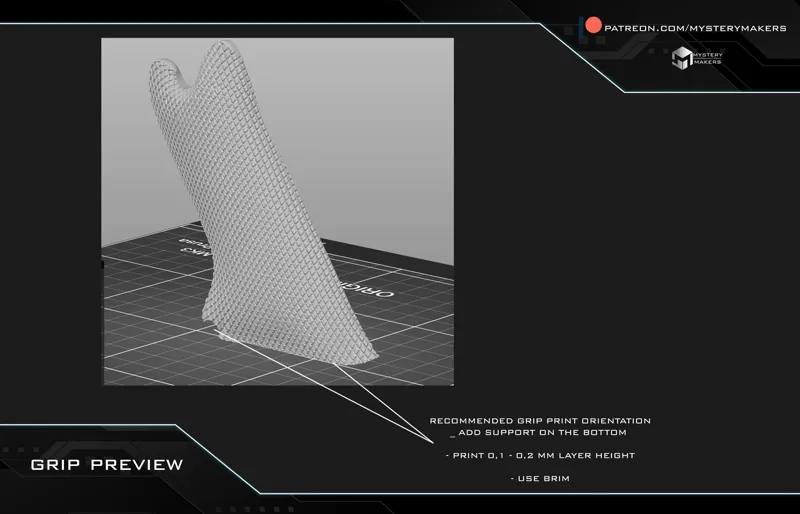
Check the photos for more info, and since the grips have quite some detailed texture, I also included a suggestion on how to print it so you get the best results on those grips :)
Added to the "we are makers" JANUARY 2024 folder :)
Comments (15)
Are you planning to update the modular survivor receivers with the functional triggers?
i'm afraid no, as there is not enough room for both. It can be either modular of functional trigger i'm afraid , and in this scenario i started the proejct with modulars :)
Cool. Is that another Jedi survivor model or from something else? Love the trigger options. I've heard about variation in what some cons allow trigger movement wise
nope, thas from rogue one, diferent. odel, approach and functional trigger ;) Most cons wont allow moving parts , thats why both options are included, functional and non functional, but yeah best to check with con rules :)
oooo, one of my favorites
mine too :)
Well I know what I’m printing when I get home tonight! Thanks! This is very cool.
my pleasure :)
I’m starting the print now. Would you consider uploading the 3mf Bambu file? It’d be nice to download the project with all parts assigned to beds, in the right orientation, and color that you put them in originally. That ensures that we get the same results that you got in your workshop.
I did that in few projects, but when i did it, then everyone who doesnt have a bambu asked if i can make profiles for their printers, and then pre-supports for resins prints, so that just turns into an impossible task for me and forces me to play with settings for printers and materials i dont even have instead of working on new projects, and if something fails on the user side i am picking up all the blame bcs "my settings dont work" :D so to make things fair to all and acutally encourage people to learn how to use their machines instead of just clicking the print button, i have turned back to sharing stl files only. Anything tricky to print is always explained and print orientation recommended, but it would be a bit egocentric to ignore all the members and their printers and post only bambu settings just bcs it may benefit us , so im aftaid you will have to get to know your machine :) i love making everything simple for you guys, but some things might be just be a tad too much if i'm to maintain the level of quality and releases :)
Merci super jolie
This is beautiful, Marko! Do you happen to know if the add-on pieces will fit on an airsoft?
most likely not as it was not designed with that in mind. In order for something like that to be possible i would need a 3d scan of the base weapon, and sadly i don't have that so i can do as best as i can by eyeballing the photos only :)
Yes!!
:D :D :D