
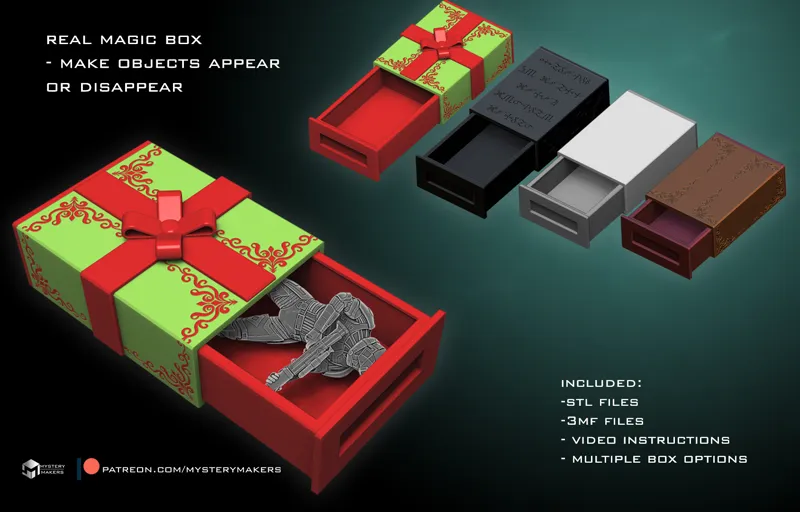
Mysterymakers magic box ready for printing
All done and ready for printing :)
Keep in mind not to show the "secret" or assembly online , it will ruin the trick :)
Here you can see it in action:
https://www.instagram.com/p/DCwnnJAMJgl/
You can use it to "appear" gifts , "vanish" gifts, use 2 boxes for teleportation effects, and so on and on :) I also added a "non christmas" versions to be used throughout the year :D
yes you can scale it - im not sure how far but the upscale should work better than the downscale due to the tolerances and offsets wich make all of it possible
To recap whats included:
- stl files
- 3mf files ( bambu studio) with support and orientation settings
- multiple box options
- 2 tolerance options - based on how well tuned your printer is
- video guide on how it works
- video assembly guide
- my originally designed mechanism solution to make it all 3d printable
Let me know how much your family and friends loved this one :)
Comments (18)
I tried to watch the mp4 videos that came in the file folder but windows is asking me to purchase a codec in order to view two of the three files. Is there a way around this issue, or could you possibly upload them in a different format, or maybe to Youtube? TIA
The are uploaded to google drive as google drive should be able to play thrm in the browser - if that doesnt work - you can download VLC player- it is free and usually plays all formats- let me know if these solve the problem :)
Has anyone here printed this on an A1? The outer box keeps warping slightly and I can't figure out how to make it stop. 😭
Usually a mix of bed adhesion, cooling and filsment. Keep in mind whst 3d printer younuse has nothing to do with the quality if the model, the model csn be printed on any printer. The way to fix bed adhesion problems is - increse bed temp, clean the bed, turn off the cooling fan for first 6-7 layers and slow down first layer speed, this will ensure thr first layers are peoperl stuck down , if the cooling fan is too strong try rotating the part diferently sway from the cooling fan, apply bed adhesion help like glue if needed and definatelly add more inner/outer WITHOUT a separation gap, that should solve it :)
I just supported at the youngling tier to get this STL but it isn't showing up. How do I get this STL?
This model is not available at the youngling tier, its available at the "we are makers" tier as per tier description that is available before you join :)
this is wicked cool
glad you like it, something a bit diferent than the usual stuff :D
I know what I will print once I arrive in my office tomorrow!
fire up the printersss :D
I was thinking.... wouldn't it be easier to "default" to the empty box position? so let's say you have guests and ask you "what others gave you as present?" and you give them the box and they just open it to find it empty. "No it's not!" you take it, "activate it" and show them wrong. :?
well not easier but more powerful trick this way?
cant wait to print it!!
i think i'll print a few more versions to showcase :D
Yes, I will be printing this right away when I get home! I was showing my wife your sneak peek and she swore up and down you edited the video lol I can’t wait to show her this in person:)
haha, taht means the illusion is very good :D
Love it!
thank you :)