



World Rename Mod: Ultimate Edition 🌍
12th August 2026: Added a Restore setting that I swear I'd already added... You can restore all Worlds to their Default names, or just the current one.
16th July 2026: Updated tuning for the newest version of my modlibrary, which is now all this mod requires. Please download the new version; the link is in the description.
16th February 2026: Updated RenameDistricts to include Bellacorde, Dambele & Verdemar from the new world, Ondarion. (_RenameWorlds doesn't require an update)
23rd January 2026: (must redownload the latest version of modlibrary to register the changes)
Added randomization to new name input UI, instead of a separate interaction, so you don't have to remember it
Adjusted some of the text to make more sense, and streamlined the pool of random names
Added all the mailboxes, as it wasn't appearing on some
27th December 2025: Added Gibbi Point districts (no update is required for the main mod – you only need to redownload midnitetech_RenameDistricts.package (if you have Adventure Awaits)
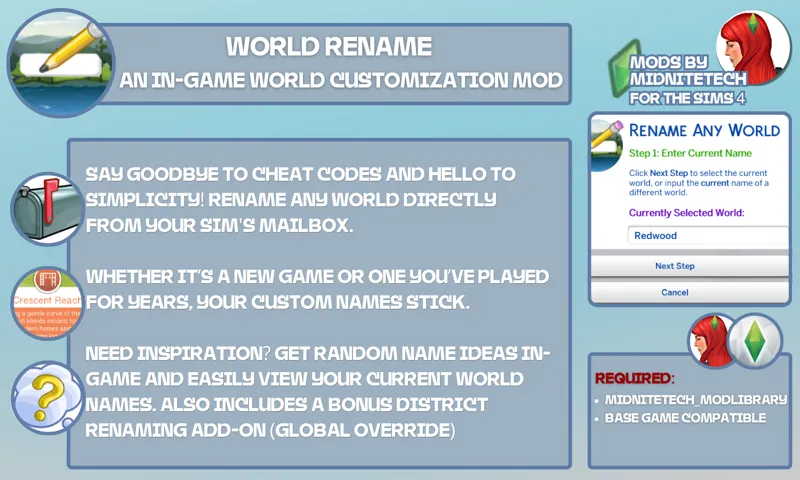
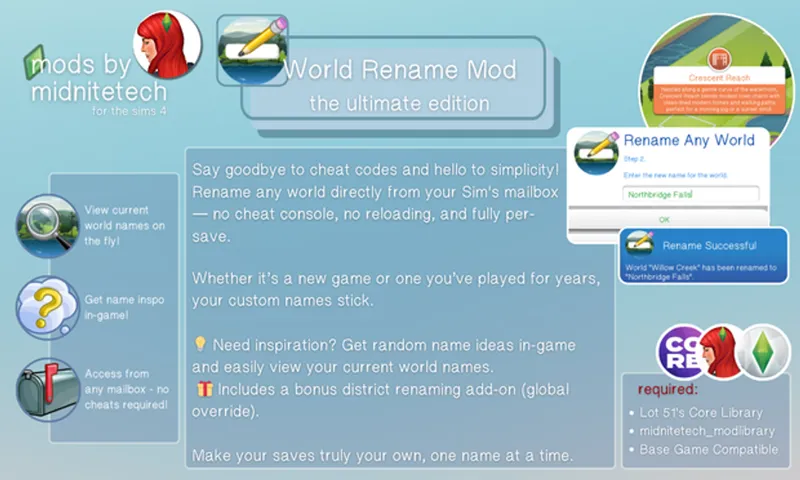
Tired of typing in cheats from my old rename mod or settling for default world names? Now you can rename any world directly from the mailbox—no console commands, no reloading, and yes, it works on any save (old or new)!
🎯 Features:
• Rename any world in-game instantly—no need to exit or reload
• Rename is per-save, so each save can have its own unique world name
• Built-in name idea generator + view current names for easy reference
• No cheats required—everything works through a simple UI and can be found by clicking on a mailbox
🎁 Bonus Add-on:
Also included is a district renaming package! While district names are global (not per save), you can move the .package in or out of your Mods folder or even rename it and have a copy for each Save! Here's how to use it.
✅ Only use one district renamer at a time—they’re global overrides, due to the way save files are coded.
Let your saves feel personal—name your worlds anything you want.
💌 I’d love to hear what names you come up with!
~midnitetech 💚
⚠️Required Mods & DLC:
🧩Recommended Mods:
❗Conflicts:
None
Download to C:\Users\YourName\Documents\Electronic Arts\The Sims 4\Mods (Script files must be no more than 1 folder deep).
Comments (36)
Hello, i wish to change my world names because i want my noble sims to have custom titles like King of Italy instead of King of Ondarion. Does this mod support this noble career string change? Actually, world name changing is not that important, i just want to make custom territorial designation for noble titles. Any advice is helpful,Thanks!!
Would there be a way to add the ability to customize royal titles based on the world’s name? For example, instead of “King of Willow Creek,” you could change it to “King of [Custom Name].” I think that would be a really great addition for players creating their own kingdoms or historical worlds.
Thank you soi much! this so awesome and so much easier!
Thanks so much for all your hard work. I was wondering with the noble career the title given reflects the default world name like Queen of Windenburg rather than the newly created name is there a way to change that or is that something you might add in the future?
hi, for some reason after i uninstalled this mod, some names of the worlds returned to default, but some didn't and so those worlds have the names i gave them through mailbox. how can i fix that?
Hi, there is an option included to restore to default :)
Oh my god, I've always wanted something like this! Thank you for the awesome work you do.
Hi! I installed the mod along with the rest of the tools, and when I change a world name in the game and accept, a screen appears saying "The name was not changed correctly" or something like that. It always happens.
Can you send me a screenshot on Discord, please? https://discord.com/invite/4JsntVJyg4
confused. where do yall see the script file for it? loll, i just want to rename the worlds
You need to click the link to Lot 51's Core Library and my Mod Library under 'mod requirements'
i recently restarted with a new save and the option to rename worlds isnt showing up when i click on the mailboxes
Thanks you for this. Sometimes we don't know we need something until we need it. I wasn't ready until The Royalty & Legacy DLC. Thanks SOOO much again. Ciao.
Hell, yeah I love this. It’s gonna be perfect for my machinma/let’s play series
Hii sorry if this is a dumb question but do I download both rename district files? I don't want to end up breaking my game (especially with this new update)
It's not dumb at all, don't worry. You only download the district file if you want to rename neighborhoods within worlds, like Pendula View in Willow Creek. Check the 🎁 Bonus Add-on section above for the instructions.
hi so i wanna change the name of the neighborhood is that the district? do i do that the same way i do the rename world?
No, changing the district/neighborhood names is different, due to the way they're coded. If you go to the 🎁 Bonus Add-on section in the post above, I have a short guide on how to change the names.
Does this conflict with the better world select mod by Simmattically? I have the option on the mailbox to change the world name and nothing spawns when I click it. I also have the latest Lot51.
nevermind, I didn't have the script file, it works now. lol I thought it only needed the lot 51
I'm currently setting my game up to play a stardew valley challenge in it. I'm totally using this to rename Henford-on-Bagley to Stardew Valley and Finchwick to Pelican Town.
This is awesome. Thank you!
it doesnt work, where is tutorial?
Sorry, I just saw this. A tutorial isn't needed- you just click on your Sims mailbox. Try a different mailbox if you don't see the option, and ensure you have the listed requirements in the post :)
Wow outstanding!
I play in a language other than English and have been translating your mod into Russian, but since part of the text is in midnitetech_modlibrary.ts4script, most of the mod is in English anyway. Can you consider adding other languages to this mod?
welche dateien muss ich denn runterladen beide packages??
RenameWorlds, RenameDistricts, 🌐Lot 51's Core Library & 📁midnitetech_modlibrary
you have no idea how thankful i am for this!! especially the district rename function!!!
You've literally created the VERY FIRST MOD I went in search of when I started playing TS4 years ago. Can't imagine how much braining this took. Tysm <3
Will this conflict with any world sort mods? This is so wonderful!!
I'm really bad at anything sims 4 studio, I think I installed it in the wrong place, or something. None of my saves are showing when I click my projects.
I just became a paid member SO quick. People like you help keep this game fun.
Thank you so much!
This is awesome, thanks so much!
Ahhhh! Thank you so much! I rename worlds for each save; this is so helpful!