





midnitetech_modlibrary.ts4script
1st October 2026: Added tuning for my new mod
22nd September 2026: Fixed a few commands that were set as cheats, and therefore wouldn't work if testingcheats wasn't enabled.
20th September 2026: Fixed an issue with AnyShift that could cause scheduling issues and added new tuning for upcoming mods. Please install this new version.
9th September 2026: Combined any logs/jsons into one midnitetech_settings.json, which will only be generated in your Sims 4 folder if you have a mod that requires it.
2nd September 2026: Adjusted backend handling for AnyShift. You don't have to redownload if you don't have AnyShift, as the modlibrary will be updated anyway when I release a new mod/update.
27th August 2026: Updated to prevent a json being generated if AnyShift isn't installed. Also updated tuning for my new Custom Uniform mod additions.
22nd August 2026: Removed the 'Open Log Folder Location' button, as ModGuard was flagging it as harmful (technically it was trying to run an exe (explorer.exe) to open the folder location). It now tells you where the file is instead.
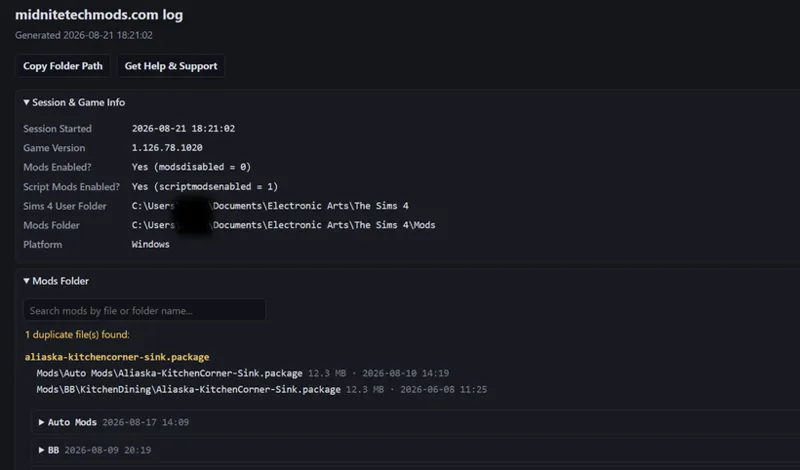
21st August 2026: A few big changes that I've wanted to implement for some time now... You can now generate a report to send to me for troubleshooting, and it also offers an outdated mod checker—this is solely for my mods and works similarly to my Clean Launcher, checking a GitHub-hosted .json with my latest mod versions. This version should also solve the issue of non-English players having a 'The Sims 4' folder force-generated when their own is 'Die Sims 4', 'Les Sims 4' etc. for my settings files. In addition, the new report has direct links to the updated versions of any outdated mods you have and will list the folder locations of any duplicates you have installed. It will generate automatically in your \Documents\Electronic Arts\The Sims 4 folder and running midnitetech.sim_report in the cheat box will add on your currently played Sim Info, helping me troubleshoot any issues with my mods. I've also shortened the file names for the jsons that hold your AnyShift settings, and the script will migrate any current settings you have to the new format so you won't lose anything.
If you have any issues with this new version, I've uploaded the Legacy Version here.
16th August 2026: Added a new injector based on januksenkosketus's to inject career entitlements the same way Discover University does. Now you'll be able to see exactly what level you'll start at before you join if you have SimU installed.
10th August 2026: Prevented AnyShift from generating a settings json if none have been set.
2nd August 2026: Added tuning for my new AnyShift mod, and tidied up a few functions.
16th July 2026: Combined all my various scripts and incorporated injectors. All of my mods that have been updated now require this alone.
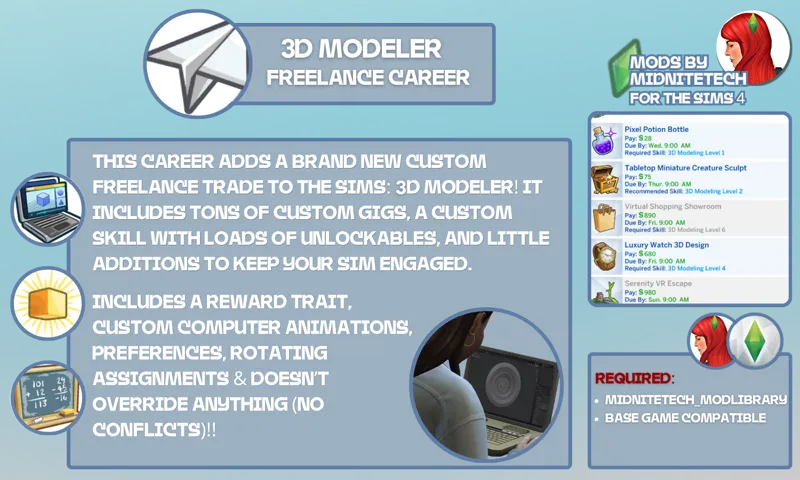
8th June 2026: Added tuning for the new version of my 3D Modeling career
16th May 2026: Added tuning for upcoming mod releases
10th May 2026: Sorry for the spam, guys. I fixed an issue some players were experiencing when retiring and with Story Progression, which was triggering LEs. Thank you to Jaylow7 and FourEyedMagpie for letting me know. Also, I apologize; I know someone asked (I can't find the comment) for me to add version numbers, but if I add it to the script, some players will end up with dupes, and if I zip it, some may forget to unzip it. You can always see the last update date here in the changelog, or on my mod tracker.
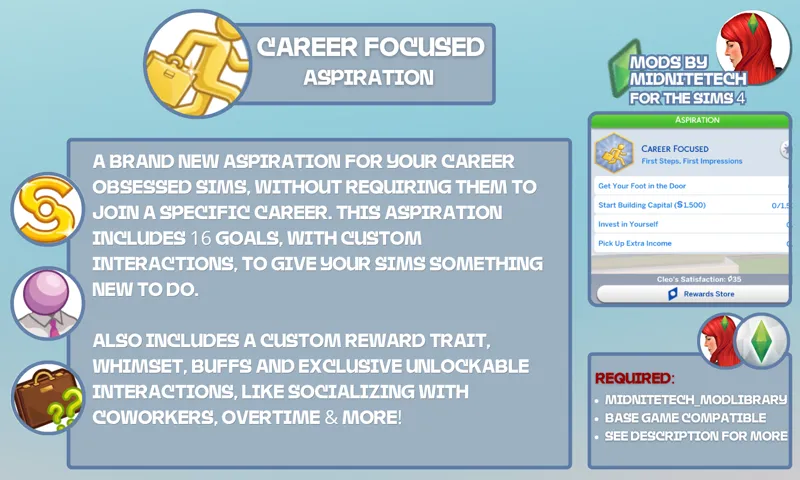
9th May 2026: Edit: Apologies, all; I uploaded an invalid version! So sorry, please redownload. Added new tuning for Career-Focused aspiration.
6th April 2026: Cleaned up some code, added new 32-bit instances to Switch Branch, added new cancel gig confirmation to prevent accidental deletion.
28th January 2026: Updated for a new career
(Deleted old info as the post was getting huge)
My ModLibrary is a shared script file used across many of my mods, similar to Scumbumbo’s XML Injector or Lot 51’s Core Library.
It condenses multiple scripts I utilize across all of my mods into one, so you don't have to worry about cluttered mod folders. It's important you download it whenever I release a new version, as many of my mods depend on it. On its own it doesn't do too much, but it does include a feature to check for duplicate mods. If you have my mods installed, it will let you know if one or more of them is outdated. You can view links to specific downloads and see a list of your duplicates in the log. The log generates automatically, but you'll need to run the following command to create a full report for help with any issues.
📋 To create a full report, open the cheat console and enter midnitetech.sim_report and it will generate a midnitetech_log.html file. The notification will tell you where you can find it, but by default it will be in your \Documents\Electronic Arts\The Sims 4 folder. You can use it to view download links if you have any outdated mods of mine, plus any duplicates. If you need help, send it to me at support@midnitetechmods.com.
Installation
1️⃣ Place midnitetech_modlibrary.ts4script in your Mods folder
(No more than one folder deep.)
2️⃣ Enable Script Mods Allowed in Game Options.
Want everything in one place? Check out my full mod collection here.
~midnitetech 💚
Download & extract/unzip to C:\Users\....\Documents\Electronic Arts\The Sims 4\Mods (Script files must be no more than 1 folder deep.)
Having issues with the new version? Grab the Legacy Version here, and let me know your issue here or here.
Comments (104)
Hi there! I downloaded the updated version but the game keeps giving me notifications that it is outdated. Has the download link been updated?
My midnitetech log file also says that this mod is outdated, I downloaded the mod from this page but it is still version 2026-09-25 :)
ciao! per caso questa mod potrebbe andare in conflitto con l'education overhaul di adeepindigo?
Hi, no, were you having an issue?
Hi! I just wanted to let you know that the update isn't on CurseForge!
Hi Alice, the update is only needed if you're using my new All Hours pack, which is in early access. I'll upload it there anyway though :)
hi is there a way to turn off the updates notifs. i don't plan on updating the game. I appreciate the prompt updates you do make!
Hi, no you have to have the latest versions of my mods. They’re not game-update dependent.
Hello, I've been having some problems with the speed during gameplay. The game speeds up while my sim is away working or sleeping, the speed is not fast and it takes too long to progress. I've tried to locate the source of this problem, and it turns out to be this library somehow.
Hey! There’s absolutely nothing at all touching that simulation side of things. If it’s happening with zero mods installed too, then try clearing your cache, lowering your graphics settings or trying a simulation lag fix.
New here and even more new to how the mods and updates work. I'm reading so much and not understanding. I know that I had a error message about an update, but I'm not sure where to start at all.
Hi Ree Ree, welcome! Can you send the error to support@midnitetechmods.com, please? (Include midnitetech_log.html from your Documents/The Sims 4 folder)
after the update the AnyShift json files spamming is back unfortunately :3
Hi, if you don’t have AnyShift you don’t need to update. Check the changelog. I had an issue with my backup files, and I think I accidentally released the wrong version of a couple of the .py 😬
Thanks so much for updating everything so thoroughly!
I keep getting this BE: Possible Cause (100%): midnitetech_modlibrary.ts4script Reason: The listed script mod failed to load and should be removed or updated. Exception in Sim Timeline: Exception running Element (ValueError: Trying to use SingleSimResolver with unsupported participant: ParticipantType.Object). I have the most updated script for the modlibrary.
Hi can you send me the exception please?
hello! I installed the new modlibrary update but I'm still getting AnyShift json files in the sims folder, even though I don't have the AnyShift mod installed
I did get an exeption triggered for this new version just as a heads up
Can you send it to me please? Midnitetech mods.com has my contact details
Hello! I'm using the updated mod library script's new function that says that there a new mod updates available. while using the get updates button i get directed to your site. no problems but when i choose open log folder modguard is activated and gives a warning. I didn't report it to the discord because I assume this is something you can work on your end. I did not take off modguard or anything like that either. So I'm not sure what would happen but just thought you might want to know!
Hi, it's incorrectly flagged as an executable file, when in fact it shows you where the log is. I'll message TwistedMexi and ask them to fix it.
Hi, latest version is flagged by Modguard, and I have a notification saying it's outdated. I've downloaded it from the post and from Curseforge, and got the same results everytime. Removing your mods from my game for now, I don't want to risk anything :(
Hi, the outdated notification is because you have a mod of mine that isn't the latest version. If you check the Documents\Electronic Arts\The Sims 4 folder, you'll see a midnitetech_log that has links to the outdated mods. ModGuard is incorrectly flagging it as an executable file, when in fact it just opens the folder location to show you where the log is. I'll message TwistedMexi and ask them to fix it.
Thank youuuu!!! I love your mods/utilities/overhauls. This is great! I also love your clean launch. Pleaseeee never leave us! 🥹♦️😊 (人 •͈ᴗ•͈)
I'm not planning on going anywhere!! 💚 Thank you so much
Hey! I play the German version of TS4, so my game data is located in a folder named "Die Sims 4". The current version of modlibrary keeps creating a folder named "The Sims 4" containing the file `midnitetech_bibliography_history.json` and the text document `midnitetech_injector`. Could this cause problems? Is it safe to delete these files? Or is there a way to ensure these files are created in my actual game folder instead? Thanks!
Hi there yes I can stop that happening. It’s safe to delete them if you don’t want your sims book history saving. I’ll fix it in the next version.
hm i think my comment was deleted for some reason but it says its been updated again today and ive installed it again and no LE. Thanks midnite! <3<3
Hey Misty, sorry I deleted the thread of questions for the 15th update to try and avoid confusion, as I fixed it the following day. Glad everything is working OK for you now :)
I keep getting this BE; Possible Cause: (Confidence: 100%) midnitetech_modlibrary.ts4script Reason: The listed script mod failed to load and should be removed or updated. [midnitetech] Failed to load MidniteTech diagnostics: No module named 'midnitetech_diagnostics' (ModuleNotFoundError: No module named 'midnitetech_diagnostics')
Same!
tysm!!!
Thank you, hope you're well, take care
Hey take your time girl mental health comes first!
uh... lol where's the file 🤣
this file is not downloadable on on site. it just keeps bringing up this page when clicked.
same here
where is the link to update I can't find it
it says.. Sorry guys I’ll have it back up in a bit. I’m having an existential crisis.
is it supposed to be a winrar file?
Where is the download, am i missing something?
Hello. I am also having the same issue. I got a L.E. and when I ran the Exception report it says that its from the midnitetech_diagnostics and midnitetech_links.
am i crazy or can i not see the download link?
I think it was pulled because of the exception.
I'm getting this error from Better Exceptions, but I've updated all your mods including this one (August 15, 2026): The listed script mod failed to load and should be removed or updated. [midnitetech] Failed to load MidniteTech diagnostics: No module named 'midnitetech_diagnostics' (ModuleNotFoundError: No module named 'midnitetech_diagnostics')
download link?
Hello! Does this work with the June 30th update?
Hi yes! You can view my latest mod status any time from my website. There’s a link in the description 💚
Hi, just wanted to let you know that your mod scanner is flagging the latest mod library script as out of date…
Good morning. When I scanned with the clan launcher, it was saying it needed to be updated. I redownloaded and every time it would say the same thing. I downloaded from curse forge and when I scanned it stated no issues. Just in case someone is having the same issue.
Hi this should be fixed now 🥰
I am so sorry, I know you have been updating this nonstop but I got an Exception from this mod that says: Possible Cause (Confidence: 100%) midnitetech_modlibrary.ts4script Reason Inconclusive
Could you send me the full exception, please? themidnitetech@gmail.com
Hello, I updated the modlibrary today May 9th and I am getting a LE about a career module and switch , but I don't have any of your careers in my game. Maybe I misunderstood and do not need this file for your other mods? Sorry to bother you.
Hi ! This gave me an immediate LE when I launch my game, just wanted to let you know (also, the "contact me" hyperlink on your website is broken - when you click it says 404 page not found) : Possible Cause (Confidence: 100%): midnitetech_modlibrary_9May2026.ts4script "The listed script mod failed to load and should be removed or updated. Failure: 'midnitetech_careers/Career_SwitchBranch' (midnitetech_careers.Career_SwitchBranch) No module named 'midnitetech_careers.career_tuning' (ModuleNotFoundError: No module named 'midnitetech_careers.career_tuning')" My Switch Career Branch mod is updated to the latest version, I made sure to check before saying anything 🫶🏼
Fixed, apologies! I've also fixed the link on my website. Thank you for letting me know
The new modlibrary9May 2026 is throwing the following exception: The listed script mod failed to load and should be removed or updated. Failure: 'midnitetech_careers/Career_SwitchBranch' (midnitetech_careers.Career_SwitchBranch) No module named 'midnitetech_careers.career_tuning' (ModuleNotFoundError: No module named 'midnitetech_careers.career_tuning') I have the latest branch switch mini mod. Unfortunately, I cleared by recycling bin of the previous mod library and can't revert back, as the exception persists
Fixed. Sorry about that!
hi, I keep getting a LE stating this script is bad or outdated. I updated it earlier today.not sure why thats happening, thx!
can you consider adding a version indicator to your file names. It makes it easier to know if I have the most recent version. thanks.
Sure! Done!
Your Mod Cleaner Tool is the Best! Thank you!
Hi good afternoon just wondering do we need to download again and remove the old version?
Hi, yes, if you’re getting my new career, as it includes the tags for the custom uniforms.
So if I understand this correcly, I only need this script file and just package files for the careers?
And Lot 51’s Core Library :)
I don't know what I'm doing wrong, but the Career Retail Pack and Odd Jobs Merged mods don't work for me. I've read and reread the instructions, downloaded the library, and nothing.
This needs to be updated, it was the cause of not being able to play after the last update.
Hi it doesn’t need updating, are you running into any issues?
Has it been checked against the 118 update?
Hi Linda, yes it’s all good. You can check my mod status here: https://trello.com/b/JxI6Xhe2
Thank you as always!
Should I update this, eventhough im not getting the pharma career? I noticed it pop up as a noti last night, but I didn't see it on my mainstream of new stuff/updates?
You don’t have to, it’s only adding tuning for that career :)
your cleaner keeps telling me this isnt in my folder, already downloaded it multiple times and put it in the correct area and still telling me it isnt there: ( i am using mods with no issue that require this but it keeps being tagged as missing
Hi! Can you send me a full report from the More Tools> Help menu, please?
Heyy! I just opened the .zip file and all the script mod ends with PYC. What is it?
Ok, i just download it on my other pc and no .zip file, only the right one. Idk why shows up a .zip folder on a device
do i need this mod for the meetup mod?
Hi, no you don't, just Lot51's Core Library :)
the new update seems to only be 1KB which doesn't seem right bc the last version was 14KB. I also can't extract it like the previous version. Is it meant to be like this?
Hi, I think Patreon corrupted the file, it should work now. You should never extract a ts4script file though, just plop it in your mods folder.
I still have the Simdeed Recruitment Services careers. Does this file replace the script file for that as well???
Hi, no it doesn’t include my old careers. They’re being updated separately.
I can't seem to download the Lot 51 script. Has anyone else had an issue?
The link’s working for me. https://lot51.cc/mods/core-library I believe it’s on Curseforge too.
Hi! I just updated this and am getting an LE alert: Possible Cause (Confidence: 100%): midnitetech_modlibrary.ts4script "The listed script mod failed to load and should be removed or updated. Failure: 'inject_historical_self_publish' (inject_historical_self_publish) output() argument 2 must be int, not None (TypeError: output() argument 2 must be int, not None)" Not sure if it's just me getting it, but I'd figured I'd let you know!
My bad, so sorry! Fixed now :)
Hi. I have a quick question if that's alright. I'm trying to understand whether the update of 2/9/25 of Power Outages Mod v2 is available to non-patreon members? The Power Outages page does have a link that can be used, but the mod name is still "Midnitetech_PowerOutages_v2.package" so I just want to make sure I'm getting the updated version if possible. Thank you for all of your work on these wonderful mods!
Hey, sorry I just saw this!! No, it's available to all :)
do i need both downloads above?
Hi, there’s just one download. The 2nd attachment is just a note with the last update date :)
Do I still need this script file if I use "Simoleonz side hustle?" That mod only has the package file.
No, just Lot51’s Core Library :)
Hey, just downloaded this new script file and deleted all the others (I do not have RenameWorlds) but I'm having a LE alert now: Possible Cause (Confidence: 100%): midnitetech_modlibrary.ts4script "The listed script mod failed to load and should be removed or updated. Failure: 'EditCareerOutfit' (EditCareerOutfit) expected str, bytes or os.PathLike object, not NoneType (TypeError: expected str, bytes or os.PathLike object, not NoneType)" I'm not sure it's related but I do not have your Custom Career uniforms and never needed it so I don't know...
Thank you, I’ll take a look :)
i wish everyone would do this!
Does this mean I can just remove any other script that came with you mods and leave only this one?
Yes, bar the exceptions listed above :)
omg thank you!!
Thank you so much! :D \o/\o/
Woah. What a huge undertaking. But you were right, my mods folder is so much tidier around the m's now! ;) Thank you for all your hard work!
Amazing