
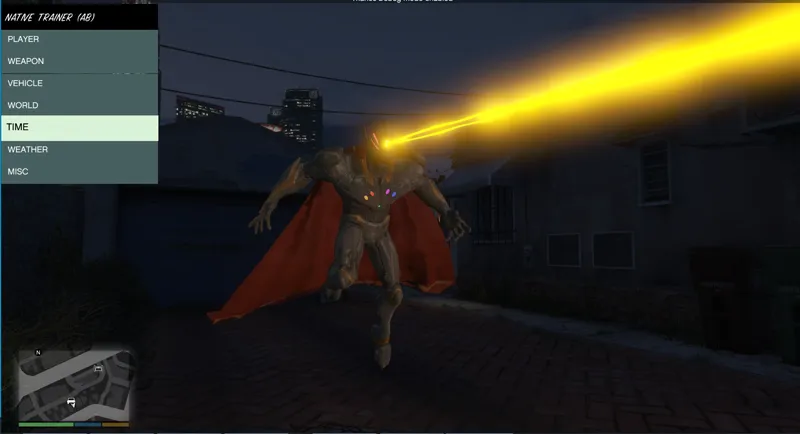
ScripthookV Update released
Edit: New gameconfig and packfileLimitAdjuster was released for actual version :)
###
This time the update was fast :)
ScripthookV is updated, but, i had to do extra steps to make my game work with added peds and props.
Step 1: Download and update your ScripthookV (Press F5 on the download page to force refresh the page)
Step 2: Remove your "PackfileLimitAdjuster.asi" from main game folder, it isn't compatible with actual game .exe file :(
Step 3: Update your game to obtain the new update.rpf and GTA5.exe files, you can use the "verify files integrity" function of your launcher
Step 4: Using OpenIV navigate to "main game folder\mods\update\update.rpf\common\data" and make a copy of your custom dlclist.xml and gameconfig.xml files (extract it somewhere)
Step 5: Close OpenIV and copy the new update.rpf file from "main game folder\update" folder to your "main game folder\mods\update" folder replacing your custom and old update.rpf with the new one
Step 6: Run OpenIV again and navigate to "mods\update\update.rpf\common\data"
Step 7: Click in "Edit mode" and add back the dlclist.xml file that you made backup in Step 4
Step 8: Run the game to see if it works, case it crash at loading story mode, add back the gameconfig.xml file that you made backup in Step 4, for me, this wasn't necessary, but i dont have too much added peds and stuff
I hope this works for you guys, it worked for me :)
Obs.:
-"main game folder" always refers to your main game folder, the folder where gta5.exe file is located.
-In my mods\update folder i only have the custom update.rpf file, i dont have a copy of update2.rpf there, isn't necessary in my case.
Game still crashing or stuck in "Infinite loading"? Well, the fastest solution is ignore all custom added DLCs, to do this you can rename the folder "main game folder\mods\update" to something else.
Comments (47)
Whenever I use the Infinity Ultron mod, and I try to use the mind laser it keeps popping up with the error message "Error creating mind laser props."
install the package choosing mods folder, or download actual version of the mod and install again choosing mods folder
man , how do you put your red eyes on superman but without firing the lasers, like threatening?
its hotkey H if i can remember well, check mod options \ controls
the reason i wanted a free update is because i have a game booster and i wanted to see if there are any crashes with game booster some mods seem to work fine with game booster if you get what i'm trying to say
when will you update the zombie mod again?
not sure, which changes/features you recommend?
Is there any way there can be mod that would fix all our issues?
lol, no
I got my game to load in but all me suits and peds are gone I’ve noticed as well as some animations. Any advice?
install ped models again, install the mod .oiv packages again, choosing mods folder, apply all steps of this guide https://gtaxscripting.blogspot.com/2019/05/gta-5-added-peds-limit-fix.html
Im confused b4 I continue, wont I lose all my addon peds folder in openIV if I replace it wit the new updated one ?
no if you backup the custom dlclist.xml file from old update.rpf in mods folder to add back later, the dlcpacks with the ped files is located in dlcpacks folder that isn't inside update.rpf
if i downgraded my gta to v1.0.2612 would your mods still work on it
probably, what matters is have the dlcpacks that came later, because some animations and fx used are from those dlcpacks, not sure which ones
One more thing, after installing the gameconfig from lspdfr, make sure to do the troubleshooting steps for added ped limit fix that Julio created. Here it is, check it out > https://gtaxscripting.blogspot.com/2019/05/gta-5-added-peds-limit-fix.html
i used the game config from lspdfr...it worked but the controls were off... then i added peds and it crashed the game. i uninstalled the game now reinstall and about to just see what the limit of peds are
FYI: If you did not add the back-up gameconfig, you'll have to set the numbers for cloth setting in it back to 600 (as instructed in the tutorials and guides section). At least that helped me a lot
@JulioNIB I did the steps but my game won't even open which seems like a new problem compared to the other comments. I tried renaming both the mod and update folders but still no luck. Do you have any more troubleshooting tips? Should I try deleting and reinstalling my mods? I'm using the Epic Games version BTW, I don't know if that factors or not.
try removing all plugins like scripthookv, asi loader, rage plugin, etc., then test the game
its not the peds!! its the game config use the new config from lcpdfr website
that one causes crashes as well
interesting, ive followed all these steps and my game loads, but none of the added peds or props appear. i just get an error message. does this usually happen when RS updates?
install one ped using my tool to add peds and test the game, then install other and test too, until you find the limit, then you can uninstall latest added
Can’t even play. shit crashes I probably fucked up all my fuckin files
damn
This so fucking wack man
Do you think doing a jedi mod will be possible ? I'm huge star wars fan but also a huge fan of your work
will make it later, for sure
hi guys i have found a fix..... https://www.lcpdfr.com/downloads/gta5mods/datafile/40478-gameconfig-file-for-gta-v-update-v2699/ the problem is the game config
I also had to ped generate the superman files again, then just do the package installer in openiv.
changing the mods/update folder name fixed my issue of crashing when loading story mode.
That worked!
I'm in the same boat.
probably renaming mods folder, removing packFileLimitAdjuster.asi and verifying game files integrity would solve for you guys, unless the issue is related to profile or saved games, hard to happen
I might reinstall the game later but I'm tapping out. I've tried everything i've seen in this thread and nothing worked.
same
omg thank you Julio it works can I just say your superman mod is the best and funniest thing I played I will definitely be subscribing for more in the future. FYI i just reinstalled my mods if that may be a issue for others
the game cloeses but when i start story mode it just crashes. I don't know how to fix
probably issue with added things, try renaming mods folder to modsss to test
infinite loading screen
rename mods folder to modsss to test
for me it Infinite loading screen
rename mods folder to modsss to test
I followed every step but it crashes. I installed a lot of mods and ped models so maybe is it because of Packfilelimitadjuster?
probably, to test you can rename mods folder to modsss
i don't understand