


0.32.1.4 - Stability, Performance Improvements and MSI Claw 8 EX AI+ Support
Dear Patreons, thank you as always for your testing, reports, and continued support.
Before diving into this release, I'd like to share a broader reflection.
The handheld PC ecosystem has evolved tremendously over the past few years. What many users don't always see, however, is the amount of reverse engineering, experimentation and collaboration happening behind the scenes to make these devices work as well as they do. Projects such as Handheld Daemon, InputPlumber and Handheld Companion spend countless hours analyzing firmware behavior, controller protocols, power management interfaces, sensors and OEM implementations that are often undocumented or inconsistent from one device to the next.
The reality is that much of the groundwork that benefits the entire ecosystem is being carried by open-source communities. Knowledge is shared, discoveries are documented, fixes are contributed upstream and improvements often end up helping users far beyond the boundaries of any single project.
At the same time, it can sometimes feel like the visibility and recognition don't always follow the same path as the work itself. That's simply the nature of open source: many of the most impactful contributions happen quietly, behind the scenes, with little fanfare.
Despite that, our philosophy remains unchanged. We will continue to collaborate, share findings when possible, contribute improvements back to the community and focus on building the best experience we can for handheld users. The ecosystem is stronger when knowledge is shared, and every project pushing the platform forward ultimately benefits everyone.
With that in mind, version 0.32.1.3 focuses on three key areas: performance, stability and device support. While this isn't a feature-heavy release, it delivers substantial work behind the scenes with lower CPU overhead, improved reliability across sleep and resume scenarios, support for the MSI Claw 8 EX AI+, and a large collection of fixes and refinements throughout the application.
Highlights
Lower CPU usage and improved responsiveness: This release includes a broad performance pass across Handheld Companion. We've reduced overall CPU and garbage collection pressure, reworked portions of the IMU sensor matrix logic and addressed several race conditions and initialization issues that could lead to unnecessary background activity.
MSI Claw 8 EX AI+ support: We're happy to introduce support for the MSI Claw 8 EX AI+ (CG3EM). This initial implementation includes fan control, RGB lighting, TDP management and back button support, allowing owners of the latest MSI handheld to take advantage of Handheld Companion's core device management capabilities from day one. Gyroscope support is still under development and will arrive in a future update.
Stability improvements: We've resolved issues affecting sleep and resume behavior, phantom controller inputs, virtual controller handling, profile detection, TDP profiles, LED management, startup routines, QuickTools, Welcome Window workflows and more.
What Changed
Hotfix
0.32.1.4: Fixed a regression with custom HIDdevice on ROG Ally, GPD Win 5, MSI Claw, ONEXPLAYER X1, Zotac Gaming Zone.
Device Support
Implemented MSI Claw 8 EX AI+ (CG3EM) support with fan control, RGB lighting, TDP management and back buttons support.
Legion Go (1/2): Fixed an issue where detachable controller settings would not be restored correctly at startup.
AYANEO Flip DS: Fixed an issue where 2nd screen summon button inputs would be looped.
ROG Ally (all devices): Fixed default MainWindow summon hotkey bindings.
Steam Deck: Fixed controller mode (hybrid/exclusive) persistence and button default mapping.
OneXPlayer APEX: Tentatively fixed gyroscope axis.
Performance
Reduced overall CPU usage and garbage collection pressure.
Reworked IMU sensor matrix processing.
Various performance optimizations and cleanup.
UI/UX
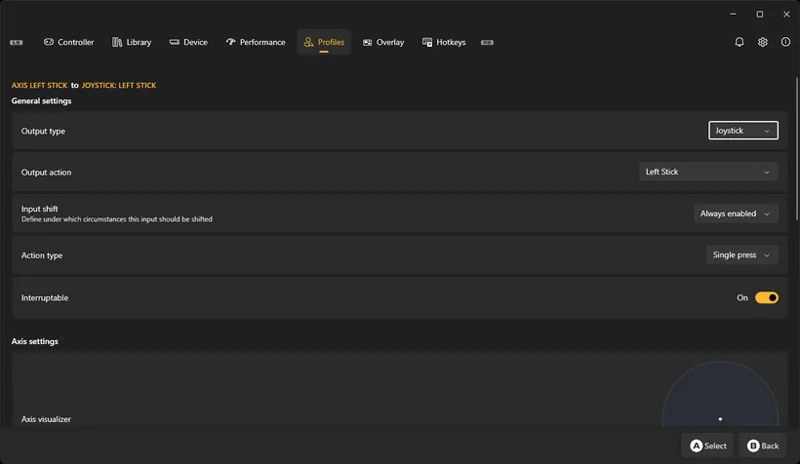
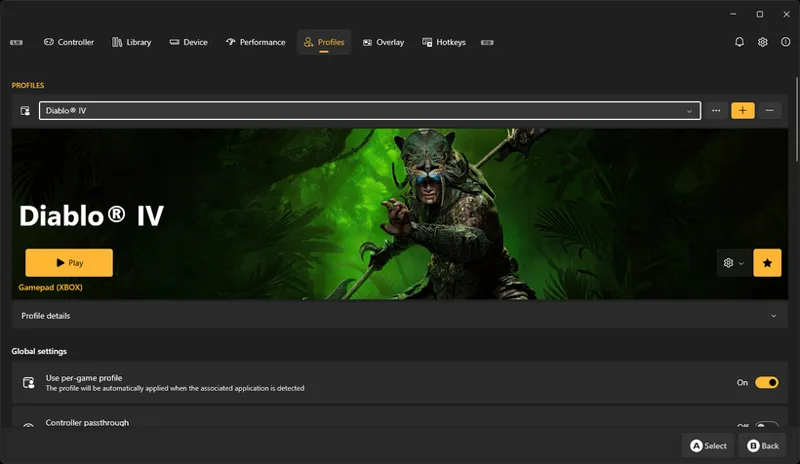
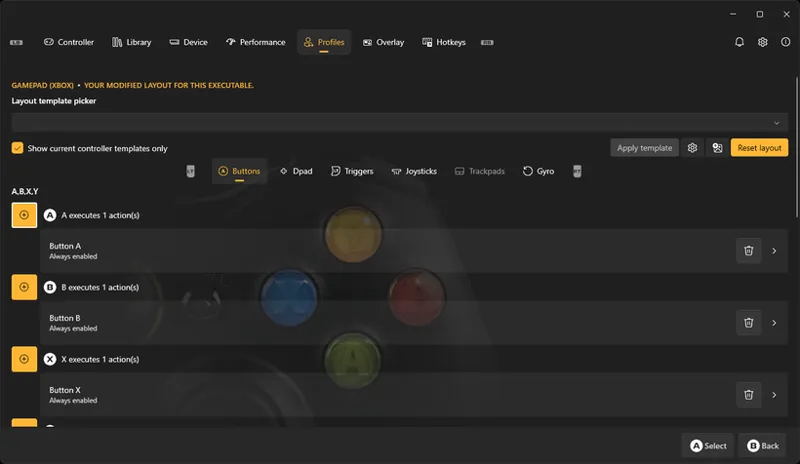
Improved profile and layout pages to display layout names and descriptions.
Improved profile-related notifications and toasts.
Improved Welcome Window flow and OEM software stack handling.
Improved Hotkey Settings experience.
Improved narrow-width QuickTools layouts.
Added support for Flyout UI elements in gamepad navigation.
Added the ability to disable virtual controllers directly from profiles.
Updated LED colors immediately when values change.
Fixed GoBackToSleep checkbox behavior.
Improved platform logo caching and initialization logic.
Various UI performance improvements and bug fixes.
Fixes
Fixed DevicePage subscribing twice to Controller Manager events.
Fixed a crash that could occur when loading Layout Templates under specific SmartApp and Steam-HID conditions.
Fixed screen resolution changes occasionally not applying from QuickTools.
Fixed HotkeysManager first-start detection.
Fixed phantom touchpad inputs generated by virtual controllers.
Fixed platform detection for processes already running when HC starts.
Fixed update notifications stacking visually on the Settings page.
Fixed a startup race condition that could trigger duplicate system routine checks.
Fixed installer deployments preserving obsolete files from previous installations.
Fixed OEM stack disabling from the Welcome Window not applying on first use.
Fixed Welcome Window reappearing after a restart.
Fixed LED settings not applying until HC was restarted.
Fixed phantom controller inputs and rumble persisting after sleep and resume.
Fixed LibreHardwareMonitor lock cleanup on application shutdown.
Fixed an endless keyboard injection loop involving Alt Gr.
Fixed custom TDP profile values visually affecting other profiles.
Fixed virtual gyro updates flooding input reports and waking devices from sleep.
Fixed Intel Graphics Software Service detection.
Fixed KX.exe incorrectly returning error code -1 on successful operations.
Fixed foreground profile detection after QuickTools page unloads.
Fixed a UI race condition that could occasionally cause hangs.
Fixed layout update logic.
Comments (2)
When will the gyro support come?
I am not even sure it is possible since MSI removed the IMU sensors. Currently it can only be controlled by MSI's own firmware.