
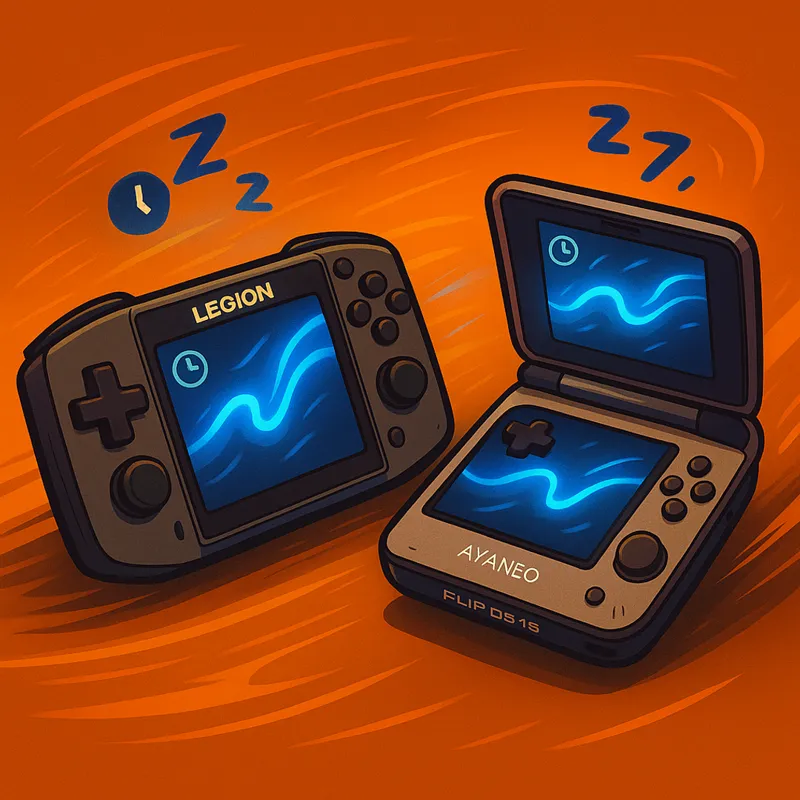
Patreon 0.28.1.4 - Wake & Play
Dear Patreons, thanks for all the testing across the last nightly builds. This build rolls up 0.28.0.1 to 0.28.1.1 into a polished drop. With 0.28.1.4, a lot of efforts went into reducing our CPU footprint and ensuring faster resume when system wakes up. We’ve also begun replacing WinRing0 with PawnIO (safer; fewer AV false positives) although this is only partial implementation for now, as power manipulation still uses WinRing0. On popular request, settings will now live in %LocalApplicationData%. During first launch, a backup is automatically written in %MyDocuments%.
Hotfix
0.28.1.4 - Fixed endless loading sequence on initialization.
Device Support
Lenovo Legion Go 2 — full device support (known issue: left controller gyro Z axis is reverted, we encourage you in using right controller for gyro, under the device page settings).
AYANEO Flip DS 1S — full device support (including bottom screen brightness control).
MSI Claw - 10F BIOS partial support (we strongly discourage anyone to deploy this BIOS as it causes issues with the top right OEM button).
Added AMD CPU support for Strix Point, Dragon Range, Fire Range, HX370 (Pro), Krackan Point.
System Usage Reduction
Reduced CPU usage in DInputController.
Lower CPU cost in HidLibrary I/O.
Reduced ThreadPool pressure in RaiseInputsUpdatedAsync.
Lowered CPU usage in RadioMonitor.
Lighter CPU path via LibreHardwareMonitor class adjustments.
SDL controllers now use Tick() instead of input pumping (helps CPU).
Updated WPF PresentationCore for stability/perf.
New & Updated
Layout Mapping: Trigger to Button options.
SDL: updated to SDL3 3.2.24.
fr-FR translation refresh by @Moi952.
Navigation & UI
Gamepad UI navigation now supports HyperlinkButton.
Bottom bar buttons: click behavior fixed and consistent.
ProfilesPage shows saved Windows settings next to live values.
Improved screen friendly-name detection.
Stability & Resume
Reduced resume delays from sleep/hibernation.
More stable virtual controller on resume.
New setting: Unhide controller on disconnect.
Improved controller unhide when app closes.
Fixes
Rendering — UI could fail after toggling GPU acceleration.
Rendering (resume) — UI not drawing after sleep/hibernation.
Controllers — Infinite rumble after power-cycle while rumbling.
Controllers (SDL) — Trigger mapping to LB/LBSoft/RB/RBFull (DualShock/DualSense/…).
Preferred device — Better selection when plugging/unplugging.
Hotkeys — Default hotkeys deploy if none found; keyboard-triggered hotkeys with SDL.
MSI Claw (DInput) — Crash while controller was cycling.
AsusACPI — Resume stability.
CPU telemetry — Power/temperature readings corrected (requires PawnIO).
Favorites — Sub-profile management reliability.
Main Window — Visibility in Task View when minimized.
About page — Device illustration.
IGDB — Artwork download flow.
QuickTools (AYANEO Flip) — Touch keyboard height.
Misc crashes and exceptions hardened.
Comments (9)
ver. 0.28.1.4 On the Legion Go 2, the program cannot be configured from the start because it shows a message saying that no physical controller can be found. (The program was newly installed on this device with no previous settings saved, and both controllers are attached to the main body.)
What if you detach and reattach the controllers ?
ver. 0.28.1.4 (Issue) Gyro Control : Gyro aiming behaves inversely (fast rotations cause less movement instead of more) ⸻ ** Issue Summary ** When aiming with the gyro, the cursor movement depends on rotation speed — fast rotations result in less movement, while slow rotations cause the cursor to travel farther. This behavior is inverted and inconsistent with normal gyro aiming or mouse input. (For example, in an FPS game, when you try to quickly aim at an enemy using the gyro, the faster you rotate, the slower the aiming becomes — causing the crosshair to lag behind and fail to reach the target in time. In extreme cases, when rotating very quickly, the crosshair barely moves at all and remains almost stationary.) ⸻ ** Expected Behavior ** Gyro aiming should behave like a mouse with zero acceleration — cursor movement should depend only on the total rotation angle, not rotation speed. In other words: • Fast rotation → same angular distance → same cursor movement • Slow rotation → same angular distance → same cursor movement Just like mouse movement with acceleration disabled (acceleration = 0), gyro input should maintain a consistent 1:1 relationship between physical rotation and cursor displacement, regardless of motion speed. ⸻ ** Possible Causes ** • Excessive smoothing or filtering applied to gyro input • Frame-rate dependent sampling (missed samples during fast motion) • Over-aggressive drift compensation treating high-speed motion as noise ⸻ ** Suggested Actions ** Please check whether: • Gyro input is being excessively smoothed or filtered • Rotation delta (angular change) is being applied frame-rate independently • High angular velocities are being clamped, capped, or ignored ⸻ ** Proposed Solution ** The gyro aiming system should behave like a mouse with acceleration disabled (acceleration = 0) — cursor movement must depend solely on rotation angle, not rotation speed. In other words, the system should maintain a consistent, linear 1:1 response, where the same rotation always results in the same cursor movement, just as a non-accelerated mouse does regardless of how fast it moves. This is the standard across all major gyro implementations — Nintendo Switch, PS5 DualSense, Steam Input, and DS4Windows — all of which integrate angular motion uniformly over time, independent of frame rate or motion speed. (All major gyro systems follow the same principle as stated in their official documentation: gyro sensors output angular velocity (deg/s), and developers integrate this value over time (gyro * deltaTime) to calculate the rotation angle change. In other words, while the input is velocity-based, the resulting motion is frame-rate independent and provides a consistent angular displacement.)
If additional testing is required to improve the gyro environment, I’d be happy to assist. (Devices available: GPD WIN MINI 2025 / LEGION GO 2)
ver. 0.28.1.2 (issue) GPD WIN MINI 2025 I haven’t confirmed yet whether this issue is specific to the WIN Mini or a common issue across other devices. * (Intermittent) After resuming from hibernation, the custom fan curve settings are not applied and the system runs with the default hardware fan curve instead. reapplying the custom fan curve in Handheld Companion does not fix it — I need to close and restart Handheld Companion for it to take effect.
Thanks for sharing. So changing the currently applied power profile fan control back to hardware and then software doesn't fix it ?
0.28.1.4 fixes endless loading on initialization.
hello i tried to install it on lego2, after reboot i tried to launch it i stay stuck on hc splash loading screen , any idea ? thanks
You're now the 2nd person to report this today. Let me investigate and get back to you. In the meantime, can you head to %localappdata%/HandheldCompanion/ and in user.config set ToastEnable to "False" then restart HC ?