

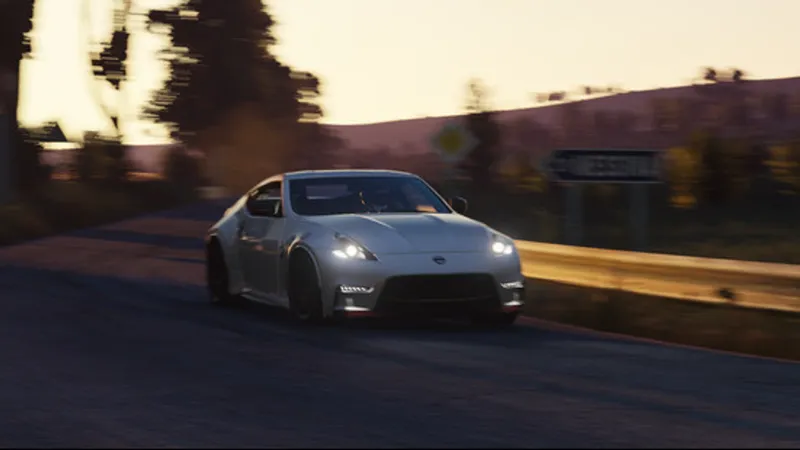

A few quick fixes
Thank you for all the reports! Still working on fixing other bugs, but here is a first batch of fixes.
Main one is that issues with custom physics and ABS (brought by fixing the way torque is being distributed in suspension to be physically accurate) should be fixed now: in-action ABS state should be tracked accurately again, and FFB is fixed as well. But also, there is a new option in FFB Tweaks enabled by default, “Clean FFB”, disabling that ABS effect from FFB entirely: those custom physics cars already account for ABS in their FFB due to how the physics is set, so it’s mostly getting in the way for them. “Vanilla” ABS smoothing for cars with “TORQUE_MODE_EX=2” has been increased too, to ensure things are even smoother now.
Another bug with AC refusing to start entirely on some systems is fixed as well by redoing the way AC (and CSP) are doing logs entirely. If it causes any problems, there is an option in general settings restoring original behavior, but so far there were no complaints, and it can improve loading speed and in-game performance a bit too.
New menu also got a few updates—again, thanks for all the feedback—and now includes more data from the original menu that’s been missing, the setup section got some fixes (including a fix for missing entries in gears) and improvements, units shown respect AC settings and more.
Other fixes include the HDR check now going to Windows settings as well (apparently asking DirectX for the support is not at all enough), occasional crashes caused by ODE misconfiguration during loading should be gone, missing hotkeys for wipers are back, modifiers handling (with new non-physics experiment) improved fixing compatibility with Steam Deck, “extra reflections for exterior cameras” option of Windscreen FX no longer messes up some of the cars, Walking Out mode is compatible with Gamepad FX again, and the issue with low beams and headlights misbehaving online should be fixed as well. Even OpenRGB integration got a fix, and should actually work now. Here is the full list of changes: gist.github.com. And here is a quick installation link: acstuff.club.
Thank you for all the support, and my apologies for some of the regressions in the previous update. More fixes and new features are coming soon!
Comments (199)
Hey can someone help me with the link to the v0.2.11 full build? I can't seem to find it at all.
tripple screens not working, game only displays on middle and left screen
hi
anyone else not able to get rain on these new versions of csp i load into my server change it to rain and it stops
2.7 PREVIEW IS THE UPDATE I USE BECAUSE I GET CRASHES ON EVERYTHING ELSE SORRY ABOUT CAPS
upgrade from 2.9 preview. now anytime i try to launch the game in vr, the race gets instantly cancelled. tried to revert back to 2.9 preview and now vr doest work at all. had to go all the way back to 2.7 to get it to launch
Missing "dwrite.dll?"
Something in reverb is broken. Going under the bridge in a track I'm modding doesn't reproduce the reverb as in previous versions, it just completely stopped working. Fix to the horizon not working if neckFX disabled. Also, the onboard position app does not apply the pitch with neckFX disabled.
im having aso many issues my main one is when i put the lights file in content manager and restart it i start the game it says my csp is messed up or sothing but when i run it on any other csp i hear the rain but cant see the rain
Hi,i have am error when i try to join some of the servers. AC\dicarcontrol.cpp (320): DICarControl::getAction 00007FFA1F9ADE6B (DWrite): (filename not available): DWriteCreateFactory AC\car.cpp (996): Car::getPhysicsState 00007FFA1F61601E (DWrite): (filename not available): DWriteCreateFactory AC\setupelectronics.cpp (288): SetupElectronics::addTurbo AC\setupelectronics.cpp (39): SetupElectronics::SetupElectronics AC\setupscreen.cpp (74): SetupScreen::SetupScreen AC\escmenu.cpp (52): ESCMenu::ESCMenu 00007FFA1F626866 (DWrite): (filename not available): DWriteCreateFactory AC\sim.cpp (558): Sim::Sim 00007FFA1FA465C3 (DWrite): (filename not available): DWriteCreateFactory AC\splashscreen.cpp (319): SplashScreen::postRender AC\game.cpp (181): Game::onIdle AC\game.cpp (210): Game::run AC\acs.cpp (477): wWinMain f:\dd\vctools\crt\crtw32\dllstuff\crtexe.c (618): __tmainCRTStartup 00007FFAB9C07374 (KERNEL32): (filename not available): BaseThreadInitThunk 00007FFABA47CC91 (ntdll): (filename not available): RtlUserThreadStart
anyone else’s audio on loud cars just cut out when you rev high?? I switched to a free different csp and the bug went away. This version had a audio bug in nice loud cars especially on no hesi server💔 Please fix 🙏🏽🙏🏽
anyone getting a directX errors trying to load into online game?
2.10 i cant update previwe but go back to 2.7 i can
The RUF CTR Yellowbird throws a Python error whenever I try to use it
2.10 and i get race cancelled. 2.9 works just fine...
Fonteney
to bad for tracks like LA Canyon and onteney
traffic in opposite direction on assetto server only works when in the same lane, so no opposite traffic on my servers anymore
hi Ilja, I stepped back to 0.2.9 for now as generating previews w CSP is crashing otherwise. Also if you could put on roadmap to see the CSP options screen in VR when hitting the shortcut (CTRL-ALT-), that would be sweet! (now only appears on monitor) Cheers and thanks for all your love you put into this!
I hope CSP can add a speed limit feature for tracks. This way, cars with different power levels won't create too much of a gap due to power differences on the same track, making replays more enjoyable to watch. What do you think? :)
Hello, i have question to ask, i love rainy weather driving, and i want to have the option to stop rain physics, if i disabled extended physics globally then if the car mod has it, it going to override the global setting, the only solution is in weather debug app under rain debug use override thickness, my question is there a way to make this setting permenant to not have to do it jn each run
After I reverted back to 0.2.9, driving the car became much better.
Lots of smoke coming from the tires even though I am not in a drifting event despite turning off the smoke effects. Didn't see this with version 2.6 preview.
I have several cars with this patch that breaks the physics of the car and having to roll back to older versions of light patch in order for the car to drive, which invariably causes other problems, like all my apps getting thrown all over the screen. Basically, the car won't drive but the tires spin and smoke. Needs to be fixed what with seeing you are the highest grossed and paid person on patreon I would expect a quick fix to a seemingly simple problem.
Same issue here
Hey, can you please fix the disproportionate amount of spray when it rains? It's been an ongoing issue for over a year until today, when I found out the only fix for now is to set the "New smoke and dust" quantity limit to 0%, but even figuring that out wasn't trivial, since the slider minimum is set to 10% and the only way to set it is by clicking it (CSP voodoo for some).
Very strange bug, all of my 1950s era F1 cars, regardless of builder, will not move out of the pits, while all other controls are normal. Acts like the front wheel are locked? As the rear wheels spin and if throttle held open tire will heat up and smoke, but car only moves 1 foot or less. This only seems to effect F1 cars from the 50s regardless of where the mods came from. Fixed the issue after trying everything by re-installing previous version 0.2.9 preview
Same issue on my end. The machine I used was the "toyota ae86 tuned" by kunos. This happened to me when leaving 0.2.8preview1 to go with 0.2.9...
Why whith new csp update iam having problems in no hesi servers no sound game lagging I went on old csp and everything is OK
I have an issue with race cars that run automatic with paddles. For example the FA01, with the current 2.10 seems to shift slower compared to the 2.07 version. Not sure if it is an optical/sound illusion or if it actually is slower. But I have kept the 2.07 because it feels I can achieve faster lap times. The new menu option is very good thought!! I do like that!
I don't know why, but ever since version 2.6 the AI Driver for the player has been acting strangely. I discovered that my car starts with the engine off and even with AI driver enabled, I have to start the car first, then it starts driving. Also, on some tracks it gets stuck in pits even though on 2.5 it worked normally. Other AI drivers can exit pits fine on those tracks. It gets stuck either in neutral or, for example, in gear 4 parked in pits. If I disable AI driver, change the gear and re-nable it it starts exiting pits normally. Please try to see what's beenn going on with the AI driver for the player as it's acting very differently to other AIs. I tested every version after 2.5 and only 2.5 works as expected.
im stuck with a black screen
I've tried installing every lights-patch back to 2.5 and every single one says "CSP Installation Damaged (Version Mismatch)". This began when I first installed this patch. Everything works fine when I used a normal CSP, but then no rain....
Delete the existing patch and then re-install again. That solved my dilemma as well.
use 0.26 trust
Hello. I am looking for CSP 0.2.9-preview183 but I can't find it. Please help me.
Just installed. But says versions mismatched and crashes game. What's the fix for this
I had to roll back to 0.2.7
I'm having issues with some cars' throttle not working, like the Toyota AE86. Any gear, no go
Ha, same. Hours of troubleshooting and finally realized it's the CSP 0.2.10. I'm on PURE 2.57 also. I tried 0.2.7 but CM downgraded it to 0.2.6 for some reason. Reinstalled PURE 2.57 and it's working so I'm staying on this for now.
As buggy and broken as this build is, thanks a lot for all your hard work and showing a fellow mod developer by example that it's okay to make mistakes!
@x4fab Loving all the new features in the latest CSP, Have been playing with the new Rally Mode and Co Driver, The pace note editor is very good but would it be possible to add a button to the pace note editor that when clicked the editor moves to the cars current position ... this would make it way easier to edit the pace notes when you need to edit a corner call that was incorrect and you run off the stage ...
With the dawn of the original AC upon us, i just wanted to resub to get one or two more versions of the lights patch and from the bottom of my heart say THANK YOU! You've turned AC into my absolute favourite sim of all time and i can't express how much i appreciate everything you did for the community over the years.
new here so im sorry for the silly question but do i downlad this file for rain or ?
Yes, rain, advanced weather and related physics... Don't forget PURE for even better weather, which runs on this. Peter Boese does that one! I'm new, too, but such a great community, I'm finding. I have AC Evo and it will take a lot for that studio to surpass what everyone here has built on the original AC. I was into Project Cars 2 and though about Automobilista 2, but now that I've been messing around with AC/CSP/PURE, it would be hard to give up.
my ffb just decides to disappear sometimes for seemingly no reason since this update
this is the best one yet, idk what you did with the FFB but it feels amazinger
i need the CSP 0.1.79 but cant find it please help
https://acstuff.club/patch/
any car with straight axal data can't drive just is stuck at 3 mph
am i able to get a key on here or the other page?
hi. i have a problem with a few cars. (not modded) the AE86 and its variants, The RS1200 and the GTA all only drive 3kmh while other cars behave fine its only these (that ive found on accident) that dont drive and act like they are braking since it only drives 3kmh and then does a burnout. and when shifting into 2nd it just stalls no matter how i balance the clutch and gas. this problem dissapreares when i dissable CPS. ive tried re-installing the cars and the game and both didnt work. veryfing files through steam also doesnt work. anybody else have this problem?
How do I get voice chat working???? Thanks!!!
for some reason this track doesn't load on newer csp versions and gets stuck in loading screen and says "waiting for asynchronous loading to finish" in the bottom left corner https://www.overtake.gg/downloads/driftland-2023.32548/
is anyone having problems with 60s vintage tires cars will keep spinning in all gears ?
Settings > Custom Shaders Patch > General Patch Settings > Physics Experiments > Awake Physics in Pits - set this to disabled.
If i assign any buttons to looking right , left , change camera , and back , i get an immediate error and im not able to go into the game ? anyone else have that
someone help with the audio for the cars keep cutting out\
use the audio app in game on the right side of your screen, turn it down to 10
csp missmatch error...
This release for me seems to break Real Penalty app on online servers for me. Luckily 0.2.9 does not have that issue for me so reverted :)
audio in car cut out help
same
With v0.2.10, I'm having a problem with a car that's struggling to move. But when I go back to v0.2.9, it's working correctly.
I had this issue in the past and solved it by turning off experimental physics but that is not solving the issue for me in 0.2.10. It seems to have started out of the blue, and persisted, as I've been driving the same cars ok in 0.2.10 iirc. reverting to previous versions as well as clearing my AC tools folder didn't help me.
Not sure if this has been brought up before (comments are not easily searchable due to pagination); but in VR using the OpenVR backend, clicking on Setup -> Tires will force you into spectator mode with seemingly no way to exit it besides force quitting the game (100% repro on my machine)
can you ctrl + Num1 to go to you?
saying CSP mismatch WTF , ANYONE KNOW WHY . never had this problem before.
You broke CM preview image capture. Keeps saying AC unexpectedly has close. Revert to older version, works just fine.
Was going crazy trying to figure this out. Just popped in to say the same thing.
The ae86 is broken
+1
The Kunos Ferrari 250 GTO is broken in 2.10 tires just spin. I rolled back to 2.8 and it is fine.
Anyone know how to fix racing line with rain fx? I don't see the option anymore and the splash from other cars makes it impossible to see well
DONT UPDATE, this and 2.9 wont let me start any race. I was hesitant and I shouldve listened to my gut. fk me
can you elaborate further?
Fixed many issues for me. AC is running perfect again. Thanks!
really? everyone else is having issues EDIT: it works for me
still wondering if its worth the update on this one.
Anyone know how to download stuff for rally copilot? I cant seem to download anything from other people. It shows but no notes will show
with the latest csp update i started receiving major stutters online and system crashes that only a reboot fix. the game will randomly start freezing up and spamming a 99cpu warning then dissapear and return and crash. i havent changed anything except my csp version. also when closing the game it now stutters the system very badly every time it shuts down
Is it normal that the rain doesn't work for me?
rain wasn't working for me at first, i think i had to enable it and restart
Some cars now randomly have a spray trail behind them, even in dry conditions.
the headlights still have an issue when im behind a car the hbeadlights arent relfelcting off the car but in the distancer i can see that my headlights are on its like the rendering distance is reversed it shows up far away but not near me idk how to fix
The geometry based reverb appears promising, but comes out from the wrong side. When turned off, sounds come from the side they should, but when on, the reverb comes from opposing side. Couldn't find a comment on this. A bug or something wrong with my CSP settings?
As soon as the cars come onto the curb on a dry track they turn away as if there was ice there
Does anyone know what version matches , lastest key that what it keeps showing, that causes most of the problems
I've been having problems loading in vr with the latest patch quest 2 vr btw idk if that helps
Ive suddenly had issues where VR goes black immediately after track load. flashes the car on the track and goes black. No idea why, if its csp, a setting I've changed (this happened after I changed some settings and reverting those settings has not fixed it) and not realised or if its mt quest 2. Tried rolling back csp but no change. Been racing same track and cars from working to not working.
i have a question why does it snow when i turn on rain ?
This may be happening because the weather particles are changing due to temperature. you can fix this by raising the temperature or by clicking on pure config, then go to the weather tab and toggling weather particles
Hello, First of all, thank you for creating Content Manager — it's an incredible tool that has made managing mods so much easier and more efficient. I wanted to share a suggestion that I believe could greatly enhance the experience for many users. It would be extremely helpful to have a built-in tool that can detect and remove duplicate files or folders, especially for users who may have accidentally installed or deleted mods incorrectly. Duplicate mods can unnecessarily take up a lot of space, and over time this can lead to a cluttered system. Additionally, having a feature that checks for missing data — even at the system level — could help identify mods or components that aren't functioning properly. For example, I’ve noticed that some thumbnails are not loading, and it’s possible that files are missing or corrupted. It would be great to have a diagnostic tool that flags such issues and helps keep everything clean and intact. Lastly, sometimes mods are deleted improperly, leaving behind empty or unusable folders that continue to take up space. A cleanup feature that detects and removes these leftover files would be another great addition. Thank you again for all your hard work. These kinds of tools would help ensure an even smoother, more organized experience for everyone. Best regards
Did anything change with DRS sound
sorry i cant find a solution. i downloaded and installed version 0.2.10-preview1 but in the "Available versions" list the version just installed says "Not avaiable to install". Can someone help me. Thanks
to install it did you drag the zip. file into content manager
My Xbox Controller has upshift bound to RB = everytime I up shift the infotainment system takes a screenshot .... please tell me there is a fix. Because what I found with messing in the system.lua files did not work!!!!
Anyone else computer crash after exiting game on this new patch? Yo this update is buggy... I thought it was supposed to fix the issues not add more lol
This is part of the development cycle. Unexpected outcomes are to be expected. Enjoy all the things that do work. :)
Pretty sweet to see my car as the post pic haha w update!
I had to downgrade to 0.28 bcs of the new physics. Was driving like a rookie with these new physics. The lambo gt3 that i drive bcs of good cornering suddenly felt like there is no grip on front. And people seems to notice right away
With 0.2.9 and the 0.2.10 preview there seems to be problems with some vintage tyres. Both Maserati 250F 6 cylinder and Ford Escort 1600 RS refuse to move/only move very slightly by spinning tires excessively. 0.2.7 works fine.
My manual car has locked brakes and I can't start it. It was fine until 0.28. Thank you in advance.
I have this problem with a few cars. Car feels like it's brakes are locked on. It's not very many cars and it's not ALL my manual cars but it is manual cars. Reverting to 0.27 fixes the problem
Am i the only one that has race cars with straight cut gears auto blipping the throttle when up-shifting? Didnt happen before i installed 2.10. Would really appreciate a response.
I can hear rain but don't see it.. am I missing a setting?
do you have full version of CM?
So far so good! awesome work!
Where's the quick install? It's no longer offered. That would be a shame.
yeah just go back to 2.7 if ur having issues
Just stay on 2.7 till it’s figured out?
hi, i downloaded the 0.2.10 cps preview and i can olny hear rain. Even if i tried with differents versions. ( i watched fews tutorials and none of them helped me) any suggestions ?
yeah me too can someone help please?
whats the best most recent version to use because i cant join any servers on these recent ones my game just crashes
Welcome to my life
Some cars have locked brakes and cannot be driven.
The brakes on the Alfa Romeo 6C 3000PR also locked, making it impossible to drive.
The brakes of the Alfa Romeo Duetto OS 1967 are locked and the car cannot be driven.
audio is still buggy
AE86s feels like the brakes are locked. When in 1st gear, the car inched forward and doing burnouts. Tried all the AE86 mods I have and Kunos' AE86, and they all got the issue, even with the AE86 mods that do not require the Japanese Pack DLC. Tried Kunos' Toyota Celica rally car and there is no problem. Seems the problem is specific to AE86s, interesting.
Hi. After update to the new patch, some Cars with H-shifter don´t drive. Rollback to 0.2.8-preview1 Works. In the 0.2.9-preview1 working shifter, but no HDR funktion.
Ya, I'm having this issue with SOME manual cars. They act like there is some kind of transmission brake. won't go over 3 miles an hour if your drop the clutch, all while smoking the rears. rolled back to 2.9 since I don't have HDR, working good again.
The Content Manager's Preview Updater is somehow broken on versions 2.9 and 2.10, but it works on 2.7
whhooops.... yet another thrilling issue . Ilya in the new menu i found a new issue with the load menu , is totally broke , save function not saving /appearing in list , if you revert to vanilla menu then its working the save but yet again in nem menu you cannot overwrite /delete a setup or even to click and get the name of a saved setup so totally unusable. The next issue is with the VRC bottom window ,the track map for strategies is broke as you cannot move and zoom in out totally DISPLACING the map . Another issue is which was mentioned by others ,the over exposed car is setup menu , and i realy didnt get the importance of that without showing bone/skeleton graphics what you adjust !!!
youtube sound is not working
Guys! i found a solution for crashing ! on view keybind settings, unbind all glance right, left, back, and camera change!! Fixed it For me!! i have tried everything, nothing worked, but this one did the job!!! Hopefully this could help for us guys aswell! :)
it worked once for me using this method. After restarting my PC it continued to give the error message "Race Cancelled"...
It's as if the handbrake is locked on all cars & tracks
Or will we just have to use 2.7
So 2.9 didn’t work very well and this 2.10 doesn’t work on any server online, will there be a fix soon by chance so we can use 2.10?
brakes are locked also
Same here, Kunos cars and tracks, the car will not move.
Maserati 250F 12 cylinder & Alfa Romeo GTA - the cars can't accelerate more than 2 km/h. There was no such problem in the previous patch.
for me the 0.2.10preview1 doesn't work any tips ?
same
For me the game does not even launch with 0.2.10 installed. "Race cancelled" before even entering loading screen. Tried various cars, tracks, modes, showroom, reinstalled patch (manually, I don't drag and drop to CM), same result. Rolled back to 0.2.9 which works fine. Edit: @hugo valdenaire Yes I obviously have Steam running, wouldn't launch with 0.2.9 otherwise
Thank You for all your work!
cars with adjustable turbo wont load
Vr is like broken. Stuttering FPS went down a decent amount, and the screen mirroring is laggy. It might be the culprit, but I’m not sure. Also, after the race starts, I can’t click on anything. Nothing registers, and since I can’t click on anything, I can’t exit the race. So, I have to close the app from the taskbar, and it makes my entire computer freak out and be super slow. Sometimes, I have to shut my pc down from the tower.
my rain wont work can someone help me
You need a CSP preview version for rain
Experiencing an issue with these new builds that make the Kunos AE86 cars not move. It's as if the brakes are locked on or something.
Same problem with some other mods!
RSRlive not loading.
first found is that even i noted before this release that START/SETUP key is still buggy with new main menu , its still ok when i press to go back to pits but pressing again not doing anything ,if i move thecursor on Drive then its starting with any key . Also the Car Shaking in pits and if i stopped offtrack. Looks that probably my issues there are unfixed in this version :{ . Another bug remained that if i click /interchange between power unit and Misc ,etc(probable on some other setup menus) ,sometimes its crashing. Edit: the car is often shaking when stationary ,its very bad in vr even the mouse pointer unusable but awake and stationary physics is a must so please dig in for solution, i have stationary physics=realistic , awake physics=awake
Hello mate, AC crashes with this one, rolling back to 0.2.9 which is all good for me.
Are there issues with the rain & snow? Seems to be buggy in that it still looks like snow when you change back to rain.
the air temperature must be above 3°C for rain
Game still crashes for me. Both 0.2.9 and 0.2.10 are having issues. When I click drive it shows message Game has crashed.
unmap POV buttons from glance controls
I’m trying to do realistic driving with real shifting and stuff like that I’ve payed for the Patreon I’ve got the full version of content manager but I can’t get the preview csp to allow me to get the drive feature
What's the drive feature?
some cars like the kunos ae86 is slow like in slow motion and burns rubber. i downgraded to 1.79 just to see, and it works as usual. any fix?
Same problem. Some of my modded cars have locked front tires, as if they were braking. The problem started after updating to 0.2.10-preview1.
It doesn't work for me, I had to reinstall 0.2.8
For me works perfectly, rain is back, lost it since few versions back but overall satisfied great going !!
Обновление просто супер,физика стала более реалестичной и инфармативной.Даже на контролере чуйствуешь держак предел,появились ощущения которых раньше не было и это круто.Физика похожа на Rfactor 2.
Error might have something to do with: AC\dicarcontrol.cpp (320): DICarControl::getAction 00007FFF40EFDE6B (DWrite): (filename not available): DWriteCreateFactory AC\car.cpp (996): Car::getPhysicsState AC\setupelectronics.cpp (288): SetupElectronics::addTurbo AC\setupelectronics.cpp (39): SetupElectronics::SetupElectronics AC\setupscreen.cpp (74): SetupScreen::SetupScreen AC\escmenu.cpp (52): ESCMenu::ESCMenu AC\sim.cpp (558): Sim::Sim AC\splashscreen.cpp (319): SplashScreen::postRender AC\game.cpp (181): Game::onIdle AC\game.cpp (210): Game::run AC\acs.cpp (477): wWinMain
Any fix for this please. happened with 2.9 aswell
i have a colour problem: Ferraris are pink now?
I found out it was only in the Quest 3. It was the automatic colour control. After switching it off everything in colours was ok!
Has anyone solved the issue of the game crashing/failing to start with certain cars? (that multiple people are reporting above, and seen some on reddit as well) Any option that fixes it? Happened with the previous version and continues into this one. KTM GT4 being one example.
hi thanks for the update, i wanted to ask you if it's possible to show the best time with the selected car (in addition to the already existing best lap ever) in the 'drive' menu of content manager. for me it's a great idea, to encourage you to beat your own records.
fire fire fire
i dont know what im doing wrong but my game crashes no matter what.....Help please. fresh install
never mind. Working now. Helps when you have everything installed properly lol. Amazing work
Error might have something to do with: AC\dicarcontrol.cpp (320): DICarControl::getAction 00007FFF48DCDE6B (DWrite): (filename not available): DWriteCreateFactory AC\car.cpp (996): Car::getPhysicsState 00007FFF48A3601E (DWrite): (filename not available): DWriteCreateFactory AC\setupelectronics.cpp (288): SetupElectronics::addTurbo AC\setupelectronics.cpp (39): SetupElectronics::SetupElectronics AC\setupscreen.cpp (74): SetupScreen::SetupScreen AC\escmenu.cpp (52): ESCMenu::ESCMenu 00007FFF48A46866 (DWrite): (filename not available): DWriteCreateFactory AC\sim.cpp (558): Sim::Sim 00007FFF48E665C3 (DWrite): (filename not available): DWriteCreateFactory AC\splashscreen.cpp (319): SplashScreen::postRender AC\game.cpp (181): Game::onIdle AC\game.cpp (210): Game::run AC\acs.cpp (477): wWinMain f:\dd\vctools\crt\crtw32\dllstuff\crtexe.c (618): __tmainCRTStartup 00007FFFF00BE8D7 (KERNEL32): (filename not available): BaseThreadInitThunk 00007FFFF1D9C5DC (ntdll): (filename not available): RtlUserThreadStart would anyone know how to fix please
There are many problems with the photo mode. Either a black screen when you take a photo, or artifacts all over the photo after. Processing takes noticeably longer. When a black screen appears when taking a photo, this also makes the photo much darker, and various settings in the photo mode do not help much
Hello! Some cars cannot start and ride only on 6-7 kmh, for example your Dodge Charger R/T 426 HEMI
I downgraded to previous version of csp and now it works fine
HDR and FFB fixed. The alt FFB eels even better than ever on my Moza R12. Thanks!
Hi. Which filter are you using for HDR?
Thanks mate, FFB Fixed.
For me raindrops are very bright white and big, nearly identical to snow. I want them to be more transparent and small like real rain. Does anyone know a fix for it?
set your temperature higher in content manager, it happened to me to.
why is sim usage much higher compared to 2.5
Thanks as always, Ilja. Is there any chance to allow start the "session" with the throttle with the new menu? It works fine with the old menu, but the with the new UI it doesnt. Thanks again.
Cant update preview using the "Use CSP for final render" fonction, but works correctly with 0.2.9
same problem here
I'm now having a problem with the cursor disappearing exiting the practice screen.
Also an error with some tyre textures showing as just triangles . This is with 0.2.9 and this one https://r2.fivemanage.com/image/qlpneILjVBL6.png
Error might have something to do with: AC\dicarcontrol.cpp (314): DICarControl::getAction 00007FFD1DBFDE6B (DWrite): (filename not available): DWriteCreateFactory AC\car.cpp (1000): Car::getPhysicsState 00007FFD1D86601E (DWrite): (filename not available): DWriteCreateFactory AC\setupelectronics.cpp (288): SetupElectronics::addTurbo AC\setupelectronics.cpp (39): SetupElectronics::SetupElectronics AC\setupscreen.cpp (74): SetupScreen::SetupScreen AC\escmenu.cpp (52): ESCMenu::ESCMenu 00007FFD1D876866 (DWrite): (filename not available): DWriteCreateFactory AC\sim.cpp (558): Sim::Sim 00007FFD1DC965C3 (DWrite): (filename not available): DWriteCreateFactory AC\splashscreen.cpp (319): SplashScreen::postRender AC\game.cpp (181): Game::onIdle AC\game.cpp (210): Game::run AC\acs.cpp (477): wWinMain f:\dd\vctools\crt\crtw32\dllstuff\crtexe.c (618): __tmainCRTStartup 00007FFDCC85E8D7 (KERNEL32): (filename not available): BaseThreadInitThunk 00007FFDCE37C5DC (ntdll): (filename not available): RtlUserThreadStart
thanks for everything but the game still crashes when use specific cars .
Has it been fixed that replays and setups could not be saved in version 0.2.9 preview1?
Thanks!!
sorry to say, but HDR is even more broken now. First got the message and overly bright image. But now the background is just black with strange colors shining through menus. Edit: i spoke too soon, i forgot to turn on "True Borderless" Window style
Cant launch any track with certain cars it seems, getting this error since previous version: it seems to be when i try to load ingame with a turbo car it doesnt load and result in this issue. Non turbo cars load in fine though. AC\dicarcontrol.cpp (324): DICarControl::getAction AC\car.cpp (1002): Car::getPhysicsState AC\setupelectronics.cpp (288): SetupElectronics::addTurbo AC\setupelectronics.cpp (39): SetupElectronics::SetupElectronics AC\setupscreen.cpp (74): SetupScreen::SetupScreen AC\escmenu.cpp (52): ESCMenu::ESCMenu AC\sim.cpp (558): Sim::Sim AC\splashscreen.cpp (319): SplashScreen::postRender AC\game.cpp (181): Game::onIdle AC\game.cpp (210): Game::run AC\acs.cpp (477): wWinMain f:\dd\vctools\crt\crtw32\dllstuff\crtexe.c (618): __tmainCRTStartup
Is it cars that have a adjustable turbo?. Having issues getting the KTM gt4 to start but things like the mx5 and radical work fine.
Could we look into the camera jitter problem please! This has gone unnoticed for so long its getting frustrating how we have to use a lower version of csp to use these nice cam tools. F7 camera causing car jitter. OBS plugin alternative chase cam also has the camera jitter problems.
And now I can't even start a hotlap season... Game crashes every time
I'm not sure if this is a problem with CM or not but it seems that since the last full update, occasionally when in VR on the start line if I recentre the view I move into another car driver's seat. I have to then change the car view to an external one and then back to internal before I'm back in the right car. From what I remember this only happens when the menu is up on the left
This has been happening to me intermittently for years. Never found a fix for it lol.
Thanks for the update. Can we get some sort of fix for flickering shadows on driver gloves? Also MPG seems to stop being calculated when you take your foot completely off the throttle pedal - when IRL cars do it they just use 99 as the mpg value and keeps updating the average (or at least mine does)
Thanks !!
i love you crazy kitty!
Anything about the AI being stuck in a traffic jam?
Is there a changelog please? Appreciate the quick and numerous fixes, thank you! One with the new menu - looks great but a) I can't go back to Practice/Qualifying times and b) clicking around setup menu with a gamepad changes which car is being viewed (same effect as clicking on them in the timing screen) - thanks for the great work again though
Full changelog: https://gist.github.com/gro-ove/a241e564979612f129d14e569be1ea51
you think you can fix the problem with no hesi with the UI? i’m still on 0.2.6 bc of this