


GetMyCoords – The Essential Tool for GTA V Developers & Creative Players - FREE
GetMyCoords is a lightweight, high-utility tool built for the GTA V community. Whether you are a developer scripting complex world events, a content creator planning cinematic scenes, or a player who simply wants the freedom to bookmark and explore the map, this utility eliminates the tedious process of tracking down location data.
Save any location instantly with a single keybind, and manage your coords effortlessly via a clean, integrated in-game menu.
Why do you need this? You don’t need a tool just to get coordinates. Hell, you can get those with Simple Trainer or Menyoo. This is for the people who need to grab tons of coords and have total OCD when it comes to attention to detail—like map creators or callout devs setting up precise suspect placements. If you’re not interested, it doesn't hurt my feelings. Go ahead and write your coords down by hand then! 😂
Key Features:
* Developer-Ready Exports: Instantly generates copy-paste ready Vector3 syntax alongside raw data values.
* One-Touch Bookmarking: Hit your hotkey to instantly capture an in-game screenshot and save your coordinates to disk.
* In-Game Teleport Menu: Easily browse all your saved locations and teleport back to them instantly on the fly.
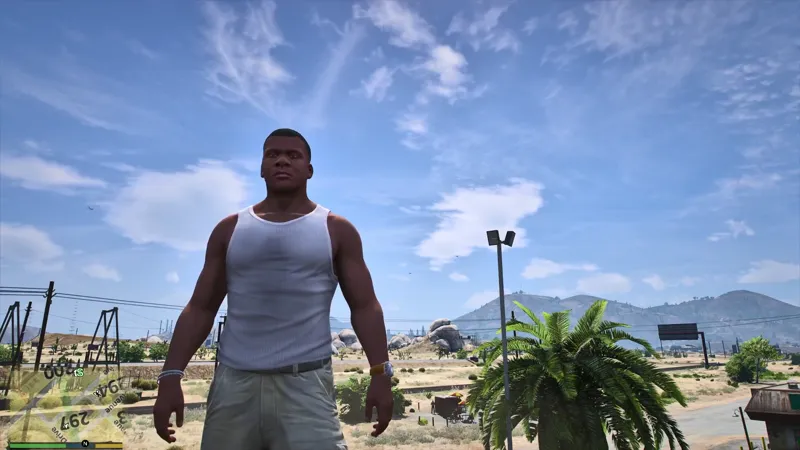
* Live HUD Overlay: Keep track of your exact position, heading, and current street name in real time.
* Smart Street Naming: Toggle "Street Name Mode" to automatically name your saved folders after your current location for ultra-fast logging.
Beta Notice & Workflow Tips: This tool is currently in Beta. Please report any feedback or issues below! Because GetMyCoords is a utility tool, it is designed for a specific workflow rather than a standard gaming session.
For the best experience, I recommend loading it manually through the RAGE Plugin Hook (RPH) console by pressing F4 and typing LoadPlugin GetMyCoords.dll. Once you are finished bookmarking your locations, open the console again and type UnloadPlugin GetMyCoords.dll to clean up your workspace and continue playing.
Note: To keep your workflow smooth and crash-free and to avoid annoying ass LSDPFR keybinds and getting callouts, it is highly recommended to stay off-duty and avoid running this alongside your normal LSPDFR patrols.
Comments (7)
Mike, I really appreciate you making this plugin available to the community. It’s been incredibly helpful and has saved me a lot of time while developing LSPDFR Cops & Robbers. Thank you again, brother. I can’t wait to see what you have planned for the next Dispatch update. Keep up the great work! 🚔🔥
Cool, finally someone found this mod useful 👍 Hope it makes your work flow better. Thanks.
Like the save feature. Currently have to copy and paste from codewalker.
Works fairly well. Definitely one of those mods that you Leave out of your plugins folder and then throw it in to get some work done, then uninstall it. That's what I do 😂
Also big fan of you
Hey thanks!
Cool mod thank you