



KINETIC v2.2.1 - Tactical Weapon and Scene Management System
Kinetic Demo ▶️ Watch This
NEW UPDATE v2.1.0 - October 2nd, 2026
- Read the new changes at the bottom of this post!
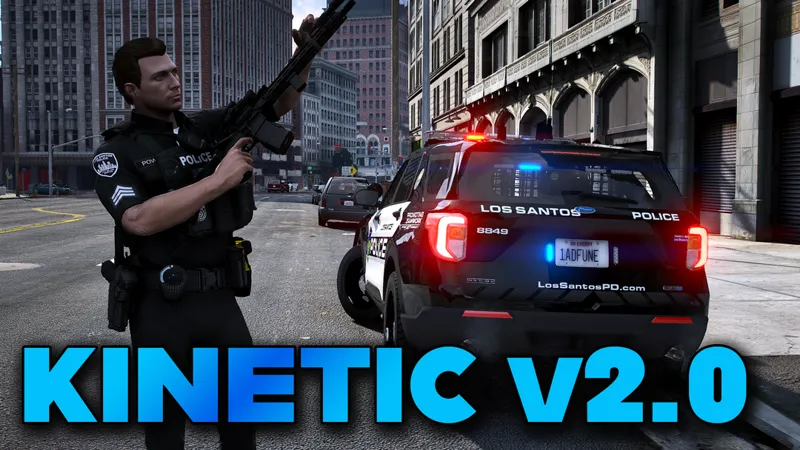
KINETIC is a tactical weapon management plugin for LSPDFR that brings a new level of realism and immersion to your patrol experience. Designed for both keyboard/mouse and controller users, Kinetic gives you precise, fluid control over your loadouts.
• Quick Draw Slots (1–8) - Assign any weapon to a numbered slot and draw or holster it instantly with a single keypress. No more fumbling through GTA's weapon wheel mid-scene.
• 3 Weapon Profiles - Create unique weapon profiles for Patrol, Swat, Non Lethal etc.
• Vehicle Rack System - Register your primary long gun, shotgun, or SMG to your vehicle rack and grab it instantly.
• Pistol Draw & Holster Animation - Smooth upper-body animation when drawing or holstering a pistol. 2 available weapon draws available. Kinetic or LSPDFR + Fast Aim
• Taser Cycling - Suspect not staying down? Cycle the taser and drop them again. Z on keyboard, L3 on controller.
• Taser barbs and wires - See your taser probes and wires lodged into your suspect
• Custom Taser Laser - Optional laser sight with Green, Red, or Blue color options. Toggles just like your flashlight.
• Audio Profiles - 3 independent sound packs for both Taser and Pistol draw/holster. Preview and swap them live from the menu.
• Custom Audio - Per-weapon-class volume control built in. Slot assignment now plays the actual weapon sound.
• Full Controller Support - Every slot and rack feature has a dedicated controller binding.
• Addon Weapon Support - Reads your Policing Redefined Loadouts.xml and StopThePed.ini to resolve weapon names and components automatically. Works with custom addon weapons.
• Rename Anything - Every weapon slot and rack entry can be renamed in-game. No config editing needed. Unless you want to edit your Profile names.
• Fully Configurable - Menu key, rack key, modifier keys, volume levels, slot assignments - all saved to a clean INI file and editable through Kinetic's built-in menu.
• Over the shoulder flashlight - Get that over the shoulder flashlight for Policing Redefined and Stop The Ped. No more big thick flashlights!
DOWNLOAD IS ATTACHED BELOW DESCRIPTION
Useful Video Links:
Back Weapon Setup
Policing Redefined Loadouts
Realistic Holster
KINETIC v2.1.0 | New Update October 2, 2026
IMPORTANT NOTE: Added October 11th, 2026 - After the release of Kinetic v2.1.0 - I have had a few people in discord have issues with the flashlight. Mods to check for compatibility issues if you have these installed.
Persistent Flashlight - Remove from game - not needed
Patrol Flashlight - Remove from game - not needed
Flashlight Overhaul - Does not conflict - But use my OIV installer for the meta
PatrolSuite - EnableFlashlight=True (Change your config for this feature to false)
WHAT'S NEW?
NEW FLASHLIGHT ANIMATION
- Added a new over-the-shoulder flashlight animation for Policing Redefined.
- Added Live Preview and placement adjustment for the flashlight. Dial in the exact position in your hand and watch the flashlight model and beam update in real time.
Note: Stop The Ped has a similar animation. To use Kinetic's version instead:
- In your Stop The Ped config, set: EnableAdvancedFlashlight=no
- In your LSPDFR config, set: Ambient.DisablePlayerFlashlightOverride = true
BONUS FILES (included in the zip)
1. OIV Installer for Flashlight Meta: Makes the flashlight brighter and throws light farther.
2. BlueLine Flashlight Realism Torch graphic (torch.png): To give you that Tactical Flashlight
Comes with two version of the ring and also two version for First and Third person. This will
also make your pistols and rifle graphic ring better as well.
mods\update\update.rpf\x64\textures\graphics.ytd
DRAW / HOLSTER ANIMATIONS
- Added a Draw Animation preview. Go to Menu > Tactical > Pistol Draw Animation to preview the options:
Option 1: Kinetic Draw/Holster
Option 2: LSPDFR Draw/Holster
Option 3: Disable draw animation entirely
- Improved the LSPDFR Holster/Unholster animation. For players who prefer the LSPDFR animation, a fast draw and aim has been added to the default LSPDFR draw state.
- Make sure your LSPDFR config has: Ambient.DisablePlayerHolsteringActions = false
TASER WIRES AND PROBES
- The Stun Gun now shows wires and probes when they hit a ped.
- Wires detach if you holster the taser or walk too far from the ped.
- You can cycle the taser (default Z key, or L3 on controller)
Click Here for Reference XML - If you want to copy this code to make it easier to get certain weapons, For example the SMG