







[DOWNLOAD][free] Tracks import and improvments !!!
Hey everyone!
Today I'm excited to introduce the biggest EvoForge update yet.
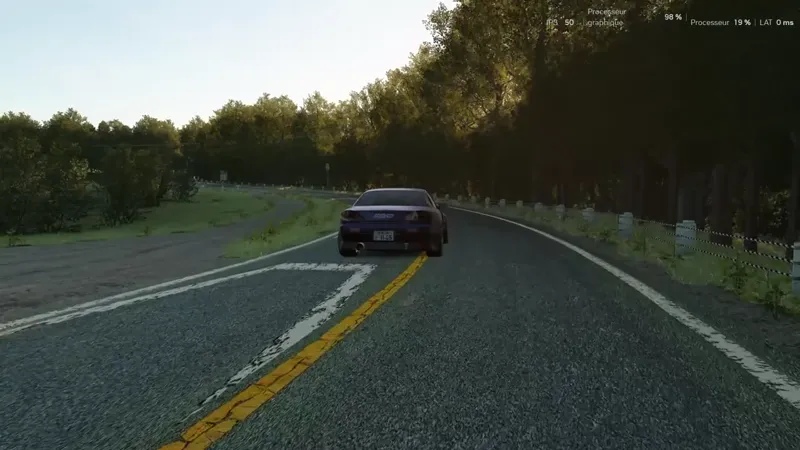
For the first time, EvoForge can now convert Assetto Corsa tracks to Assetto Corsa EVO.
This has been one of the most requested features since the beginning of the project, and while it's still experimental, the results are already very promising.
Alongside track conversion, this update also brings a brand new Sound Studio, major improvements to audio conversion, numerous rendering fixes, better driver positioning, and many quality-of-life improvements.
🛣️ Track Conversion Has Arrived!
This is without question the highlight of this update.
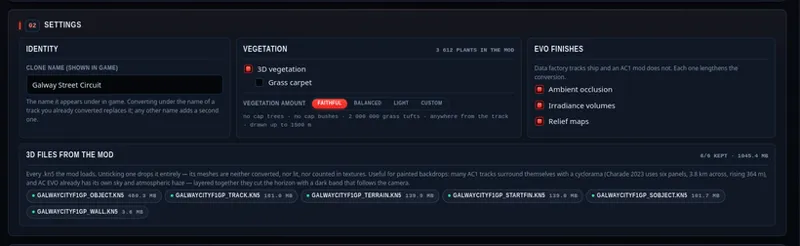
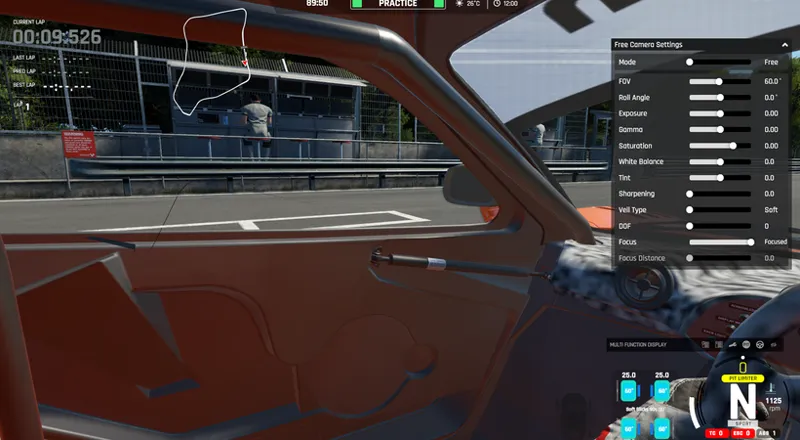
EvoForge is now capable of importing Assetto Corsa tracks into Assetto Corsa EVO.
The goal isn't simply to make old tracks work in EVO, but to modernize them automatically whenever possible while still giving you full control over the conversion process.
Because every Assetto Corsa circuit is built differently, there is no universal solution. EvoForge analyzes each track and applies a series of optional improvements designed specifically for Assetto Corsa EVO.
The system is still experimental, so conversion quality will naturally vary from one circuit to another, but it already produces impressive results on many tracks.
Do not active idael line and AI.
🌿 EVO Enhancements
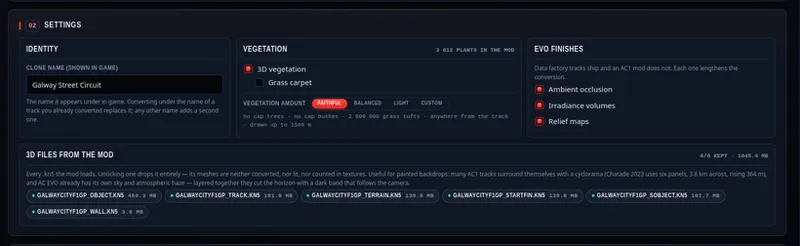
To make converted tracks feel more at home inside Assetto Corsa EVO, EvoForge introduces a collection of optional enhancement systems.
These include:
Automatic vegetation replacement.
Improved ground materials.
Automatic reflection probe generation.
Ambient Occlusion generation.
Additional visual improvements inspired by EVO environments.
Each enhancement can be enabled or disabled individually, allowing you to choose between maximum visual quality or preserving the original appearance.
🌲 Intelligent Vegetation Replacement
One of the biggest visual improvements concerns vegetation.
Many Assetto Corsa tracks rely on flat 2D trees and bushes. EvoForge automatically detects these objects and replaces them with modern 3D assets.
Detection is based on several parameters including:
Object size.
Dominant colors.
Overall proportions.
Everything remains fully configurable through a dedicated interface if you want to customize the replacement process.
⚡ Automatic Performance Optimization
Replacing thousands of vegetation objects can quickly become expensive.
To avoid unnecessary performance loss, EvoForge automatically analyzes the number of detected objects and dynamically adjusts vegetation density.
This allows converted tracks to remain visually rich without overwhelming performance.
Of course, every setting can be adjusted manually if you prefer maximum quality or maximum FPS.
👀 Live Preview Before Conversion
Before launching the conversion, EvoForge displays a complete preview of the detected objects.
You can immediately see:
the original 2D vegetation,
the selected 3D replacement assets,
how the final result will look before the conversion even starts.
This makes tweaking the replacement settings much faster and avoids unnecessary trial and error.
📦 Automatic Content Management
Since Assetto Corsa EVO currently requires modifications to content.kspkg in order to register custom tracks, EvoForge now automates this process.
You can:
Restore the original game file at any time.
Register a converted track with a single click.
Re-register tracks individually whenever necessary.
No more manually editing game files.
🔊 New Sound Studio
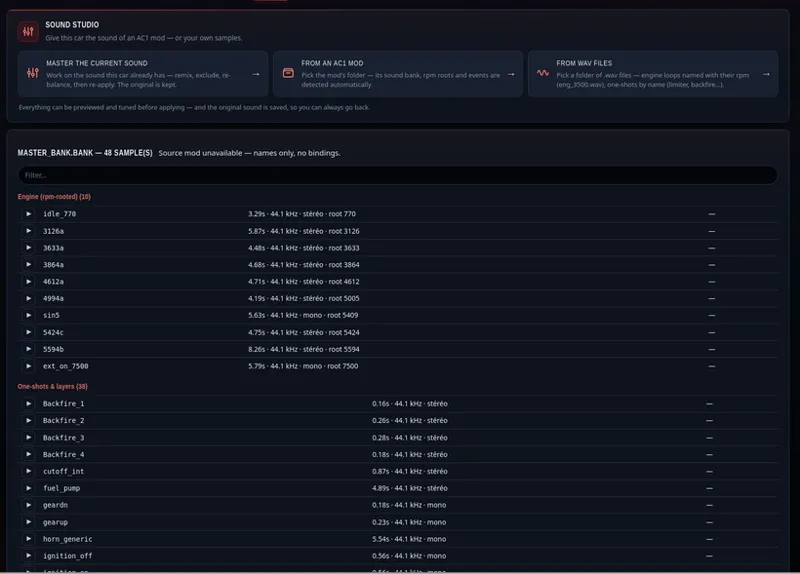
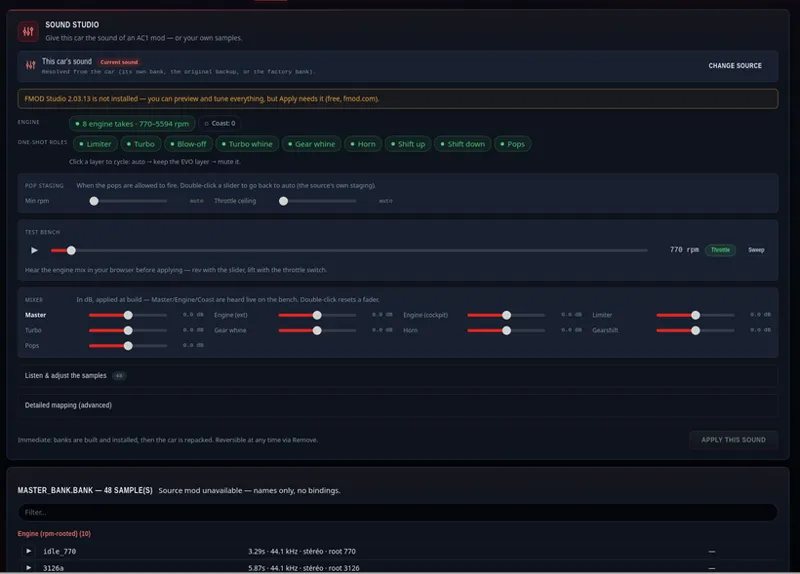
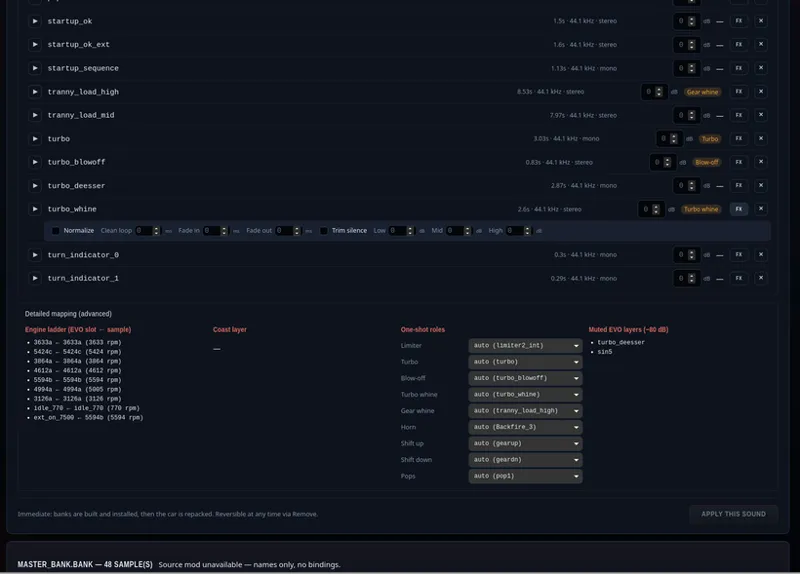
This update also introduces a brand new Sound Studio.
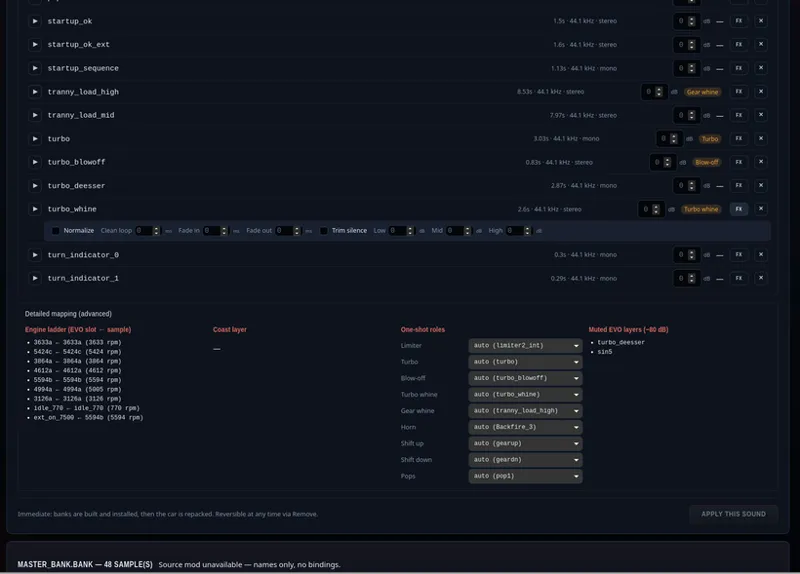
Instead of simply importing sounds, EvoForge now provides a dedicated workspace where you can inspect, edit and fine-tune your vehicle audio.
Current features include:
Import Assetto Corsa (AC1) FMOD banks.
Import raw WAV folders.
Preview engine sounds directly inside EvoForge.
Basic mastering controls.
Event editing and management.
Preview Assetto Corsa EVO sound banks for reference.
The Sound Studio is still under development and will continue to receive major improvements over the coming updates.
🎵 Better Sound Conversion
The sound conversion pipeline has been significantly improved.
Audio events are now imported more accurately, producing sounds that are much closer to the originals while improving compatibility across converted vehicles.🔥 Improved Exhaust Flames
Flame effects now better match the original vehicles.
Some cars may still require manual adjustments depending on how the original mod was built, but positioning has improved considerably.
🔐 Improved CSP Decryption
The CSP decryption workflow has been improved.
If you own the original encrypted content, you can now provide your decryption key directly inside EvoForge.
Compatible CSP-related tools installed on your system can also be detected automatically.
As always, please respect the rights of the original creators.
🧍 Better Driver Positioning
Driver placement has been improved significantly.
Drivers should no longer appear outside the vehicle after conversion.
Some hand positions and driving animations may still require improvements on certain cars, but overall cockpit positioning is much more reliable.
✨ Transparency Fixes
Several transparency issues have been corrected.
Materials that previously displayed opaque borders now render properly, producing cleaner windows and interior details.
🪞 Improved Reflection Probes
Reflection probes inside the cockpit are now generated much more accurately.
This fixes incorrect body reflections that could previousl
y appear inside vehicle interiors.
Before :
After :
📂 Unpacked Export Now Available for Everyone
Good news!
The Unpacked Export option is now available to everyone and no longer requires a password to use.
This makes it much easier to inspect, tweak and iterate on your converted projects without any additional restrictions. Whether you're debugging, experimenting with custom modifications, or simply want direct access to the generated files, the unpacked export is now available out of the box.
Comments (27)
Hello. Thank you for your tool. I'm just trying it for the first time and I am a bit confused here. I just tried to convert a track but it seemed like it got stuck at the "Ideal line" processing. I stopped it after about 30 minutes with no progress. Should I have waited longer? Then I found that above the video on top, you have the title "Do not active idael line and AI." Where is that supposed not to be activated? In EVO, once its running?
Hi Jesus, I hope you’re doing well. First of all, thanks for your work on Evo Forge! I’ve been using it to convert the Varano track from Assetto Corsa, and overall the tool works amazingly well. However, I’ve run into a persistent collision physics bug right at the start/finish line (specifically associated with the Road GRD / timing line mesh). When crossing the start/finish line: At low speeds: The car sinks/falls through the map into the void beneath the track. At high speeds: The invisible trigger mesh behaves like a solid ramp/obstacle, causing the car to bounce or get catapulted into the air before landing back on the track. The track surface underneath on the grass/off-track is solid, so it seems like the timing line mesh retains a 3D wall/box collision property that conflicts with the tarmac physics, even when assigned to Road Decal No Collision. Do you have any advice or recommended node settings in Evo Forge to completely strip physics from this specific trigger node so cars can pass through smoothly without falling or bouncing? Thanks a lot for your help and support! Best regards,
What's the name of the track mod shown in the video? (I want to try one that actually works.)
It is an encrypted track sorry
I converted some tracks, VIR / Road America ... There's some crazy invisible walls? At track limits.. 🤣 any advice?
i didnt understand, is the app free now? evo forge?
game is keep crashing when start game
i imported tracks some track works some track dosen't
Hey! If i want to disable setup options in-game for a car mod (for example to keep only camber and toe available for user to alter in-game), I need to disable them from EVOFORGE-Edit-Setup Ranges, right? Because i tried that and no matter what i disable I can still see them all in game. Thanks!
is there a way to adjust the spawn point of cars on ac1 converted tracks from inside evo forge?
Does Sound options I made in the CSP Affect Sounds in evoforge? My Cockpitsoundslider has no affect to the Engine Sound. But very cool update! Thanks for the hard work and keep pushing! :)
i tried importing a formula car and the sound is horrible,any idea how to fix?
I tried to import the VRC Indy car mod as well but i think since the tyres are not standard AC1 tyres, Evoforge put supercar tyres on it and it can't be driven lol... the tyres are not touching the ground so it won't move just white smoke when you flat out. Also even when you try to convert the original ta01 to EVO, the tyres seem to be slick but they look like street tyre... what is the reason please? Thanks.
This is awesome. Thanks a lot for your work. Is there a tutorial on how I can get these mods on a server to play on multiplayer? In AC all tracks and cars were in the content folder and could easily be shared on server hosting platforms and to other players, but in EVO they are in this content.kspkg file which i don't know how to open. Thanks!
Tracks are on mods/content/tracks but i need to write in content for they can be visible in game. So you can’t really share tracks for the moment but car you can. They are in ace/mods folder (saved games)
It works perfectly on my 1st attempt. Love it! If the replay tv camera can also be converted from the AC1 mod then it will be even better. Also are there any guided documents or tutorial to explain each item and functions of the conversion screen please? Thanks a lot for the mod anyway!
Hi ! Thank :) No there is no tutoriel for the moment. I’ve got to made one
Jésus Triste UNIKO 1
Wow!
Famous!
Loving this.., I can now turn damage off when experimenting with drift setups, or general balls out sending around the green hell..
my tracks have 3d trees added with tree planter instead of 2d trees. can evoforge convert it?
Yes if they are in the kn5 file it could be work
you are some sort of mad scientist , exxellent work , would love to be able to move the driver model in the future
If we've already converted cars with the older version of EvoForge, is it possible to update those cars or do we need to re-convert them from scratch again? Does the new version allow for the converted cars to be used as AI?
Hi ! You need to reconvert from scratch. And no AI at all (tracks & cars) :/
Excellent can't wait to try