
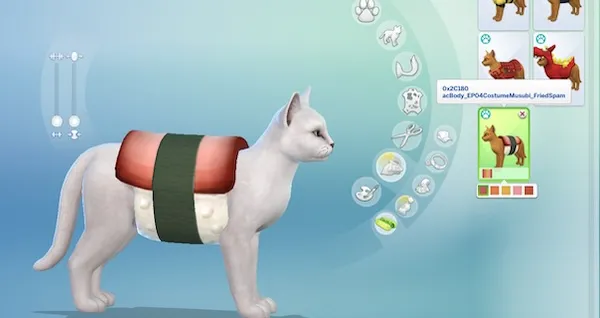
Coming Soon: CAS Part On Hover
This one started with a question from OneMoreKayaker in the Creator Musings Discord and turned into something I think a lot of people will find useful.
The question was simple enough: is there a way to identify a CAS part by hovering over it IN CAS? Maybe it's a piece of CC you installed ages ago and can't place, or something that's showing up broken and you need the ID to look it up in Sims 4 Studio. Or, like OneMoreKayaker, you just want to give two Sims the same nose. The existing options all mean leaving the catalog, saving questionable items onto Sims, or digging through files with external programs. Nothing shows the information in place, the moment you hover.
CAS Part On Hover fixes that. Hover over any part in CAS and you'll see its hex ID and internal name right there in a tooltip. EA content works right out of the box. For CC style parts there's an optional setup command that bakes your installed content into the name map, after which your CC hex IDs and names (if provided by the creator) show up too.
NOTE: CC swatches (recolors added to existing styles) can't be named due to a limitation in the game's color-swatch UI. This limitation extends to EA universal palette swatches (hair, skintones, etc.)
Anyway, I'm super excited about releasing this one, and it's in the CF moderation queue as I type this. In the meantime, check out the rest of my mod catalog on CurseForge!