
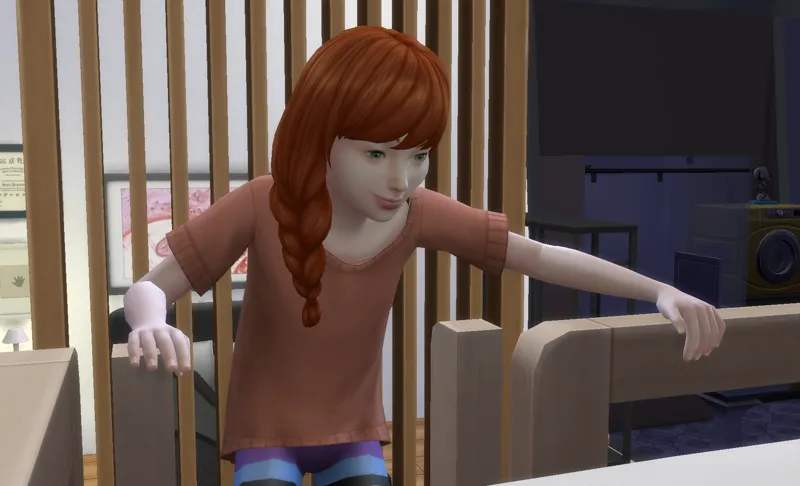
Auto Nails is live - Here's how the skintone matching works
Auto Nails is out now on CurseForge! If you saw the coming soon post you already know the basics: Sims in The Sims 4 don't spawn with fingernails or toenails, ever, and this mod fixes that automatically. But I wanted to write up how it actually works under the hood, because the skintone matching problem turned out to be more interesting than I expected.
The problem with matching nails to skin
The game tracks skintones across five broad levels, from lightest to darkest. That sounds straightforward until you realize the game's nail catalog has eleven neutral swatch options, and the variance within a single skintone level can be significant. A Sim at the lighter end of level three and a Sim at the darker end of level three can look quite different, and a nail that works for one might look off on the other.
My first approach was to map each skintone level to a band of nail swatches and always pick the nearest lighter option within that band. The logic was sound: erring lighter reduces the chance of a nail that reads as visibly darker than the skin. In practice it worked well for most tones but produced a slightly yellowed result on warmer medium skintones, where the lighter bias was overcorrecting.
The fix was to drop the lighter bias and switch to true best match within the band. The mod now finds the nail swatch whose color is closest to the Sim's actual skintone value, without nudging toward either end. The results are noticeably more natural, especially in the medium and medium-dark range where the difference is most visible!
What the mod actually does on spawn
When a new Sim spawns, the mod checks every outfit slot. Any slot that doesn't already have nails assigned gets short round neutral fingernails and neutral toenails, matched to that Sim's skintone. Outfits that already have nails are never touched, so anything you've set deliberately in CAS is preserved. Bathing outfits are skipped entirely. Newborns and Infants have no nail options in the game and are skipped automatically. Applying nails automatically when a Sim ages up is planned for v1.1.
Fantasy skintones, meaning aliens and occults with non-natural coloring, are skipped in v1. The matching logic relies on the skintone being in a natural human range, and applying it to a purple or blue Sim produces obviously wrong results. Fantasy skintone support is on the roadmap for a future update!
The click menu
Beyond the automatic behavior, every Sim gets a pie menu with a few manual options. Change Fingernails and Change Toenails pull from the full catalog filtered for the Sim's age, gender, occult status, and current outfit category. Apply Natural Nails re-runs the skintone match on demand if you want to reset a Sim back to neutral. Build Nails Config is the first-time setup step that scans your catalog and applies nails to everyone currently loaded, and doesn't appear if a config file is already present.
CC nails are off by default. The matching relies on accurate swatch tagging, and CC creators don't always tag consistently, so the default keeps things predictable. You can enable it from the menu or the config file if you want your CC in the mix.
Go get it!
Auto Nails is free on CurseForge and I'm really excited to finally have it in my game and share it with the community.
Thanks for the support, it really means a lot!