
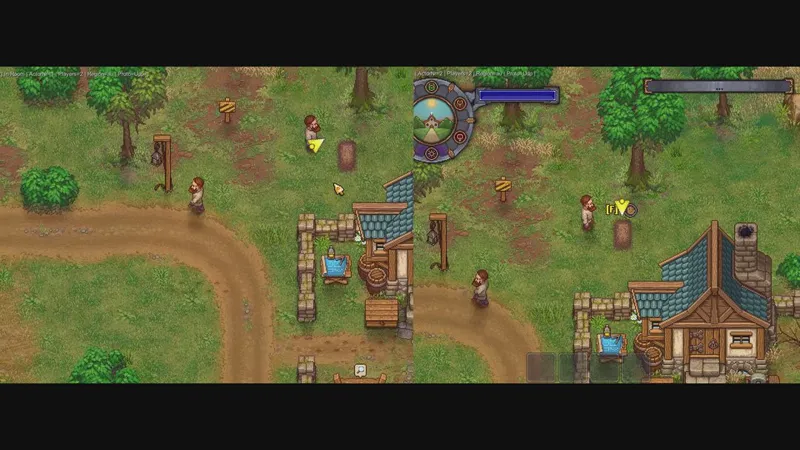
Keepers Together (WIP) Download Guide (Your support keeps this project alive!)
I've tried to make this as easy as possible, since networking can be a pain.
Cross-play is still a work in progress , which is a big part of why I didn't just use Steam's P2P. Eventually, it'll work across all PC platforms: Steam, GOG, and Epic. But for now GOG and Epic are still not supported and this mod will only work officially for steam.
Edit: I forgot to mention that before hosting your match please finish the tutorial by yourself first! You will run into an issue where the joined player will not be able to interact with basically anything if you host / join during the tutorial section. This part is still a WIP and will take some time to fix.
Expect Bugs! This mod is still super early in development. I'm working on it in my free time, so you'll likely run into bugs and weird stuff. When that happens, please let me know. For now, just comment in the bug report thread on Patreon (Discord coming soon!).
How to Install
Download the zip file attached at the bottom of this post.
Extract the whole folder into your Graveyard Keeper directory. If you're on Steam, that's usually in C:\Program Files (x86)\Steam\steamapps\common\Graveyard Keeper\.
Make sure the BepInEx folder, winhttp.dll, and doorstop_config.ini are sitting right next to the game's .exe file. Otherwise, the mod won't load.
Launch the game normally.
How to Play
The Patreon Servers (The Easy Way) If you’re a patron, you can skip all the annoying setup. You’ll get instant access to the master servers and the global server browser. This is fantastic if you don’t have a dedicated group and just want to check out public servers and see what others have created in their graveyards.
Just press F2 while in-game.
Click "Login with Patreon" (this will open your browser for authorization).
You can now instantly host, join friends, or browse public sessions!
Free / Self-Hosted Servers (The Manual Way) If you want to play for free, you won’t have access to the server browser, and it requires a bit of setup for the host, but it definitely works.
Head over to dashboard.photonengine.com and create a free account.
Click on Create a New App.
Important: In the "Photon Type" dropdown, make sure to select PUN. Don’t choose Realtime.
Name your app, hit create, and copy the App ID they provide.
Open your mod config file (BepInEx/com.keeperstogether.gkmp.cfg) using Notepad.
Adjust your settings to look like this:
[Mode] SelfHost = true
[Network] AppId = YOUR-PHOTON-APP-ID-HERE
Just a reminder: Only the host needs to create a Photon account. However, anyone joining your game will need you to send them that App ID so they can paste it into their own config file; otherwise, they won’t be able to see your session. Once your config is saved, just launch the game and press F2 to open the menu!
Troubleshooting
If things aren't working, try these first:
Getting an "Offline" error? Make sure you didn't accidentally paste a blank space at the end of your App ID.
High ping or can't see your friend's game? There is a known bug right now where the auto region picker sometimes selects the wrong region, which spikes your ping. If the lag is bothering you, or if you and your friend are ending up in different regions and can't see each other's sessions, you can force it manually. Just open your config file, change AutoRegion = false, and have both of you type in the exact same region code that's closest to you.
Stuck on connecting? Restart the game. If it keeps happening, check your Windows firewall and make sure it's allowing the game through.
How to uninstall: Just delete winhttp.dll, doorstop_config.ini, and the BepInEx folder. The game will go right back to normal vanilla single-player.
Comments (5)
is it possible plays on SplitScreen this way?
How does this compare to Zonda001's graveyard-keeper-multiplayer mod?
despuies de jugar 1 dia el juego va a 1 fps y eso que tengo els ervidor patreon que puedo solucinar :( eh intentado de todo
Hi, Does the other player need to download the file as well? Do other mods work with this mod?
Hello 👋, how many people can join in a session ?