
UI Question and More!
As I plan for the future, I was thinking more about the User Interface. I know I've made posts about it before, but there's always more to think, new people joining or more ideas have occurred! I was really broad about it last time too, so I think focusing more on a single item would be helpful.
This time around, I'm curious about your thoughts on UI Buttons.
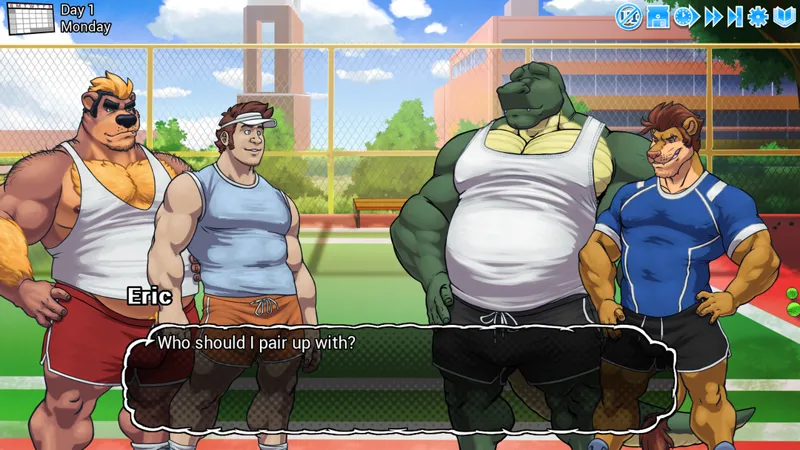
For Extracurricular Activities, button control is in top right corner. It controls a variety of things like hiding the UI, Save/Load, Fast Forward/Skipping, Options and Text History.
Some VNs use buttons like that, some use just plain text.
What do you prefer?
In the same vein, placement.
Do you like them being easily accessible all on one screen? Would you prefer one button that opens a different menu? Do you like them being integrated into the dialog box or separated?
Share some of your favorite layouts with me if you can! I've plotted the layouts for most of the other projects I've created, and I'm usually pretty happy with what I can come up with, but getting feedback is always good (I don't do the art, of course, I just lay things out!).
On top of that, I posted on BSKY not too long ago looking for UI Artists! I only got a couple of hits, but I'd like to expand my pool a bit more, so if you guys know of any artists who enjoy doing UI work, give me links to their work! Ger can do UI stuff, but I'd rather have him focus on character art.
That's all I'm looking for regarding UI stuff this time around!
--------------------------------------------------------------------------
As for the MORE part... There's new merch available in my store!
https://www.wolfbiteinteractive.com/merch
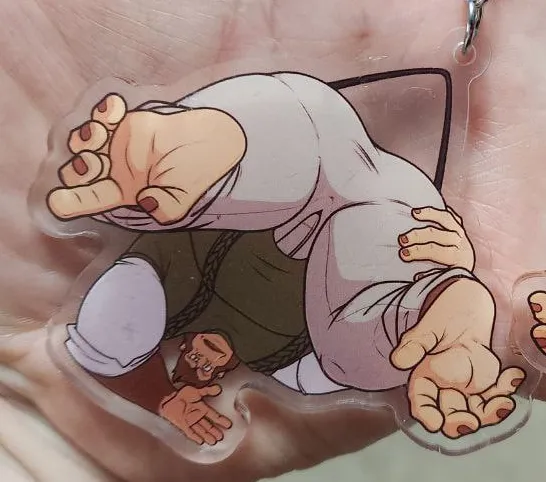
Choco finished up the Dwayne dangler keychains, so when I had those printed, I figured I'd order some other stuff to see how it all turned out.
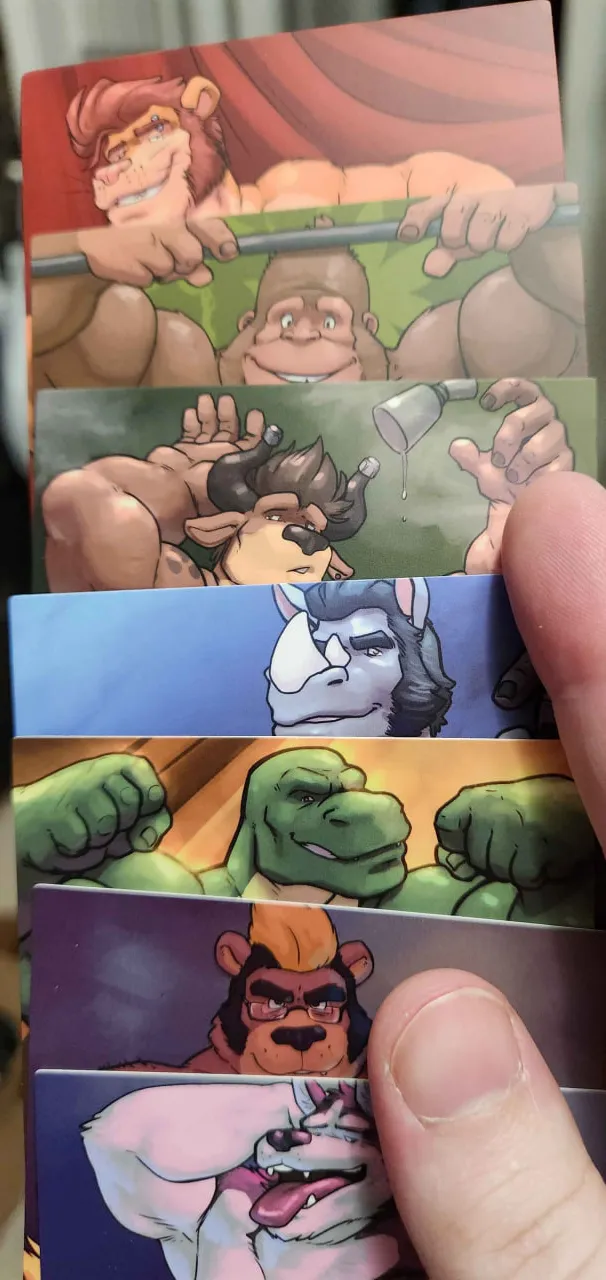
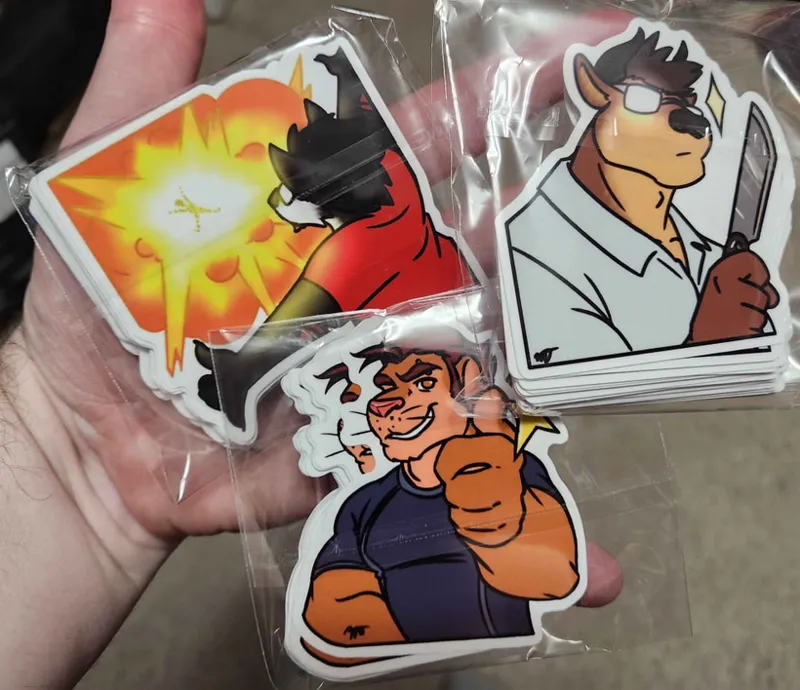
We have the 3" Dwayne danglers (clothed and Underwear), a 3" sticker pack including Dyne, Darius and Chester (done by Mark Thorne) and then the 3x4" pinup card pack done by CaptainGerBear. This cards use the Pinup images you can unlock VIA the Pinata in ExcA.
The cards are the wrong size cause I chose the wrong option, so I might not reprint the big ones. I might try to do a normal card size next, but we'll see! (I only have 8 bundles left at the time of this post) *EDIT - You guys ate those bundles up, but there are some individual cards still! I just didn't have enough of certain ones to do more bundles. (The people who printed them sent me weird numbers of each, haha)
You can see the full images on my website, since I can't post them here since this will go to be a Public post later, hah.
Anyhow, that's all I have for now! Thank you in advance for any input about UI stuff, and thank you to everyone who's already purchased the new merch! (I announced it early VIA discord, and this post will have some early access too!)
Again, a Happy Holidays to you all! Thank you too <3
Comments (39)
I like how the user interface is; it's very easy to use because the elements are easily recognizable, the shapes are intuitive and easy on the eyes, and having them all together is also helpful.
Honestly, the UI of ExcA is almost perfect imo. The main menu's UI is great and its navigation is pretty straightforward. The in-game UI's buttons are great, I'd only change the layout and add a back button. ============================== Personally, I'd separate the in-game UI into four categories: [information] • in-game day • location (optional) [HUD] • hide/show overlay [navigation] • back • skip • skip to next choice • auto [game] • save • history • settings ============================== As for the location of each group of buttons, I'd say that: *on mobile* Top: • [information] on left • [game] on right Bottom: • [HUD] on left • [navigation] on right - - - - - - - - - - - - - - - - - - - - - *on desktop* Top: • [information] on left • [game] on right Bottom: • [HUD] on left • [navigation] on right OR center
I couldn't find the link to the error log, but I've started from a completely fresh save file and ran through the guide for Spencer's route. When I reach day 13 and get to the Charlie scene (wearing the hat), Spencer's face becomes stuck on his cheeky grin. I've tried everything to see if a flag will clear it, but it's real stuck haha
Unrelated but, as someone on the autism spectrum, I imagine Dwayne as autism-coded.
It's perfectly balanced between accessible and immersive as it is. The only thing i miss is a back button. I always play on my phone and the back button only stays for like 3 seconds after swiping it in.
Hah, yes. Back button for Android seems to be a common want!
I'll reach out on discord.
this was one of my first vns i like how convinient everything is in terms of placement the ONLY thing id want is more a cute asthetic thing change the UI colors based on route? kinda like how the others are color coated
Hah, that's a fun idea. I don't plan on adjusting anything in ExcA's UI, but for the future projects... Something to consider!
Not gonna lie, I feel like EA is the standard I compare other VNs against.
Hah, well, I suppose that's good for me to hear!
I wouldn't mind a little more color and a little bit more theme. I played an old Dinosaur VN on newgrounds years ago and it had bambo boarders and retro 90s buttons. I dont know much about UI but stuff like that could be fun!
Theming is something I'd really like to work on for the future project! With better planning, I'm sure I can manage
Honestly, your VN is my first experience with one and I like the UI as it is. It is there so noticeable but not in the way. To me it feels simple and clean with most of the focus being on the characters and the dialouge
Good to know! I might just plan the next project to have a similar UI, haha
I prefer the U.I. as it is now. The buttons are clear and not in the way. Makes them easy to use but also to forget about when you do not need them.
I'm not changing the UI for ExcA, so that'll stay! Planning for the future project
Being able to change the colour around so its more colour blind friendly at times, but in my experince thats rarley been a problem but i think i just been lucky so far. and like Libaraion said, having diffrent states for better visablity. Honestly too many drastic changes would be less accessible, so some minor tweaks would proberly go long way for some people. You cn hit every mark but with what you got so far is preety great!
I'd really like to add some other accessibility options for stuff like that in future projects! It's why I'm planning now, since it'll be easier to setup from the start.
I want the UI buttons to have a neutral, hover and clicked state. ATM I have no idea when the auto play is on. It all looks the same to me.
Another thing to keep in mind for sure then!
I like Icons, the only thing I find missing is a back button, mostly because I play on android and the UI of my cellphone doesn't have a integrated back button, which makes any missclick a new reload.
That's a good one for me to keep in mind, especially for android.
I am a fan of the ui bottons as is there are easy to access and don’t clutter the dialogue box like some games do it’s a good balance of accessibility and organized placement for best gaming experience
I'm gonna assume buttons instead of bottoms, haha. It seems buttons are currently the general consensus! I suppose I've done something right here.
To be honest, I like it the way they are right now. It's intuitive, on a good place, so it doesn't get in the way of any sprites, offers the right options, and for the colors, it doesn't "hurt" my eyes or catch too much of my attention, it's there and it helps. A single buttom that opens a hidden menu tends to look a bit more "professional" for computer games, but for the android version, I don't know, cuz for me, when I'm playing something on my phone, I prefer easy buttons and quick paths, even if a hidden menu takes less space and looks cool So, both are good, but for me that right now only play VNs on my computer, a hidden menu would be nice tho, oh, and totally separeted from the dialogue box, I like it clean to read haha
I've thought about trying the hidden method for the next one! I don't see why I couldn't make that an option even... To let people set it for hidden or showing. That's something I can consider too...
I like the UI buttons as-is. The less cluttered the dialog box, the better.
A good thing to know!
I may have ordered the cards... >>
Whoops... Haha, thank you!
I rather enjoy the UI that you have created as it easy to understand verse text which doesn't always come across well in other languages.
Good to hear!
Buttons are great, especially for mobile devices. I would suggest testing frosted semitransparent buttons with shadows underneath so they distract a bit less and allow you to see the image underneath. I think the placement itself is decent, since it doesn't block the sprites and allows for more space than the standard placement under the textbook (especially useful for smaller screens). The only issue I've ever had is when playing on my phone it is near the back button when in landscape mode, so I have to be a bit more precise when trying to hit the button, but that's just stretching to try and think of any potential problems.
Hmm, I see! Semitransparent ones could work out better, so that's something to consider. Thanks for all the input!
Personally, I like the UI exactly as you have it. Very simple to use, and up in the corner so it's not in the way. I like it.
Hah, that's good to know!
the dwayne keychain is so cute!
Yeees, Choco did a great job with it!