





Dragonborn's Toolkit
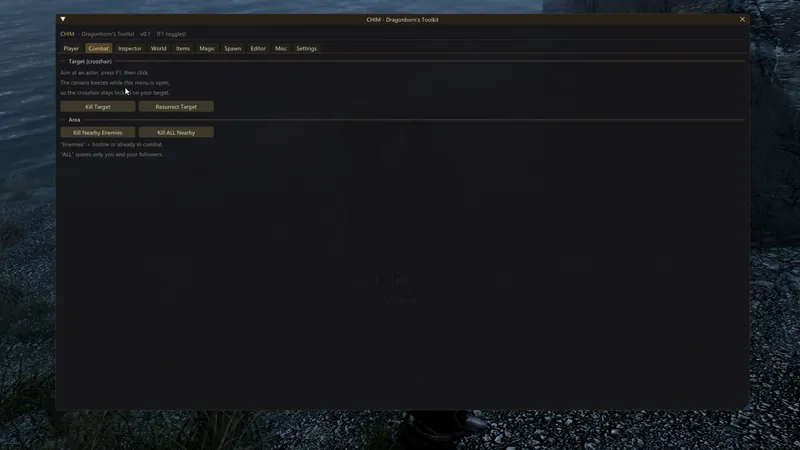
A deep in-game toolkit for Skyrim AE. Press F1 to open a clean overlay and search, inspect, edit and reshape your game - no FormIDs to memorize, no command syntax.
CHIM Features
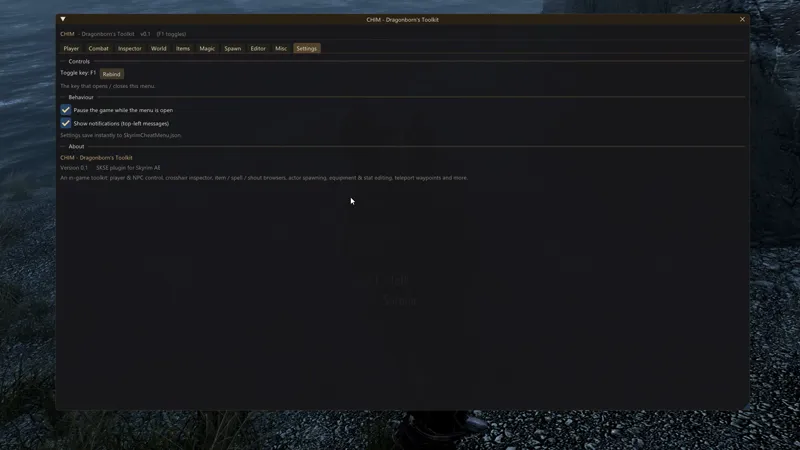
To open menu, press F1. You can change that hotkey in menu settings.
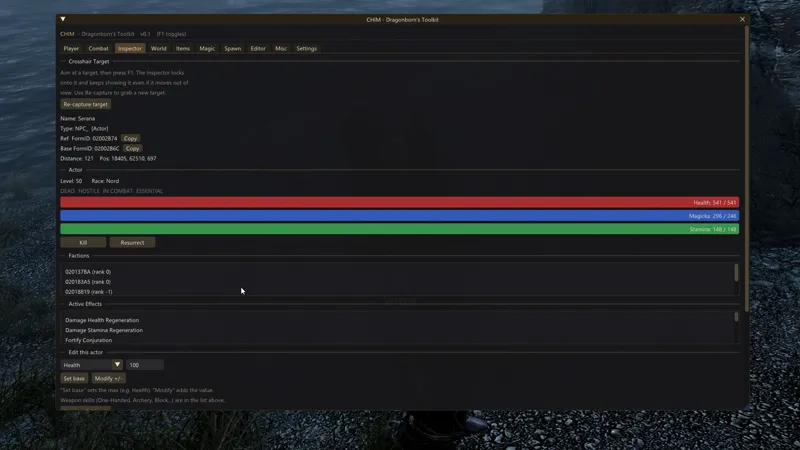
Live Inspector - aim at any NPC or object and read its FormID, factions, stats, gear and active effects in real time. You can easily change maximum hp, skills, etc.
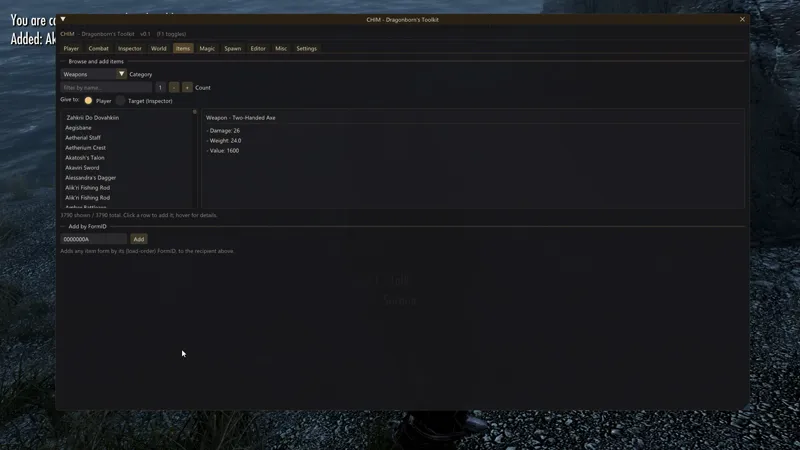
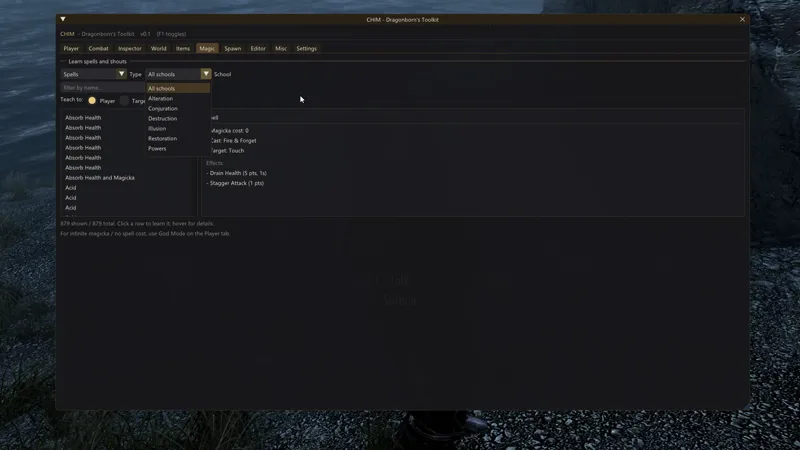
Search everything - find any item, spell, shout or creature from all your installed mods by name; spells grouped by school, with a live details panel.
NPC director - loot or fill an NPC's inventory, set them ally / hostile / calm, freeze, resize, teleport, gift gear & spells, or make them immortal.
Equipment editor - change weapon damage and speed, armor rating, value, name and enchantments from a UI.
Custom waypoints - save your own teleport spots and jump back anytime.
Spawn - drop any actor or creature beside you, found by name.
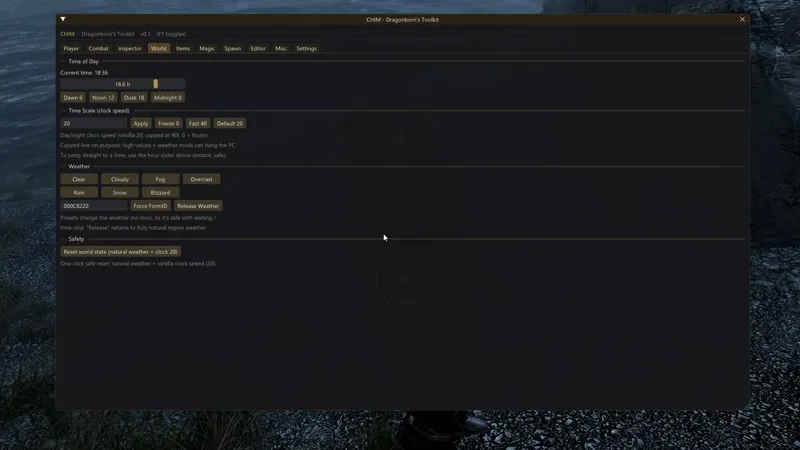
Player & world - god mode, no-clip, carry/speed/size, perks, skills, full stat editor; time of day, weather and clock control.
This is only the functionality included in the first release version of the mod. The mod will be actively developed and will receive a number of new features, including unique gameplay mechanics. There is a lot of work ahead, and I will need your help with it!
Plans for improving the mod
If you have any ideas what to add in future updates, please contact me here, in comment section, or via Patreon (comments/DM). List of plans:
The ability to create custom equipment with unique effects and stats through the menu. The current editor changes all copies. For example, if you change the price of an iron sword, all iron swords in the game will be affected.
The ability to create unique spells.
The ability to edit the character’s appearance, race, and other parameters.
Macros.
Various ready-made profiles with a specific set of features.
Convenient tools for mod makers.
And more!
Requirements:
Skyrim AE 1.6.1170+
SKSE64 (AE)
Address Library for SKSE Plugins
Version 0.4:
OBJECT POSITIONER: PERSISTENT EDITS
- Every move / rotate you make with the Object Positioner is now SAVED and re-applied automatically on load - including on a brand-new game.
- Disable (hide) any object - clear out unwanted clutter, rocks, debris, misplaced meshes. Fully reversible, and it stays gone across saves and new games.
- Managed "Saved object edits" list - see everything you've changed and Forget any entry to restore that object instantly (re-enables it and/or moves it back to its original position). "Clear ALL" restores everything at once.
SHARE & BACKUP
- Export your object edits to a named file, and Import them back - for backups, or to share your landscape fixes with others. They apply to any game/save as long as the toolkit is installed. Files live in Documents\My Games\Skyrim Special Edition\SKSE\DragonbornToolkit\
MODDER INTEGRATION API (BY REQUEST)
- Other SKSE plugins can now cleanly open / close / query the toolkit menu instead of simulating the hotkey. Versioned API (RequestPluginAPI) plus plain-C exports, the integration header is bundled at SKSE\Plugins\DragonbornsToolkit\api\DragonbornsToolkitAPI.h.
FIXES
- Object edits on a NEW game no longer land "out of place" - each object is re-applied precisely when its cell finishes loading.
- Editor stat/name edits and object moves are re-applied on every save load (not only at game launch), so they survive load-order changes and mods that re-initialize their records on load.