
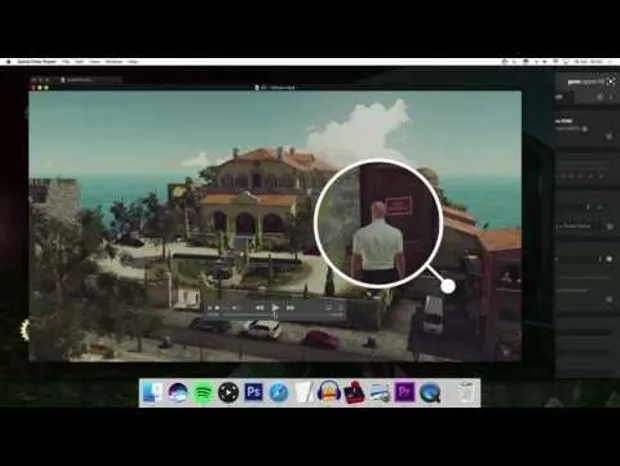
Adobe Premiere tutorial #1
Hello! So, Liam asked me about doing some stuff in Premiere and I thought it might be fun to make a quick tutorial for you all.
This is going to assume you know the basics. But if you've got that, let's talk about keying, track mattes, transparent videos, and circles.
You might notice that the video has several thousand views and a bunch of comments. I might have, uh, accidentally set it to go public as soon it uploaded.
I've set it private but i've made this Patreon post public so everyone can see it as I feel bad about whipping it away from people. If I do any more - let me know if there are any specific effects you want to know about - they'll just be for you lot.
Cheers!
Comments (13)
10/10 ending
Hi Mark! I know that I'm a little late on this, but I'm following along the tutorial and I'd love to know how you animate the stem in the hitman video! you don't really cover it here. thanks in advance!
The white line? I make a straight vertical line in photoshop. I use the crop effect on it, with keyframes from 100% top crop to 0% top crop, which will make the line grow. Then I rotate and position. Hope that makes sense!
Joined as a patreon because of this video! I saw it in my sub box before you made it private and I really wanted more. I think you make one of the best edited videos on youtube, and my pick for the best videos on game design! Looking forward to more content of all sorts!
Great job, I love watching tutorials. Help so much!
Nice tutorial. I'd assumed you'd been using AE for everything. If anyone's looking to do this kind of thing but has no budget, you could do worse than take a look at HitFilm Express - much more basic than Premiere and AE, but entirely free and still remarkably powerful. <a href="https://hitfilm.com/express" rel="nofollow noopener" target="_blank">https://hitfilm.com/express</a> Disclaimer: I used to work there, but they're good people and it's a good little video tool.
Dude, you should've named it "Game Maker's Toolkit's Maker's Toolkit".
Premiere is also the editing software of my choice. Thank you for sharing this!
Quick Q did you go with Twilight Princess on the WiiU? I loved seeing the 1080p'edness of Windwaker HD for the latest Boss Keys! Wii especially has really jaggy graphics.
Not sure yet - still playing Minish Cap. I'll probably go with Wii U though, yeah. Just gotta read up and see if Nintendo altered the dungeon layouts at all.
I think if u let things out by mistake then just let it be, rather than removing it from sub boxes. It's rare and we'll understand! All up to yourself tho. Funny to see it back!
You beautiful man you! YES. Really thoughtful of you to go outta your way and make a tutorial. I'd gone off before and reacquainted myself with feather masks and such—dozens of tutorial vids (and strange accents) later and I'd cobbled together a very weak solution. This helps so much! Definitely love for this to continue. Plus, every editor likes to show off their latest fancy trick (especially if, as it often does, it takes hours to do a 30 second segement)—its a win-win!
As a plus, it would be really nice to know how you make your video flow well and never feel boring... if you do that through the editing, or the script, or I dunno. Btw, you make really good tutorials!