
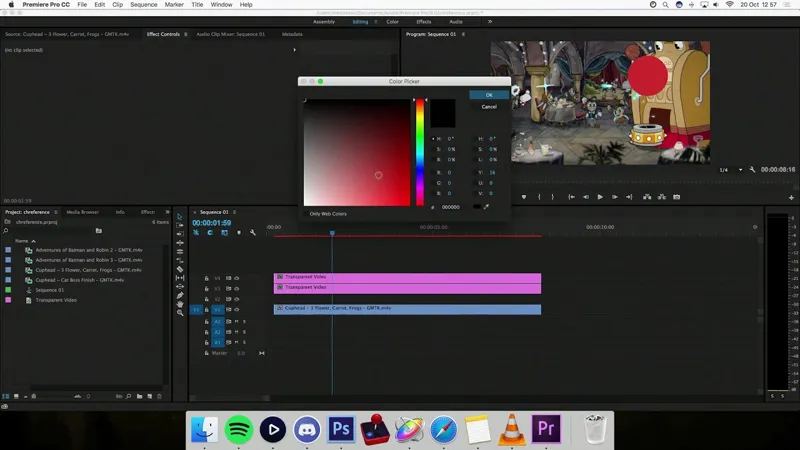

Motion Graphics Tutorial - Cuphead Projectiles
Hey everyone. Wanted to put together a quick tutorial to show how I did the motion graphics on my most recent episode, where I showed the path of the projectiles in Cuphead.
I used a combination of Premiere and Apple Motion (a sorta After Effects-style programme that I often use because it's so quick to get things done). But hopefully the lessons are more general and universal and will get you thinking about how to make stuff.
I'm always hesitant to show this stuff off because I've probably done something really dumb and roundabout but hey - it works for me and maybe you can take something from it.
Cheers!
Mark
Comments (11)
Awesome! Super interesting :)
Interesting stuff, thanks for sharing!
Maybe you could have used AE's tracking tool for the circle part? Your method still works, but you could save a lot of time with tracking (here's a tutorial --> <a href="https://www.youtube.com/watch?v=-Db-B7AcTQw)" rel="nofollow noopener" target="_blank">https://www.youtube.com/watch?v=-Db-B7AcTQw)</a>
Love these tutorials. Always makes stuff looks way easier to pull off than I first thought and pushes me to try out new things :)
Hollow Knight- GMTK.mkv hmmmm? Is that a future video or just a tantalizingly named footage file?
Haha, all my capture footage says GMTK on it. But I will want to cover HK at some point, yeah
Even if something is ever indeed done in a roundabout way - perhaps someone will be able to help you figure out a quicker way! So keep these up - they are very helpful
Thanks for this! Definitely going to try using this method in future Extra Frames episodes.
I think you could have used the pipette colour picker, rather than messing with hexcodes or eyeballing it. Anyway, thanks for the tutorial !
Keep em coming (when you have time!). Always like to see how others are creating content.
Cheers Mark, I'd just like to tell you again how useful these are, I don't really have anyone to teach me how to use these tools and as much as I've been learning by trial and error, every time you make a tutorial I discover some little thing I didn't even know existed. It really helps speed up my editing process!