


SimSweep v4.0.0 (yeah, it's been a minute)
Alright it's been a while so let me catch you up 😅 Last thing I posted here was v2.20.12 and the app's on v4.0.0 now, that's a whole lot of updates you randomly came across on your own unless you were in the discord.
Where my head's been
So I totaled my car earlier this month 😢 I'm fine but the car very much isn't so now I get to pay off a car I don't even own anymore while also having to pay for another car to drive which is a fun little financial magic trick I really wouldn't recommend to anybody. To cover all that I had to pick up a second job and between that and having a daughter and the client work that keeps the lights on, my time just got stretched way too thin so SimSweep still got worked on it just had to fight for whatever hours were left.
This is all for context so you can understand why I've been "missing" and not for sympathy :)
Anyway the app sure didn't sit still v4.0.0 is out right now and there's a lot in it 😎
The stuff that's actually different
No accounts anymore 👏🏼 you just open it and you're in and if you want the paid extras you connect your Patreon and that's it that's the only login left anywhere in the whole app.
It also doesn't collect anything off your scans now, it used to store a signature of every mod you scanned which ran some genuinely useful stuff like telling you when your mods went out of date, community shared reports of bad mods, and it was the start of a CC Hub I was building but then I looked at the bill and running all that costs real money and SimSweep does not exactly print cash 😅 so I just pulled the whole thing out and now your scans stay on your machine and that's the end of it. I'd still love to bring the update tracking and the Hub back someday once the app isn't actively losing me money just to exist.
About the paid tier since it matters to me
Everything in SimSweep that actually does something is free, the scanning and the conflict checks and the malware and safety stuff and the troubleshooting tools, all of it.
Decrypt is five bucks and all it really gets you is cosmetic themes and a few little things that cut the boring busywork in half so it's nice to have but it's not need to have.
You never have to give a cent to me. SimSweep started as a tool I made for myself that I chose to share with everyone for free. As I said previously it’s purely cosmetic, slight annoyance fixes, and for people who want to support. Never feel obligated to upgrade or keep your Decrypt tier. It does help support the upkeep of SimSweep though 🤍
Every theme is brand new
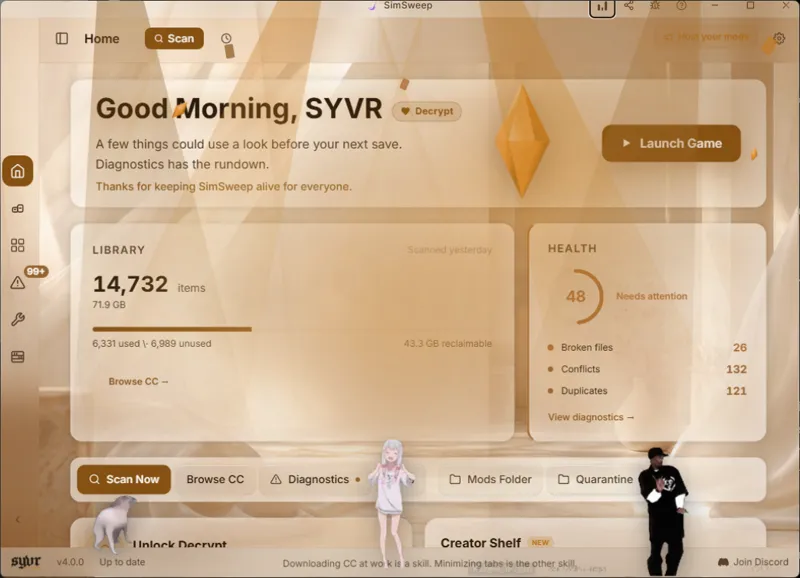
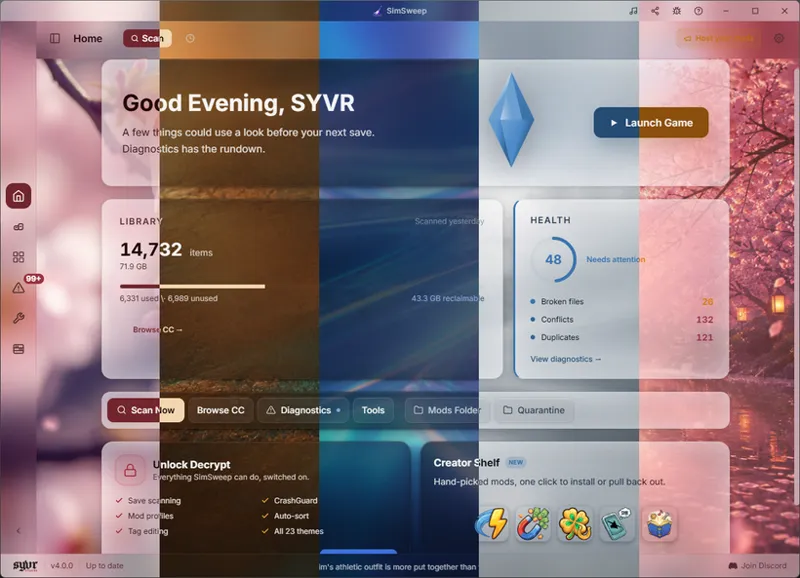
This is the big one I rebuilt the entire theme system from scratch every single theme one at a time by hand which was about as fun as it sounds 🙂
There's no shared system color anymore which is the whole reason the themes never used to match the look you actually picked, that one color just got slapped across everything and it always clashed so now it's gone.
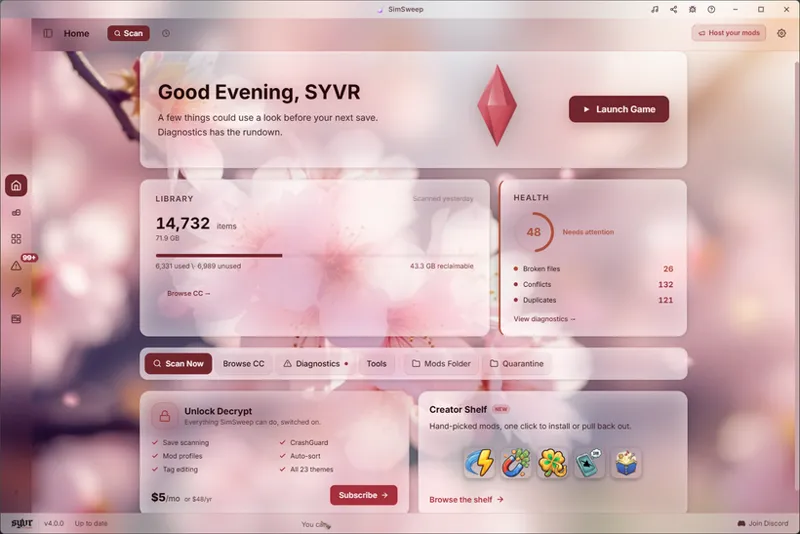
Every theme is built on a real photo backdrop now and every single color in the app gets pulled straight out of that photo so the status dots and the health ring and the buttons and the scrollbars and the warnings all come from what's actually in the picture which means everything finally looks like it belongs together and you can actually read it.
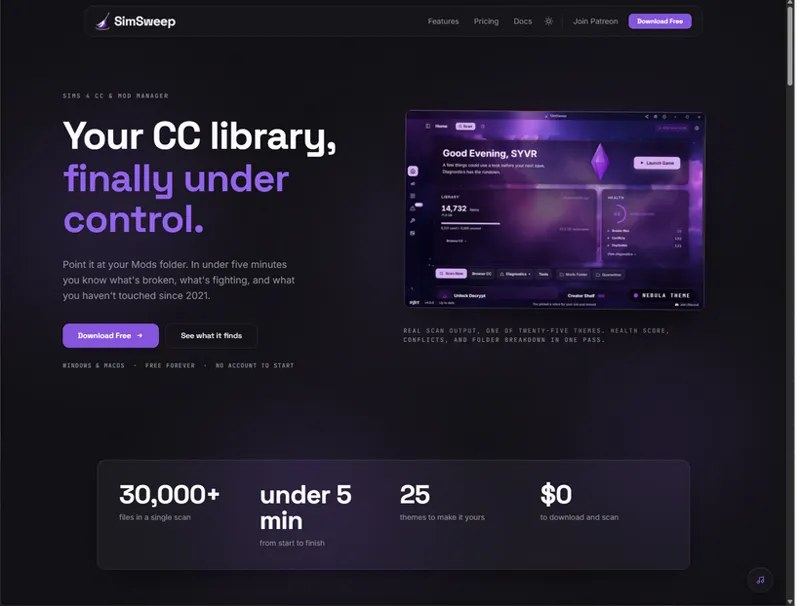
There's 23 themes to pick from on Decrypt and they each have their own backdrop like amber canyon at dusk or a coffee swirl or a frozen fjord or cherry blossoms or a neon rainy alley or noir spotlights or a purple nebula whatever mood you're in.
Free tier keeps a clean Light and Dark on the SYVR gold.
And if you're on free you can actually try the locked themes now before you decide anything 👀 you just click one and it applies the whole thing with no upgrade needed and a little tag pops up showing what you're previewing with a button to unlock it or back out and it resets when you restart so nothing sticks unless you actually subscribe, just felt right to let you see what you'd be paying for before you pay for it.
I also gutted the home screen
Smaller thing but I tore all the AI generated art and the useless cards off the home page cause I missed the clean glass look and I genuinely could not look at that art one more day so now it's trimmed down and back to glass and it's nothing fancy it just doesn't make me wince anymore. 😮💨
Creator Shelf
This is a new spot in the app and it's basically a built in mod browser, and the mods in there are all my own personal mods that I made and actually use myself and most of them have never been uploaded anywhere else so this is pretty much the only place to get them. Each one has an icon and a description and what pack it needs and a one click install and there's already a decent pile in there like Super Speed and Money Magnet and Faster Cooking at a few different speeds and Skill Haven and QuietPhone and a bunch of no cooldown tweaks and more and everything installs into a SYVR folder with a receipt so when you uninstall it actually pulls out what it put there instead of leaving junk scattered all over your Mods folder. This makes for easy click installs, uninstalls, and updates.
And if you make mods or cc there's a new “Host your mods” button up top in the header, I'm just feeling out the idea of letting creators put their stuff right in the app. So if it’s something you would be interested in be sure to let me know so I know whether to continue building it out.
The fixes you'll actually feel
If your Mods folder lives in OneDrive and a move gets blocked SimSweep actually tells you what's going on in plain english now instead of just throwing "os error 5" at you like that means anything to a human.
It gives you a heads up before a big scan now so if your RAM is running low or the game is still open it warns you first instead of charging in and running your whole system out of memory and you can go close some stuff and retry or just scan anyway, cause honestly most of the crashes I see are exactly that, some giant scan on a maxed out machine with the game still running.
The app opens faster now since the heaviest screens only load when you actually go to them instead of all cramming into the startup.
Cancel a sort and it actually stops now, before this hitting the X just hid the window while the app kept moving your files around in the background which was a great feature that I have now removed.
Quarantine won't silently nuke its own list anymore so if the record gets corrupted which usually happens after a crash it warns you and keeps a backup and reminds you your files are all still safe on disk.
Connect Patreon right after you pledge and it won't leave you stuck on Free anymore it just keeps checking until your tier flips over.
The scan bar doesn't freeze at 62% on big folders anymore it actually tells you what it's doing now so you know it didn't just die on you.
Two mods with the same filename sitting in similarly named folders used to hide each other in your scan and that's fixed now so they both show up like they should've the whole time.
Buttons and links show the little hand cursor again, Tailwind broke that one and now it's back.
Scans actually sound different now depending on what they find, a nice clean chime when everything's good and a softer little heads up when there's broken files or conflicts and a sharper alarm-y one when it catches malware so you can tell how it went without even looking, and there's one Sound effects toggle in settings that controls all of it if you'd rather just have silence.
Added support for the new Base Layer body slot the latest Sims patch slipped in so your CC tagging stays right.
And big CAS heavy libraries scan without slamming your memory as hard as they used to.
There's a whole pile of smaller polish in there too that I'll just spare you.
The website and docs are current now too
While I was on this whole redesign bender I went and rebuilt simsweep.com too, the screenshots on it were just really outdated and didn't match the app anymore so now it actually shows the current thing, and the documentation was in the same boat it had drifted way out of date so I went through and got that lined up with what the app actually does now too, plus the site picked up new fonts and cleaner colors while I was in there, go look if you're bored.
Quick housekeeping before you go
Your version sits down in the bottom left corner of the app.
When I push out an update SimSweep usually catches it on its own and pops an update button up in the top header and you just click it and it updates and it's already been downloading the thing quietly in the background so when you hit that button it's quick and you're not stuck watching some bar crawl across the screen.
Click the version number down in the footer to see what actually changed in the build you're on.
Click the "up to date" bit in the footer to make it go check for a newer build right then and there.
And if you're ever on an old version and something's acting weird and that update button just won't show up for you then don't fight it just go to the website and download SimSweep fresh, it puts you on the latest and a clean install clears out most of the gremlins anyway.
Oh and if you ever tried the free trial, I owe you one
So a while back I turned on free trials for Decrypt and it turns out the thing never actually worked, like at all, so if you went to start one it just never kicked in and it's been quietly broken this entire time. That one's on me and I'm sorry for wasting your time. So to make it right every single person who tried one of those trials is getting 2 weeks of Decrypt completely free on me, no strings, it's the least I can do, and I'm working out the cleanest way to get it to everyone it hit so more on that soon.
And to everyone who kept their Decrypt sub going this whole time even while I went dead quiet on here, genuinely thank you, you stuck around supporting the thing without me even giving you any updates to show for it and honestly that's a big part of how SimSweep kept moving at all when I had nothing left to throw at it, so thank you!
And I'm gonna be way better about actually posting on here from now on!
Happy up and coming 4th of July!
New around here? Get started and download SimSweep here https://simsweep.com/
Comments (15)
Hi I keep getting this error: "SimSweep stopped restarting itself because the display kept failing. Restart Windows and open SimSweep once. If it still will not start, copy the diagnostic below into a support request"
Hi Hannah, sorry about that. That message means the display layer SimSweep runs on (Microsoft WebView2, part of Windows) crashed several launches in a row, so SimSweep stopped restarting itself instead of looping. Restart Windows, then open SimSweep once. If it still won’t start, click the error window and press Ctrl+C, then paste the whole thing in a reply here. That copies the diagnostic I need to see exactly what’s failing on your machine.
It keeps crashing
Hey I got decrypt and got some more info about why my saves are so slow (too many random sims in there). Really nice to know. I've downloaded MCCC as recommended. It immediately got flagged as potential malware. As this is a very popular mod, should it not be marked safe immidiately? Every now and then I get a crash in a rather new save, so I'd like to use the companion mod for support. When I try to download, it says 'failed, retry'. I believe my laptop doesn't block anything from downloading. When I check the link it refers to (right click, more tools, share) it seems it shares a basic link to http://tauri.localhost No slash/ and 'companion' or so afterwards, so could that be the problem? Maybe it is well encrypted so I cant see the actual link, but just checking.
good afternoon , the app is still crashing for me .
Soo i joined but im on the free trial and it wont connect to my account so i can have all of the features how can i fix that? Its also still crashing on the newest version as well.
Hi , I have paid for the decrypt tier but every time I use the app and connect to patreon it does not give me the decrypt features. Has anyone else had this issue ?
Yes the only decrypt feature I can use is the themes but none of the tools
Ive been using this for a while but for some reason it just wont open anymore, i uninstalled and re-downloaded the newest version and it still wont open but shows its running in task manager?
I am having the same issue on mac
How do i find out about what malware I have, cause its there in the health section but idk where to find it
The malware check happens during the scan. If something looks or is malware simsweep will tell you. I plan on adding a better way of pointing that out so it’s more obvious.
Hi sorry its me again but for some reason its still crashing for me and it always closes on its own.
Having the same issue even with the most recent update
Very nice! Thanks for your hard work.