

SimSweep Update 2.6.0: Smarter Scanning + Manual Overrides
The big focus for this round of updates was scan accuracy. The scanner was making too many wrong calls, and when you're trusting a tool to tell you what's broken or unused, wrong calls aren't just annoying. They're the whole problem. So I went through the classification pipeline and rewrote a lot of it.
The scan actually understands your files now
Build/Buy detection was getting tripped up by CAS items with furniture-sounding names. If you had a hair called "bedroom hair" or a top called "kitchen top," the scanner would look at those words and think it was furniture. That's fixed. If a file has CAS parts in it, it's CC. The name doesn't matter.
Mod detection had a similar issue. Files with words like "override" or "framework" anywhere in the filename were getting false-flagged as gameplay mods even when they were just CC. The matching is smarter now. It uses proper word boundaries instead of just scanning for substrings.
Merged file detection got a full rework. The old logic was basically "this file has a lot of CAS parts, must be merged." Which falls apart the second someone downloads a big CC pack where every item has its own textures and meshes. The new system looks at resource density, so a properly structured pack with 30 items won't get flagged just because it's big.
TSR integration handles more naming conventions now and properly tracks Build/Buy items from TSR downloads. And texture-only supplement packs that were getting silently skipped now show up in your Build/Buy list where they belong.
Manual category overrides
This is new. Sometimes the scan just gets it wrong. Maybe it calls a decorative object CC when it's Build/Buy, or flags a framework file as a mod when it's not. Now you can fix it yourself.
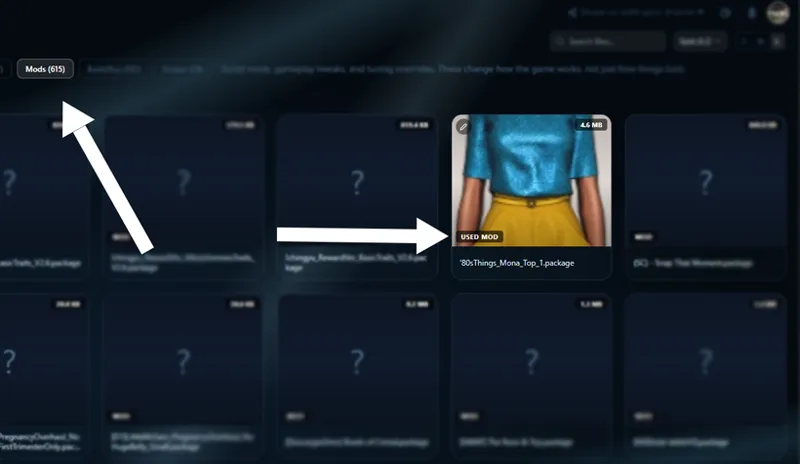
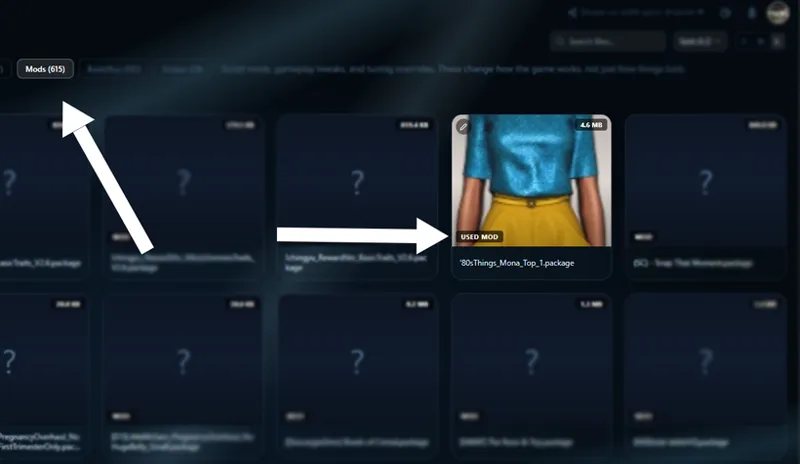
Hover any file in Browse, hit the pencil icon, and change its category to CC, Build/Buy, or Mod. Your override sticks across sessions and gets applied on the next scan so the file moves to the right place permanently. Think of it as a "no, you got this one wrong" button. Simple, but it was overdue.
Everything else
Every file card now shows a category label right on the thumbnail. Used CC, Unused BB, Preset, Mod, whatever the scanner thinks it is. No more guessing, no more hovering to find out.
Conflicts now show severity badges. High or Medium, based on how much resource overlap there actually is between files. Not every conflict is equal and the UI reflects that now.
Broken CC detection has better guardrails. If something goes sideways during game indexing, it won't panic and flag your entire folder anymore. It catches the bad state and either skips the analysis or warns you instead of showing thousands of false positives.
A bunch of visual fixes too. File selection in Browse now highlights with a green overlay instead of a tiny checkmark that was basically invisible. Dropdown menus and filter buttons that were unreadable on lighter themes are fixed. The Retrowave theme had an issue where half the dashboard text disappeared, that's patched. And Patreon connection now shows a proper loading state with real error messages if something goes wrong instead of just spinning forever.
One thing to know
This update hits automatically when you open SimSweep. Your first scan after updating will do a full re-index to apply the new classification rules, so it'll take a little longer than usual. After that it's back to normal speed.
If anything looks weird after the re-index, try the new override feature before reporting a bug. There's a good chance the scanner just needs to be told once. But if it's consistently wrong about a type of file, let me know. That's how the detection keeps getting better.
Added download links for any new comers. Auto update should be live for everyone else.