
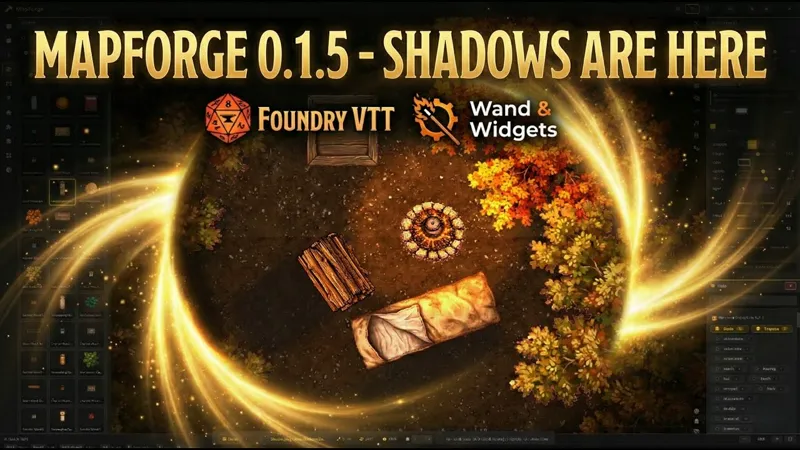
MapForge v0.1.5 is launching before the end of the year 🎉
We’ve got a new MapForge version shipping before the year ends - and this one is a big step forward.
First: thank you to all the alpha testers. Seriously. Your bug reports, edge cases, and “this feels weird” messages are what make these releases shine.
IMPORTANT:
The v0.1.5 download will be published in a dedicated post right after this one.
It will be available to:
• W&W Adventurer ($7)
• W&W Arcane Circle ($13)
Below is the COMPLETE changelog for v0.1.5.
────────────────────────────────────────
NEW: REAL-TIME SHADOW SYSTEM
The feature
MapForge now includes a complete shadow system for objects. Shadows connect to the actual object edge (not the image boundary) and update in real time while you adjust settings.
Controls
• Direction: Up / Down / Left / Right
• Length: 0–200%
• Angle: -45° to +45°
• Color
• Opacity: 10–80%
• Blur: 0–20px
• Layer: 1–10
Joystick-style fine tuning
Offset X/Y and Rotation use joystick sliders for precise control: drag away from center to adjust (farther = faster), release to stop.
Technical notes
Content-aware anchors detect transparent padding so shadows attach to real content edges. Preview matches final placement, including rotation corrections. Built with PIXI transforms for smooth preview + canvas rendering for high-quality output.
────────────────────────────────────────
NEW: NATIVE ASSET PACK FORMAT (.mfpack)
MapForge native format
A pack format designed specifically for MapForge (instead of relying only on Dungeondraft packs).
Creators define categories and tags explicitly.
Per-asset-type configurations
Each asset category (objects, walls, floors, lights, etc.) can define its own settings in the manifest.
Examples:
• Objects: pivot points + default shadows
• Walls: thickness + joint type
Collections and prefabs
Assets can be grouped into themed collections, and prefabs allow pre-built arrangements.Prefabs are the foundation for a future quick-placement feature.
Bundled packs support
Packs can be included directly with the module and auto-load on startup.
────────────────────────────────────────
NEW: ASSETS TAB (press A)
• Added as the first option in the toolbar
• Separate import for Dungeondraft (.dungeondraft_pack) and MapForge (.mfpack)
• Drag & drop support directly onto the tab
• Inline progress during import
• Wider sidebar + clearer UI (MF/DD badges, hover actions)
────────────────────────────────────────
FLOORS - TOOL IMPROVEMENTS
• Texture Size slider (0.25x to 4x)
• Texture Offset X/Y + Snap to Grid
• Shape fill tools: Rectangle, Circle, Triangle, Polygon
• Full undo/redo integration (Ctrl+Z), grouped strokes (500ms)
• Fixes: “can’t paint holes” fixed, multi-texture repaint works correctly
────────────────────────────────────────
WALLS - TOOL IMPROVEMENTS
Show Wall Lines (visual only)
The toggle now only controls visibility. It no longer switches control modes — wall type dropdown always works. When active, it creates technical walls only (no visual texture).
Foundry synchronization
• Walls created manually in Foundry while MapForge is open receive MapForge settings (fallback via preCreateWall)
• Deleting a wall tile also deletes Foundry wall segments
Wall mode fixes
• Fixed getting “stuck” in Foundry wall mode when switching tabs
• Automatic cleanup when exiting Walls tab
• WallEditTool visual artifacts cleaned correctly
Auto-switch to Walls tab
Selecting a wall tile or Wall document with Select tool (V) switches to Walls tab automatically.
────────────────────────────────────────
OBJECTS - TOOL IMPROVEMENTS
• Minimum scale reduced from 10% → 2% (slider, mouse wheel, shortcuts)
• Q/E rotation shortcuts: Q = -15°, E = +15° (same as comma/period)
• Levels integration: “Levels Elevation” field appears when Levels is installed (separate from visual Height)
────────────────────────────────────────
FLATTEN MAP - IMPROVEMENTS
• Choose custom save folder (no more losing files inside worlds/ during updates)
• Choose output:
- Create Tile (elevation -1000, original behavior)
- Set as Scene Background
• Critical fixes to prevent object/tile loss:
- Ultra-safe: never touches original tile meshes
- Direct texture: correct scene coordinates
• Wider sidebar (450px), same as Assets tab
────────────────────────────────────────
UI/UX IMPROVEMENTS
• Hide Foundry “PAUSE” indicator while MapForge editor is open (visual only; game remains paused)
• Contextual footer shortcuts (bigger + tool-aware)
MapForge v0.1.5 - Real-Time Shadows, Native .mfpack Packs, New Assets Tab (Foundry VTT) (YouTube)