

[Early Access]🎁 Unboxing the Mystery v1.1.0: Spectator Mode, Door Puzzles & Item Delivery
v1.1.0 focuses on making the unboxing process a shared experience for everyone at the table. Now, it’s not just the active player who feels the tension. Everyone gets to watch the gacha pulls, feel the pressure of the lockpicking, and hold their breath as the wax seal finally cracks.
In addition to these visual improvements, you can now lock actual doors behind puzzles and adjust how items are added to your players' inventories.
👥 Spectator Mode: Everyone Watches
Until now, unboxing was a solo experience — one player interacted while the rest stared at the screen wondering what was happening. That changes in v1.1.0.
🎰 Gacha Spectator Mode
When a player pulls from a gacha pool, every connected player sees the reveal in real-time — no extra setup required.
Synchronized Reveals: Sequential card-by-card reveals are fully socket-synced. When the puller clicks "Next" or "View All," spectators advance automatically.
Everyone Lives It: The tension of watching that last card flip, the collective reaction when a Legendary drops — now the whole table shares it.
GM Controlled: Toggle on or off in World Settings.
🔓 Puzzle Spectator Mode
When a player tackles a puzzle (Hold, Scratch, Lockpick, Smash, Password), the rest of the party can watch live.
Floating Spectator Window: A dedicated overlay pops up for spectators showing real-time progress — no confusion about what's happening.
All Five Puzzle Types: Each puzzle has its own spectator visuals tuned to its mechanics. The Lockpick tension is palpable when everyone can see the pick wiggling.
GM Controlled: Separate toggle from Gacha Spectator.
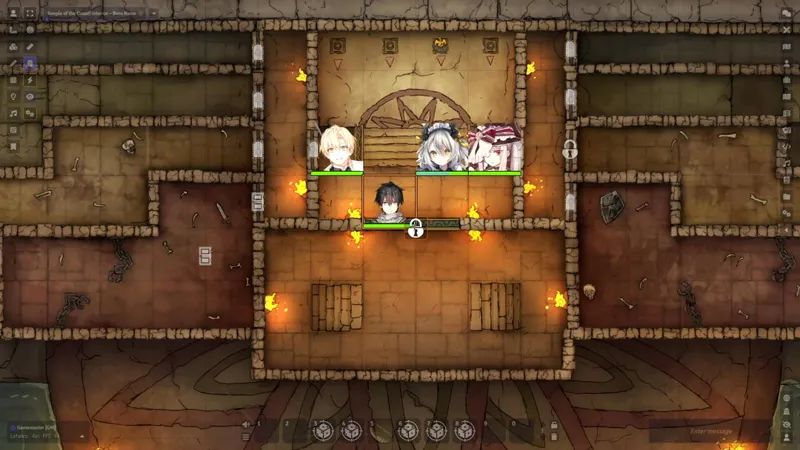
🚪 Door Unboxing: Lock Any Door Behind a Puzzle
You can now attach any unboxing puzzle directly to a door wall. Players must solve it to open the door.
Any Puzzle Type: Wax Seal, Password, Lockpick, and more — configure per door.
Per-Door Sounds: Set custom open and close sound effects on each door.
GM Relock Button: Need to reset the puzzle? A relock button is available directly in the wall config — no workarounds required.
✨ New Features
🎬 Cinematic Cut-In: Everyone (In Dialog)
A new playback mode for gacha reveals: the cinematic cut-in now plays inside the gacha reveal dialog, for all players simultaneously — including spectators. No separate screen takeover, no confusion — the dramatic moment happens right where the action is.
📦 Per-Item Delivery Mode
Each item in a tile container can now be individually configured for how it enters a player's inventory:
Stack: Increases the quantity of an existing matching item in the player's inventory.
Individual: Creates a separate item document, regardless of what the player already holds.
Essential for D&D 5e, PF2e, and any system where each item instance carries its own data (attunement, charges, durability, etc.).
🔢 Live Remaining Count Badge
The ×N quantity badge on grid items now reflects the actual remaining count in real-time, not the original total. No more refreshing the UI to see what's left in the chest after another player grabbed something.
🔕 Disable Update Notifications
Prefer a cleaner UI? You can now turn off update notification popups entirely in Module Settings, or dismiss them permanently using the "Don't show again" button directly from the update dialog.
⚡ Improvements
Gacha Sequential Claim & Detail: The "Take" button and card click in the sequential (one-by-one) gacha reveal now work correctly — "Take" gives the item, card click opens the item detail popup. These actions were silently broken before.
🐛 Bug Fixes
Tile Item Take Failing for Players: Fixed a critical bug where non-GM players could not take items from tile containers. The tileItemsRemaining flag was never initialized server-side when a player opened a chest first, causing every take request to be silently rejected. Currency was unaffected; all other item types were broken.
False Success Notification: "Added to inventory" notifications now only appear after the server confirms the operation succeeded. Previously, the notification fired immediately — meaning players could see a success message even when the item was never actually given to them.
🔗 Links
Module Wiki: Unboxing the Mystery Wiki
Install Guide: How to Install Premium Modules

Comments (2)
좋은 기능이 추가되서 기쁘네요. 하나 건의드리고 싶은 점이 있는데, 제가 못찾아낸걸수도 있겠지만, 만들어진 타일에 해당 모듈을 적용했을때 타일의 열린 상태 이미지와 닫힌 상태 이미지를 사전설정 (예를 들면 저 같은 경우에는 아이콘들을 이용하는 편인데, 이걸 일일히 해주려니까 살짝 번거로운 점이 있습니다.) 할 수 있는 옵션이 생기면 좋을 것 같습니다.
안녕하세요. 좋은 말씀과 훌륭한 피드백 감사합니다. 확실히 이미 사전 설정 되어 있는 것을 불러올 수 있다면 보다 세팅이 편할 것 같습니다. 미래에 있을 업데이트에서 해당 기능을 개발할 수 있을지 충분히 살펴보겠습니다.