
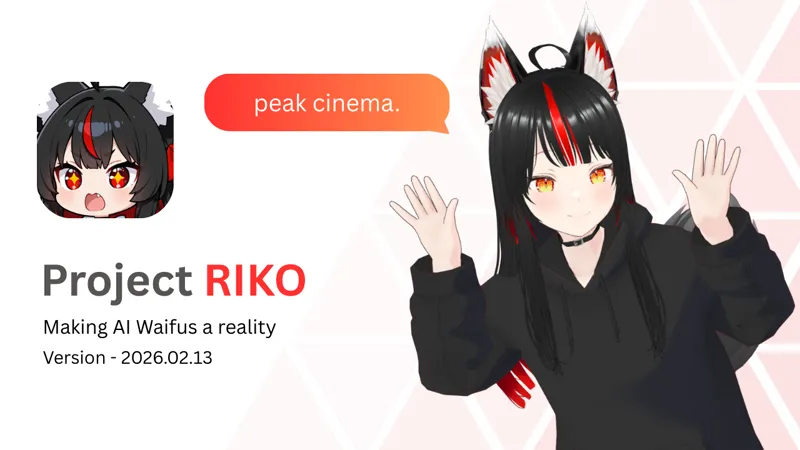

Riko Project 2026-02-13
Project Riko — Patreon Update (2026-02-13)
She moves better. She feels more alive. And yes… she’s still mean to you.
Download the file below!
✨ What’s New
🎭 Improved Animation States
Riko now has upgraded animation logic for more natural, believable movement. Animation states can be layered with endpoints, meaning you can trigger Mixamo animations and blend them seamlessly for much richer expressions and reactions.
🧰 Updated Setup Tutorial
The setup guide has been completely refreshed to be clearer and easier to follow — whether this is your first install or you’re upgrading.
🐞 Debugging Script Added
If something breaks (it happens), you can now run a dedicated diagnostic script that helps identify common issues quickly instead of guessing what went wrong.
💡 Quick Reminder — What is Project Riko?
Project Riko is my anime-focused AI companion system — built to listen, remember, and talk back like a cheecky anime partner.
It combines:
• OpenAI-compatible GPT streaming for real-time conversation
• GPT-SoVITS voice synthesis
• Faster-Whisper / Groq ASR
• A fully animated VRM avatar - Compatible with VRM 1.0 for customizable avatars
• Simple personality configs
⚠️ Patreon Early Access
This build is exclusive to Patreon supporters and falls under the early access license:
Please don’t redistribute, resell, or share the code.
A public version will come later — you all are getting the frontier builds 🙂
As always, thank you for supporting the project. Every update like this gets us closer to the long-term vision for Riko.
Enjoy the new build.
— Rayen 💻✨
Download the Code and follow the tutorial!
Comments (27)
No matter what operating system you're on you're already playing with AI here. Ask Claude to help you get it working. give him the readme instructions and show him the startup script, tell him what OS you're on. It works. You just have to make it work for your OS and setup environment.
On linux (arch at least) none of it works. the scripts run, however the UI is just white.
How i can access discord?, i'm not finding any links.
Sir pls look into https://github.com/QwenLM/Qwen3-TTS Its so fucking good and need just 3s audio. It can design, clone, vioce with tones and so on. Its better than elevenlabs (RIP) https://qwen.ai/blog?id=qwen3tts-0115 Swap that Sovits Server with a custom build server (fastapi) and use qwen3 tts
having problems with audio_playback
Update from a Mac user. Just keep throwing the errors and files into claude and eventually it worked. Have to start all 3 servers one by one but she’s alive.
Can someone help? I can’t run it cuz go-api.bat dosnt exist so i can’t run voice , is there a solution for it and /or can someone send it please or help?
Easy fix, just go to the "project riko" folder and edit the "start servers" file. Look for the Line with: echo Starting GPT-SoVITS Server (using run_api_v2.bat)... start "GPT-SoVITS" cmd /k "cd /d %SOVITS_PATH% && call go-api.bat" Change it to: echo Starting GPT-SoVITS Server (using run_api_v2.bat)... start "GPT-SoVITS" cmd /k "cd /d %SOVITS_PATH% && call runtime\python.exe api_v2.py" That will do the tick :)
mac user here, how does one connect the SOvits? the mac version seems to have many different files, can't seem to connect the dots on a mac. Was wondering if any mac users gave it a shot? Thanks!
Finaly fixed it! now, for everyone that has a rtx 50 series card and want to use it with GPT-SOVITS, you need a specific GPT-SOVITS version, not the one that can be download at the github repo., bc. of missmatching pytorch version for rtx 50 series. So that beening said, delete your currently GPT-SOVITS folder and just download this version from huggingface and extracted it. Then continue with it like in the video and boom -> It works :D https://huggingface.co/lj1995/GPT-SoVITS-windows-package/blob/main/GPT-SoVITS-v4-20250529-nvidia50.7z Dont forget to like his repo. on huggingface for this solution :) Also for the ones that has plenty VRAM on GPU, change the values in this file "tts_infer" to this, for faster responses (will load model completely in VRAM) \GPT_SoVITS\configs -> Find this file "tts_infer" and open it with your editor. device: cuda is_half: false
thanks, trying to redo this for an intel arc b70 pro
Ok found the error! :) It is again the RTX 50 Series that is causing a headache xD The problem is, that with the default GPT-SOVITS with api_v2 the "cuda" libs are not loading, bc. of missmatching versions. I need to find a way to integrated it natively with the one click version of GPT-SOVITS :D For the time being, i also found a workaround but it will definitely cook your CPU, and mine is a i7 13700k^^ Workaround: Navigate to this folder in your GPT-SOVITS Directory: 1. \GPT_SoVITS\configs -> Find this file "tts_infer" and open it with your editor. 2. Change the first lines to this: custom: bert_base_path: GPT_SoVITS/pretrained_models/chinese-roberta-wwm-ext-large cnhuhbert_base_path: GPT_SoVITS/pretrained_models/chinese-hubert-base device: cpu is_half: false What it does: In default it will take the cuda device (your GPU) to compile the txt2speech, but that will not work, like i said, so instead it will use your CPU for that, but keep in mind, it will load your cpu to 100% xD Will Update later with a "Cuda" solution :)
Got the same error :( Error in main loop: [Errno 2] No such file or directory: 'client\\audio\\output_32c3a876d4484519bba6bf00d8e4cd29.wav' It does also happen, when i try to execute the check.py. The strange thing is, that GPT-SOVITS will crash at decoding procedure, so maybe we need to set a output folder or something for temp decoding idk.
Error in sovits_gen: HTTPConnectionPool(host='127.0.0.1', port=9880): Max retries exceeded with url: /tts (Caused by NewConnectionError("HTTPConnection(host='127.0.0.1', port=9880): Failed to establish a new connection: [WinError 10061] No connection could be made because the target machine actively refused it")) Error in main loop: [Errno 2] No such file or directory: 'client\\audio\\output_32c3a876d4484519bba6bf00d8e4cd29.wav' I'm getting this whenever I try to initiate a conversation, any clue of what could be happening?
Question: if you are using almost everything locally, why don't you instead of using gpt API just make it use a soemthing local like ollama, why spend money on gpt when you can do it for free and it doesnt take anytime at all to generate reponse compared to generating voice, and not hard to switch your code!
he prob lacks the hardware. For fast streaming you need some serious vram
start "GPT-SoVITS" cmd /k "cd /d %SOVITS_PATH% && call go-webui.bat" isnt valid anymore, when i start the API manual (api 1 or 2) the Audio output does not work for me - text gen / animation / voice rec is working, just no audio output (and no files generated in the /client/audio folder)
I have this too. Did you find a solution for it?
Hey, my sovits doesn't have a go-api ? I'm not sure if it's updated but even the github doesn't have the file listed. :')
:: ---------------------------- :: Start GPT-SoVITS server :: ---------------------------- echo Starting GPT-SoVITS Server (using run_api_v2.bat)... start "GPT-SoVITS" cmd /k "cd /d %SOVITS_PATH% && call go-webui.bat" echo. echo ✅ All servers are launching in separate windows! pause i have troubles with my API key i tried setting up the newest update of Riko and everything weorks but my GPT api key my .env looks like this OPENAI_API_KEY=sk-proj-wZX8GRkRnuCWtjSUPERSECRETCODE GROQ_API_KEY="YOUR_GROQ_API_KEY" should be correct? the api key works via bash curl so the key is valid >> Error in main loop: Error code: 401 - {'error': {'message': 'Invalid API Key', 'type': 'invalid_request_error', 'code': 'invalid_api_key'}}
just wanna ask if it is normal to have like 20 sec delay after i stop speaking to her reply?
if your hardware is limited, generating the tts will be really slow.
this is infacct peak
Thank you for sharing the latest code. Literally this morning I was wondering if we might get an update soon. (What timing!) It's a fun project in parallel to learning python. After I get this update running happily, I think I may try to switch the TTS from SoVITS to Piper(?).. as I read that I might be able to leverage my AMD GPU for acceleration better than SOVITs... but we shall see (and of course there is Groq too that you have built in.. but I learn along the way if I succeed). Anyways, main message is: Thank you
Is this peak chat?
Great work, can you maybe one day add something so she can speak German? Sovits as far as I know is not capable of that.
you can try implementing other tts apis which support german, such as ElevenLabs (which is expensive but is prob the best tts out there)