
April 26, 2026
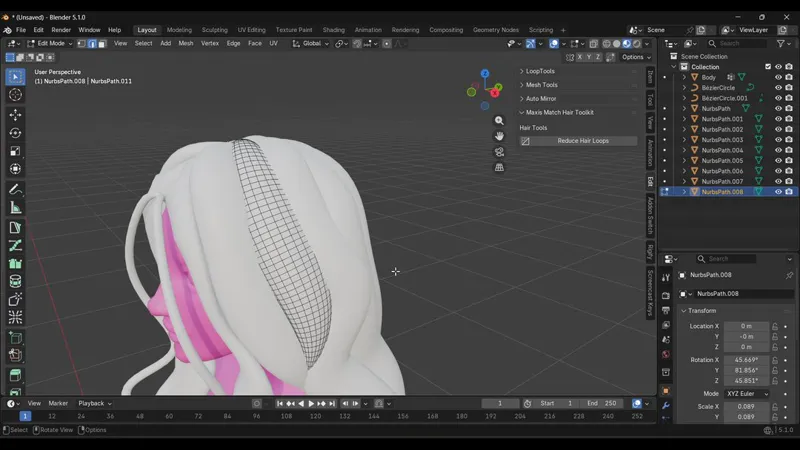
Maxis Match Hair Toolkit
Reduce Hair Loops
Clean up dense hair topology with one click.
Tired of manually selecting and dissolving endless loops after converting hair curves into mesh?
Reduce Hair Loops speeds up the cleanup process by automatically selecting alternating loops for quick optimization — perfect for Maxis Match and stylized hair workflows.
How to use
Step 1
Select your hair mesh and enter Edit Mode
Step 2
Switch to Edge Select Mode
Step 3
Select one edge from the hair strand
Step 4
Open:
Sidebar → Edit → Maxis Match Hair Toolkit
Click:
Reduce Hair Loops
(Optional) Enable Auto Dissolve to instantly remove the selected loops.
Ideal for curve-based hair meshes, stylized hair clumps, and Maxis Match hair optimization.