







Export Double Bed and Rig from S4S Studio – Step-by-Step
Export Double Bed and Rig from S4S Studio – Step-by-Step
1. Open Sims 4 Studio.
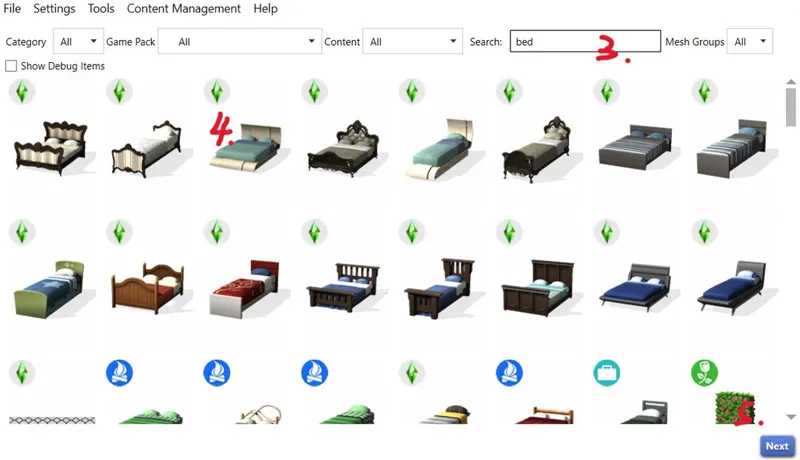
2. Go to the Object tab.
3. Check “Create 3D Mesh”.
4. Click the blue “Object” button.
5. Name your new package file.
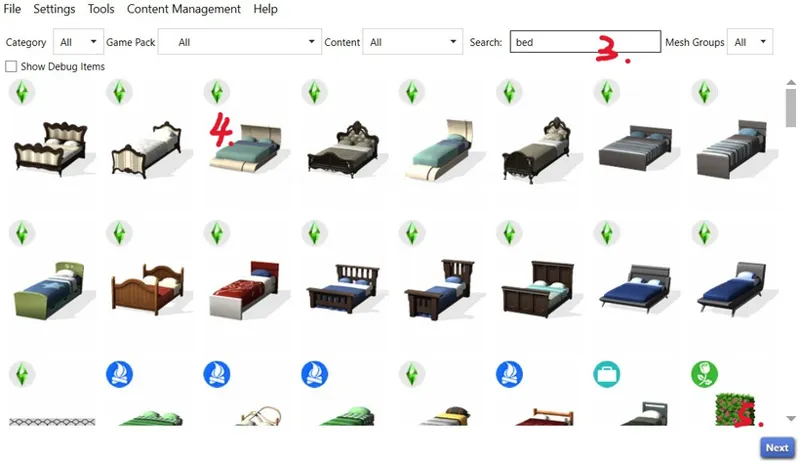
6. A window will open showing all furniture.
7. Find the double bed you want to export.
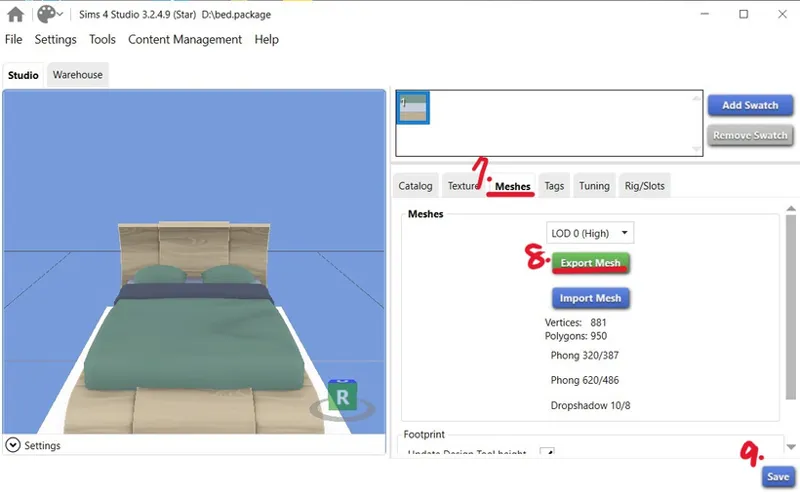
8. Go to the Meshes tab.
9. Click the green “Export Mesh” button.
10. Save the exported file as bed.blend.
11. Open Blender with a blank project.
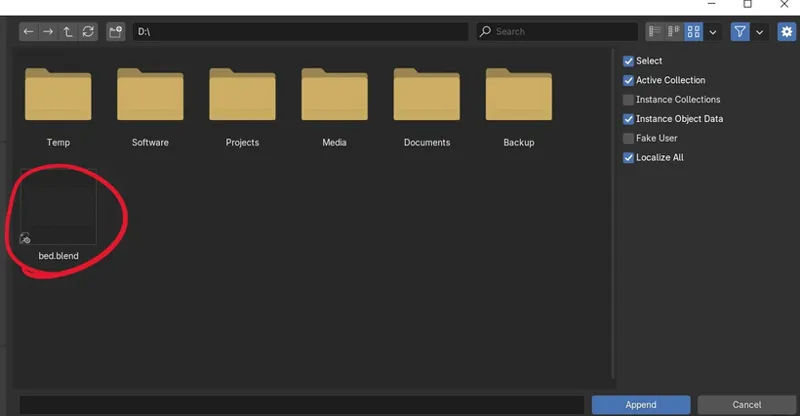
12. In the top left, click File → Append.
13. Locate the bed.blend file you just exported.
14. Open the Object folder, select all objects, and click the blue Append button.
Comments (6)
Come avevo accennato questo il video della prova di oggi riguardo al plugin perciò avrei bisogno se ho fatto qualcosa di sbagliato, e chiedo ancora un video da parte vostra molto dettagliato. https://www.youtube.com/watch?v=MynqUjQex2Q
I’ve watched your video, and my suggestion is to first clear your existing shape keys. Then, make sure to select all meshes that include the mane, and choose the last mesh as the main mesh to control the other separated meshes. Otherwise, the shape keys you generate afterward won’t be able to affect the meshes that weren’t selected. After generating the shape keys, I also recommend clearing the animation keyframes and resetting the rig to its default pose to avoid affecting the shape keys, since the rig’s control over the mesh can overlap with the shape key transformations.
https://www.youtube.com/watch?v=MynqUjQex2Q
Hello, I’ve finished the full tutorial video (covering the CC4 part) and am sharing it with you in advance. I hope this video will be helpful to you. It will be officially published and made public in the future. link:https://youtu.be/2IRsr1E68Lo
can i utilize this with a clip animation file that I exported from a custom animation? it has multiple details like bouncing mattress and pillow squish from the same double bed object
This bed is exported from S4S Studio as a .blend file. Once you bring it into Blender, the bed already has many bones you can move, including pillow squish, blanket pull, and so on — enough to create plenty of animations. Of course, you can also save the bed animation just like you would save a character animation, and then import it into S4S the same way. If you run into any other issues, feel free to take a screenshot of the problem and send it to me by email.