


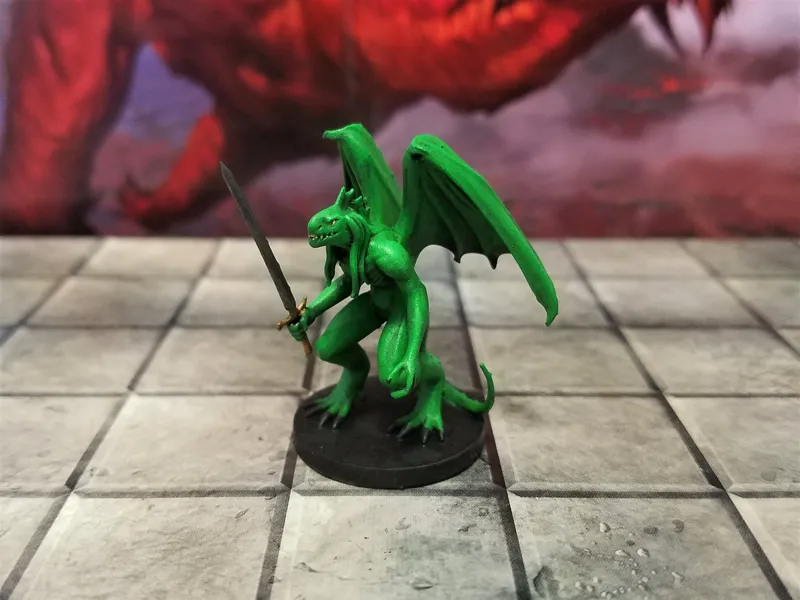


The Abishai are complete!
Here are all the Abishai from Mordenkainen's Tome of Foes now printed and painted! I'm really happy with the paint jobs on each :-D You can find the full files in the MTOF folder under Devils and in the links below
My take on the Abishai is unofficial Fan Content permitted under the Fan Content Policy. Not approved/endorsed by Wizards. Portions of the materials used are property of Wizards of the Coast. ©Wizards of the Coast LLC.
Black - https://www.shapeways.com/product/5TUFH4Z6F/black-abishai
Blue - https://www.shapeways.com/product/J7HPZDSG7/blue-abishai
Green Abishai - https://www.shapeways.com/product/Y32JSREWA/green-abishai
White - https://www.shapeways.com/product/SG5TU8M66/white-abishai
Red - https://www.shapeways.com/product/RZ6SXLV4A/red-abishai
Comments (7)
Hello! I would love to use these in our game but i cant seem to find the files in the Mega or Google Drive, the MTOF folder is nowhere to be found or maybe i'm mistaken? Love your work btw!
It's all in the Monsters of the Multiverse folder now
Any tips for printing on my Ender 3? I've had the Black Abishai fail on me 3x already.
This is a challenge for an FDM. I recommend removing the swords in Blender and just printing the body after exporting it as its own stl. Then print the swords seperately and just squeeze them into his hands. Your support game needs to be strong for this, so printing as is should work, but printing him on his back will work too. Use the tips Danny has in this video on support tweaking too: <a href="https://www.youtube.com/watch?v=QaE7YPvh4E8&feature=youtu.be&fbclid=IwAR3NFASoh7MLpv_GTzKZzLywa1Hziqyk7PwgOmQ03uwH5-TvotsyFLLsCgQ" rel="nofollow noopener" target="_blank">https://www.youtube.com/watch?v=QaE7YPvh4E8&feature=youtu.be&fbclid=IwAR3NFASoh7MLpv_GTzKZzLywa1Hziqyk7PwgOmQ03uwH5-TvotsyFLLsCgQ</a>
Love them!
What kind of supports do you used while printing these?
These were in resin so thin supports while they were tilted back 45 degrees.