
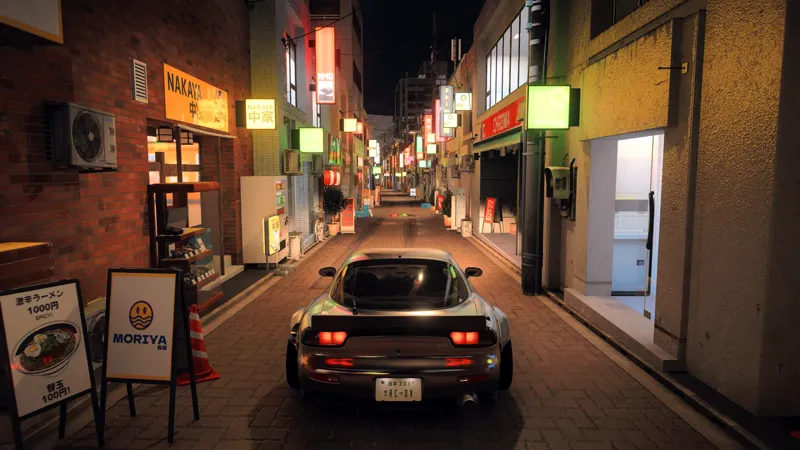


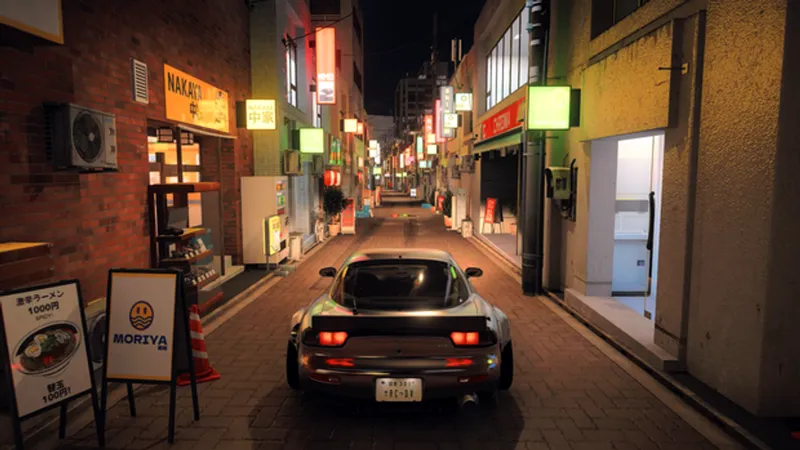



ARCADIA TRUELIGHT 1.0 - Forza Horizon 6 Early Access - HDR & SDR [PC only]
Current State
Please note that this version should be considered an early release.
RenoDX support for Forza is still experimental.
Because of this:
HDR behavior may vary depending on your setup
future updates may significantly change the visual pipeline
That said, the preset is already working surprisingly well in both SDR and HDR.
What is Arcadia TrueLight?
Arcadia TrueLight is a visual overhaul project primarily based in Reshade.
The goal is to push games' graphics toward a more photorealistic look, enhancing lighting, color balance and overall atmosphere.
Rather than flattening the image, TrueLight focuses on maintaining vibrant colors, controlled contrast and a more impactful sense of light.
Performance & scalability
This setup is designed to deliver the best results at higher settings, where lighting and visual fidelity can fully come through.
For the full visual result shown in my work, features like ray tracing tracing and higher-end hardware will make a significant difference.
That said, the setup remains scalable, a similar visual style can still be achieved with lighter configurations.
Compatibility & Setup Notes
The setup itself is lightweight and should have minimal performance impact with no major conflicts.
General tips to get the best quality/Performance balance
If you have an rtx 40 or 50 series gpu and plan to use DLSS super resolution in game, use the nvidia app to override to model M.
it is a newer, more advanced model that eliminates most ghosting and smearing from dlss 4. while it runs 10-15% slower, you can drop your settings from quality to balanced to get back some performance. also turn down the sharpening to 0.0-0.2 to avoid oversharpening.
My DLSS settings
DLSS On
Super Resolution OFF
NVIDIA DLAA On (Sharpening 0 / 0.2)
Frame Generation ON
NVIDIA Reflex Low Latency ON
If you have a G-SYNC monitor, make sure it’s enable in your monitor settings, this will help fix screen tearing caused by Frame-Gen.
INSTALLATION
Reshade
Download ARCADIA TRUELIGHT RESHADE_FH6 1.0, extract the .zip
Choose ARCADIA TRUELIGHT RESHADE_FH6 HDR or SDR
Copy the .ini preset from the Arcadia TrueLight Reshade folder and paste it in your root game folder. (for example: Steam\steamapps\common\ForzaHorizon6)
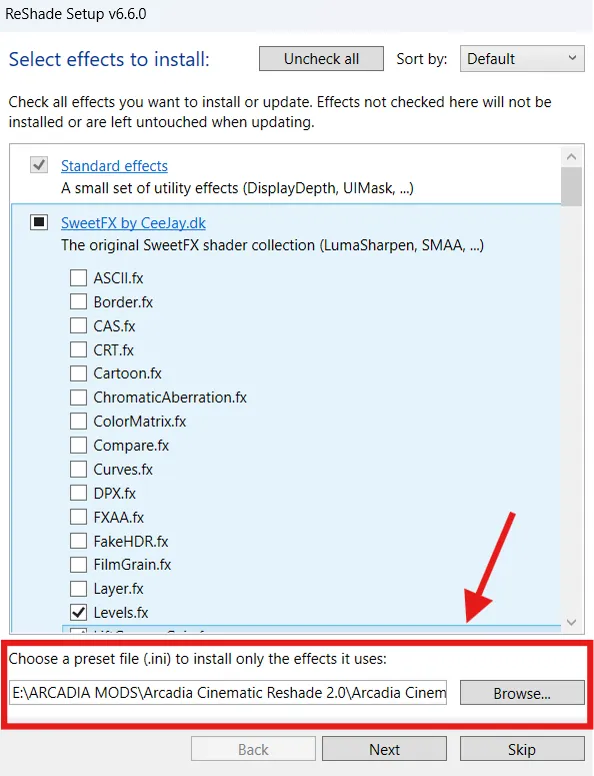
Install ReShade with full addon support
IMPORTANT: during the installation, select the preset “Arcadia TrueLight Reshade” you copied in the previous step.
Click "Next" and Skip the following section for add-ons, don't check anything there.
Install RenoDX
(Move "renodx-forzahorizon6.addon64" into your root game folder - i.e. C:\Program Files (x86)\Steam\steamapps\common\ForzaHorizon6)
Reshade Setup
Once Reshade and RenoDX are installed, launch the game, once loading is complete you can click the "HOME" key to open Reshade, you will see the RenoDX tab as well, open it and copy my RenoDX_Settings (check image included)
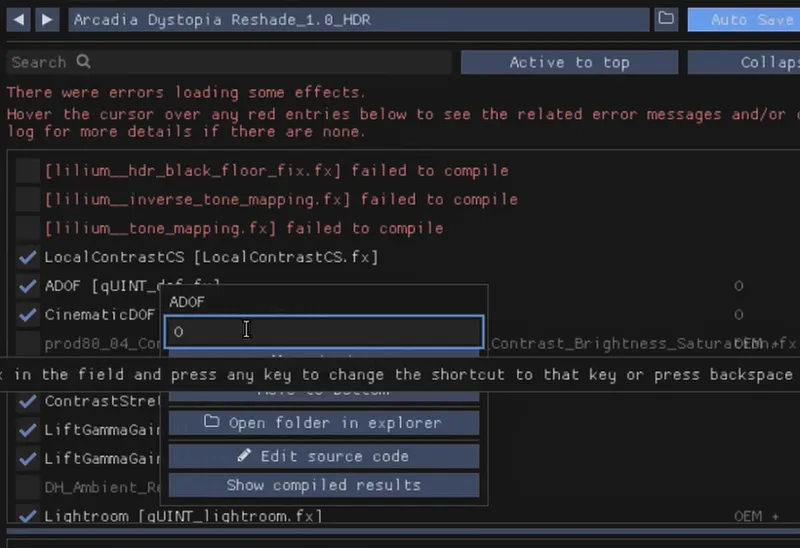
If your HUD appears blurred or flickering in-game, it is caused by the Cinematic DOF shader.
This effect is not designed to work with the HUD enabled.
You can toggle it off at any time by pressing “O”.
(It's possible to rebind any Reshade effect with your desired shortcut, simply right-click over a Resahde effect and input the key.)
OTHER MODS RECCOMENDATIONS
Third-Party Mods Notice
The following mods are optional third-party recommendations that I personally use as part of my setup.
Because these mods are created by different authors, compatibility may vary depending on your hardware and existing mod configuration.
Some users may experience crashes, stuttering or performance issues when combining multiple heavy mods.
Neither Reshade nor the Arcadia modules themselves should cause startup crashes or major instability under normal conditions.
For the best experience, install carefully and avoid conflicting mods.
Remember to check the description AND requirements page of mods you download to better understand what they do and how to use them.
-UTILITY-
Disable Full HUD: Used for turning on/off the HUD
it requires this mod as well
Once both are installed use ALT + numpad 2 to turn ON/OFF the hud