




ARCADIA TRUELIGHT 1.2 CHROMA Version - HDR & SDR - Cyberpunk 2077 [PC only]
What’s Chroma
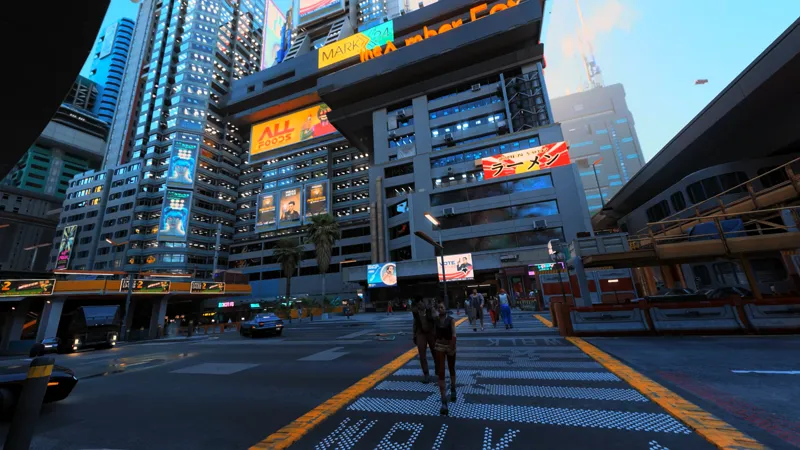
CHROMA is an alternative variant of Arcadia TrueLight focused less on strict photorealism and more on visual intensity and atmosphere.
Compared to the main preset, CHROMA pushes:
richer colors
stronger saturation
enhanced bloom
deeper contrast
a more vibrant neon aesthetic
The goal is to create a more cinematic and stylized version of Night City while still preserving depth, lighting quality and overall visual cohesion.
If the standard TrueLight preset aims for realism, CHROMA is about visual energy.
NB: Requires the main Truelight 1.2 installation FIRST
Main mod update
Inside the “Arcadia TrueAtmos_1.2_Chroma” folder:
Copy the "Archive" folder and paste it DIRECTLY into your root Cyberpunk 2077 folder, overwrite when asked.
IMPORTANT: Do NOT
create your own folders
move files around manually
place .archive files randomly
Reshade Update
copy the new Reshade preset (located in ARCADIA TRUELIGHT RESHADE_CHROMA HDR or SDR) and paste it in bin/x64 of your main game directory. (for example: Steam\steamapps\common\Cyberpunk 2077\bin\x64)
Once in game, open Reshade, at the top of the interface, select Arcadia TrueLight Chroma preset from the preset dropdown list.
To set it as default:
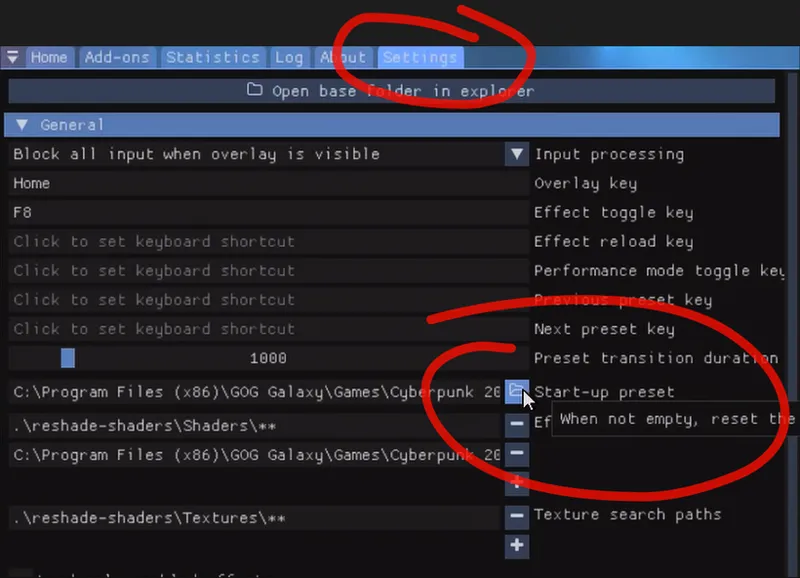
Go to the Settings tab
Find the “Startup preset” dropdown
Select the Arcadia TrueLight preset
This will make ReShade load it automatically every time you launch the game.
Adjust RenoDX_Settings following the image included.