
Free clips, paid members: Micah's K-Spot's Clips case study
Micah's K-Spot is a K-pop reaction channel, with 101,000 subscribers on YouTube and a Patreon full of footage just for his members.
They get full reaction recordings of TV shows, concerts, and live performances, plus behind-the-scenes vocal and dance practice videos. Some run three hours.
The problem: his best work was the work new fans couldn't see
Long-form videos are the heart of his membership. They're also why a new fan had nothing to evaluate it by. The videos most likely to convince someone to join were exactly the ones they couldn't watch.
For years, Micah's K-Spot bridged that gap by hand. He cut shorts in InShot for YouTube, posted community updates whenever a new reaction went up, and built montage intros previewing his Patreon library, re-editing and improving them year after year.
That took a lot of time away from actually making the work his members pay for.
What he did
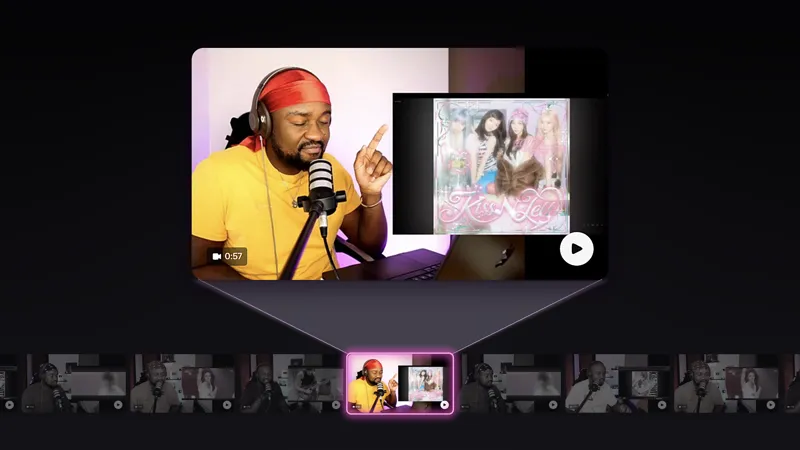
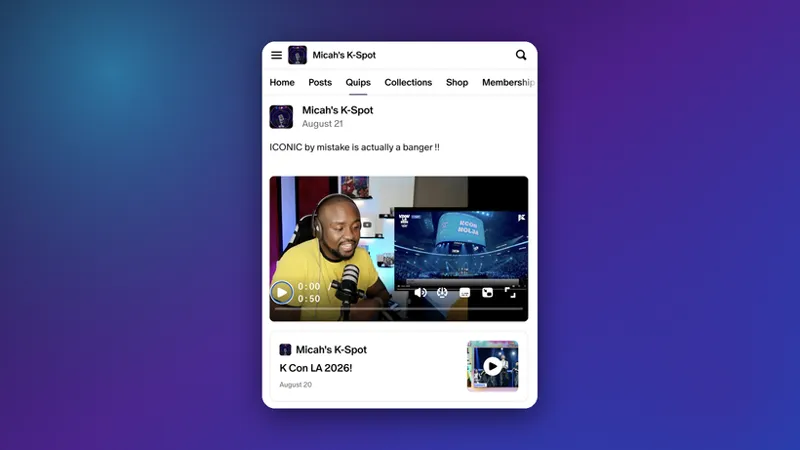
With Clips, Micah's K-Spot pulls short, free previews straight from his paid recordings and posts them to his Patreon as Quips, which are short posts that appear in the Patreon home feed. No more manually editing promo videos.
📝 Note: The Clips feature is currently available to creators who meet the following criteria:
You must access on an iOS device (mobile web and Android aren’t yet available)
Within the Quip composer, Clips are found in the scissors icon in the bottom right corner.
Your original video must be at least 8 minutes long with English-only audio.
Clips are not yet available for 18+ creators.
"Now with clips, it's my favourite feature. It does ALL the work and the fact it captions the clips so well, it's very impressive because sometimes I forget what I said and often I forget WHEN I said it. It's been a great help." - Micah's K-Spot
His formula
He doesn't just post what the tool suggests, every clip passes three tests.
The moment. He looks for where he's at his most humorous, making a bold statement, or reacting loudly.
The cut. He shortens it so, in his words, "viewers are left at a cliffhanger before I resolve whatever point I'm making."
The caption. Descriptive language that shows his real thoughts and personality, and teases the discoveries waiting in the full recording.
The result
22 clips posted between June 25 and August 23.
327 members joined the same day they watched one of his clips, and 244 of them joined on a paid tier.
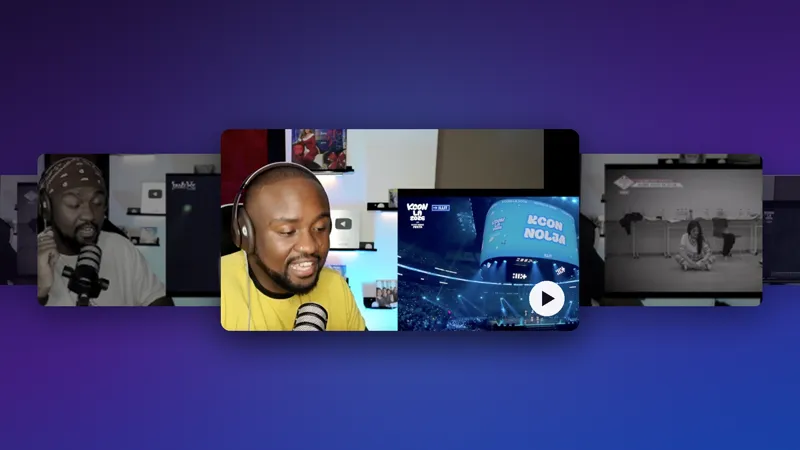
80 members joined from his single strongest clip alone, a KCON LA 2026 reaction.
For a lot of creators, free clips grow the free audience. For Micah's K-Spot they convert to paid, and the reason is built into what he makes. When the membership is a three-hour recording, a short clip can't stand in for it. It works as a trailer.
"If it offers a comprehensive insight into the creator's personality within a short time, it can convince them that the full recording is worth it. If the clip showcases that the full version is bringing some new insight into their life, then it will have done its job." - Micah's K-Spot
What changed in his routine
Quipping used to feel "more like work," so he did less of it. Now that the editing is handled, he posts free previews far more often, which gives more people a chance to find him.
He watches for one signal in particular. When a Quip picks up likes from names he doesn't recognize, he knows he's reaching members who weren't already his.
"There's no harm in spending an extra 5 or 10 minutes to share your work and possibly reach a new audience, especially with how easy Clips makes the experience. It's also smarter to try and convert users that are already on the platform rather than converting them from another platform. It's of course doable, but if you're advertising elsewhere, why not advertise within the platform you're on?" - Micah's K-Spot
Try it on your own page
You don't need 101,000 subscribers to test this. Pull one short, free preview from your next paid recording, and Quip it to your page. See if it gives new members a reason to join. Our guide on getting started with Clips walks through the setup.
📝 Reminder: The Clips feature is currently available to creators who meet the following criteria:
You must access on an iOS device (mobile web and Android aren’t yet available)
Within the Quip composer, Clips are found in the scissors icon in the bottom right corner.
Your original video must be at least 8 minutes long with English-only audio.
Clips are not yet available for 18+ creators.
📌 How helpful was this material? Click to let us know: 👍 | 👎
Comments (7)
What an amazing feature. I used it for my latest post. Does it also work for past posts?
Does it also work for past posts?
awesome
incredible!!!
Awesome 😎 even better when 18+ Creator ls get access
Thanks for another innovative tool, so might have to look at using this too!
Sometimes I honestly wonder how to do it all - create art, make content, learn how to promote it, keep up with everything… and still have enough time and energy for my family. It can feel overwhelming. But posts like this remind me that maybe it’s not about doing more, but about finding smarter ways to share what we already create. Now I have a lot to think about 😊 And then - keep creating, keep experimenting, and keep believing that all this work will lead somewhere good. ❤️