


Get the most out of your posting strategy
You’ve taken a look at your conversion funnel and found a question you want to work on. Now let’s talk about one of the biggest tools you have for shaping that funnel: what you post.
Should you share a Quip or a full post? How long should it be? Would the idea work better as a video, image, audio, or text? What do you want someone to do after they see it?
There are a lot of decisions packed into that little Create button. Fortunately, knowing your options can make those decisions a whole lot easier.
Get to know your posting options
Whatever you create, you probably have tools you reach for all the time. A favorite brush. A camera lens. A microphone. A certain pan that somehow makes everything taste better. You know what each one is good at, so you reach for the one that fits what you're trying to make.
Your posting options on Patreon work the same way. Knowing what each one can do makes it easier to choose what fits the idea you want to share.
So let’s take a look at three of your options: Quips, public posts, and paid posts.
Quips are short, lightweight public posts that show up in the Patreon Home feed for anyone to see. Reach for a Quip when you have something that can land quickly: a short clip, an image, a quick thought, or a question people can jump into.
Public posts can also be seen by anyone, whether they’re a member or not, but they give you more room to work with. They can be a good fit when you have a longer story to tell, something useful to share, or an idea that needs a little more context.
Paid posts are shared specifically with your paid members. This is where you deliver the deeper experience people joined for: the full episode, detailed tutorial, early release, extended version, or whatever makes sense for your membership.
Picking the posting option is just one choice. You also get to craft how the idea comes to life within it.
Four ways to shape a post
What you post is one of the ways you can help guide fans through your funnel. A post could catch someone’s attention, give them a reason to spend more time with your work, or encourage them to take the next step and join your Patreon.
So when it comes to crafting the post itself, start with what you want it to accomplish. Because this is all about your conversion strategy, right?
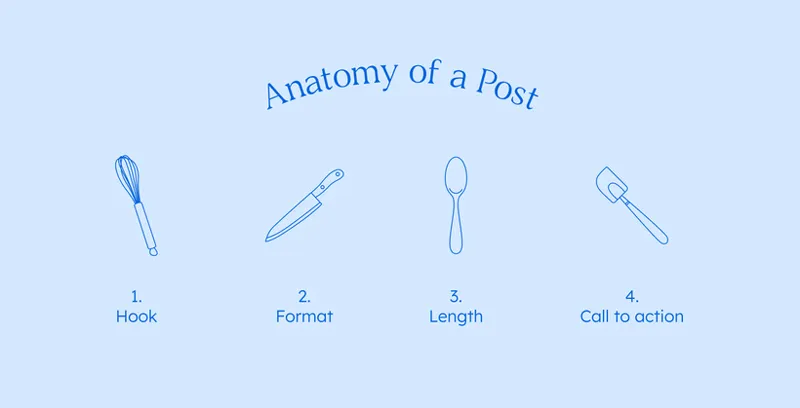
These four elements can help you shape your post based on your goal:
Hook: What’s going to catch someone’s interest?
Format: What’s the best format for the idea: text, image, audio, video, or something else?
Length: How long does it need to be to get your message across?
Call to action: Is there an action you want fans to take after seeing it?
Honestly, you probably already think about these things each time you post, even if you don't use these exact terms. Now you can put a little more intention behind those choices by connecting them back to what you want the post to accomplish within your strategy.
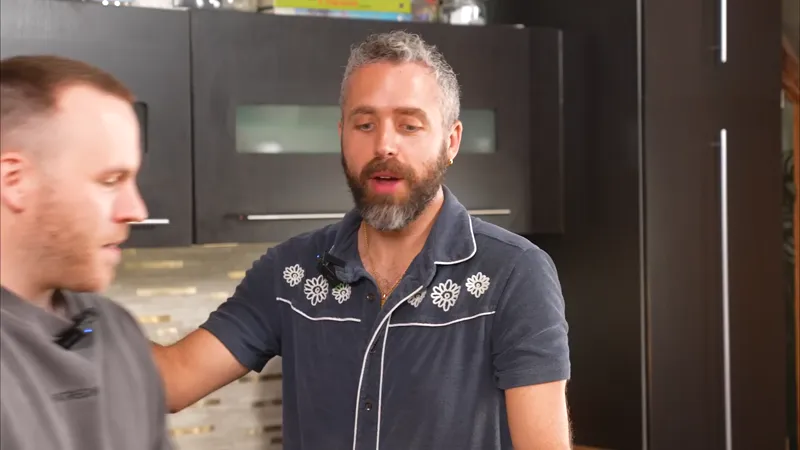
That’s exactly what history and cooking creator Bennett Rea of Cookin’ with Congress did with a Quip.
Bennett was running a poll where his paid members could vote on which president he should eat like next. James Buchanan was winning, which Bennett thought was pretty funny (since he’s one of the least known presidents out there) and figured other history or cooking fans might too.
There’s his hook.
He shared an image of the poll so anyone seeing the Quip could understand what was happening. That gave him his format.
He kept the explanation short enough to work as a Quip. That helped determine the length.
His call to action was to go vote, with a mention of which paid tiers could participate so interested fans knew how they could get in on it too.
Each choice helped Bennett turn something already happening in his community into a post that could reach new fans and give them a reason to check out his Patreon.
Your usual format doesn’t have to be your only option, either. Language-learning creator Billy Go typically creates video-style work, but one of his most successful posts took a much simpler form: a downloadable language cheat sheet.
Sometimes the idea can help you choose the format, even when that means trying something different from what you usually make.
Get more posts from one idea
It’s easy to think of an idea as something you use once. You have the idea, you make the post, you share it. Done!
But what if that one idea could give you ten posts? Twenty? Maybe even 100?
That’s the idea behind the 1-to-100 mindset. Start with one idea, then see how many different ways you can slice and dice it. (And no, you don't actually have to come up with 100 ideas. But if you do, please let us know!)
Let’s say you’re a musician writing a new song. Based on that one idea, you can:
🎵 Share a clip of the chorus.
🗳️ Ask fans which lyric they like best.
✍️ Tell the story that inspired the song.
🎥 Share a video from the recording process.
🎧 Post an early version and talk about what changed.
💬 Ask fans a question about the theme of the song.
Every one of those posts is rooted in the same idea: your new song. Instead of coming up with six completely different things to post about, you found six ways to use something you were already creating.
3D artist mz4250 takes this approach with his community, too. He asked fans to vote on which “silly model” he should create during an upcoming livestream. The winning idea, a rubber duck surrounded by kraken tentacles called The Quacken, gave him plenty more to share: the poll itself, the finished model, Quips as the project came together.
It all started with one idea. Each new part of the project gave him another angle to share with his community.
Want to give it a try? Start with one idea, project, or topic you already have in mind and see how many directions you can take it. What could become a story, question, quick moment, preview, or something your fans could weigh in on?
Then choose a few ideas you want to run with and shape them around what you want each post to accomplish.
Put your posts to work
You know your posting options. You know how to shape a post around what you want it to accomplish. And you know how to get more mileage out of one good idea. Now let’s put all of that to work in your conversion funnel.
🧭 Your next steps
In the Patreon Conversion Strategy Workbook, check out One idea, many posts to put the 1-to-100 mindset into practice
Start with one idea, project, or topic and see how many different posts you can find inside it.
Circle or mark a few ideas you'd like to try, then choose one to create first.
Decide on the post type, then shape its hook, format, length, and call to action.
Now, dig into discovery.
📌 How helpful was this material? Click to let us know: 👍 | 👎
Comments (1)
Whoop whoop