
Make your Patreon easier for fans to explore (and easier to stick with)
Growing your Patreon is exciting. That said, as the number of posts you publish grows, it can be harder to navigate your body of work. Your Patreon can become cluttered, making it harder for members to find what matters (and for you to highlight your best work).
One way to fix this is to start thinking about your Patreon like a designed experience, not just a feed of posts.
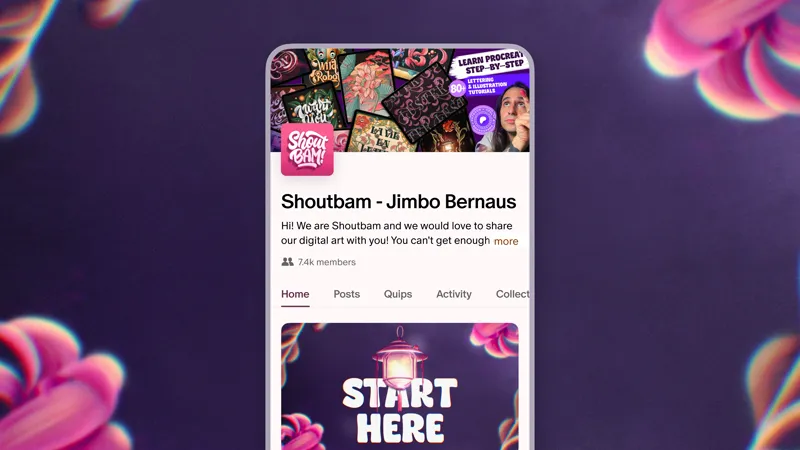
That’s what designer, illustrator, and educator Jimbo of Shoutbam did. Using a design thinking mindset (focusing on how people actually experience and move through his page), Jimbo made a series of small, intentional changes that made his Patreon feel clearer, more engaging, and easier to explore.
Jimbo also used Patreon’s updated creator page* to make his design ideas possible. If you’re interested in learning more, check out our help center article about the updated creator page or explore your own editor at patreon.com/customize.
*Some features mentioned are available on Patreon’s updated creator page. Learn more about it in Patreon’s help center article.
The challenge: growth can create complexity
As your Patreon grows, it’s easy for things to get a bit crowded, harder to find what you’re looking for, or even to know where to start!
New members might be unsure where to begin.
Great work gets buried under newer posts.
Everything feels important, which makes it harder to choose what to engage with.
Jimbo calls this “the Netflix problem”: lots of good options, but somehow harder to press play.
When members aren’t sure how to engage, they’re more likely to quietly step away. For creators, that can feel tough, especially when you don’t know why someone stopped engaging with your work or what could have made their experience better.
Lessons from Jimbo: design the experience intentionally
Jimbo started looking at his Patreon from a member’s point of view.
If someone lands here for the first time, what do they see? And what do they do next?
From there, he made a few focused changes.
1. Prioritize clarity over volume
It’s easy to think, “If I give my members more, they’ll get more value.”
But from members’ perspectives, more can sometimes feel overwhelming.
Instead of creating more, Jimbo focused on making his existing catalog of work easier to navigate.
What this looked like:
Organizing posts into clear sections, more like a library and less like a storage unit.
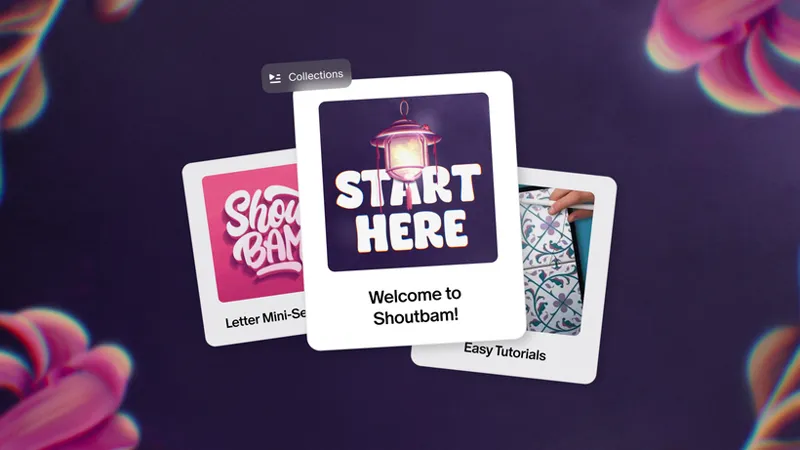
On Patreon, this can look like using Collections to group related posts or series.
Highlighting where to start so new members don’t have to guess.
For example, using a pinned or featured post to guide first-time visitors.
Using layout and visuals to guide what people notice first.
Like featuring key posts or Collections so your most important work is front and center.
⚡Try this:
Create a pinned or featured “Start here” collection or a post that includes:
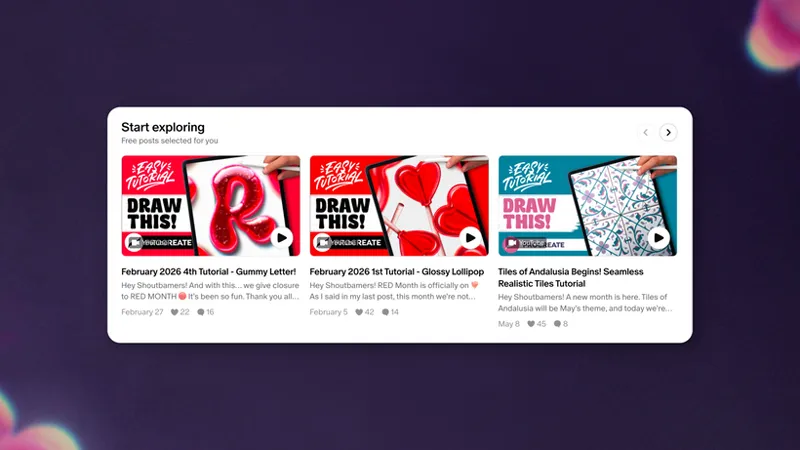
A few of your best or most representative posts, unlocked so free and non-members can get a taste of your work
Something recent, so members see what’s active now
A simple explanation of what they’ll get as a member
If someone new lands on your page, this should answer “What do I do next?” in about five seconds. Check out this example of Shoutbam’s “Start Here” post.
2. Design for your members, not just your work
A small mindset shift makes a big difference, from “what do I want to share?” to “how can I bring my members into this?”
Jimbo looked for simple ways to make his process more participatory, not just something to watch, but something to be part of.
What this looked like:
Asking members for input on ideas or decisions (like voting in a poll or commenting on a post on which direction to take a piece).
Creating easy, low-effort ways for members to respond or engage.
Finding ways to include members in the creation process.
For example, Jimbo started one lettering series by sharing early ideas and asking members to vote on which direction he should take. He then built those choices into the tutorials and posts that followed, so members could see their input reflected in the final work.
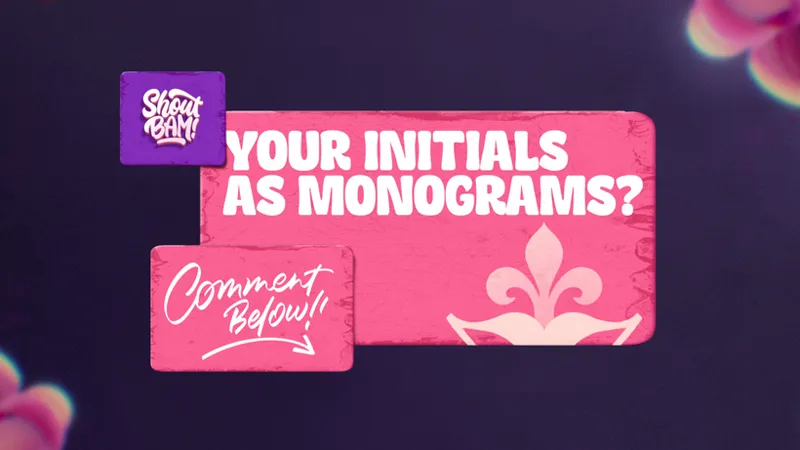
He expanded the idea further by inviting members to submit their initials, which he incorporated into lettering pieces, tutorials, videos, and eventually a full class on monograms.
Instead of a one-time interaction, the series became an ongoing collaboration. Members didn’t just see the finished work, they helped shape it along the way.
Read the story from Jimbo himself in this Shoutbam post.
⚡Try this:
Turn one idea into a short, connected series:
Start by asking your members a simple question (e.g. “Which version should I develop next?”).
Use those responses to shape your next post.
Then call it out so members can see how they influenced what you made.
3. Guide members through the space
Jimbo uses a simple way to think about this: Your Patreon is like a home.
If someone walked in, how would they move through it?
The porch → First impression
Your banner, visuals, and a welcome video can set the tone. Think: “Do I feel invited in?”
The front door → Where to begin
A clear “Start here” helps members feel oriented right away.
The hallway → A quick look around
Think: “Can I see what’s available without digging?”
The living room → Where people stay
Your core, ongoing work. The reason members keep coming back.
The deeper rooms → Optional exploration
More in-depth or niche material for members who want to go further.
When this flow is clear, members don’t have to think too hard. They can just follow the path you’ve created.
⚡Try this:
Ask a friend, collaborator, or member to open your Patreon and talk through what they would click.
If they pause or say “I am not sure where to start,” you’ve found your first opportunity to improve.
The result: a more intuitive and engaging experience means stronger retention
After making these changes, Jimbo’s Patreon became:
Easier to navigate from the start
More likely to lead members to explore multiple posts
More engaging, with members participating more often
When people can quickly find what they are looking for and discover more along the way, they are more likely to stick around.
And over time, that is what builds a more sustainable membership.
3 takeaways to remember
You don’t need to redesign everything at once. Start with a few small shifts:
Make it easy for fans to know where to go within seconds of landing on your page.
Have a host mindset: guide your fans through your page using tools like custom tabs, pinned posts, and featured collections.
Consider what you can redesign or recreate rather than adding more. Clarity can often be more important to retention than volume.
As you’re making these changes, Patreon’s updated creator page can help bring them to life. It gives you more ways to organize your work, highlight what matters most, and shape how your page feels for your members.
When you design your Patreon with your members’ experience in mind, it becomes easier for people to explore, connect, and come back again and again.
📌 How helpful was this material? Click to let us know: 👍 | 👎
Comments (38)
Below are my concerns and questions regarding Patreon's current email notification settings, which was previously provided to me as bullet points: * Using public posts for updates intended for all followers. - I agree with this usage of public posts * Leveraging tier-specific posts to tailor content directly to paying members. - How can I leverage tier-specific posts to tailor content directly to paying members if I do not have the control to single them out? * Encouraging members to check their individual notification settings to ensure they are subscribed to the specific updates they want to receive. - Why isn't the default for free members to only receive relevant email notifications for the Free tier? This is the only option that makes sense. Any other notifications would be spam. * When you publish a post, Patreon systems verify the member's access level and their personal notification preferences before triggering an email. This is designed to ensure members only receive updates they have opted into. - If Patreon verifies their member access level, why are paid tier posts sent to free members? Free members never "opted" to only receive updates relevant to the content they can actually view. It seems "all content" is the default. I really hope that Patreon understands the need for individual email lists that include: 1) Everyone (free, paid, public) 2) Free members only (do not send to paid members) 3) Paid tiers only (do not send to free members) Patreon already has options 1 and 2. However, not allowing creators to single out paid members without hassling free members creates a large gap in creative freedom. That will lead to people unfollowing, not upgrading. This seems like it would be an easy toggle option when choosing which members to send email notifications to. Can you pass this request to a creator suggestion department at Patreon? I think that if enough people saw this, they would recognize the benefits for Patreon, creators, and members.
Thanks for this detailed feedback. We'd love for you to share this suggestion directly with the team here: https://support.patreon.com/hc/en-us/requests/new?ticket_form_id=28810449009677
I did this and launched it at the end of last week. Lots of positive reviews AND on Tuesday, my paid membership is at an historic high. My vision for my Patreon space is a library. I have lots of Evergreen content, and so I structured this as a library directory, and made the opening images fit that library space. I also redesigned my membership names and images, and refreshed my email funnel for new members/free trial and my free members funnel as well. Wish me luck as I reprice one tier to eliminate customer confusion with 2 identically priced memberships. That will happen in August.
Hey Lisa, this is so exciting. Congrats on reaching a historic milestone with your paid memberships! 🎉 Since you're planning a tier repricing in August, this post might be worth a look: https://www.patreon.com/PatreonforCreators/posts/thinking-about-160037150 It includes tips on communicating pricing changes and helping reduce member confusion, which sounds relevant to the changes you're planning. We can't wait to hear how it goes!
This was so well put how you said that! 🔥❤️🔥🔥
Great information. I have my comic strip archive front and center, but love the idea of pinning with "Start Here" even better!
Cannot wait for using quip. I have lots to tell.
あと日本語の投稿もちゃんと対応して欲しいです。
The Patreon search is very poor which sometimes makes it impossible to find a post. This frustrates patrons and can cause them to leave. When someone puts a search string in the search the search should return only those posts with those exact characters not seemingly random content. Very frustrating and perplexing
I'm starting to wonder if Patreon is flooding the platform with bots to follow creators at the "free" level. Since the launch of Quips, I am getting a significant number of new "free" members, and when I click their profile they are all new to Patreon in the last two months AND 99% of them are labeled as "not supporting any other creators". I am starting to feel like the company is trying to make us think there is new interest in our content so we use the platform more. Something smells fishy to me.
Thank you. Genuinely useful.
XOXO
I need to do more with collections, but I've had a pinned "table of contents' post for ages for easier navigation of everything. Especially as a multi-creative trying to organize tags across very different mediums.
Cool
Yes I will.
That’s a useful post. Well the hardest part is to design 😔
Great update 👍🏻 Open for the collaboration and grow together 🤗
What did you say in the creator?
I think we need to create thematic or serial collections to make it easier for users to search. Good luck to everyone! ✌🏻
Before I even finished reading the article, I realized what I needed to do to make it easier for my users to find what they were looking for. Thank you 🙏
Awesome tips! 😃 I saved this post for future reference. 😊👍 /DARK FANTASY Author Birger 💙📚
I'm so happy we got to collaborate on this!!!!!
We are too! Thank you for all the tips and encouragement you so generously offer to creators!
This was so helpful!
This was helpful, thanks for sharing. I've been restructuring some parts of my Patreon and was considering doing a START HERE page so I'm glad to see an example and some ideas!
I’ve been making good use of collections, and this is a great idea about a start here post. I really like the new homepage layout, but it sort of hides the intro video – I feel like it’s not super obvious to a new user.
I liked the analogy of visiting a home. I've just started my Patreon Page, and have a pinned post for first visitors, and have plans for using the Collections feature to gather the different series of creative pages as I create them. I'm going to add a clearer 'Start Here' graphic for the top of that post next, beyond just using it in the title. Thanks.
Nice start here post, I like it.
yes absolutely this was a great help
This seems difficult to understand and especially to apply, a 10-minute YouTube tutorial would probably help 🥰 That said, good job with the post
Awesome! Will it be possible to have nested collections? For example, maybe I have two collections, Music, and Fermentation. Inside music, I could have Originals, Works in Progress, Albums, Song Titles, Genres.... Inside song titles I could have 'All versions of At Last over the years', 'Versions of My Baby Just Cares For Me', etc Inside Genres, I'd have, 'Spooky Covers' and 'Originals', etc Inside Fermentation I'd have 'Recipe Walkthroughs', 'Flavor Profiles', 'Shopping Sprees', 'Something Went Terribly Terribly Wrong', etc.... Can we do this?
I would love a feature like that
Thanks for sharing this! 🙌✨ There are some really helpful ideas here for making a Patreon page feel more welcoming and easier to explore 😁
awesome!
I totally agree with this post! Is there going to be any update where you can exchange pictures through DM? Sometimes it’s useful! For example! When a patron receives a gift and wants to share it! Or when you want to share something visual specifically with a patron! 🙏🏻❤️
Hey there! You can use the Chats feature to communicate directly with your fans and share photos there as well. Here’s more info on how to get started with Chats: https://support.patreon.com/hc/en-us/articles/18855652505357-Building-Community-with-Chats
Good stuff!
Pretty valuable