
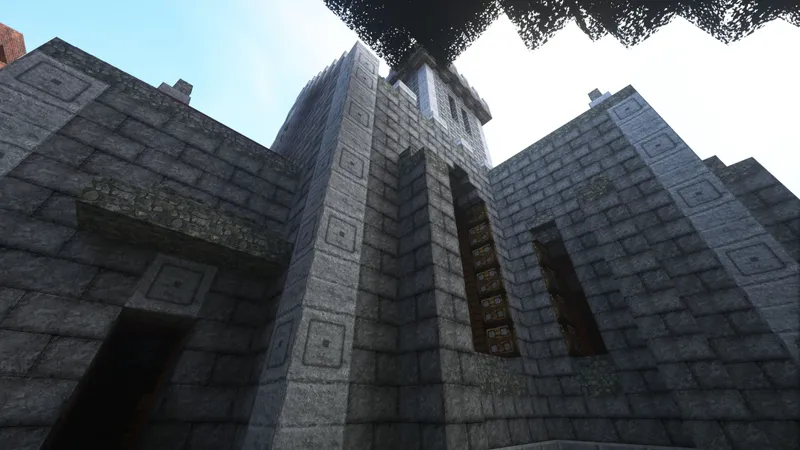
SEUS PTGI E1 is here!
Hey, everyone!
So, here comes the first experimental version of SEUS with path-traced global illumination!
PLEASE, READ THIS POST!
This is an extremely early development version with many known issues and isn't suitable for standard gameplay.
Here are the requirements for running this shaderpack:
OptiFine 1.12.2 HD U D1 or newer
Options > Video Settings > Details > Alternate Blocks: OFF
Options > Video Settings > Natural Textures: OFF
Options > Video Settings > Shaders > Shadow Quality: 1x
Options > Video Settings > Shaders > Old Lighting: DEFAULT
Options > Video Settings > Shaders > Normal Map: OFF
A resource pack with NO CUSTOM BLOCK MODELS
Most significant known issues:
Only soft lighting from sky (no typical sunlight shadows)
Only glowstone, lapis lazuli, and redstone cast light into the scene (the latter two to demonstrate colored lighting)
Unloaded chunks don't contribute to lighting
Many block types are not stored in voxel volume (torches, grass, etc.)
Lighting assumes every block is a perfect cube, which causes lighting issues with slabs, doors, stairs, etc.
Transparent blocks are not rendered currently (water, stained glass, etc.)
No exposure compensation
Lighting on hand is strange while moving
Lighting on mobs is strange when they move
This is based on a much older branch of SEUS, so many configurable options are missing
Light leaking in larged closed-spaces
A high resolution detailed resource pack is recommended to hide some of the lighting artifacts (I recommend the old version of LB Photo Realism, as seen above).
There's still a lot of work to do, and I've got plans for optimization which should bring a significant performance improvement.
Let me know what you think!
Comments (4)
I am Speechless!
mmmh, 2 bugs that you may not be acquainted - if you are outside a structure with glowstone inside in certain case at night the light going crazy disco mode ^^ - glowstone light are dark when you are away, turn gradually On at 3/4 blocs range and sudently turn Off when you are close.
I dunno if an update broke this or what, but it doesn't appear to work properly for me
"Options > Video Settings > Natural Textures: OFF" should be "Options > Video Settings > Quality > Natural Textures: OFF" :D