


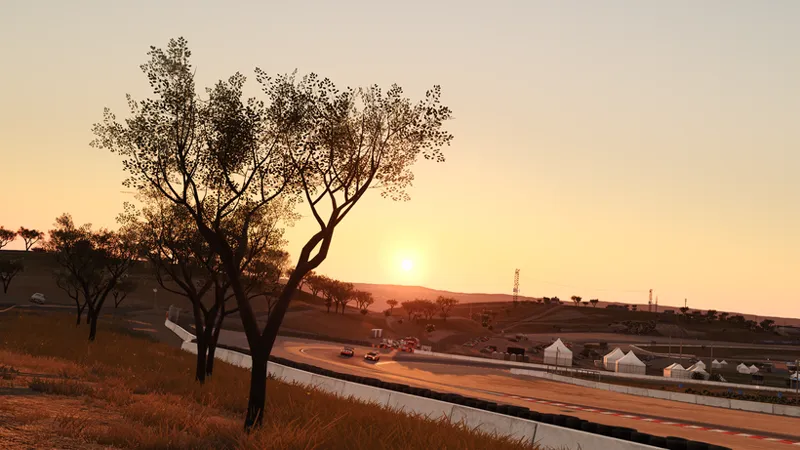
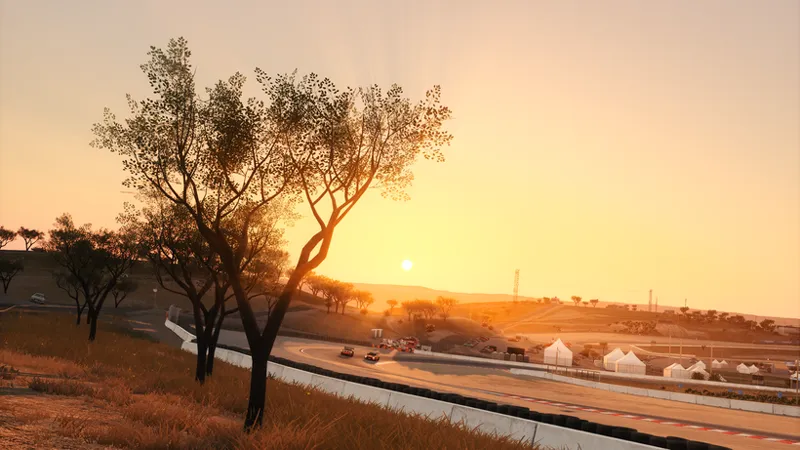
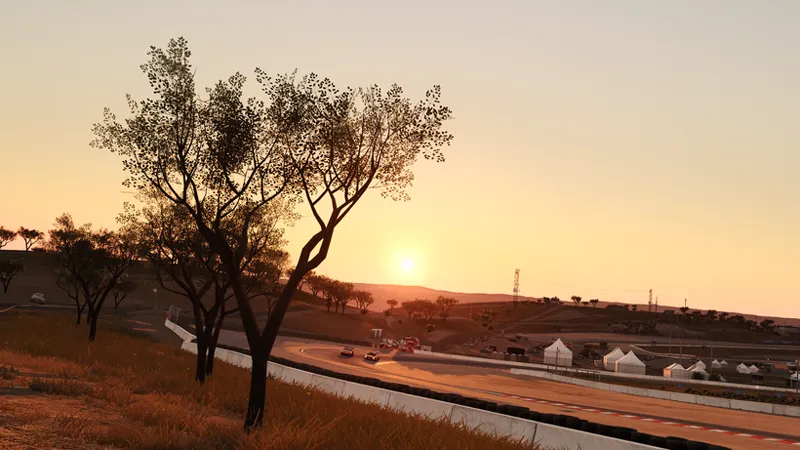
GarryReal V2.01 | More than just a PP-Filter.
V2.01 Update
I've updated this post with the new version instead of making a new one, so the link in the App Hub's marketplace stays the same. The download at the bottom of this post is now V2.01.
V2.01 is mostly a quality of life update. The volumetric godrays now stay when the sun is behind you or off screen and no longer disappear in car parks and tunnels, there's a new Film Print section in Tonemapping which gives you a film print style without needing a LUT, and custom profiles no longer duplicate or lose their names after a restart. Along with some smaller fixes and the weather side running lighter.
V2.0 Release Post
It's been 10 months since the last GarryReal release, and in that time I've made GarryReal into something truly different from any other PP-Filter. I won't take this long to publish any more mods in the future as I've finally built the foundations for my ecosystem so from here on you can expect multiple releases across different mods every month.
GarryReal V2.0 is an advanced Pure PP-Filter with a focus on realism, ease of use and customisation. I wanted a filter anyone can use to whatever extent they want. That means you don't have to spend hours dialing it in if you don't want to as there are built in presets and you can download other people's presets directly in the app. Or at the other extreme, you can turn GarryReal into whatever filter you want. I give you advanced tools and access to things like every internal value the filter sets, which you can modify with logic you create using graphs, and even the ability to build your own Pure PP-Filter with no code at all, a level of control no filter has ever given you before.
It's also the flagship filter for Garry's PPFilter App, so everything you're about to read is a showcase of what is possible because of my app. The app itself has its own post detailing what it does, this one is just for the filter.
GarryReal comes in two versions, one for Pure LCS and one for Pure Gamma. Personally I think the Gamma version looks the best of the two, but most of the filter is identical in both, and section 10 covers what differs.
The filter is laid out over 9 tabs and I go through them in order in this post.
1. Info Tab
The Info tab is your starting point and holds the built in looks: GR Spec (the default), Kinema (a cinematic look with soft film emulation), Dreamy (soft and hazy with lifted shadows) and Balanced (LCS only, made for gameplay with weaker sunlight and shadows and brighter nights).
Each look has a showcase image, and the time of day buttons flick it between midday, sunset and night so you see what the preset looks like in each condition. Hold the Preview button and the whole filter actually switches to that look in-game for as long as you hold it, let go and your own settings come straight back. The Compare button splits the showcase into two looks side by side so you can pick between them, and Apply loads the look. Kinema and Dreamy use the Garryfx spice effect which is included in the download.
There's also a Prioritise Performance toggle switch that turns off cockpit ambient and keeps the godrays screen space if you need the frames, plus my Patreon, Discord and YouTube links and a link to the video guide once it's out.
The tab also holds the filter tutorial, which walks through every tab of the filter step by step, highlighting each card as it explains it, with chapter buttons so you can jump straight to the part you care about. The Builder has its own separate walkthrough on top of it.
2. Tonemapping Tab
Tonemapping compresses the wide range of colour the game renders down into the range your monitor can actually display which means it's the base of the whole look.
The curve card lets you pick between 4 built in curves: GarryLume, GarrySpectra, GT Sport and GT7. Below that you get a bunch of cards: Quantization adds a colour banding effect, Exposure handles the curve's brightness calibration, and Blacks & Linearisation sets how dark the blacks sit, with linearise controls that straighten the bottom of the curve so blacks run flat instead of rolling off. Inside it sits Garry's Cockpit Adjustment, a separate black lift for the cockpit and the outside views, so the interior can stay readable without lifting the scene when you aren't in the cockpit.
The Colour Effects card hold the controls for the colour work layered on top of the tonemapping. The controls you get include sliders for colour realism, blue shift, vibrance and the taillight grading. Highlight warmth is a new addition which swings hot red highlights towards orange.
Day & Night Adjustments
Normally a control uses one value around the clock. The Day & Night Adjustments panel on this tab lets the tonemapping controls hold two values instead, one for day and one for night, and the filter blends between them at dawn and dusk.
Developer Profiles
Turn Developer Profiles on and the curve picker grows a + New Custom Curve entry. A custom curve opens the curve editor, which exposes the raw shader parameters my own curves are built from. Custom curves can be renamed, duplicated and deleted, and they sit in the picker alongside the built in ones. Developer profiles (here and on the other tabs) are saved outside presets, so the ones you author are a library every preset can point at.
3. Colour Tab
The Colour tab is where you can do any additional colour grading, with separate profiles for day and night. There are 10 built in profiles: Neutral, GR Colour, Kinema, Filmic +, Warm, Warm Lite, Kodak 2383, Muted, Velora and NFS.
The LUT Picker
The LUT picker is its own side window. It lists every LUT in your color grading folder (.cube and .png both work) and bakes a live preview of each one onto reference shots you can flick between, so you see what a LUT actually does to the game before you apply it. GarryKodak2383 comes with the filter as the default colour grading LUT.
The Colour Picker
Every colour swatch in the editor opens the colour picker window. You can drag the values to scrub them (hold shift for fine control) or click and type them in, and the last 8 colours you've set are kept as swatches to switch back to colours you have set before easily.
4. Fog Tab
GarryFog is mostly the same as the previous version, just with fixes and improvements to the rain fog and the LCS fog.
5. Lighting Tab
The Lighting tab is now split into Light, Reflections and World subtabs along the top.
Light
The old daylighting presets have been removed and have been replaced with new ones. GR Spec Lighting gives you a brighter sun with a bigger gap between what's lit and what's in shade while Balanced sits the two closer together. The balanced preset is only available in the LCS version.
The Tunnels card holds the control for the Tunnel Blowout strength.
The Advanced Ambient System swaps Pure's flat ambient for one I build from several bounces (the sky, the underside of cloud, city glow at night), and you can control how strong the bounces are, how deep the occlusion sits in corners and how dark nights can get.
Cockpit Ambient
Cockpit Ambient lifts the dark interior surfaces to keep your dash and wheel visible without touching the scene outside. On LCS you can pick between two systems: Buffer-based which detects mirrors, screens and bright highlights so the fill isn't applied to them, with quality presets and an optional second detection pass for small or distant mirrors. Shadow-based (the Gamma system, also selectable on LCS) shapes the fill with an edge softness control and a directional lift for surfaces that face up like the dash top and seats. Both also have a glass pass, which adds a subtle realistic green tint to the windscreen and side glass.
Reflections
Reflections now are their own tab and you now have access to the CPL controls, which set how glass and paint reflect. It also has the same two cards as Tonemapping: Day & Night Adjustments lets the preset and the CPL controls hold separate day and night values, and Developer Profiles lets you make your own reflection presets that sit alongside the built in ones.
World
The World sub-tab holds the sky overrides (LCS only, one toggle blends Pure Gamma's sky colours into the LCS sky, the other takes over the sun disk's size, brightness and colour), the stars (how many, whether they show in daylight, and a colour override), rainbows (realistic, constant or off), and the godrays.
Godrays
The Godrays card switches between screen space godrays and my custom volumetric ones. Screen space godrays are the old ones every filter has, and they vanish as soon as the sun is off screen. Volumetric godrays dont do this, and they look much better then their screen space counterparts.
Volumetric Godrays
Screen Space Godrays
The card also has a Sun Colour button with a gradient strip next to it. That opens a colour curve where you set the ray colour across the sun's height in the sky, so the rays can change colour on their own as the sun rises and sets. It tints both godray modes.
6. Exposure Tab
The Exposure tab gives you the three exposure modes as cards: Auto-Exposure, Fixed Exposure, and Night-Only Fixed, auto by day and a fixed value after dark. A live status panel shows the exact value exposure has at any moment.
Auto exposure comes in two styles. Garry's Auto-Exposure which keeps the brightness steady and smooth so it doesn't jump about as you drive, and Camera-like acts more like a real camera, it reacts quicker and shifts further as the light changes.
The Virtual Mirror card holds a brightness multiplier for the virtual mirror so you can match it to the scene if it is ever wrong (needs Pure 3.22 or newer, the slider tells you if it can't find the shader).
7. Glare Tab
Glare has been reworked to look better in LCS and Gamma and it has separate Day and Night cards permanently.
Each card lets you pick from 8 built in profiles: GT7, Anamorphic, Lens Flare, Isotoxal, Garry Spec, Eyelike, Dashcam Bloomy and Dashcam Streaky (NEW), then three multipliers per side for the glare threshold, its overall strength and the bloom around it.
Developer Profiles here lets you build your own glare profiles from scratch in a full editor, and the ones you make show up in both the day and night pickers.
8. Internal Tab
Everything GarryReal sets internally is laid out here in one place, grouped into Light, Sky, Fog, Clouds, Colour Management and Glare. The built in logic is code so you can't edit it, but you can stack your own logic on top of any value, and anything you add can be bypassed, turned off or removed again.
The switch up top picks what you're editing. Engine Logic is the filter's internal engine settings, the deep values the rest of the app drives for you. UI swaps the list to the filter's own visible controls, the sliders and toggles on the other tabs, and you can modify those the exact same way, so a user facing control can react to the scene too.
Every setting can take modifiers which are pieces of logic stacked on the value, applied top to bottom, and you can drag them into order. The types you get are:
Multiply & Offset, where Multiply scales the setting and Offset shifts it, with an editor that sets the bounds.
LUT Multiplier and LUT Offset which reshape the value over a live condition with a curve you draw, drag points and the value follows the curve as the condition moves.
Colour modifiers do the same for colour settings, you set a gradient across the condition so a tint can shift from day to night on its own.
Condition Switch flips a value when a condition crosses a threshold, and Condition Select picks a value per state for stepped conditions like the weather type.
Any modifier can also have a gate, which fades it in and out with a condition, so a modifier can exist only at night, only in fog, only above a certain speed.
The conditions list is what makes this unique, there are over 20 live values like sun elevation, cloud coverage, rain, camera speed, RPM and G-force. This means you can turn GarryReal into whatever filter you want.
Once the Internal tab is driving a control, the control says so on its own tab, sliders move on their own and toggles get a Controlled by Internal Tab pill, so you can always see when the Internal tab is controlling something.
There's also a Import Pure Config button, which pulls your saved Pure config or PP settings in as modifiers, so a look you've already dialled in over in Pure doesn't have to be rebuilt here by hand.
9. The Builder
The Builder is its own PP-Filter that you author from scratch using a node graph. It doesn't inherit anything from GarryReal's other tabs as it's a completely separate filter you build yourself, and while it's enabled it owns the whole engine which means GarryReal's tabs stop applying until you turn it back off.
Each Builder filter is a project with its own name, author, version, description and accent colour.
You connect nodes left to right. Input nodes produce a value, from a fixed number, one of your own UI controls, a live condition, or an engine parameter's own base value. Modifier nodes reshape it. Output nodes write the result into an engine parameter every frame, and any parameter you don't wire just keeps its engine default. Every node shows its live value at its port, so you can watch what's flowing through the graph in real time.
The node palette is a searchable side window with a live preview of every node type, plus ready made logic presets like Sun Fade and Speed Ramp, and the saved groups you've built yourself. The main nodes you'll use:
Condition Curve lets you pick any condition and draw a curve over its range, with a live scrubber showing where the condition currently sits.
Function is the all-purpose maths node, a base input plus a chain of operations you extend with whichever operators you want, each with its own input port.
LUT is a lookup table you fill in by hand, with interpolation between rows.
Curve reshapes whatever you wire into it, and the axis shows the input's real range so you place points in real units.
Logic Groups are containers that gate the Outputs inside them, they nest, they collapse down to a single card when you're not editing them, and when two Groups write the same parameter the higher priority one wins.
Profile nodes let you bind a glare, colour, tonemap or exposure preset to a graph signal, with parameter logic that exposes single fields of the preset as their own input ports.
The Tonemapping panel lets you pick the tonemap method (AGX, Uchimura, Reinhard and so on) and edit its parameters. The Exposure panel does the same for exposure, with modes mirroring the real Pure paths. Both save presets to the project and apply through Profile nodes.
The UI Elements window is where you make the user facing side of your filter, your own tabs, cards, sliders, toggles, radios and colour pickers, laid out in a structure tree with live miniatures of every control, and you can drag to reorder or nest them. Bind any of them into the graph through an Input node and that's your filter's interface, whoever uses your filter only sees the controls you made, not the graph.
On top of that there's Find, which dims every node that doesn't match your search (it searches labels, conditions and bound UI elements), Isolate, which shows only the selected node and what's wired to it, multi-select, duplicate, and a group library that lets you save any Group and drop it into other projects. The Builder also has its own step by step walkthrough, separate from the main tutorial.
10. What Differs Between the LCS and Gamma Versions
The two versions are the same for almost everything above, the Tonemapping, Colour, Glare, Internal and Builder tabs are the same in both, with the values tuned per version because the two Pures handle lighting differently. Your presets and developer profiles are kept separately per version too. The actual differences:
Built-In Looks (Presets): LCS has 4 (GR Spec, Kinema, Dreamy, Balanced), Gamma has 3, no Balanced, and no Balanced day lighting preset either.
Cockpit Ambient: LCS picks between the Buffer-based and Shadow-based systems, Gamma runs Shadow-based.
Sky Overrides (the Gamma sky blend and the sun disk override) are LCS only, Gamma doesn't need them.
Exposure: LCS has separate day and night targets, sensitivities and limits plus the advanced CBE section. Gamma keeps it to one target.
This 11 Year Old Game Looks Real | Assetto Corsa Graphics Mod 2026 | GarryReal V2.0 (YouTube)
Comments (18)
Truly a magnificent piece of work; congratulations👏👏
is NoHesi supported
yes
I installed everything correctly, but I have an error where the arms have disappeared; only the gloves are visible.
In CSP in the small tweaks tab switch the Hide driver and leave gloves from always to disabled.
is there a pure config?
No there isnt
I installed it manually but when i use your chaser camera it doesnt move and my car just drives away from the camera and also the neckfx isnt working for me
In my discord show me the contents of assettocorsa\apps\lua\Garrys NeckFx App\GarryNeckFxApp_scripts and assettocorsa\apps\lua\Garrys and Maivens Chaser Cam App\GarryChaserApp_scripts
I followed the download instructions and in CM GarryReal 2.0 doesn’t show in video settings
does the ppfilter app show up?
This is amazing work!! I can't believe how well it all performs. Barely any performance hit and makes everything look sick!
this is amazing i love people who think
amazing work bro keep it up
for some reason the neckfx app comes up blank my end... should i reinstall?
Yes reinstall it manually and if you are still having issues show me the error in the lua debug ingame app in my discord
Is HDR supported?
Yes