

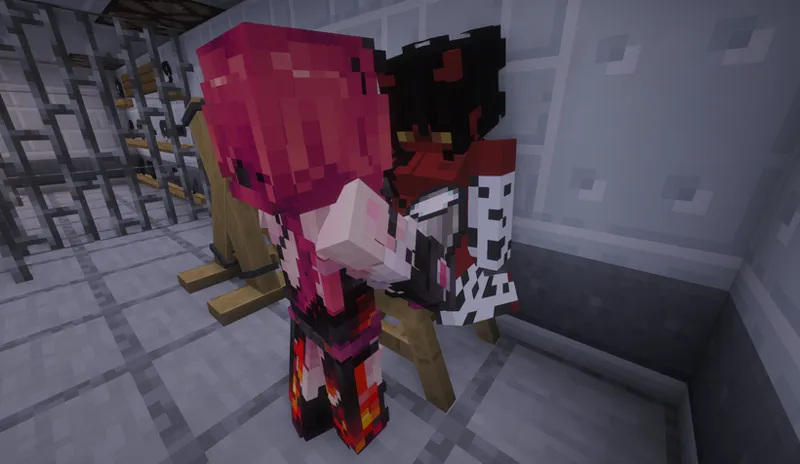

LustCraft Beta 0.12.0: Lock Update
A lot has happened since the last Patreon post.
The most important was the server reset, which was required due to map corruption caused by SecurityCraft. This allowed us to start fresh and begin a new adventure.
There were also two mod updates. For simplicity, I will cover together both the 0.12 update, which adds locks, and the 0.11.2 update, which introduces the ability to milk players.
The biggest addition is, of course, the locks. Their purpose is to prevent other players (or the player themselves, if their arms are free) from freely removing bondage items from a player who has been locked.
The system is simple: when you craft a key, it is assigned a unique identifier (you can view it by enabling “Show Advanced Tooltips” with F3 + H). You can also duplicate a key, which will give both keys the same identifier, allowing them to open the same locks.
When crafting a lock, the recipe requires a key, but the key is not consumed. The lock then inherits the key’s identifier, meaning only keys with that identifier can open it.
Using a lock is very simple: open the LustMenu of a player, take the lock, and click on the equipped bondage item you want to lock. The item will be instantly locked. To remove the lock, simply use the key in the same way.
A small detail that should please many dominants: a key can be worn around the neck as a trophy.
If you lose the key or want to free yourself without it, you can use a lockpick to destroy the lock. However, lockpicks are very expensive to craft (they require a nether star) and are single-use, so think carefully before using one.
It is also important to note that using a lockpick or the safeword completely destroys the lock, making it impossible to recover. This prevents players from unlocking themselves and then reapplying the lock as if nothing happened.
One last thing to know: a locked item cannot be removed with a knife.
Another important addition is that players can now be milked using a bucket. This fills the bucket with milk and renames it “Milk of XXXXX.” The player being milked takes half a heart of damage and receives the “Milked” effect for 10 seconds, similar to Slowness, and cannot be milked again during that time.
Have you ever struggled to figure out a player’s Minecraft username while chatting, for example when you want to teleport to them? This happens to me quite often.
To solve this, I created a /whois command. You can use it with either a player’s Minecraft username or their display name (the name shown in chat). It returns a profile showing their username, display name, and if they are wearing a collar, the name of their owner.
The blindfold is no longer completely opaque. It has been adjusted to allow slight visibility, though it remains extremely restrictive.
The skull collar effect, which randomly makes the wearer levitate, is now active year-round instead of only during Halloween.
Using the /safeword command now displays a confirmation message, clearly stating that it is intended for situations where someone is violating your boundaries or restraining you without consent, and not as an easy way to escape restraints.
That covers the main additions and changes. As for optimizations and bug fixes:
LustCraft performance has been greatly improved, both client-side and server-side.
An issue where gags stopped working if someone had talk area enabled has been fixed.
A bug allowing players to leash others while their own arms were bound has been fixed.
The Punished effect now has an icon displayed in the HUD.
Talk area is no longer reset upon death.
The name displayed on collars is now the dominant’s display name rather than their Minecraft username.
Paw mittens have been completely reworked, fixing issues where they could cause item loss.
Dispensers can once again use knives.
This post is now coming to an end. As usual, if you want to play with the mod or join the Minecraft server, you need to join the Discord (https://discord.gg/lustcraft).
Have a great day, and I look forward to seeing what you will do with the new possibilities introduced in this update.
Comments (6)
how do download after im in the discord?
Contact me on Discord, it will be easier to help you there.
i cant join the discord
Does it show you a specific message when you try to join? And what's your Discord username?
how do i download this mod
you need to join the discord