
CAS Lighting Mod | A Visual Guide
ℹ️ Overview
Created & edited with Sims 4 Studio
No ReShade/GShade used in previews. Everything you see is how it looks in the game.
Throughout the guide, lighting types will be indicated with a bold (KeyLight, RimLight), while parameters will be indicated with an italic (Height, Angle).
Additional info: CAS lighting mods don’t just change the lighting setup in CAS but also for any generated sim thumbnails. They don't have any effect on the in-game lighting on sims which are edited separately.
This was meant to be shared for getting a 1k followers milestone on tumblr before I ever got here and here we are, 110k+ (!) patreon members later 😆
You can find all of my released CAS lighting mods from the link below
📥 Download
Due to the amount of screenshots I took to cover what I wanted, only a portion of them will be shown in this guide while the rest will be uploaded in the attachment.
What’s included (116mb):
Folders sorted by Height [ 9 folders in total ]
In each folder you get: screenshots from different Angles of that specific Height. Covers 360° lighting, mostly in 30° increments. The first 2 folders (Height = 0 & 1) will have 15° increments.
A subfolder filled with full body shots.
A folder for RimLight shots.
Extra folders with screenshots I used for this guide.
A text document that lists all the values used on most screenshots.
vyxated-CAS_Lighting_Sample.package → the mod with settings I used in the Parameters section.
📜 Tools & Resources
RGB Tutorial by SimplyAnjuta
🖼️ Descriptions & Examples
// Light types (bolded)
KeyLight0 & KeyLight1 = main light
Change direction of light with Height and Angle.
Works like an additive layer and is best tweaked along with AmbientLight.
Unlike RimLight, they are not locked to a certain area of the sim and can be adjusted with different parameters.
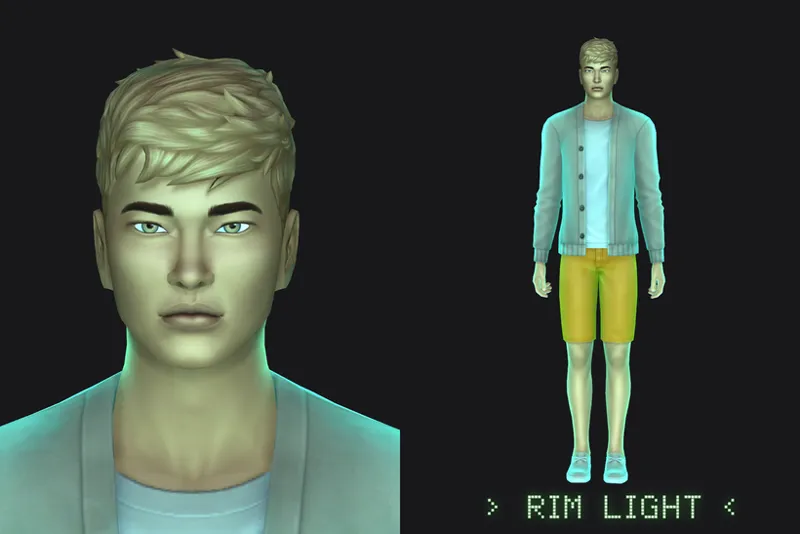
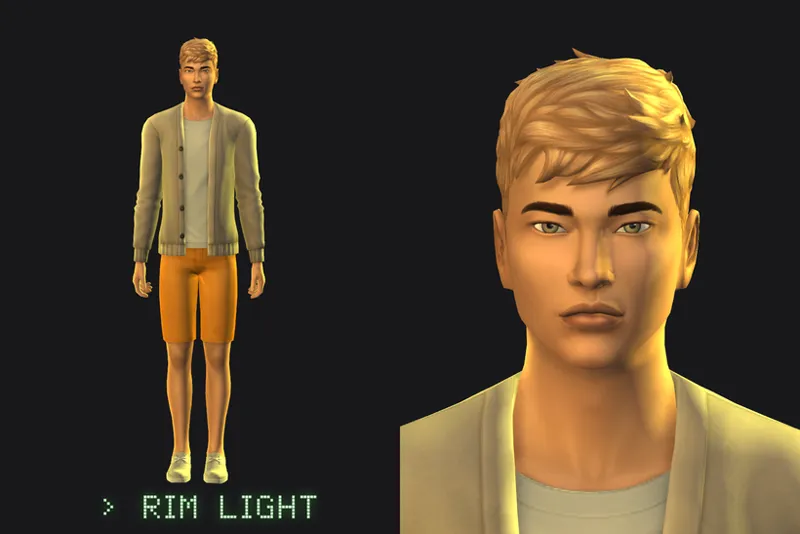
RimLight0 = (our) right side | RimLight1 = (our) left side
Adds a RimLight to either side of the sim. They appear mostly on the sim’s body right until the neck area.
Top pic: RimLight0 & RimLight1 ; bottom pic: RimLight1 only.
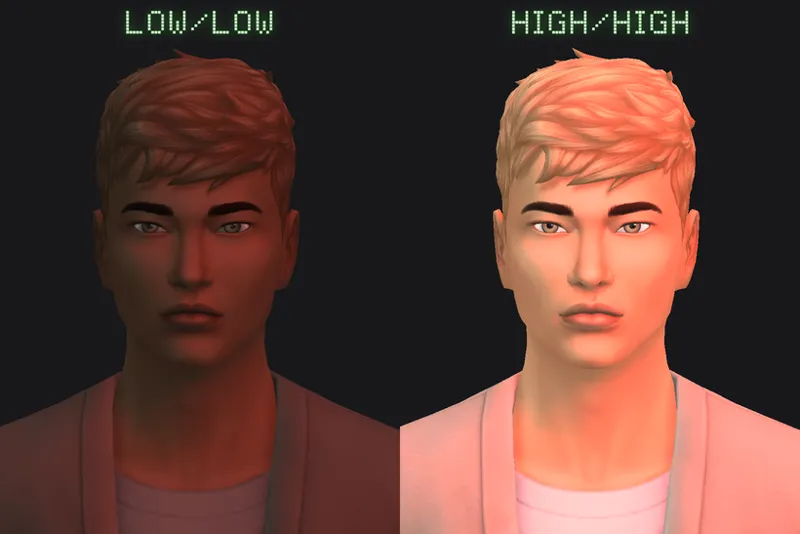
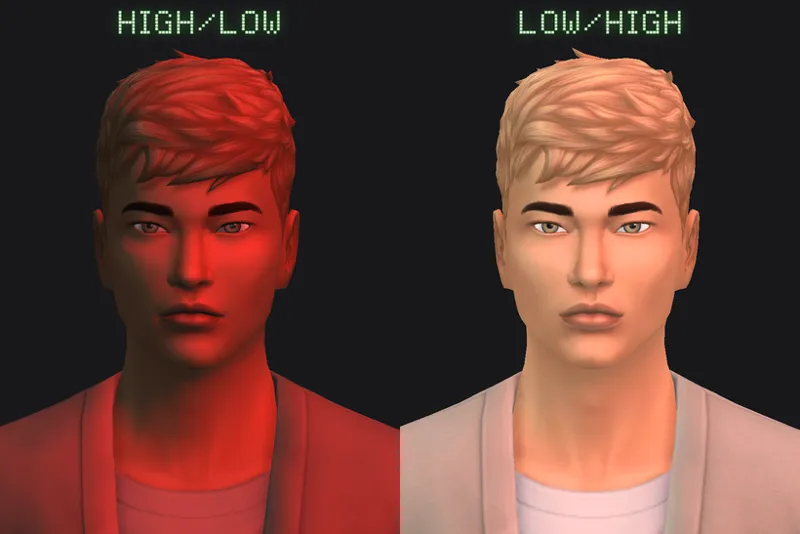
AmbientLight = determines how light/dark the shadow is.
Lower value = darker shadows and vice versa.
The lower the AmbientLight value is = the more vibrant/apparent the KeyLight gets (especially if it’s colored lights).
Above is what AmbientLight looks like when both KeyLight and RimLight are disabled.
// Parameters (italicized)
In order to keep the majority of screenshots consistent, I used a constant value so that you can see the effect of these parameters on their own. Anything not included below is not activated unless it’s stated otherwise.
LightBaseHeight: 0.75
Keylight0
Color: 1, 1, 0
Intensity: 0.9
SpecularIntensity: 0.8
AmbientLight
IntensityMin: 0.4
IntensityMax: 0.4
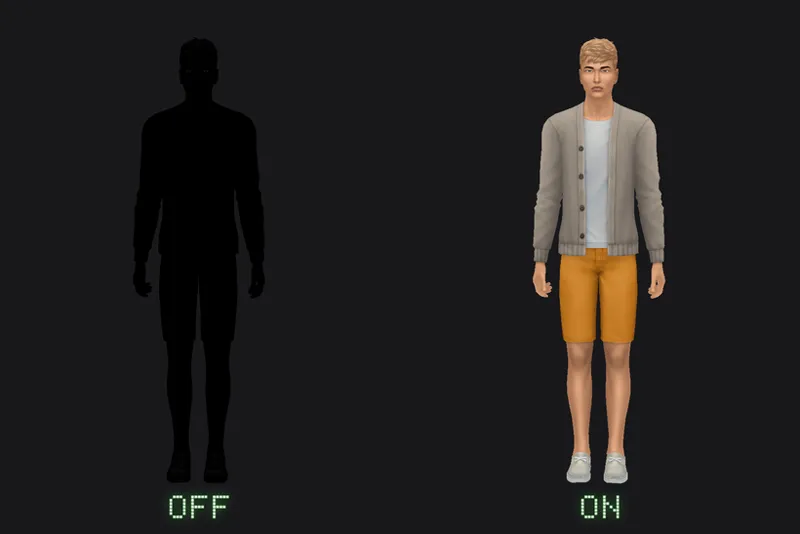
Enable [ 1 or 0 ]
1 to enable, 0 to disable lighting
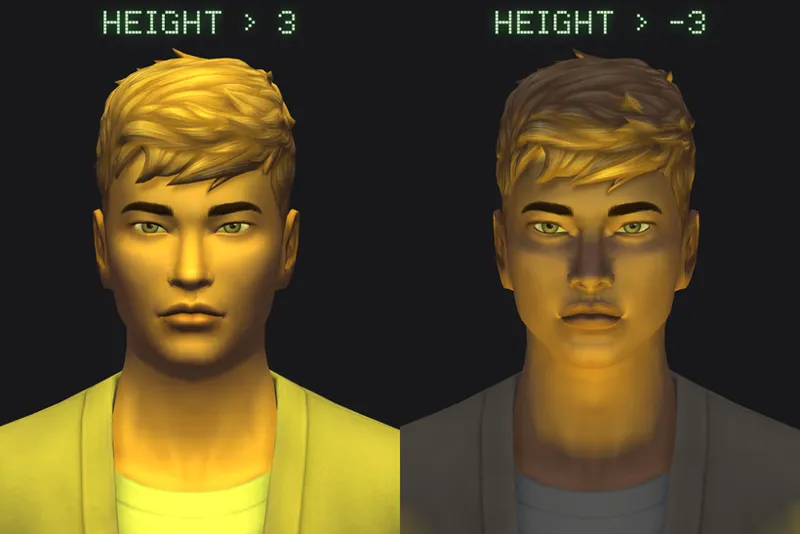
Height [ -x to x ]
Above [ x ] | Below [ -x ]
Anything more than 5 doesn’t seem to make any big changes visually.
Values used in pic → Height [ 3 , -3 ] Angle [ 0 ]
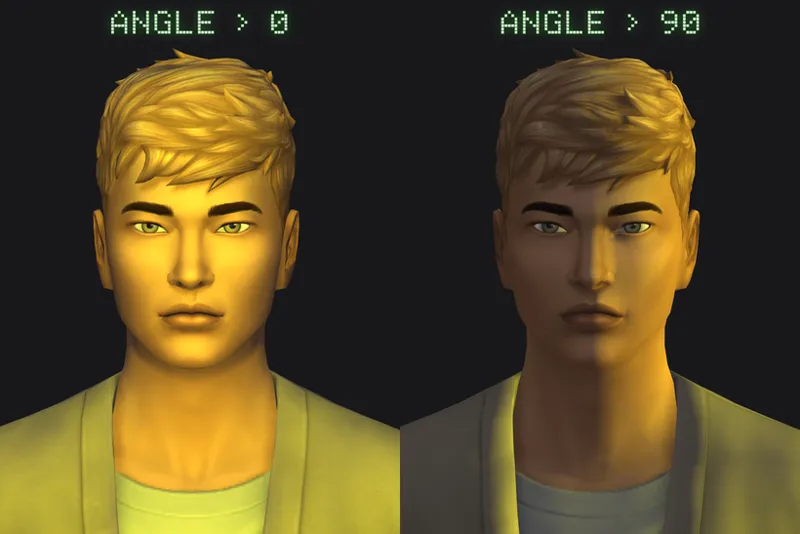
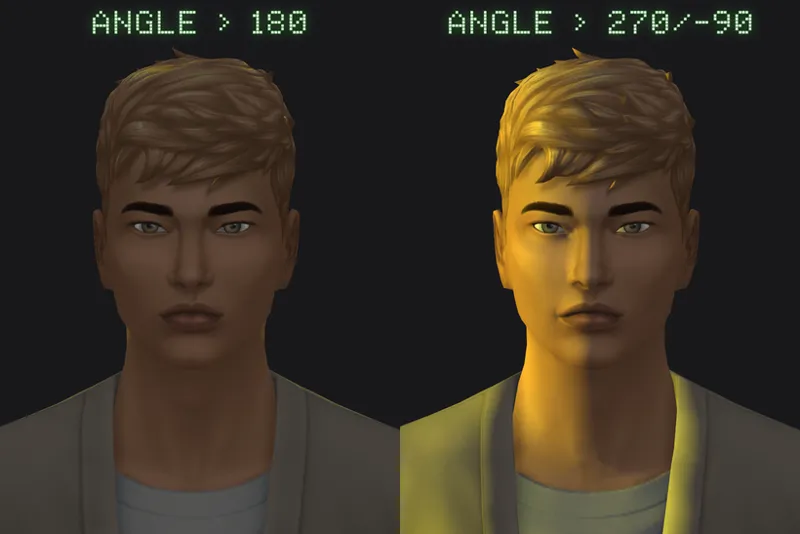
Angle [ 0 to 360 ] or [ 0 to +/- 180 ]
Rotates anti-clockwise.
Use a negative value to flip its direction.
Values used in pic:
Top row → Height [ 1 ] Angle [ 0 , 90 ]
Bottom row → Height [ 1 ] Angle [ 180 , 270 or -90 ]
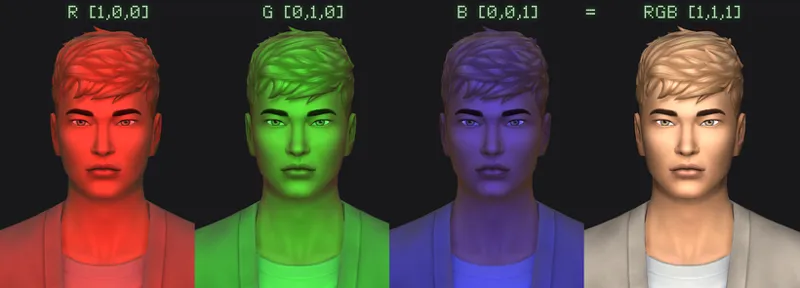
Color [ R, G, B ]
See SimplyAnjuta's tutorial on how to change the RGB value to a specific color.
You can also use this converter or this to skip using the calculator. You’ll use the value listed on the normalized decimal.
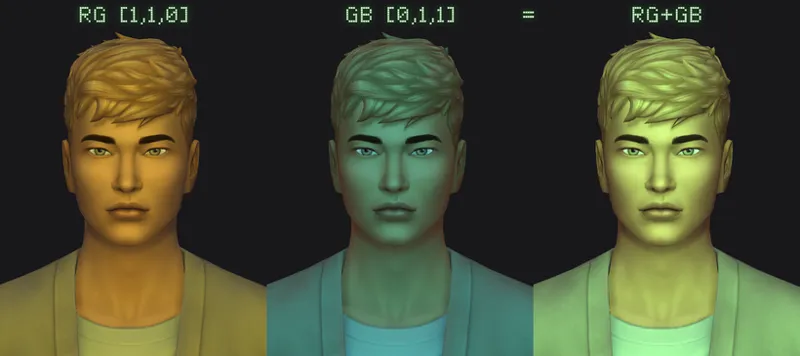
Alternatively, you can combine 2 colors into 1 by assigning each KeyLight with its own color.
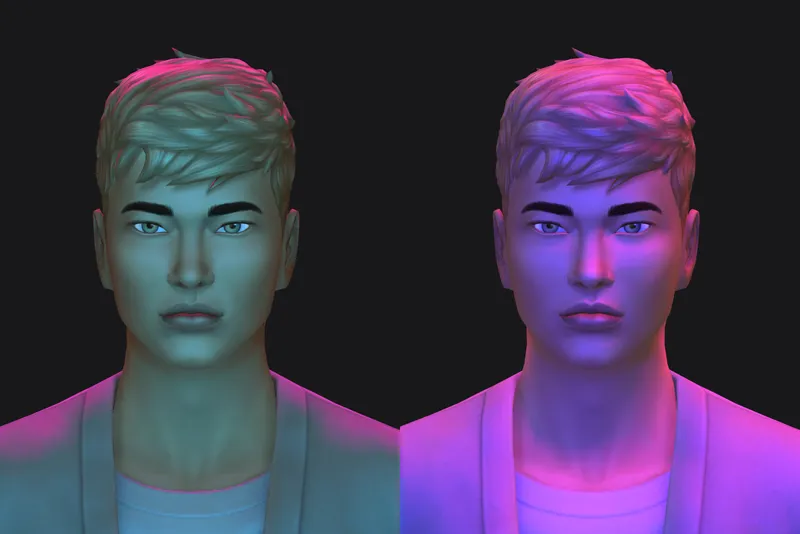
Value used above → RG (Yellow) + GB (Cyan) = The Matrix tint?? // Intensity used → [ 0.5 ]
You can also go beyond the value of 1 to increase the intensity of said color. Color [ 2, 1, 1 ] will make the light look redder, etc.
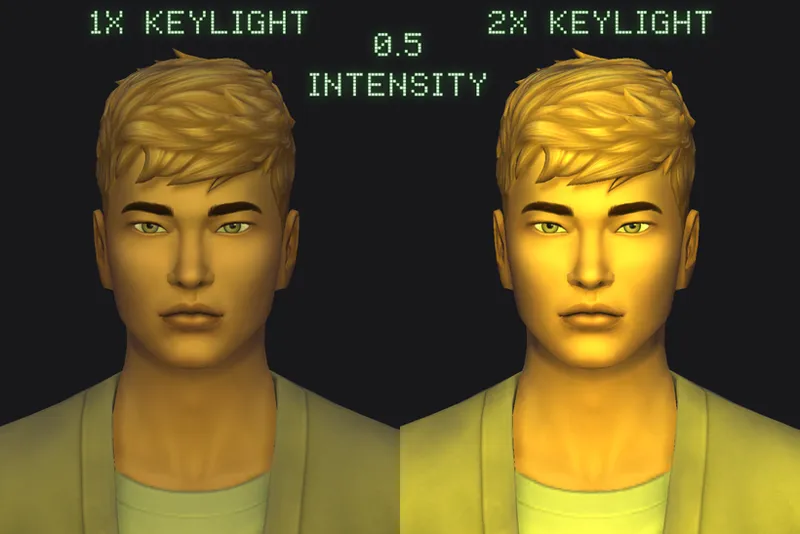
Intensity [ x ]
Value determines how intense KeyLight & RimLight lights up the sim.
Left → single KeyLight at 0.5 intensity. Angle at 0.
Right → 2 KeyLights, both at 0.5 intensity. Angle at 0.
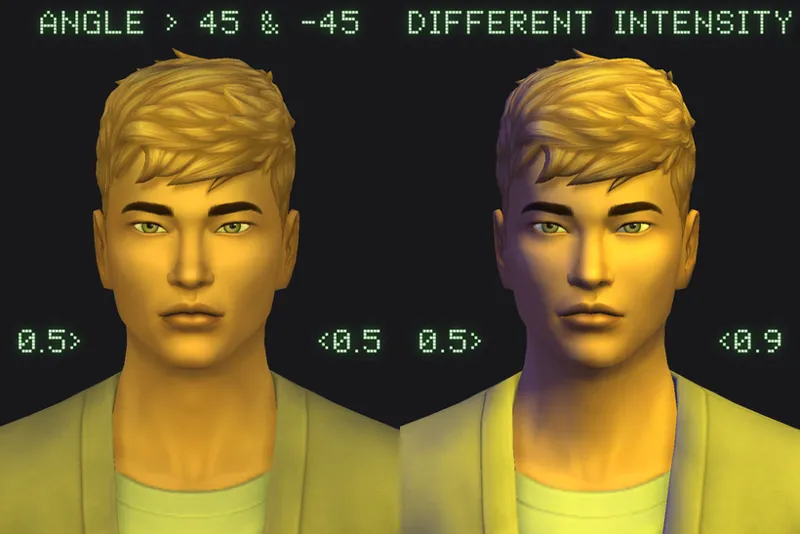
You can change the angle and intensity to get different results.
Left → 2 KeyLights, both at 0.5 intensity. Angle at 45 and -45 each.
Right → blue light at 0.5 intensity ; yellow light at 0.9 intensity.
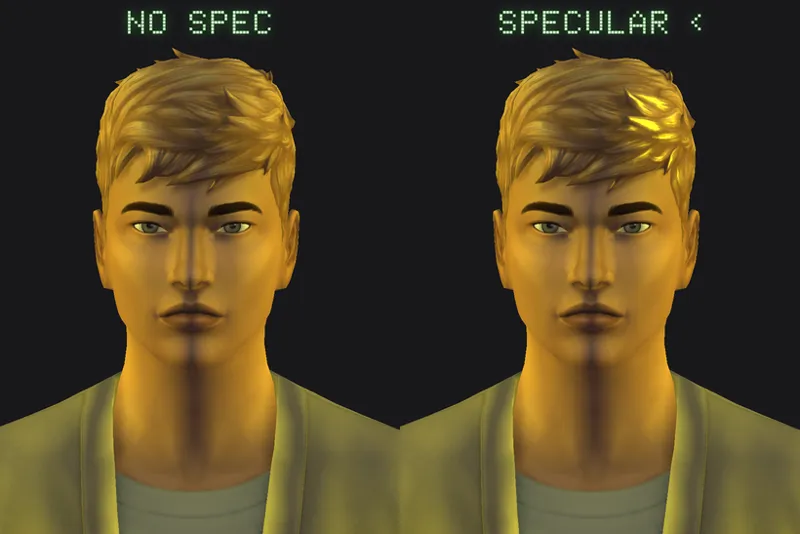
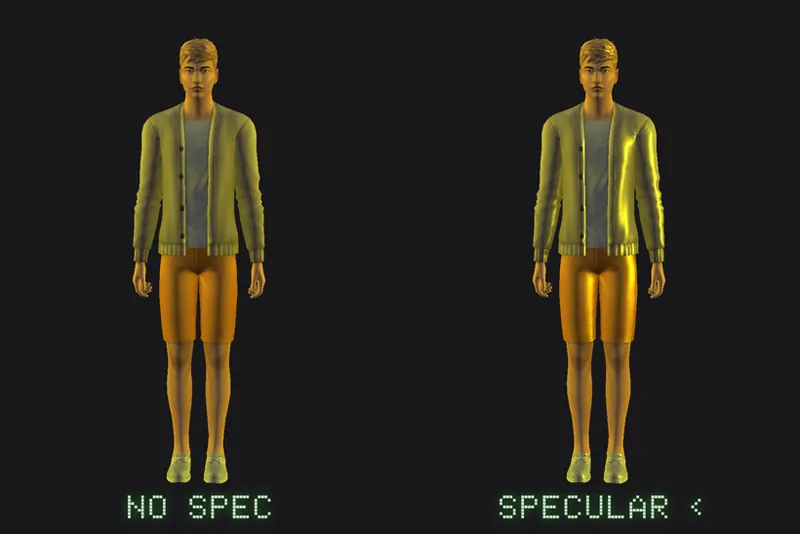
KeyLight → Specular Intensity [ x ]
Value determines how intense the specular light is. Only visible on items that have proper specular maps.
The example above has 2 KeyLights activated, both at a 90° angle. One has Specular Intensity enabled (the right pictures), and one does not.
Value used in pic → Specular Intensity [ 20 ]
Intensity must have value to see the Specular Intensity effect.
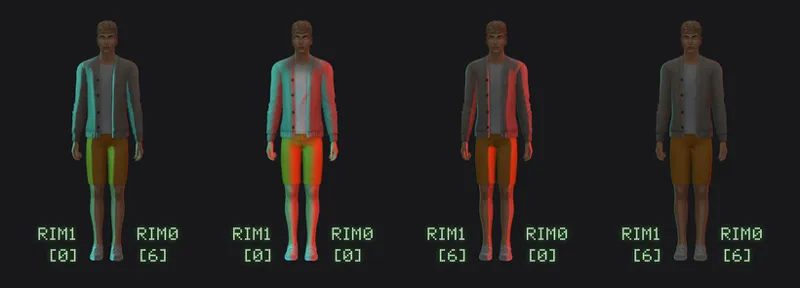
RimLight → Falloff [ x ]
Value determines how far into the sim the RimLight goes.
0 value = extends the RimLight the furthest. The bigger the value is, the tighter the falloff gets. Compensate the small exposure on higher falloff value by increasing the RimLight’s Intensity.
Values used in pic:
1st pic: RimLight0 [ 6 ] ; RimLight1 [ 0 ]
2nd pic: RimLight0 [ 0 ] ; RimLight1 [ 0 ]
3rd pic: RimLight0 [ 0 ] ; RimLight1 [ 6 ]
4th pic: RimLight0 [ 6 ] ; RimLight1 [ 6 ]
AmbientLight → IntensityMin [ x ]
Affects the lower part of the body and right side of the eyeball.
Value used in pic → IntensityMin [ 1 ] IntensityMax [ 0 ]
AmbientLight → IntensityMax [ x ]
Affects the upper part of the body and left side of the eyeball.
Value used in pic → IntensityMin [ 0 ] IntensityMax [ 1 ]
Comments (4)
This is the best my CAS has ever looked! I am still tweaking some of the values to get it just right to my liking but omg you did your big one with this!
Do you think you could make an in game version. That would look so nice, like for the people who cant use gshade or reshade. (Ik theres other in game lighting mods but they dont rly make a difference)
I have not experimented with in-game lighting mods yet (whether it's sims lighting or world lighting) so it probably won't come anytime soon. It is something I've considered in the past though, so we'll see!
Hi! Thank you so much for the guide! I was searching for and trying out different CAS lights a few months ago, and taking a bunch of screenshots comparing them. I was trying to figure out how to modify one to better suit my preferences but I couldn’t make sense of the numbers and wasn’t able to find any guides. So I really appreciate you taking the time to put this all together! 🥰