
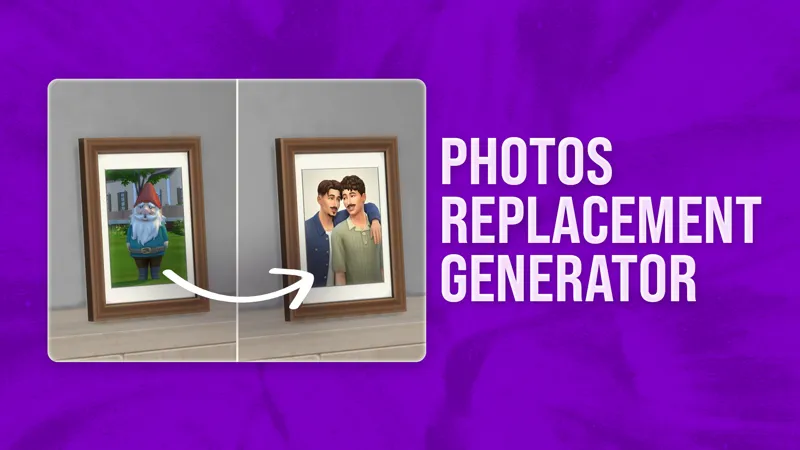
Photos Replacement Generator
Easily replace your in-game photos with any custom image.
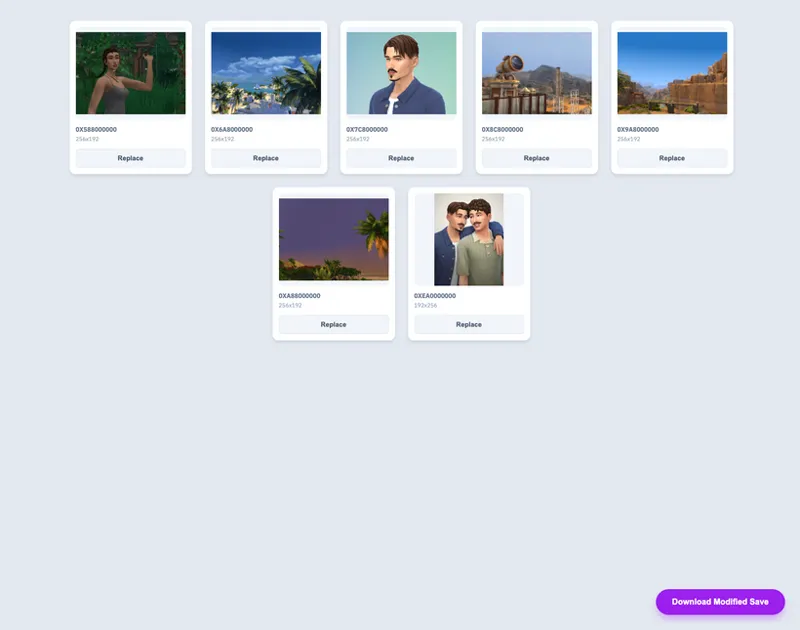
Import your save, replace the original photos with the new images, and download a save file ready for your saves folder.
Watch the video below to see how easy the whole process is!
AVAILABLE HERE:
Available exclusively for my members!
CHANGELOG:
April 8th, 2026
Added support for replacing "Paint from Reference" paintings
Comments (29)
So easy to use ♥ tysm & amazing work as always!
Hey there! This generator is lovely :) I wanted to check if you have had any reports of the generator causing rentals to load wrongly after replacing the pictures and restarting the game? basically my rentals loaded as 0 minutes lease duration and the foundations will disappear after restarting the game with the modified save.
Hey! Thank you for reporting the issue with all the details. I looked into it, tested it myself, and confirmed the bug with residential rentals. They're really complex! I modified my tool to make it even more bulletproof. Replace the photos in the original, unmodified backup save once again, and please let me know if the issue is fixed for you now. :)
Hellooo! Just supported but the link isnt working for me </3
Hey! Can you please share more details? I won’t be able to help otherwise. Please describe what doesn’t work and at what step the issue occurs.
Hello! Does this only work if the photo is placed in the world before modding it? Mine have been in a Sim's inventory and my game keeps throwing an exception when I open it after loading the save. You're awesome, thanks!
Hi, quick question. When I replace the picture, the picture in game has worse quality even tho the game says it's excellent. Am I doing something wrong? thanks!
Hey. The "photo quality" is only a gameplay mechanic; the actual visual fidelity of the image is defined by the game. Maxis recently lowered the quality of in-game images, which is currently being investigated as a reported bug.
Just played around with it—so good! Edited “paintings” of my legacy into the game so quickly. Amazing. Now I just need some incredible photo frames in all kinds of historical styles. I have a few, but it’s something to think about.
Thank you for making this SimMattically, in the future it would be cool if you ever consider selling this as a program people can download and be able to own, maybe even license it so everyone has their own serial key to register it with a forever lifetime license. I would gladly pay to own such a program version of this lol. Something to consider. Anyway, great work love it! It's very useful, I am able to add photos of my families and their friends and make it actually feel like life has happened in my saves, such a nice feature and the cropping option is just icing on the cake, LOVE IT! Also it is so beneficial because I am working on adding Extraterrestrial-Alien type images to the game like X-Rays for my Area 51 base build, and biohazard and warning signs to add to walls and save the walls as rooms, I'm a big Sci-Fi nerd so I love that kind of stuff, this makes adding it a heck of a lot easier for sure. But yeah the cropping feature is so well done, helps tremendously, great work! There are so many screenshots I can just add to the game and that is so nice. Looking forward to seeing what else you come up with. Best of luck and happy simming to you.
AWESOMEEE!! 😭
Oh my god???? This is genuinely such a game changer. Literally had to become a new patron for this 🙏🏼🤍 Thank you!!
Hi, Quick question. Sorry if you've answered this somewhere, but I looked here and didn't find the answer. After we upload the save if we upload it to the gallery would it also still have the modded photo? so we could essentially keep it forever or share it in the gallery. or we need to repeat the process for each lot we save the photo. I'm thinking of this for my UDC when I'm distressing the photos to make them look old.
The modded photos will stay modded in the gallery! :) but won’t be marked as CC.
SMALL UPDATE | April 8th, 2026 Added support for replacing "Paint from Reference" paintings! This is especially useful since paintings offer even more aspect ratios and sizes to work with. 😌
thank you😭😭😭😭😭😭😭
You make so hard not to subscribe to you TT run me dry i love it
Oh. My. GAWD. You have no idea how long I've been sitting on a folder of screenshots that I wanted to use in-game. You're my hero. 💚 Thank you!!!
Wait, can we use this to replace the black photos with the “originals”?!
You'd need to take new temporary photos in the game and then replace them with the old photos you have. Black photos won't appear in my tool, and even if they did, you wouldn't be able to tell which is which.
OMG??? am I understanding correctly? Instead of having to use frames to add my own pictures via canva, I can use this tool to add my sims pictures? I'm assuming I place a frame before uploading my save? I have a lot of photo frames in my sims house, would ALL show up as customizable? im sorry for all these questions but if this is what I need, i am SOLD and will cancel my canva subscription!!
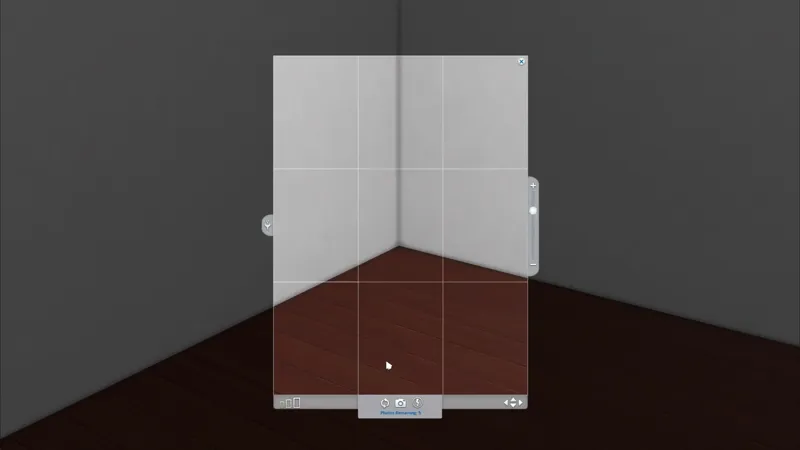
Hey! While I don't really understand your current custom photo workflow, I can explain how my tool works much more clearly, step by step! 1. Take a random photo in the game. It needs to be something recognizable so you know which photo it is. You can take as many as you want to replace them. 2. Save the game and exit. 3. Inside my tool, import your save, and you will see a grid of all the current pictures taken in-game. 4. Locate the exact photo you want to swap and click the "Replace" button. 5. Then, import your custom image, crop it, and Apply the change. 6. You can repeat this for as many photos as you want. 7. Afterward, click "Download Modified Save" and replace your existing save with the new, downloaded version. :) I've added a video to the post, so you can see the whole process in action! :)
W h a t ? !
I have questions...does everything else about your save remain the same...jobs, relationships, aspiration progress, skills, appearance of sims...etc? Are you essentially overwriting the photo's only? Or, is this a new save wiped clean with cool photo's? Regardless, this is brilliant and so generous of you!!
Everything remains the same! My tool specifically targets only the saved images and is developed to leave all other data untouched. However, given the complex nature of save files, your progress should always be protected. While the tool has been tested extensively, I strongly recommend creating a backup of your save before proceeding. :) Just in case!
Thank youuuu for all your work and honestly this is such a genius thing to put under membership. It works externally from the game and it's technically something anyone could do themselves, so it's not something new, just simplified... You do so much to make simming easier you deserve every penny!
Thank you so much for your support and for understanding the value here. I think there’s a bit of a misunderstanding among some Simmers regarding my tools being paid. As you mentioned, these aren't "new" concepts. Anyone can achieve the same results using free community tools like Sims 4 Studio through manual, tedious work. What I offer are tailored convenience tools designed to handle specific tasks with a much faster, user-friendly experience. Given the development time and hosting costs involved, I believe it's fair to keep them as membership benefits. I'm really glad you see it that way.
hun?
Oh this is amazing