
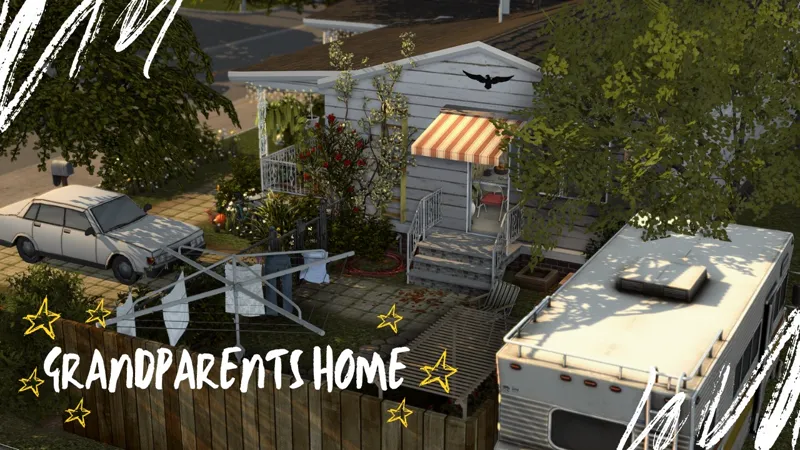
Grandparents Raising Teen Grandson
A small house designed for an elderly couple who, due to life circumstances, ended up raising their teenage grandson.
⚠️BEFORE YOU PLACE THE BUILD DONT FORGET TO ACTIVATE THE CHEAT BB.MOVEOBJECTS ON⚠️
✨Residential
✨30x20
✨2 beds 1 Bath
✨Tray files and Custom Content included in the download file below
✨Gallery ID Michy0113
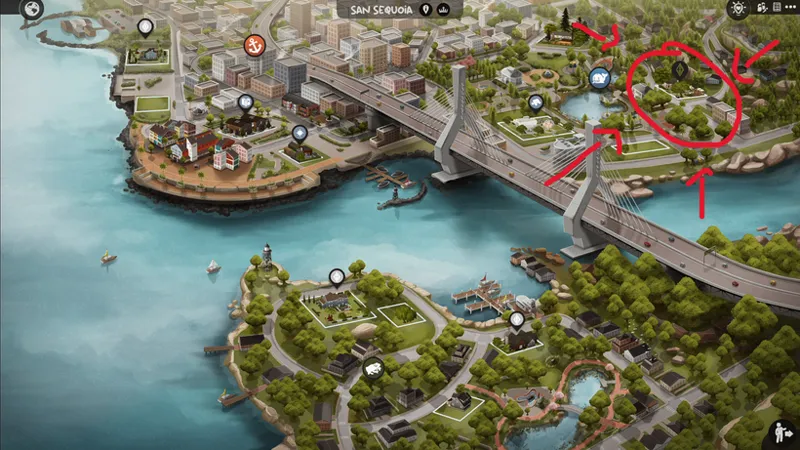
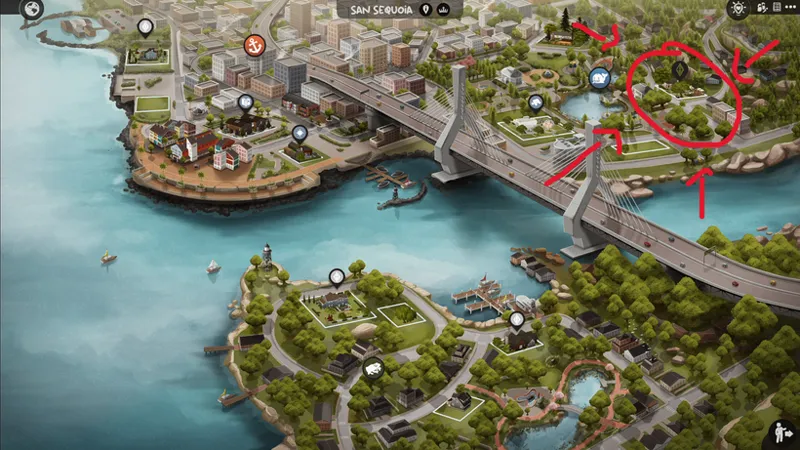
✨Located in San Sequoia
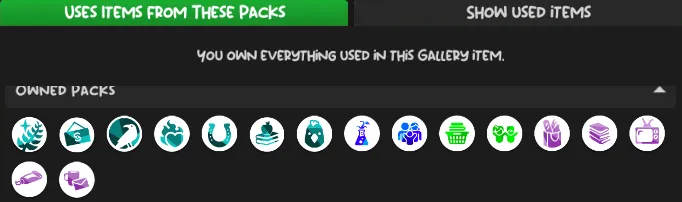
Packs used⬇️⬇️
LOCATED HERE
✨FAQ✨
Gshade preset Pluto by Ceru
Cc finds on my Pinterest account (Michysims)
Gallery ID Michy0113
Thank u to all the cc creators
T.O.U Don't claim as your own and do not re upload.
Michysims💖
How to Add Custom Builds to Your Sims 4 Game
1. Select the house or build you want and download the file.
2. Move the Tray files into your Tray Folder (located at: Documents > Electronic Arts > Sims 4 > Tray).
• These files won’t have the .package extension; instead, they’ll end in .bpi, .blueprint, or .trayfile.
3. If the build includes custom content (CC), place the .package files into your Mods Folder (Documents > Electronic Arts > Sims 4 > Mods).
• These files will be labeled as CC/Mods when you extract the download.
4. Open The Sims 4, then go to your Library (found in the top-right corner, represented by a lightbulb icon).
5. On the left side of the Library screen, check the box that says “Include Custom Content” in the settings.
6. Your downloaded house/build should now be visible and ready to use!
🩷🩷Thank you to all the cc creators 🩷🩷
FIND ME ON MY OTHER SOCIALS MEDIA AS MICHYSIMS
Grandparents raising Teen grandson 👴🏽👵🏽|| The Sims 4 CC Speed Build (YouTube)
Comments (9)
I absolutely adore this home! I just wanted to get that out of the way first things first because the amount of detail in this home is incredible, I love it. However, and this could totally just be an issue with how much CC I have/other mods/etc. but whenever I try to move my sims into the lot with it furnished my game completely crashes by getting stuck on the loading screen; I did hours of trialing different mods to see what the issue was (taking mods out, disabling, changing to different lots, honestly THE WORK cause im exhausted now lol) and for some reason its only this lot that just refuses to cooperate. I was able to kind of fix it temporarily by moving my sim out and moving her back in with it unfurnished and then going into build mode once i got on the lot and replacing the lot with the furnished version, but anytime i travel or do anything that isnt strictly on the lot it bugs out on the loading screen all over again and i have to go into task manager to exit out. I'm on a windows 11 laptop with a TB of storage (about 300 GB used as of right now just in general) and yeah, I guess I was just wondering if anyone else was having issues or if its just my massive amount of mods. Again though, absolutely ADORE the build, otherwise I would never have committed this hard to trying to get it to work. So thank you for your creativity and patience! <3
Hi!! I'm really sorry that's happening to you. As you mentioned, the amount of mods can be a problem, but let me ask you first if your game is running in DX9 or DX11?
Thank you Mitchy!!
where is the chain fence from? also love the build <3
I love this SO much! Your builds are amazing!
Thank you Michy!!!
You’re welcome ☺️
Everyone say thank you Michy! 🌼
You’re welcome ☺️