





💖 Marie’s Method CC Organizer — v3.2 💖 *NEW & IMPROVED FEATURES*OLD*
| THIS VERSION IS OLD | GET THE NEW VERSION HERE: https://www.patreon.com/posts/maries-method-cc-154003132 |
This update focuses on smarter cleanup, safer duplicate handling, and a more polished experience overall.
v3.2 introduces one of the most requested quality-of-life improvements — safer file removal and clearer folder status tracking — while keeping the organizer lightweight and stable.
WATCH VIDEO TUTORIAL HERE: https://youtu.be/OeRGJMg8UcM?si=AHzWK41OrPD4lYnp
✨ What’s New in v3.2
♻️ NEW: MM Recycle Folder System
Duplicate removal is now safer.
Instead of permanently deleting duplicate files, Marie’s Method now moves them into a dedicated MM Recycle Folder. (Basically the apps recycle bin)
This allows you to:
Review files before permanently deleting
Restore anything if needed
Keep your Mods folder clean without risk
The app now shows:
Files waiting for deletion in MM Recycle Folder
Nothing is auto-deleted without your awareness.
🔎 Improved Scan CC Folder
The Scan feature now provides a cleaner, clearer summary including:
Total files scanned
Duplicates found
Unknown creators (important if organizing by creator) (if your not organizing by creator then it is safe to IGNORE)
Files waiting in MM Recycle Folder
Scan time
This makes it easier to understand the health of your CC folder before organizing.
💎 UI & Experience Enhancements
Soft hover glow on action buttons
Cleaner button sizing (no more oversized full-width bars)
Smart rotating tips ✨
Last Action status memory under Scan CC Folder
Accurate MM Recycle Folder counter badge
New background themes added:
Bratz
One Piece
Pink Frame
💡 Smart Tips
Helpful reminders rotate automatically every 10–15 seconds. (small text at the top)
✨ Unchanged Features:
✨ Organize CC by Creator
Best for keeping your folder structured.
Click → “Organize CC by Creator”
The app will:
Sort .package files into creator-named folders
Leave non-CC files untouched
Improve load clarity and management
💡 Tip: This works best when creator names are in filenames.
🔤 Organize CC A–Z (by filename)
Sorts all .package files alphabetically into A–Z folders.
Good for:
Large mixed folders
Quick cleanups
Non-creator labeled files
🏷 Organize CC by Type (Hair / CAS / Build-Buy)
Sorts files based on keyword detection.
Best used when:
Your CC includes common naming tags
You want quick separation by category
These NEW upgrades make the app feel smoother and more premium while keeping performance fast.
💖 Reminder
Marie’s Method does NOT fix mods.
It organizes CC (.package files) and scans folders for duplicates only.
This program DOES NOT TOUCH YOUR SCRIPT FILES.
This is NOT FOR MAC USERS
DO NOT use any organizing features while your game is OPEN.
DO NOT remove anything from the folder, keep all files TOGETHER.
🛠 Built With
Python
CustomTkinter
File hashing for duplicate detection
Structured folder management
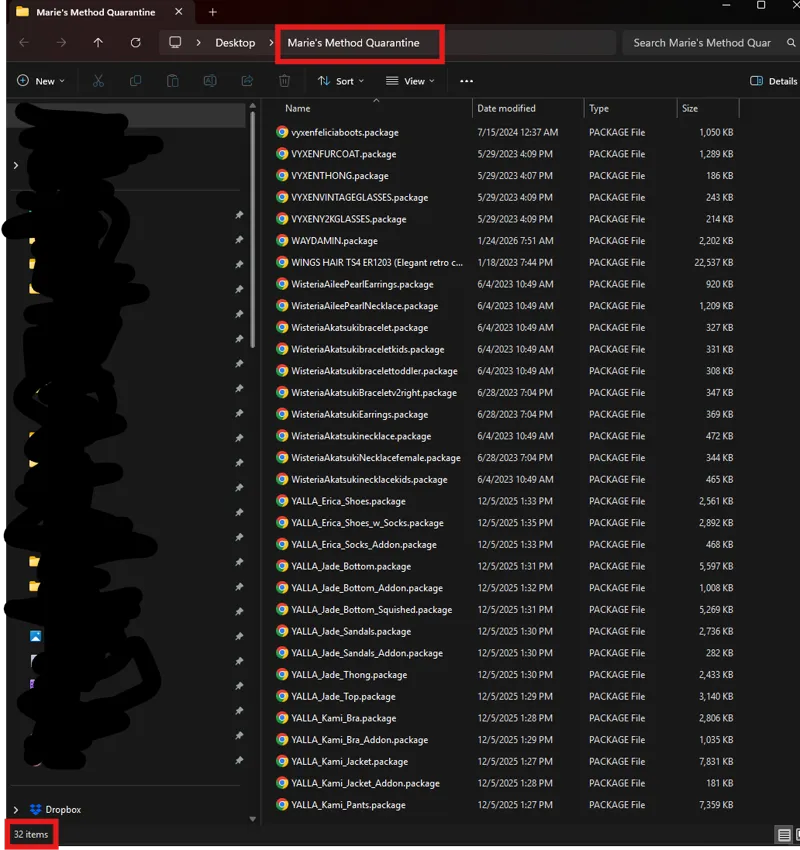
Quarantine-based cleanup system
✨Just wanna say......
Before you use this program: read the instructions or watch the how-to videos. I’m not trying to be rude, but don’t download it and then inbox me asking how to use it when I’ve already written guides, made videos, and have a Discord specifically for bug reports.
And please stop with “so it’s basically like ___.” No. It’s Marie’s Method. I built it from scratch in Python (CustomTkinter), wrote the code myself, and started on it 8 months prior to the first release back in June and I actively work on it clearly til this day.
I’m always understanding, but I’m not going to pretend some of these complaints make sense. A lot of “problems” people report have nothing to do with this program. This app does not fix mods and should not crash your game. Please follow the do’s and don’ts and make sure you’re using it correctly before blaming it for unrelated issues.
Thank you for continuing to support Marie’s Method 💕
More thoughtful upgrades coming soon.
🤍ྀིDONATE HERE: →DONATIONS←
WATCH VIDEO TUTORIAL HERE: https://youtu.be/OeRGJMg8UcM?si=AHzWK41OrPD4lYnp
REPORT ISSUES IN THE "MM -Bug-Reports" CHANNEL IN THE DISCORD.
UNZIP THE FOLDER AND KEEP ALL FILES TOGETHER IN THAT FOLDER.
