






✨ Marie’s Method CC Organizer v2.0 ✨*OLD*
| THIS VERSION IS OLD | GET THE NEW VERSION HERE: https://www.patreon.com/posts/maries-method-cc-154003132 |
Hi my loves! 💕 I’m beyond excited to share Version 2.0 of Marie’s Method CC Organizer! 🌸 This is the biggest update yet, and it
JOIN FREE
Hi my loves! 💕
I’m beyond excited to share Version 2.0 of Marie’s Method CC Organizer! 🌸
This is the biggest update yet, and it honestly deserves the “2.0” title 💅.
💌 A lil’ note: While this app is free for everyone, if you like/love it and want to support me, you can donate by subbing to the Lil Supporters tier here on Patreon 💖. Every bit of support helps me keep building and improving tools for you all!
📺 And if you don’t feel like reading all this (I know it’s a lot 😅) — you can always check out the tutorial video on my YouTube page 🎥 https://youtu.be/aV7Pu-OwXvE.
------------------------------------------------------------------------------------------------------------------
🌸 What’s New in v2.0
✨ Girly Splash Screen
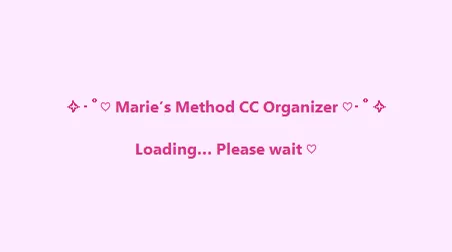
When you launch the app, you’ll now see a ✧・゚cute・゚✧ splash screen that says:
“Marie’s Method CC Organizer is loading…” 💕
📂 Massive Creator Expansion
Recognizes hundreds more CC creators & aliases 🎨
Example: Cowbuild & CWB are grouped, Belaloallure & Belaoallure are matched, etc.
Sorting is cleaner than ever — no more “mystery creators”!
💻 EXE Build
Just double-click to launch ✔️
No Python, no setup — it just works.
🎀 Theme & Likes JSONs
Your likes, creator list, and theme are saved separately in .json files.
You can add/edit them yourself with Notepad if you want more control 💅.
The only JSON file you may need to edit is the creators.json file to add more creators, MUST OPEN IN NOTEPAD, AND CLICK FILE>SAVE WHEN DONE - NOT "SAVE AS"
⚡ New/Upgraded Features & Buttons
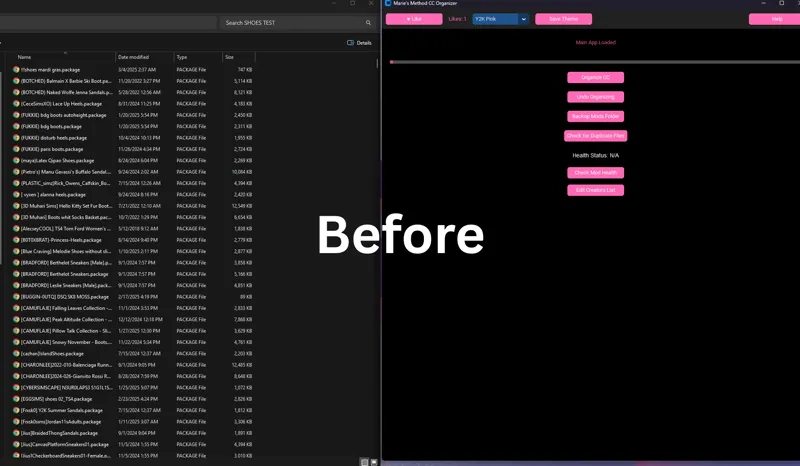
Here’s a breakdown of what each button in the app does:
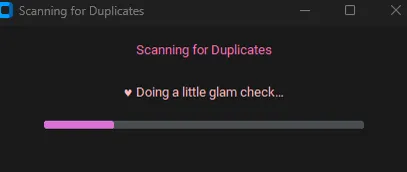
🔍 Duplicate Checker → Finds duplicate CC files so you can delete the extras and save space.
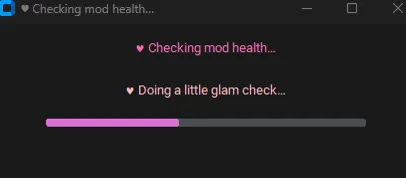
💔 Health Checker → Scans your Mods/CC for broken or corrupted files and duplicates as well. Also confirms if you have any unknown creators in the unknown creator folder that generates if a creator isn't recognized. (Just simply add the unrecognized creator in the same format as the rest and restart)
💡 Tip: If you have a really large Mods folder, I recommend running the health check in smaller subfolders instead. It will go much faster and be easier to manage.
🌈 Theme Selector → Lets you customize the app’s colors + style to your vibe. (Youi do not have to click "Save Theme" (If you do click it and have any issues with that please reach out)
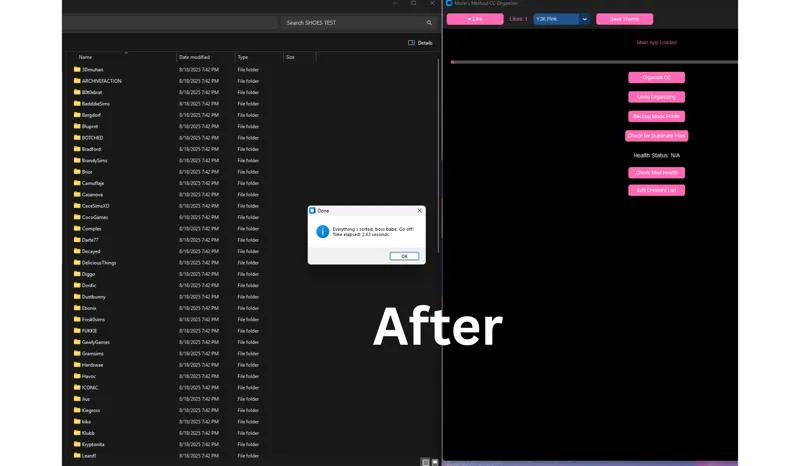
📂 Organizer → Automatically sorts your CC into folders by creator.
If a creator isn’t in the database, the app will place them into an “Unknown Creators” folder. You can then:
Open creators.json in Notepad.
Add the creator’s name (and aliases if they have any).
Save → restart the app → and it will now sort them properly!
💖 Like Button (at the top of the app) → If you’re enjoying the tool, click it! It’s my little way to see the love from you all.
-------------------------------------------------------------------------------------------------------------
💡 How to Use
Download the .zip → Inside you’ll find:
MariesMethodCCOrganizer.exe
creators.json
likes.json
theme.json
Keep them together → The .json files need to stay in the same folder as the .exe.
Launch → Double-click the .exe, watch the splash screen ✨, and the app will open.
Organize →
Filter by creator
Run duplicate & health checks
Handle any “Unknown Creators” folders
And finally feel like your CC folder makes sense! 🙌
✨ Extra Notes
If you had v1.0 or v1.1 → you can delete that and just keep this new folder.
You can edit the JSON files to add creators or aliases you personally use.
Don’t forget → the tutorial video is on my YouTube if you’d rather watch than read.
💕 Thank You
This project started small and now we’re at 2.0 — all because of you. Whether you’re free or supporting, I’m so grateful. 🌎💖
Go ahead, download it, click the 💖 button when you’re inside, and let Marie’s Method take care of your messy CC folders ✧・゚♡
Enjoy v2.0 and let me know what you think! 🥰
