

How to fix your game issues
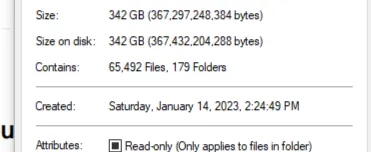
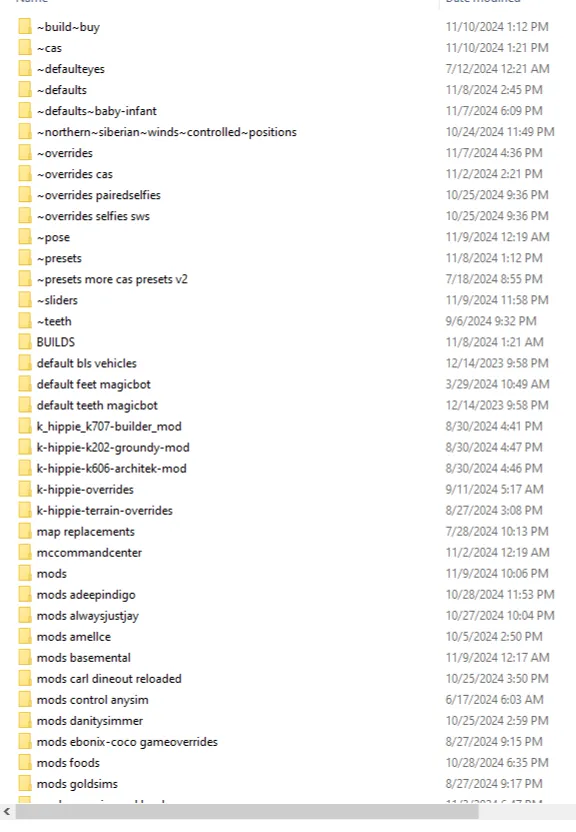
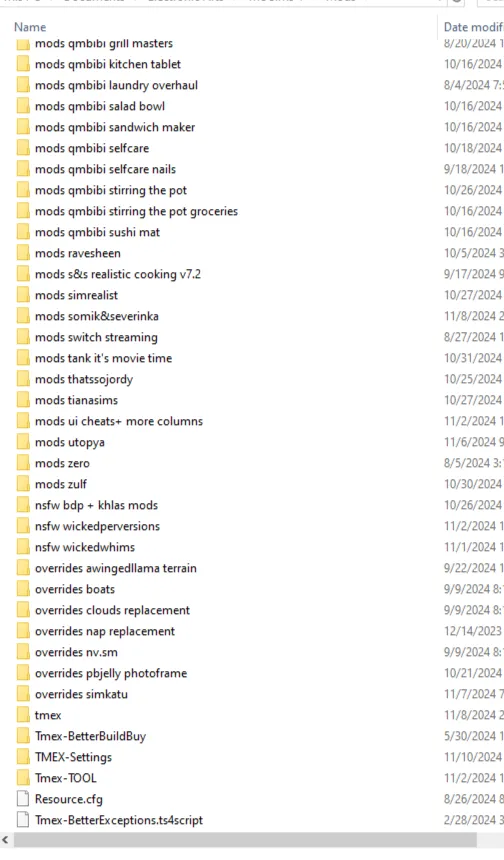
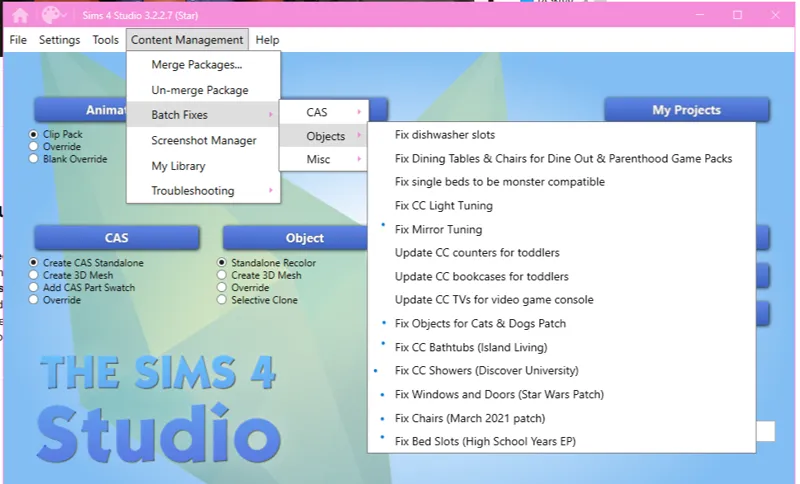
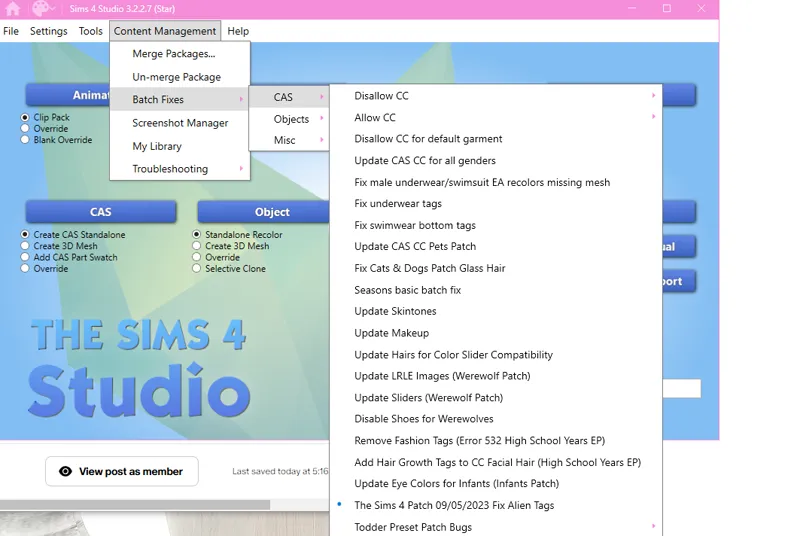
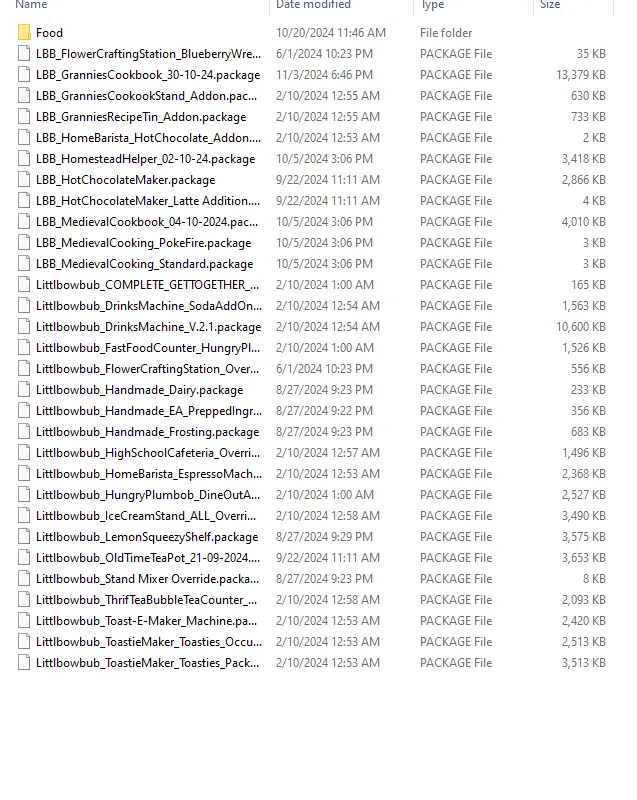
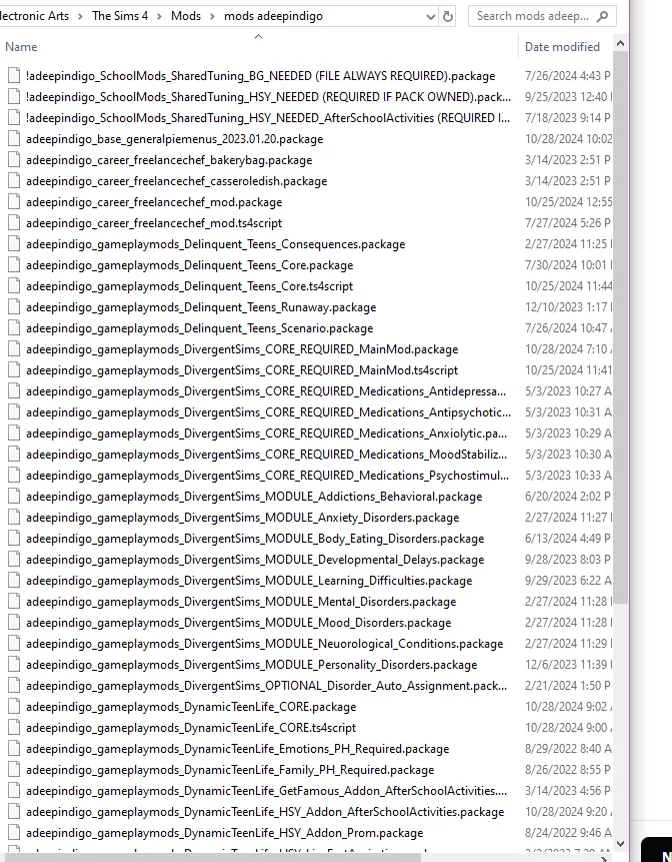
1) Keep your cc organized please idc if you only have 1gb or 400gb if you keep it a mess it's always going to be impossible to find out what cc is causing the issue. (Pictures above of what works for me) For about 2 yrs some cc has been causing issues it will cause infinite loading screens, freezing, or crashing. It could be a creator just uploaded cc they've made with a old version of Sims 4 studio or just as time has gone by it got broken somehow Idk I don't make cc. I've just experienced this fixed my own game multiple times & I've helped others. But it's hard when I can't physically get on your pc to fix it.
2) Batch fixes! I PERSONALLY ALWAYS DO (FOR BUILD CC) Fix mirror tuning, Fix objects for cats & dogs patch, fix cc bathtubs, fix cc showers, fix windows and doors, fix chairs , fix bed slots. (FOR CREATE A SIMS) I ALWAYS DO - Disallow cc for random & Fix alien tags. I've been doing it for a while and I haven't had the infinite loading screen, freezing, or crashing issues anymore for ME it was CC clothes by ( Hardswae and Trillqueen) but I know they're both aware and fixed those clothes already! Sometimes it's a random clutter purse or a light that's causing it when you're trying to load onto a lot.
The way I do it is using sims 4 Tray Importer collecting all the cc and taking it out my game. Reopening my game and if the same lot loads empty something in the build was broken. So you do the 50/50 method just take half of the cc at a time and test it. Whatever half works you put it in a separate folder still in your mods folder. Then make a new folder and try the rest of it, split that in half and keep going. Eventually you'll see it's a random pillow or whatever you get it.... Delete that and try to load in again. Hopefully it works out lol.
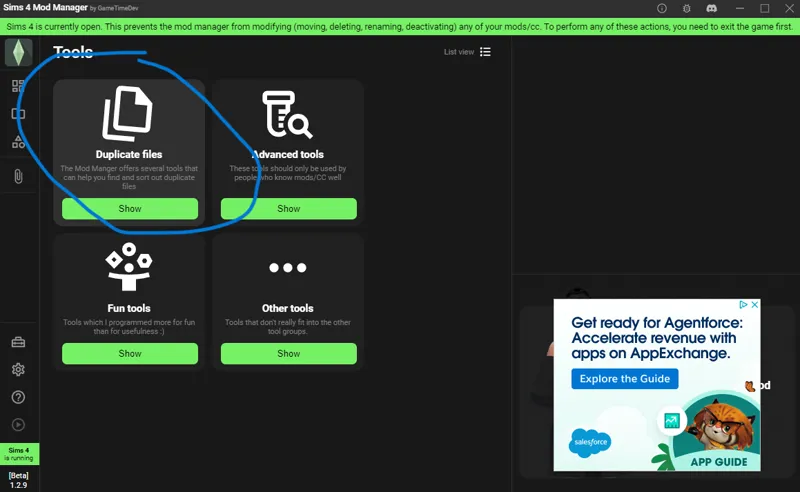
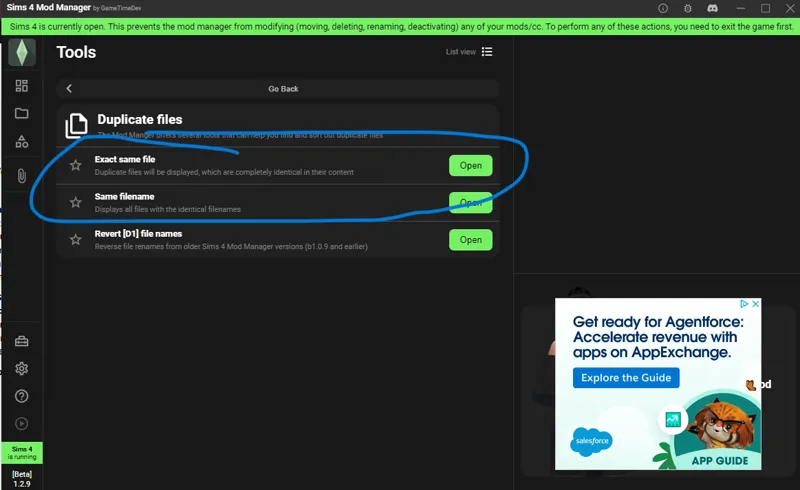
3) Deleting those dupes + Programs to help with your issues.
PLENTY of videos on youtube on how to use those programs it's better to watch a video than me typing it out, but I circled what I use in the picture above for Mod Manager
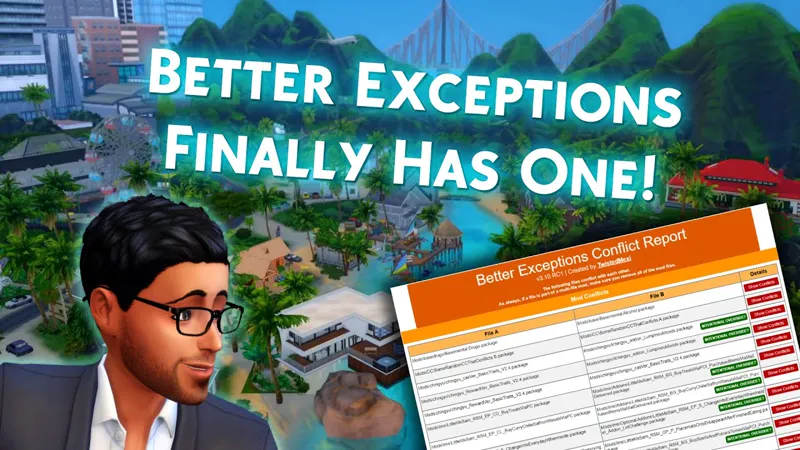
Mod Manager - Sims 4 Mod Assistant - Better Exceptions
4) 50/50 method and adding a little back at a time. Most of the simmers with big cc folders have had to do it and find out the problem file so do you babes. It's apart of the experience it sucks but you'll get through it!!! :)
5) Do Not Batch fix any CC with you MODS, SCRIPTS, DEFAULTS, AND OVERRIDES IN THE FOLDER I personally put those in my downloads folder while I'm doing batches IDK if it harms them but I wouldn't risk it!!!!!!
6) Back to organizing I'll explain how I do it. I'm sorry im not doing buildbuy and cas by creator I had thousands of folder and omg it was impossible to upload without my pc freezing LOL
SOO I have 1 main folder for Build buy with my sub folders in abc order. 1 Test folder in there for the cc I manually download ONLY!!!!! IF I download a build that cc goes into my folder that says BUILDS until im sure I can keep those builds in my game. BUT I STILL GET THE DUPES OUT! with Mod Manager :')
My Cas cc - I also do it in Abc order Besides Hair, Lashes (because they still have visual issues otherwise they'd also be in my accessories folder in abc btw) occult, and shoes. I also keep a new cas cc folder until im sure that stuff works also. Then I'll use mod manager to organize that cc as well.
All defaults & overrides are only 1 folder deep but I do keep them somewhat separated. Now for Mods that always need to be updated I keep those labeled by adding Mods in front of the creators name. I Personally put all of the creators mods in one folder BECAUSE when its update day they typically all need to be deleted and updated anyways so Why have 50 folders??? BUT MAKE SURE YOU HAVE THE PROPER MODULES NEED FOR THE MODS TO WORK BEFORE JUST DUMPING EVERYTHING IN 1 FOLDER. MAKE SURE YOU TAKE OUT ANY MODULE FOR PACKS YOU DON'T OWN. Always open each subfolder and drag and drop accordingly. I DO THIS BECAUSE I'M EXPERIENCED. I KNOW CREATORS DON'T TELL YOU DO IT THIS WAY. DO IT AT YOUR OWN RISK. !!!!!!!Always read all mod posts!!!!!!!!!!!
Any adult mods I put Nsfw in front of those and my overrides that comes with many different package files I add overrides in front of the name to keep it organized.
Twisted Mex I never touch I just do drag and drop the folder in my folder.
My Misc Mods go in the folder labeled MODS If I download just one mod by a creator that's where it goes so I don't have a bunch of folders with 1 mod in it. For Food mods I add 1 subfolder labeled recipes or food. They sometimes need to get updated so make sure to check but otherwise I keep the creators cookbook and appliances just in that mods folder.
Ok I think that's it for now, If I have some more tips I'll add them. You're responsible for what you download you can't blame anyone but yourself. Relax and just try to fix the problem!
LASTLY, STOP DOWNLOADING FULL CC FOLDERS ON YOUTUBE. Most of that stuff is old and has so many old broken mods in it.
I used to do that stuff too, but I was deleting my mods folder every update because of that. You have to be responsible about what you're downloading its fun to cc shop anyways! Taking the lazy route will have you constantly starting over and losing all your cute sims it's not worth it.
BUY A FLASH DRIVE OR WHATEVER AND KEEP YOUR CC, SAVES AND TRAYFILES BACKEDUP. JUST INCASE SOMETHING HAPPENS!!!!!!!!!! ⬇️⬇️⬇️⬇️⬇️⬇️⬇️⬇️⬇️
7) Take the time and copy paste those files that pop up conflicting in better exceptions and delete them. You could have a merged files and also have those files separate. All of that causes issues.
8) MCC Last exception - Delete those dupes that mod manager or assistant don't show. Under Full Mod List just push CTRL + F and type dupli and they will pop up now copy and paste the name of the cc only in the search bar of your mods folder and delete one of those duplicate files.
9) Clean out that mods folder :) I just deleted 9gb of old hairs I don't use anymore or they're just not that cute. CC has improved so if the mesh is not looking up to your standard delete it! New cc comes out everyday we don't need to hoard things we don't use. The FPS Boost will be amazing anyways! Who doesn't want the game running faster and smoother??
10) Make sure you aren't leaving WINRAR/ZIP Files in your game that causes a lot of problems as well.
11) If you have something merged try to unmerge it if you can't and it's something you don't really need just delete it!
12) Make sure your sliders and presets aren't the problem. We have batch fixes for those and you can check to see if the creator has updated them.
13) Downloading Builds - When I DL Builds ⬇️⬇️⬇️⬇️⬇️⬇️⬇️
1. I go through the files and make sure there aren't any mods in there.(look at every single file, or use mod managers sorting system)
2. I unmerge all of the merged files that I can.
3. I Put it all in one folder with those unmerged files in a separate folder (so we don't overlook any cc meshes), then I use Tray Importer to gather the cc that was actually used.
4. Do those batch fixes!!!!!
5. Open the game with just that cc to see if any of the meshes are missing. If so go back to the folder with the rest of the cc in it and grab those. (test as you go to make sure you have them)
6. Play test and if everything is good enjoy the new build! :)
Very time consuming but when you get used to it you'll get it done quickly.
UPDATE I found a video that is super helpful by Darkwaifu HERE